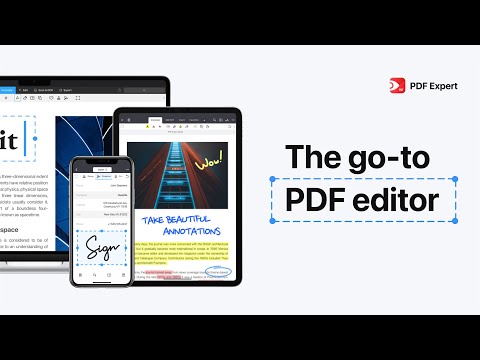
PDF Expert is a user-friendly PDF editor designed to simplify reading, editing, and managing documents. Whether for students, professionals, or businesses, it combines advanced annotation, form-filling, and document organization into one tool. Its intuitive interface allows users to perform tasks effortlessly, including editing text, merging files, and syncing across devices. At IdealOnlineBusiness, we create trusted guides to help you choose the right tools for productivity and workflow efficiency.
With its clean interface and fast performance, users can edit text, merge files, sign documents, and sync across devices without complexity. This detailed PDF Expert review explores its features, pricing, benefits, and comparisons to help you choose the right PDF solution for your workflow.
| Pros | Cons |
|---|---|
| User-Friendly Interface: Clean and intuitive design makes it easy for beginners and professionals. | No Windows Support: Limited mainly to Mac and iOS users. |
| Seamless Editing: Edit text, images, and documents without needing extra tools. | Limited Free Version: Advanced features require paid plans. |
| Advanced Annotation Tools: Highlight, comment, and collaborate efficiently. | Higher Pricing Tier: Premium plans may feel costly for some users. |
| Fast Performance: Smooth handling of large files with minimal lag. | Missing Some Advanced Features: Lacks certain enterprise-level tools like full automation. |
| Strong File Organization: Merge, split, and reorder documents easily. | No Web-Based Version: Less flexible compared to cloud-first competitors. |
| Secure Sharing: Password protection and encryption ensure safe document handling. | Limited OCR in Basic Plans: Advanced OCR features require upgrades. |
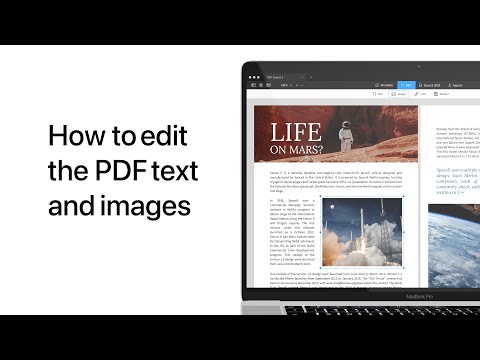
Editing text and images directly within documents saves time. Users can correct errors, update content, or add new elements without needing extra software, making workflows smoother and document management effortless. This ensures better productivity and professional results.
Highlighting, underlining, and adding comments make collaboration easier. Many pdf expert review insights mention how these annotations improve clarity, teamwork, and communication while reviewing documents. Businesses and students alike benefit from better engagement and accuracy when using this feature.
Users can complete forms digitally with ease, reducing the need for printing and scanning. The feature includes signature insertion, ensuring faster approvals and smoother workflows while promoting eco-friendly practices across industries.
A clean and simple design ensures the tool is easy to use. In this PDF Expert review, beginners quickly adapt, while professionals appreciate efficiency. This focus on usability helps users work faster and more effectively with documents.
In many pdf expert review discussions, speed and reliability stand out. Opening large documents, editing, or reviewing files happens smoothly, ensuring reduced delays, improved workflows, and a consistently positive user experience for individuals and businesses.
PDF Expert provides a strong library of tutorials and video guides for beginners and professionals. In this PDF Expert review, these guides explain everything from text editing to form filling in simple steps. The content is visually structured, making it easy to follow and implement. Professionals can use advanced tutorials to maximize features, while beginners gain quick clarity. Video guides also ensure users don’t miss key PDF Expert benefits while learning. With updated tutorials, businesses and individuals alike can unlock the tool’s complete potential with minimal effort.
PDF Expert offers a range of services that simplify document management, boost productivity, and enhance security for professionals and students. According to many pdf expert review insights, its reliable tools make handling, editing, and sharing PDFs much more efficient. Keep Reading: pdfFiller review | DocHub review | OnlyOffice review | WordPerfect review
PDF Expert by Readdle uses a simple Premium subscription model that unlocks editing, OCR, and advanced PDF tools across Mac, iPhone, and iPad. The plans and prices below are taken directly from the official PDF Expert pricing page.
Weekly Plan — ₹499/week
Billed weekly. Includes the iPhone, iPad, and Mac versions with full Pro annotation and editing. Best for short-term projects or trying Premium before committing long term.
Yearly Plan — ₹7,200/year
Billed annually (works out to about ₹138/week). Includes iPhone, iPad, and Mac versions with all Pro features. Best value for regular users who need PDF editing year-round.
Lifetime Plan — ₹14,900 (one-time)
A single one-time payment for permanent access across iPhone, iPad, and Mac, with no recurring fees. Best for users who want to own PDF Expert outright.
Note: PDF Expert offers a free trial, and pricing shown is from the official store and may vary slightly by region. Requires macOS Monterey or later.
Across the App Store, Mac App Store and review sites, PDF Expert by Readdle earns consistently positive reviews. We have not verified a current aggregate score, so we do not quote one. Users praise its clean interface and fast editing, while some note it’s limited to Apple devices and that key features sit behind the subscription.

PDF Expert is considered one of the best PDF solutions due to its speed, ease of use, and affordability compared to heavier tools. A pdf expert review highlights that it excels for Apple users seeking seamless workflows. Still, other PDF Expert alternative options include Adobe Acrobat, Foxit PDF, and Nitro PDF. Explore some alternative platforms if you need different pricing or features beyond what PDF Expert provides.












Top rated Features

PDF Expert is a PDF management tool that helps individuals and businesses edit, annotate, and organize documents. At IdealOnlineBusiness, we provide helpful answers to your questions, making it easier to decide if PDF Expert suits your workflow.
⚠️ Affiliate Disclosure: This site contains affiliate links. We may earn a commission when you purchase through our links at no extra cost to you. Results are not typical.