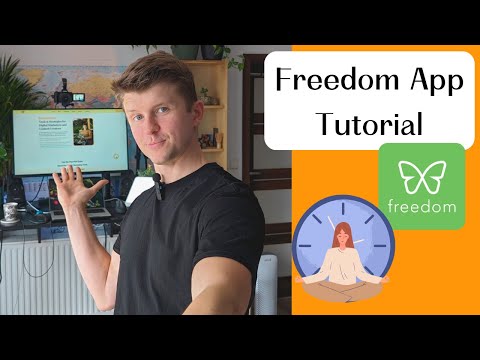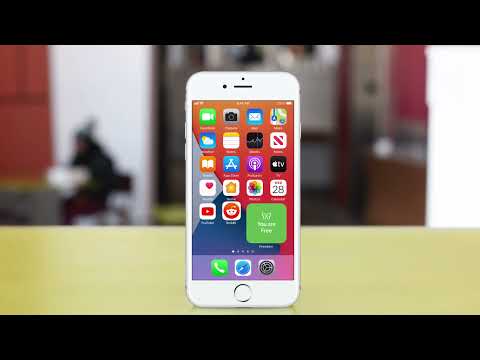
Freedom is a popular cross-platform website and app blocker used by more than 3 million people to fight digital distraction. The app lets you block specific sites, entire categories (social media, news, gaming), or the whole internet on schedules you control — with sessions that sync across Windows, macOS, iOS, Android, Chrome, Firefox, and Edge.
Originally launched in 2008 by Fred Stutzman as a Mac-only tool, Freedom has evolved into a polished productivity platform with features like Locked Mode, Focus Sounds, recurring schedules, and team plans. The brand emphasizes privacy — Freedom does not track browsing or app usage on any device.
One blocking session syncs across Mac, Windows, iOS, Android, Chrome, Firefox, and Edge in real time.
Build unlimited blocklists by site, app, or category — or block the entire internet for deep work.
Set daily or weekly routines that activate Freedom automatically without manual triggering.
Once enabled, Locked Mode prevents you from disabling Freedom mid-session for true accountability.
Built-in ambient audio — white noise, nature, cafe sounds — layered on top of active sessions.
Freedom does not track browsing history, app usage, or personal activity at any point.
Centralized billing and management for organizations and educational institutions.
Premium accounts work on as many devices as you own with no per-device limits.
Freedom is designed to remove digital distractions across every device you use. The core engine blocks websites and apps via custom blocklists, schedules, or instant sessions, and syncs those sessions across desktop and mobile in real time. Locked Mode prevents you from disabling Freedom mid-session, Focus Sounds layers ambient noise to deepen focus, and the recurring scheduler runs daily routines automatically. Premium plans include unlimited devices, unlimited blocklists, and team management for organizations.
Below are official walkthroughs and independent tutorials covering Freedom installation, setup, and day-to-day use across desktop and mobile.
Block apps, websites, or the entire internet across Mac, Windows, iOS, Android, and Chromebook, with session syncing across devices. Premium can also be tried free for 7 days.
Unlimited sessions and devices, recurring and advance scheduling, Locked Mode, and Focus Sounds.
The most popular plan. Same Premium features as monthly at a lower effective monthly rate when billed once a year.
A single payment for lifetime access to all Premium features, including future updates and unlimited devices.
Freedom holds an average rating around 4.4 out of 5 on G2 and 4.5 stars on the Apple App Store. Reviewers consistently praise the cross-device blocking and the supportive customer team. On Trustpilot, Freedom averages roughly 4.0 stars, with positive reviews citing focus benefits and critical reviews citing setup friction on iOS.









Top rated Features

⚠️ Affiliate Disclosure: This site contains affiliate links. We may earn a commission when you purchase through our links at no extra cost to you. Results are not typical.