⚠️ Affiliate Disclosure: This page contains affiliate links. We may earn a commission at no extra cost to you. This does not influence our reviews. Read full disclosure →

Toggl Track Review

Toggl Track Overview

Toggl Track is one of the most-loved time-tracking apps worldwide, used by freelancers, agencies, and remote teams to log work hours across projects, clients, and tasks. In this Toggl Track review by IdealOnlineBusiness.com, we look at its pricing, integrations, reporting, and ratings on G2, Capterra, and Trustpilot. Toggl Track works across desktop, web, mobile, and 100+ integrations including Asana, Trello, Jira, Notion, Google Calendar, and ClickUp, and ships with auto-tracking, idle detection, Pomodoro timers, and team timesheets.

Our analysis of public Toggl Track reviews turns up consistent themes rather than a score we can stand behind, so check the G2 and Capterra listings for current numbers. Reviewers consistently praise the speed of the timer, the cross-device sync, and how Toggl stays out of the way while still capturing accurate data. Toggl is one of the few productivity tools where users actively recommend it years after first install. For freelancers, consultants, and agencies billing by the hour, Toggl Track is a category leader.

One-Click Time Entry

Starting and stopping a timer takes a single click on desktop or a tap on mobile, with auto-suggested entries based on activity.

Auto-Tracking Setup Has a Learning Curve

Configuring auto-tracking rules takes a few sessions to dial in correctly.

Cross-Device Sync

Web, desktop, mobile, and browser extensions sync in real time so you can switch devices mid-task without losing context.

Free Plan Limits Reporting Depth

Free users get core tracking but advanced reporting and project budgets require a paid plan.

Powerful Reporting Dashboards

Detailed reports break time down by client, project, tag, and team member with PDF and CSV exports.

Mobile App Sometimes Loses Idle Detection

Idle detection on mobile can occasionally miss long pauses depending on OS power-save settings.

100+ Integrations

Native and Zapier-powered integrations cover most project management, calendar, and accounting tools.

No Built-In Invoicing

Toggl handles tracking and reporting but invoicing happens in connected tools like Xero or Toggls own Toggl Plan.

Toggl Track Features – What You Get?

Toggl Track packages a complete time-tracking toolkit into a clean, distraction-free workspace. Core features include one-click timers, manual time entry, auto-tracking, idle detection, Pomodoro timers, project and client tagging, billable rates, team timesheets, and detailed reporting. Native apps cover web, macOS, Windows, Linux, iOS, Android, and major browsers, all syncing in real time.

What makes Toggl stand out from rival time-trackers is the focus on user experience. Toggl never tries to be a CRM, project manager, or invoicing tool — it does time tracking better than anyone else and integrates with everything else through 100+ native integrations and Zapier.

One-click time tracking on web, desktop, and mobile Auto-tracking with rules and idle detection Pomodoro timer and reminder notifications Project, client, and tag organization Billable rates and budget alerts Team timesheets and approval workflows 100+ native and Zapier integrations Detailed reports with PDF and CSV exports GDPR-compliant with EU data residency Free plan for up to 5 users

Video Guides and Tutorials

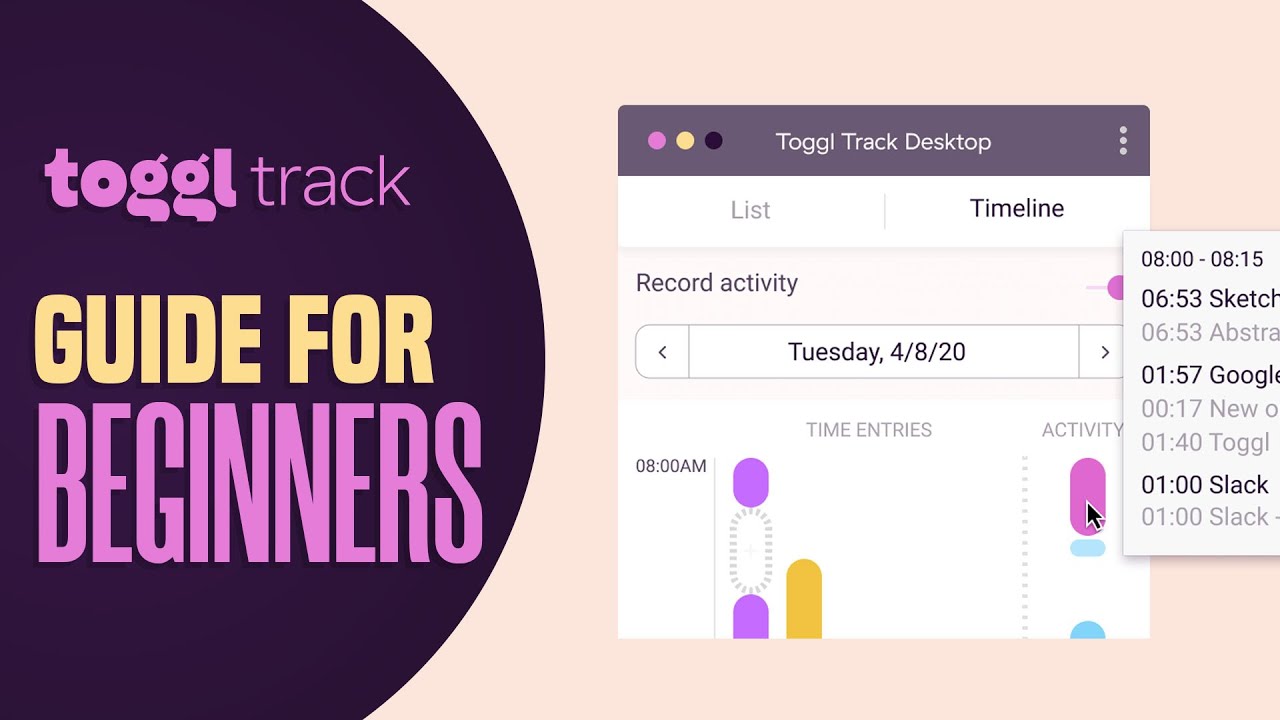
If you prefer to learn by watching, Toggl Track has a strong YouTube library and an active community of independent reviewers. The videos below cover installing and starting your first timer, setting up auto-tracking, configuring projects and billable rates, and pulling weekly reports for clients.

Toggl Track review and tips
How to use Toggl Track tutorial
Toggl Track review worth it
Toggl Track time tracking tutorial

Top Toggl Track Services

Toggl Track is more than a timer — it bundles a complete time-tracking and reporting suite for freelancers, agencies, and remote teams. Alongside the core tracker, Toggl offers auto-tracking, team timesheets, billable rate management, detailed reporting, mobile and desktop apps, and 100+ integrations with major project management, calendar, and accounting tools.

Based on our research of Toggl reviews on G2, Capterra, and Trustpilot, users most often credit Toggl with making time tracking effortless enough that they actually do it consistently — the #1 reason it stays installed years after first use.

Toggl Track Price Plans

Toggl Track uses a straightforward tiered pricing model with a generous free plan and three paid tiers. All paid plans include unlimited time tracking, integrations, and exports.

Free Plan — $0
Up to 5 users, unlimited tracking, basic reporting. Best for freelancers and small teams.

Starter Plan — $10/user/month
Billed yearly. Project budgets, billable rates, time rounding, and Pomodoro. For solo professionals and small agencies.

Premium Plan — $20/user/month
Billed yearly. Required time entries, approvals, scheduled reports, single sign-on. Most popular for growing agencies.

Enterprise Plan — Custom pricing
Custom security, SAML SSO, dedicated success manager. Built for large organizations.

Pros and Cons of Toggl Track

Pros
✅ One-click time tracking that stays out of the way
✅ Cross-device sync across web, desktop, and mobile
✅ Generous free plan for up to 5 users
✅ 100+ integrations with PM, calendar, and accounting tools
✅ Positive user sentiment on G2 (check the listing for the current score)

Cons
❌ No built-in invoicing — happens in connected tools
❌ Auto-tracking takes setup to dial in correctly
❌ Free plan limits advanced reporting
❌ Mobile idle detection can miss long pauses on power-save mode
❌ Premium tier required for required-entry policies

Top Toggl Track Alternatives

While Toggl Track is one of the highest-rated time-tracking apps in 2026, some teams need built-in invoicing, deeper project management, or different pricing. Depending on whether you want pure time tracking, a tracker with invoicing, or an all-in-one PM-and-tracker, these Toggl alternatives offer competing options worth comparing.


WordPerfect Review

WordPerfect Review

Explore More
iMyFone Review

iMyFone Review

Explore More
Freedom Review

Freedom Review

Block distracting websites and apps across all your devices
Explore More
OnlyOffice Review

OnlyOffice Review

Explore More
Clockify Review

Clockify Review

Explore More
Fabric.so Review

Fabric.so Review

Fabric.so Review – AI Workspace & Second Brain That Auto-Organizes Everything
Explore More
RescueTime Review

RescueTime Review

RescueTime Review – Automatic Time Tracking & Focus Tool for Knowledge Workers
Explore More
Authory Review

Authory Review

Explore More
VisualCV Review

VisualCV Review

Explore More
Parallels Review

Parallels Review

Explore More
One Click Root Review

One Click Root Review

Explore More
Awesome Screenshot Review

Awesome Screenshot Review

Explore More
Reclaim AI Review

Reclaim AI Review

Explore More
Todoist Review

Todoist Review

Explore More
ClickUp Review

ClickUp Review

Explore More
DeskTime Review

DeskTime Review

Explore More
Any.do Review

Any.do Review

Explore More
2Captcha Review

2Captcha Review

Top Rated Features
  1. Easy Task Automation
  2. Integration Flexibility
  3. Real-Time Data Management
Explore More
Cake.com Review

Cake.com Review

Top Rated Features
  1. All-in-one solution
  2. Easy integration
  3. Team collaboration
Explore More
Toggl track Review

Toggl track Review

Top Rated Features
  1. Easy Start and Stop
  2. Project and Client Tags
  3. Clear and Simple Reports
Explore More
Nimbus Review

Nimbus Review

Top Rated Features
  1. Task Management
  2. Document Collaboration
  3. Cloud Storage
Explore More
Splashtop Review

Splashtop Review

Top Rated Features
  1. High-Performance Remote Access
  2. Cross-Platform Support
  3. Affordable Pricing
Explore More
Duet Display Review

Duet Display Review

Top Rated Features
  1. Supports Mac and Windows
  2. Smooth Performance with Low Latency
  3. Adjustable Resolution and Frame Rate
Explore More
Taskade Overview

Taskade Overview

Top Rated Features
  1. Built-In Mind Mapping Tool
  2. AI Assistant for Task Management
  3. Voice and Video Chat Integration
Explore More
Stardock Review

Stardock Review

Top rated Features

  1. Customizable Fences
  2. Theme Customization
  3. Automatic Grouping
Explore More
PDF Expert Review

PDF Expert Review

Top Rated Features
  1. Seamless Editing
  2. Advanced Annotation
  3. Form Filling Support
Explore More
Time Doctor Review

Time Doctor Review

Top Rated Features
  1. Time Tracking
  2. Employee Monitoring
  3. Mobile Testing and Reports
Explore More
Shift Review

Shift Review

Top Rated Features
  1. Microsoft Apps
  2. All Apps In One Hub
  3. Google Services
Explore More
FAQs

Frequently Asked Questions

Toggl Track is a time-tracking app loved by freelancers, agencies, and remote teams. This section answers the most common questions based on our research of public Toggl Track reviews on G2, Capterra, and Trustpilot.

Toggl Track is a one-click time-tracking app that runs on web, desktop, and mobile. You start a timer, tag the entry with a project or client, and Toggl logs the time across devices so you can pull reports for invoicing or productivity reviews.

Yes — Toggl Track has a free plan for up to 5 users with unlimited tracking and basic reporting. Paid plans start at $10/user/month and unlock project budgets, billable rates, and advanced reporting.

Yes. Desktop and mobile apps can track time offline and sync entries to the cloud once you reconnect.

Yes. The desktop app auto-tracks app and website usage based on configurable rules, and detects idle time so you can decide whether to keep or discard those minutes.

Yes. Toggl integrates natively with 100+ tools including Asana, Jira, Trello, Notion, ClickUp, Google Calendar, and accounting software like Xero and QuickBooks.

Yes. Toggl produces detailed reports broken down by client, project, tag, and team member, with PDF and CSV exports for invoicing or stakeholder updates.

We are not quoting a third-party score for Toggl Track here, because ratings on G2 and Capterra shift constantly and we cannot verify what they say at the moment you are reading this. Check those listings directly for current figures. What is consistent across public reviews is the themes: reviewers praise the speed, the cross-device sync and the reporting quality.

Yes. Higher tier plans include team timesheets, required time entries, approval workflows, and scheduled reports for managers and finance teams.

Yes — Toggl is GDPR-compliant and offers EU data residency for European customers. The company is headquartered in Estonia and follows strict EU data protection standards.

Toggl fits freelancers, consultants, agencies, and remote teams that bill by the hour or want clean visibility into where time goes. Its less suited to teams that need built-in invoicing or full project management.

⚠️ Affiliate Disclosure: This site contains affiliate links. We may earn a commission when you purchase through our links at no extra cost to you. Results are not typical.