⚠️ Affiliate Disclosure: This page contains affiliate links. We may earn a commission at no extra cost to you. This does not influence our reviews. Read full disclosure →

Todoist Review

Todoist Overview

Todoist remains one of the most trusted task management apps in 2026, used by more than 47 million people across solo workflows, small teams, and larger creative and engineering organizations. What keeps it there — through 15 years of fierce competition from TickTick, Things 3, Notion, and ClickUp — is a rare combination: a genuinely simple inbox-first interface, the best natural-language input in the category, the Karma gamification system that keeps habits sticky, and deep cross-platform sync across 15+ devices including iOS, Android, macOS, Windows, Linux, Apple Watch, web, and browser extensions. In this Todoist review, we unpack the 2025 AI assistant upgrade, the Ramble voice capture feature, how Todoist Pro pricing changed after its December 2025 increase, how the platform handles team projects versus dedicated tools like Asana or ClickUp, and whether the free plan is still enough for most solo users in 2026. For founders and creators who want an inbox that actually captures thoughts before they escape — and a system that quietly enforces follow-through — Todoist is still one of the highest-leverage productivity subscriptions out there.

Smart Quick Add With Natural Language

Todoist’s Smart Quick Add parses natural language like “Submit report every third Thursday 5pm @work p1” into a fully structured task — with date, priority, label, and project assigned in a single keystroke across 10 languages and 100+ grammar rules.

Projects, Sections & Sub-Tasks Hierarchy

Organize any workflow with nested projects, sections within projects, and sub-tasks up to five levels deep — enough structure for OKRs, client workstreams, and multi-stage creative projects without the complexity of enterprise PM tools.

Priority Levels, Labels & Custom Filters

Four priority levels (P1–P4), unlimited custom labels (@deep-work, @errand, @waiting-on), and saved filter queries like “p1 & today & @deep-work” let power users slice their entire task database in seconds.

Recurring Tasks With Flexible Rules

Handle any recurring cadence — “every weekday”, “every 2nd Monday”, “the last working day of the month” — with one of the most flexible recurring engines in any task manager on the market in 2026.

Karma Gamification & Productivity Trends

Todoist’s Karma system awards points for completing tasks on time, tracks daily and weekly goal streaks, unlocks mystery themes as you level up, and quietly builds habit consistency through gamified reinforcement.

Calendar View, Board View & List View

Toggle between List, Board (Kanban), and Calendar views inside the same project — so you can write tasks in the inbox, plan the week on a calendar, and drag cards between workflow stages without leaving the app.

Voice Capture With Ramble & AI Assistant

The 2025 Todoist AI assistant prioritizes tasks, suggests schedules, and flags blockers — while Ramble voice capture lets you dictate tasks hands-free during a commute or walk, with full natural-language parsing.

Cross-Device Sync Across 15+ Platforms

Todoist syncs in real time across iOS, Android, macOS, Windows, Linux, Apple Watch, Wear OS, web, browser extensions for Chrome/Firefox/Safari, and Gmail/Outlook plugins — ensuring your inbox is always one keystroke away.

Todoist Features — What’s Inside The App

Todoist packs a surprising amount of productivity machinery into one of the simplest-looking interfaces in the task manager category. You get Smart Quick Add with natural-language parsing in 10 languages, projects with sections and sub-tasks up to 5 levels deep, 4 priority levels, unlimited labels, saved filter views, board and calendar views, recurring tasks with flexible rules, reminders (time + location-based), comments and file attachments, task templates, activity history, the Karma gamification layer, the 2025 AI assistant, Ramble voice capture, team collaboration in shared projects, and 80+ integrations including Google Calendar, Outlook, Slack, Zapier, IFTTT, Alexa, and Siri Shortcuts. Pricing scales from a Free tier (5 projects, 5 collaborators) through Pro ($5/month annual after the December 2025 raise) and Business ($8/user/month annual) for teams. For any solo founder, creator, or small team that wants an inbox that captures everything and intelligently enforces follow-through, Todoist remains the gold-standard benchmark.

✅ Smart Quick Add with natural-language parsing in 10 languages ✅ Projects, sections, sub-tasks (5-level nesting) ✅ 4 priority levels, unlimited labels, saved filter views ✅ Recurring tasks with flexible rules ("every 2nd Monday", "last weekday") ✅ List, Board (Kanban) and Calendar views ✅ Time-based and location-based reminders ✅ Karma gamification, productivity trends and goal streaks ✅ 2025 AI assistant: prioritization, smart scheduling, blocker detection ✅ Ramble voice capture for hands-free task entry ✅ Comments, file attachments, task templates, activity history ✅ 80+ integrations (Google Calendar, Slack, Zapier, IFTTT, Alexa, Siri) ✅ Free tier (5 projects), Pro $5/mo, Business $8/user/mo after Dec 2025 raise ✅ 15+ platform sync: iOS, Android, macOS, Windows, Linux, Watch, web

Todoist Video Walkthroughs & Tutorials

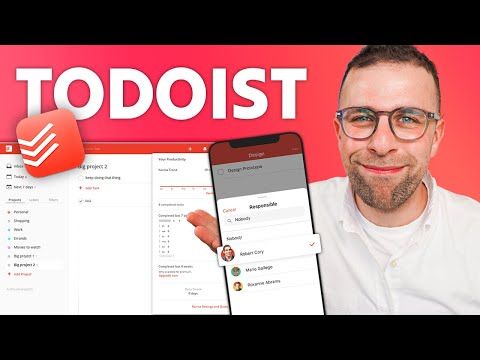
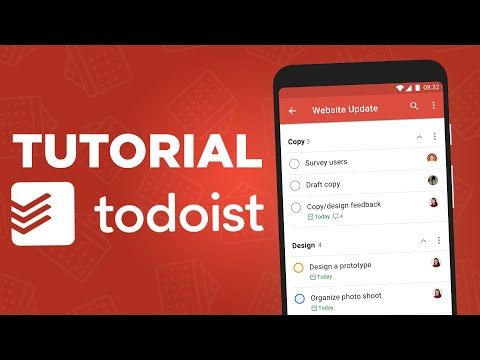
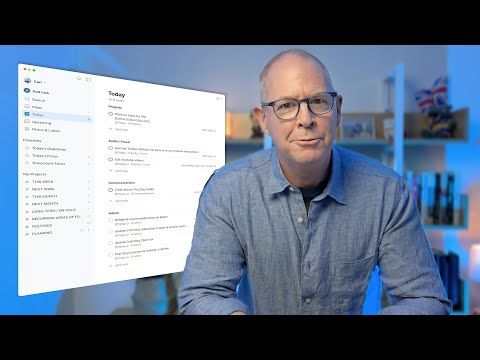
The four videos below are the fastest way to build a Todoist system that actually sticks — a thorough beginner tutorial, a project/task management walkthrough, a 2024 productivity setup, and a focused “simple setup” from a long-time user. Watching even one will give you a clearer picture of natural-language input, filters, and the Karma system than any marketing screenshot.

Todoist — Todoist Youtube Zeyzrz 3mys
Todoist — Todoist Youtube Seal 6rtij4
Todoist — Todoist Youtube Qcr4954c3wm
Todoist — Todoist Youtube Vvctybnq43q

Todoist Pricing Plans

Todoist offers three pricing tiers including a free plan capped at 5 projects. Annual billing saves up to 28% versus monthly, and prices increased modestly in late 2025 but remain among the most affordable in productivity software.

  • Free: $0 forever — 5 active projects, 5 collaborators per project, 1 week activity history, basic task management, mobile/desktop/web apps, browser extension, email integration
  • Pro: $5/month (annual, $60/year) or $7/month (monthly) — 300 active projects, 25 collaborators/project, reminders, AI Assistant, file attachments (100 MB), themes, automatic backups, advanced filters, calendar feed
  • Business: $6/user/month (annual) or $8/user/month (monthly) — 500 active team projects, calendar layout, shared workspace, granular activity log, shared templates, roles & permissions, centralized billing, priority support

All plans include unlimited tasks, sub-tasks, recurring dates, due dates, labels, and natural language input. Free trials available on Pro and Business plans (no credit card required). Educational discount (50% off) is available for students/teachers with valid .edu email — check Todoist.com/students for details.

Todoist Reviews & Ratings

Pros and Cons of Todoist

Here is an honest look at where Todoist stands out and where it falls short, based on user feedback across G2 and Capterra.

Pros

  • ✅ Clean, fast, and intuitive task management across web, desktop, and mobile.
  • ✅ Natural-language task entry with smart date and recurring scheduling.
  • ✅ Projects, labels, filters, and priorities for flexible organization.
  • ✅ Generous free plan and an affordable Pro tier.
  • ✅ Strong integrations (Google Calendar, Slack, and more) plus offline support.

Cons

  • ❌ The free plan limits active projects and reminders.
  • ❌ No built-in time tracking or note-taking.
  • ❌ Fewer advanced project-management features than ClickUp or Asana.
  • ❌ Reminders require a paid plan.
  • ❌ Limited reporting and analytics for larger teams.

Top Todoist Alternatives

Todoist leads on natural-language input and habit-driven consistency, but several alternatives are worth evaluating. Things 3 offers the most refined Apple-only UX with a one-time purchase per platform. TickTick is cheaper than Pro and bundles a Pomodoro timer plus habit tracking. Notion can replace Todoist for those who want tasks inside a full knowledge base — but is not a dedicated task manager. Asana and ClickUp are stronger for serious multi-person team PM. Morgen pairs well for time-blocking alongside Todoist. For most solo founders and creators in 2026, Todoist still has the cleanest capture → plan → execute loop, and the free tier is genuinely enough to validate the workflow before upgrading.


WordPerfect Review

WordPerfect Review

Explore More
iMyFone Review

iMyFone Review

Explore More
Freedom Review

Freedom Review

Block distracting websites and apps across all your devices
Explore More
OnlyOffice Review

OnlyOffice Review

Explore More
Clockify Review

Clockify Review

Explore More
Fabric.so Review

Fabric.so Review

Fabric.so Review – AI Workspace & Second Brain That Auto-Organizes Everything
Explore More
RescueTime Review

RescueTime Review

RescueTime Review – Automatic Time Tracking & Focus Tool for Knowledge Workers
Explore More
Authory Review

Authory Review

Explore More
VisualCV Review

VisualCV Review

Explore More
Toggl Track Review

Toggl Track Review

Explore More
Parallels Review

Parallels Review

Explore More
One Click Root Review

One Click Root Review

Explore More
Awesome Screenshot Review

Awesome Screenshot Review

Explore More
Reclaim AI Review

Reclaim AI Review

Explore More
ClickUp Review

ClickUp Review

Explore More
DeskTime Review

DeskTime Review

Explore More
Any.do Review

Any.do Review

Explore More
2Captcha Review

2Captcha Review

Top Rated Features
  1. Easy Task Automation
  2. Integration Flexibility
  3. Real-Time Data Management
Explore More
Cake.com Review

Cake.com Review

Top Rated Features
  1. All-in-one solution
  2. Easy integration
  3. Team collaboration
Explore More
Toggl track Review

Toggl track Review

Top Rated Features
  1. Easy Start and Stop
  2. Project and Client Tags
  3. Clear and Simple Reports
Explore More
Nimbus Review

Nimbus Review

Top Rated Features
  1. Task Management
  2. Document Collaboration
  3. Cloud Storage
Explore More
Splashtop Review

Splashtop Review

Top Rated Features
  1. High-Performance Remote Access
  2. Cross-Platform Support
  3. Affordable Pricing
Explore More
Duet Display Review

Duet Display Review

Top Rated Features
  1. Supports Mac and Windows
  2. Smooth Performance with Low Latency
  3. Adjustable Resolution and Frame Rate
Explore More
Taskade Overview

Taskade Overview

Top Rated Features
  1. Built-In Mind Mapping Tool
  2. AI Assistant for Task Management
  3. Voice and Video Chat Integration
Explore More
Stardock Review

Stardock Review

Top rated Features

  1. Customizable Fences
  2. Theme Customization
  3. Automatic Grouping
Explore More
PDF Expert Review

PDF Expert Review

Top Rated Features
  1. Seamless Editing
  2. Advanced Annotation
  3. Form Filling Support
Explore More
Time Doctor Review

Time Doctor Review

Top Rated Features
  1. Time Tracking
  2. Employee Monitoring
  3. Mobile Testing and Reports
Explore More
Shift Review

Shift Review

Top Rated Features
  1. Microsoft Apps
  2. All Apps In One Hub
  3. Google Services
Explore More
FAQs

Frequently Asked Questions About Todoist

Below are the eleven most common questions people ask before committing to Todoist. Most revolve around whether the Free tier is truly enough, how Todoist Pro changed after the December 2025 price increase, how Todoist compares to Things 3 / TickTick / Asana, and how the Karma and AI layers actually change daily productivity. The answers below should help you decide without needing a trial period.

Todoist is a task management and personal productivity app used by over 47 million people to capture tasks, organize projects, manage recurring routines, and follow through on goals across 15+ synced devices — with a strong focus on natural-language input and gamified consistency via Karma.

Yes. Todoist’s free plan is genuinely usable with 5 active projects, 5 collaborators per project, 3 filter views, full natural-language Smart Quick Add, basic reminders, Ramble voice capture, and cross-device sync. Many users stay on Free for years and never feel limited.

Smart Quick Add parses strings like “Pay rent on the 1st every month” or “Review design with @Maya tomorrow 3pm p1” into a fully structured task — detecting date, time, recurrence, priority, labels, and project in a single keystroke across 10 languages.

Karma is Todoist’s gamification system. You earn points for completing tasks on time, hitting daily and weekly completion goals, and maintaining streaks — unlocking levels, color themes, and “mystery” rewards as you progress. It is surprisingly effective at reinforcing daily capture and follow-through habits.

Yes. Todoist fully supports offline use — you can add, edit, complete, and reorganize tasks without an internet connection, and changes sync automatically once you reconnect. This applies to iOS, Android, macOS, Windows, Linux, and the web app’s installable PWA.

Yes. Todoist integrates bi-directionally with Google Calendar and Outlook Calendar — tasks with dates appear as calendar events, and calendar blocks can flow back into Todoist as reminders. This is one of Todoist’s strongest differentiators versus TickTick and Things 3.

After the December 2025 price increase, Todoist Pro is approximately $5/month billed annually (or $6/month monthly), and Todoist Business is approximately $8/user/month annually (or $10/user/month monthly). The Free tier remains at $0/month.

Yes. Todoist Business includes team workspaces, shared projects, shared filters and labels, centralized billing, role-based permissions, admin controls, team templates, and a team activity log. For teams under 25 it is a lighter alternative to Asana Basic or ClickUp Unlimited.

Todoist is best for individual capture and habit-driven follow-through. TickTick is cheaper and bundles a Pomodoro timer. Things 3 has the most refined UX but is Apple-only and one-time purchase per platform. Asana and ClickUp are better for serious team project management. For a solo knowledge worker in 2026, Todoist still has the cleanest capture + execution loop.

Sign up directly on the Todoist website or download the iOS, Android, macOS, or Windows app — no credit card required for the Free plan. First-task onboarding takes under 3 minutes, and the Ramble voice capture lets you dictate your first task during the setup walk.

For anyone serious about personal productivity, yes — Todoist Pro at $5/month unlocks AI assistant, unlimited labels, 300 projects, 150 filter views, and reminders. Most solo knowledge workers recover the subscription cost in the first week of planning time saved.

⚠️ Affiliate Disclosure: This site contains affiliate links. We may earn a commission when you purchase through our links at no extra cost to you. Results are not typical.