⚠️ Affiliate Disclosure: This page contains affiliate links. We may earn a commission at no extra cost to you. This does not influence our reviews. Read full disclosure →

ClickUp Review

ClickUp Overview

ClickUp is an all-in-one productivity platform that combines tasks, docs, whiteboards, goals, chat, time tracking, dashboards, and AI into one workspace. Built to replace multiple tools, ClickUp powers teams of every size — from solo founders to enterprises like IBM, Samsung, and Netflix — with over 15 customizable views (List, Board, Gantt, Calendar, Timeline, Mind Map, and more), 1,000+ integrations, and ClickUp Brain, its built-in AI assistant. It’s consistently rated as the most feature-rich project management platform on the market.

15+ Flexible Task Views

Switch seamlessly between List, Board, Gantt, Calendar, Timeline, Table, Mind Map, Activity, Map, and more — every team visualizes work their own way without losing structure.

ClickUp Brain AI Assistant

ClickUp Brain uses AI to summarize threads, draft project plans, generate sub-tasks, write docs, and answer questions about anything in your workspace instantly.

Docs, Whiteboards & Mind Maps

Create collaborative docs with nested pages, design strategy whiteboards, and build mind maps that convert directly into tasks and sub-tasks.

Goals, OKRs & Dashboards

Track company, team, and personal goals tied to real tasks; build custom dashboards with 50+ widgets for real-time reporting and portfolio-wide visibility.

Time Tracking & Workload

Native time tracking, estimates, workload views, and capacity charts help managers balance effort and prevent burnout across every sprint.

Automations & Templates

Drag-and-drop automations trigger workflows (assignments, statuses, notifications), while 1,000+ prebuilt templates accelerate setup for any team or industry.

Chat, Inbox & Comments

ClickUp Chat, Inbox, proofing, screen recordings, and threaded comments consolidate communication alongside the work, reducing tool-switching.

1,000+ Integrations & Open API

Connect Slack, Microsoft Teams, Google Drive, Zoom, GitHub, GitLab, Figma, HubSpot, Salesforce, Zapier, Make, and 1,000+ others — plus a full public API.

ClickUp Features – What You Get

ClickUp brings project management, docs, chat, goals, dashboards, and AI into one unified workspace. From flexible task views and built-in docs to AI, automations, and 1,000+ integrations, it replaces several disconnected tools with a single platform. Here is a quick look at the key features you get with ClickUp.

  • 15+ customizable views (List, Board, Gantt, Calendar, Timeline, Mind Maps)
  • Built-in Docs, wikis, and Whiteboards
  • Goals, dashboards, and real-time reporting
  • ClickUp Brain AI for writing and automating work
  • Powerful no-code automations
  • Native chat, time tracking, and 1,000+ integrations

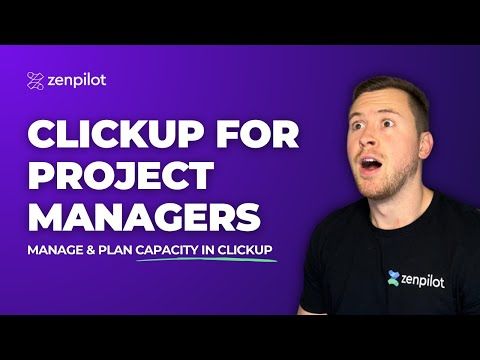
ClickUp Video Guides and Tutorials

ClickUp — Clickup Youtube Z01b0oxqkzu
ClickUp — Clickup Youtube Alxgyb1jkd8
ClickUp — Clickup Youtube Jzxc70wyueg
ClickUp — Clickup Youtube Mhmysnb2ze8

ClickUp Pricing Plans

ClickUp offers four core tiers including a generous free forever plan. Annual billing saves 30-40% versus monthly, and the Brain AI add-on is $9/user/month extra on any paid plan.

  • Free Forever: $0 — unlimited tasks, unlimited free plan members, 60 MB storage, and core features (Kanban boards, sprint management, collaborative docs, calendar view, two-factor authentication, 24/7 support)
  • Unlimited: $7/user/month billed yearly — unlimited storage, unlimited integrations, unlimited Gantt charts, unlimited custom fields, native time tracking, goals & portfolio management, resource management, and guests with permission control
  • Business: $12/user/month billed yearly — everything in Unlimited plus unlimited dashboards with advanced cards, unlimited timeline views, advanced automations (5K/month), advanced public sharing, workload management, and Google SSO
  • Enterprise: Custom pricing — white labeling, advanced permissions, enterprise API, SAML & SSO, MSA & HIPAA availability, audit logs, and a dedicated success manager
  • ClickUp Brain (AI): $9/user/month add-on — AI assistant, AI agents, AI chat and AI writing tools available on any paid plan

All paid plans include unlimited members and integrations, two-factor authentication, and 50+ task views. A 14-day free trial covers Business plan features. Startups and non-profits get discounts of up to 50% — contact sales for verification.

Top ClickUp Use Cases

Pros and Cons of ClickUp

Here is an honest look at where ClickUp excels and where it falls short, based on user feedback across G2 and Capterra.

Pros

  • ✅ Extremely feature-rich all-in-one workspace covering tasks, docs, chat, goals, and dashboards.
  • ✅ 15+ customizable views adapt to almost any workflow.
  • ✅ Generous Free Forever plan with unlimited tasks and members.
  • ✅ Powerful automations and 1,000+ integrations.
  • ✅ ClickUp Brain AI is built directly into the workspace.

Cons

  • ❌ Steep learning curve due to the sheer number of features.
  • ❌ Can feel overwhelming or cluttered for small teams with simple needs.
  • ❌ Occasional performance lag in very large workspaces.
  • ❌ The mobile app is less polished than the web version.
  • ❌ Higher automation limits and advanced features require paid tiers.

ClickUp Reviews & Ratings

ClickUp is one of the highest-rated project management platforms in the world, with praise across G2, Capterra, TrustRadius, and Gartner Peer Insights. Users consistently highlight its depth of features, the flexibility of its views, and rapid product improvement cadence. Over 2 million teams and 10% of the Fortune 500 rely on ClickUp every day.

TrustRadius – 8.5 / 10
Gartner Peer Insights – 4.6 / 5

Top ClickUp Alternatives

ClickUp leads the all-in-one productivity category, but several alternatives cater to different team styles. Depending on whether you want a polished UX, visual workflows, connected docs, or engineering-grade tracking, these ClickUp alternatives are worth comparing:


  • Asana — polished UX for marketing and operations teams.
  • Monday.com — focuses on colourful, visual workflows.
  • Notion — blends docs and databases in one flexible workspace.
  • Jira — dominates engineering-heavy, agile environments.
  • Trello — the simplest Kanban option for light projects.
WordPerfect Review

WordPerfect Review

Explore More
iMyFone Review

iMyFone Review

Explore More
Freedom Review

Freedom Review

Block distracting websites and apps across all your devices
Explore More
OnlyOffice Review

OnlyOffice Review

Explore More
Clockify Review

Clockify Review

Explore More
Fabric.so Review

Fabric.so Review

Fabric.so Review – AI Workspace & Second Brain That Auto-Organizes Everything
Explore More
RescueTime Review

RescueTime Review

RescueTime Review – Automatic Time Tracking & Focus Tool for Knowledge Workers
Explore More
Authory Review

Authory Review

Explore More
VisualCV Review

VisualCV Review

Explore More
Toggl Track Review

Toggl Track Review

Explore More
Parallels Review

Parallels Review

Explore More
One Click Root Review

One Click Root Review

Explore More
Awesome Screenshot Review

Awesome Screenshot Review

Explore More
Reclaim AI Review

Reclaim AI Review

Explore More
Todoist Review

Todoist Review

Explore More
DeskTime Review

DeskTime Review

Explore More
Any.do Review

Any.do Review

Explore More
2Captcha Review

2Captcha Review

Top Rated Features
  1. Easy Task Automation
  2. Integration Flexibility
  3. Real-Time Data Management
Explore More
Cake.com Review

Cake.com Review

Top Rated Features
  1. All-in-one solution
  2. Easy integration
  3. Team collaboration
Explore More
Toggl track Review

Toggl track Review

Top Rated Features
  1. Easy Start and Stop
  2. Project and Client Tags
  3. Clear and Simple Reports
Explore More
Nimbus Review

Nimbus Review

Top Rated Features
  1. Task Management
  2. Document Collaboration
  3. Cloud Storage
Explore More
Splashtop Review

Splashtop Review

Top Rated Features
  1. High-Performance Remote Access
  2. Cross-Platform Support
  3. Affordable Pricing
Explore More
Duet Display Review

Duet Display Review

Top Rated Features
  1. Supports Mac and Windows
  2. Smooth Performance with Low Latency
  3. Adjustable Resolution and Frame Rate
Explore More
Taskade Overview

Taskade Overview

Top Rated Features
  1. Built-In Mind Mapping Tool
  2. AI Assistant for Task Management
  3. Voice and Video Chat Integration
Explore More
Stardock Review

Stardock Review

Top rated Features

  1. Customizable Fences
  2. Theme Customization
  3. Automatic Grouping
Explore More
PDF Expert Review

PDF Expert Review

Top Rated Features
  1. Seamless Editing
  2. Advanced Annotation
  3. Form Filling Support
Explore More
Time Doctor Review

Time Doctor Review

Top Rated Features
  1. Time Tracking
  2. Employee Monitoring
  3. Mobile Testing and Reports
Explore More
Shift Review

Shift Review

Top Rated Features
  1. Microsoft Apps
  2. All Apps In One Hub
  3. Google Services
Explore More
FAQs

Frequently Asked Questions about ClickUp

Everything you need to know before adopting ClickUp — from pricing and integrations to AI, security, and switching from Asana or Monday.com — answered in one place.

ClickUp is an all-in-one productivity platform combining tasks, docs, goals, chat, whiteboards, time tracking, and AI — designed to replace multiple tools and give teams a single workspace to plan and execute work.

Yes, ClickUp’s Free Forever plan is genuinely free with unlimited users, unlimited tasks, 60 MB storage, and access to most core features.

ClickUp pricing starts at Free Forever, then Unlimited ($7/user/month), Business ($12/user/month), Business Plus ($19/user/month), and custom Enterprise pricing.

ClickUp Brain is ClickUp’s built-in AI assistant that can summarize threads, generate project plans, draft documents, create sub-tasks, and answer natural-language questions.

ClickUp Chat provides in-workspace chat channels, threaded comments, and DMs tied to tasks and docs. Many teams replace Slack or Teams with ClickUp Chat.

ClickUp tends to win on depth of features, pricing, and customization. Asana is praised for simpler UX and Monday.com for visual appeal.

Yes. ClickUp includes native time tracking, estimates, timesheets, billable hours, and workload views with mobile and desktop timers.

Yes. ClickUp integrates with Slack, Microsoft Teams, Google Drive, Zoom, GitHub, Figma, HubSpot, Salesforce, Zapier, and 1,000+ others.

Yes. ClickUp is SOC 2 Type II, ISO 27001, GDPR, HIPAA, and PCI compliant, with SSO, MFA, audit logs, and granular permissions.

Yes. ClickUp offers full-featured iOS and Android apps plus desktop apps for Mac, Windows, and Linux with offline support.

You can cancel your ClickUp subscription from your workspace billing settings. Your workspace remains on the Free Forever plan.

⚠️ Affiliate Disclosure: This site contains affiliate links. We may earn a commission when you purchase through our links at no extra cost to you. Results are not typical.