Reclaim AI is an AI-powered scheduling app that automatically finds the best time in your calendar for meetings, tasks, habits, breaks, and focused work. Users reclaim an average of 7.6 hours per week and report up to 40% more productive time for deep work. With intelligent automation that respects your existing calendar, Reclaim defends your priorities while staying flexible as new meetings pop up.
Whether you use Google Calendar or Microsoft Outlook, Reclaim syncs across accounts, prevents double-bookings, and adds buffer time around meetings so you never run from one call to the next. It turns your to-do list into real calendar events, protecting both your work goals and your personal routines.
Reclaim finds the best time for meetings, tasks, and habits based on priorities, availability, and energy levels.
Auto-block uninterrupted focus time each week so deep work actually happens.
Turn to-dos into scheduled calendar blocks that automatically reschedule when plans change.
Block flexible, recurring time for routines like exercise, planning, or learning.
Find the best time for one-on-one meetings that works for both calendars.
Share bookable links with prioritized availability windows.
Auto-add breaks and travel time around meetings so you stay prepared.
Protect entire days from meetings for maker mode and deep work.
Reclaim AI packs a full productivity operating system into your calendar. The Focus Time feature proactively defends a weekly focus goal, while Habits keeps recurring routines protected. Smart 1:1 meetings automatically find the best time for both people and reschedule themselves when conflicts appear.
Integrations with Google Calendar, Microsoft 365, Slack, Todoist, Linear, Asana, Jira, ClickUp, and Google Tasks mean Reclaim fits into any stack. The Scheduling Links feature gives you Calendly-style bookable pages but with AI-prioritized availability, so the most important meetings always get the best slots.
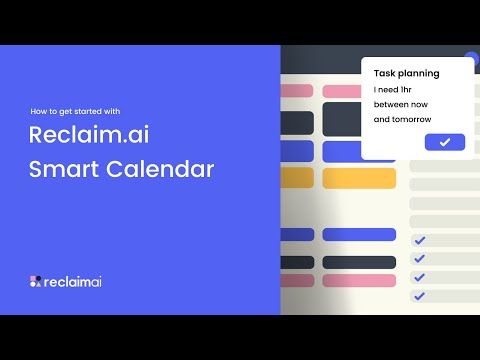
If you prefer to learn by watching, Reclaim AI has a growing library of tutorials on YouTube from both the official channel and independent productivity reviewers. These walk through connecting your Google Calendar, creating habits, setting up Smart 1:1s, and tuning priorities so the auto-scheduler stops over-rescheduling your focus blocks.
Reclaim.ai sells four tiers (Lite, Starter, Business, Enterprise), billed monthly or annually with about 20% off annual.
Reclaim bills per seat per month. Figures below are the yearly-billing rates from the Reclaim pricing page; paying monthly costs more, and Reclaim advertises roughly 20% off for annual commitment.
| Plan | Per seat / month | AI Agents | Seats | Scheduling range | Calendar syncs | Scheduling links | Integrations |
|---|---|---|---|---|---|---|---|
| Lite | Free | 5 | 1 | 1 week | 1 | 1 | Limited |
| Starter | $10 | 10 per seat | Up to 10 | 8 weeks | 3 | 3 | Unlimited |
| Business | $15 | 100 per seat | Up to 100 | 12 weeks | Unlimited | Unlimited | Unlimited + webhooks |
| Enterprise | $22 | Unlimited | Over 100 | 12 weeks | Unlimited | Unlimited | Unlimited + webhooks |
Focus Time, Habits, Buffer Time, Smart Meetings and Meeting Quality appear on every tier including the free one. Business adds the team out-of-office calendar and delegated access for assistants. Enterprise adds SSO and SCIM user provisioning plus org-chart aware scheduling.
Lite is not a crippled demo – you get the core scheduling intelligence. What it limits is scope: one calendar sync, one scheduling link, a one-week scheduling range and limited integrations. That last one is the practical wall. Lite connects to Google Tasks, Slack, Zoom and Google Meet, but not Todoist, Asana, ClickUp, Jira or Linear, so if your tasks live in a project tool the free tier cannot see them and the auto-scheduling has nothing to work with.
The one-week scheduling range is the second constraint worth understanding. Reclaim can only place work inside the next seven days on Lite, which suits a personal to-do list but falls apart for anything planned further out. Starter extends that to eight weeks, which is the point most people find it genuinely useful.
If you’re exploring options beyond Reclaim AI, consider Motion for project-heavy teams, Clockwise for large engineering orgs that need focus-time optimization, Calendly for simple meeting scheduling, Sunsama for daily planning rituals, Akiflow for task-first calendar management, or Google Calendar’s built-in Focus Time for a no-cost starter option. Each tool occupies a slightly different corner of the AI-scheduling market; Reclaim stands out for the depth of its habit and task integration.









Top rated Features


Common questions about Reclaim AI pricing, integrations, and how the smart scheduling works.
⚠️ Affiliate Disclosure: This site contains affiliate links. We may earn a commission when you purchase through our links at no extra cost to you. Results are not typical.