⚠️ Affiliate Disclosure: This page contains affiliate links. We may earn a commission at no extra cost to you. This does not influence our reviews. Read full disclosure →

Awesome Screenshot Review

Awesome Screenshot logo

Awesome Screenshot Review

Awesome Screenshot Overview

Awesome Screenshot is a screen capture and recording tool used by over 2 million people to grab full-page screenshots, record 4K screen videos, annotate visuals, and share them with teammates. In this Awesome Screenshot review by IdealOnlineBusiness.com, we look at its pricing, features, real user ratings on the Chrome Web Store and G2, and whether the free plan is enough or the paid tiers are worth it. Our analysis of Awesome Screenshot reviews shows the tool is widely trusted for speed, zero-learning-curve capture, and tight integrations with Slack, Trello, Asana, and Jira. It carries a 4.6/5 rating on the Chrome Web Store with 2M+ users. Reviewers call out the full-page capture, unlimited video duration, and quick annotation toolbar as the biggest time savers. For solo creators, support teams, and product managers who need polished visual feedback fast, Awesome Screenshot is a serious option worth a closer look.

Quick answer: Awesome Screenshot is a free-to-start browser extension and desktop app for capturing full-page screenshots, recording 4K screen videos, and annotating visuals for teams. Paid plans add unlimited cloud storage and team workspaces. It’s best for support teams, solo creators, and product managers who need fast, polished visual feedback, though some users report browser-extension permission and privacy concerns worth reviewing before install.

Full-Page Screenshot Capture

Awesome Screenshot captures the entire scrolling page in one click, handling modern SPAs and infinite-scroll sites that break most native tools. No more stitching multiple PNGs together for long pages.

4K Screen Video Recording

Record your screen in up to 4K resolution with webcam overlay and microphone audio. Export as MP4 for async team communication, tutorials, and bug reports — no watermark on paid plans.

Annotation Toolbar (Arrows, Text, Blur)

Add arrows, text, highlight boxes, blur, and shapes instantly after capture. Perfect for pointing out UI bugs, redacting sensitive data, or narrating design feedback without leaving the browser.

One-Click Sharing to Team Tools

Native integrations push captures straight into Slack, Trello, Asana, Jira, and Notion. Share a link or post the image inline — no copy-paste or manual uploading required.

Unlimited Cloud Storage on Paid Plans

Every paid tier includes unlimited cloud storage for screenshots and recordings. Organize captures into projects, search by title or tag, and keep a team-wide capture library in one place.

Webcam Overlay for Async Video

Turn any screen recording into a polished async video by adding a circular webcam overlay. Ideal for product demos, onboarding walkthroughs, and personal Loom-style messages.

Chrome, Firefox, Edge Extensions + Desktop App

Awesome Screenshot ships as a browser extension for Chrome, Firefox, and Edge, plus a desktop app for native capture outside the browser. One account, every surface.

Team Workspace with Shared Libraries

The Team plan unlocks a shared workspace, role-based access, comment threads on captures, centralized billing, SSO, and admin controls — built for product, design, and support teams.

Awesome Screenshot Features – What You Get?

Awesome Screenshot packages a full capture, recording, and collaboration stack into one lightweight browser extension and desktop app. You get full-page screenshots, selected-area capture, 4K screen video recording, webcam overlay, an annotation toolbar with arrows/text/blur/highlight, and one-click sharing to major team apps. The free tier is generous, which is why the tool has accumulated 2M+ users and a 4.6/5 rating on the Chrome Web Store. Where Awesome Screenshot separates itself from stock browser tools is the performance and polish. Captures are instant, annotations are non-destructive, and exported files respect your original resolution with no watermark on paid plans. The team workspace adds shared libraries and comment threads so product, design, and support teams stop emailing PNGs around.

  • Full-Page & Partial Screenshots: Capture entire scrolling web pages, visible areas or selected regions with one click.
  • Screen Recording: Record your screen, browser tab or desktop in up to 4K, with system and microphone audio.
  • Webcam Overlay: Add a webcam bubble to recordings for tutorials, demos and async updates.
  • Annotation Tools: Mark up captures with arrows, text, blur, shapes and highlights to communicate clearly.
  • Instant Sharing: Generate shareable links automatically and copy, download or send captures in seconds.
  • Multiple Export Formats: Save screenshots as PNG/JPG/PDF and recordings as MP4 or GIF.
  • Cloud Storage & Library: Store, organize and search all your captures in a centralized workspace.
  • Team Workspace: Shared folders, comments and permissions for collaborating with your team.
  • Browser Extensions & Apps: Available for Chrome, Edge, Firefox and as a desktop app.
  • Free Plan Available: A free tier covers core screenshot and recording needs before upgrading.
  • Full-page and selected-area screenshot capture
  • 4K screen recording with unlimited duration on paid plans
  • Webcam overlay for tutorials and async video
  • Annotation toolbar: arrows, text, blur, highlight, shapes
  • One-click sharing to Slack, Trello, Asana, Jira, Notion
  • MP4 export and cloud storage for videos
  • Team workspace with shared libraries and comments
  • Free plan with 100 screenshots and 20 video recordings
  • Chrome, Firefox, Edge browser extensions plus desktop app

Video Guides and Tutorials

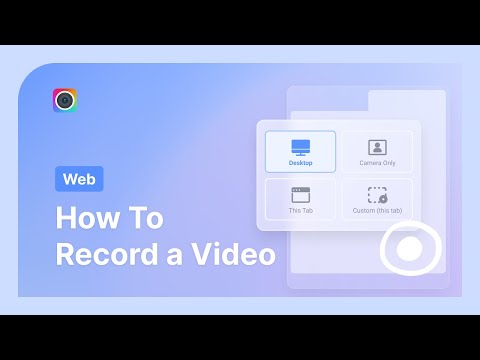
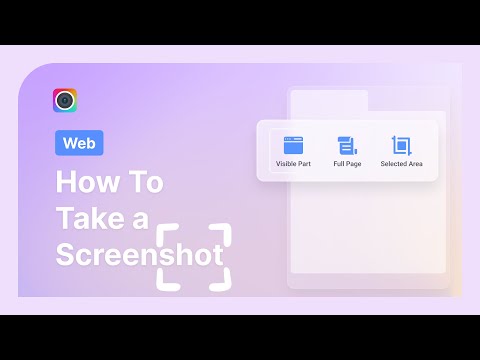
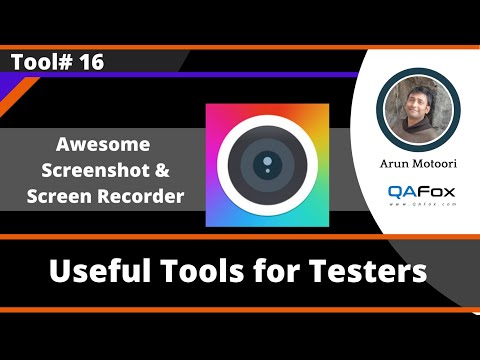
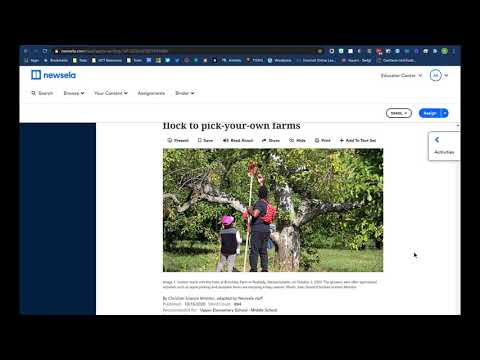
If you prefer to learn by watching, Awesome Screenshot has a solid library of tutorials on YouTube from both the official channel and independent reviewers. These walkthroughs cover how to capture a full-page screenshot, record a 4K screen video, use the annotation toolbar, and share captures directly to Slack, Trello, or Jira. IdealOnlineBusiness.com recommends watching at least two of the beginner tutorials below before paying for a plan, so you can see the interface, capture speed, and output quality for yourself before committing.

Awesome Screenshot product screenshot

Awesome Screenshot Pricing Plans

Awesome Screenshot offers a free plan plus affordable paid tiers for individuals, with separate team plans available. All prices are in USD, and annual billing saves about 20%. The rates below are the annual (per-month) prices from the official site.

  • Free: $0/month — up to 100 screenshots, basic annotation tools, up to 20 video recordings (up to 6 hours each), resolution up to 720p, recover from trash within 3 days
  • Basic: $5/month, billed annually (regular $6) — unlimited screenshots, all annotation tools, up to 20 recordings, 720p, recover from trash within 30 days
  • Professional: $6/month, billed annually (regular $8) — unlimited screenshots and recordings, all annotation tools, resolution up to 4K, recover from trash within 30 days
  • Teams: Separate team plans for shared workspaces and collaboration (see the “For teams” option on the pricing page)

All prices are in USD; annual billing saves about 20% versus monthly.

Top Awesome Screenshot Services

Pros and Cons of Awesome Screenshot

Here’s a quick summary of what users consistently praise and criticize across public Awesome Screenshot reviews.

Pros

  • ✅ Large install base and review volume on the Chrome Web Store
  • ✅ Generous free plan with unlimited video duration
  • ✅ Full-page screenshot capture that works on modern SPAs
  • ✅ Annotations are fast, non-destructive, and easy to share
  • ✅ Integrations with Slack, Trello, Asana, Jira, Notion
  • ✅ Affordable pricing starting at $2/month

Cons

  • ❌ Desktop app is thinner than the browser extension
  • ❌ Advanced video editing (trim, cut, overlay) is limited
  • ❌ Free plan caps at 720p recording resolution
  • ❌ Offline capture requires the paid desktop app
  • ❌ Some users report slow load on long recordings

Awesome Screenshot Reviews & Ratings

Top Awesome Screenshot Alternatives

While Awesome Screenshot is one of the most-used capture tools in 2026, some teams need deeper video editing, native desktop performance, or a different pricing model. Depending on whether you want more powerful recording, team-first collaboration, or a lighter free tool, these Awesome Screenshot alternatives offer strong competing options for creators and teams. Nimbus is a popular alternative worth comparing if you want an all-in-one capture suite with built-in cloud storage and PDF tools.


WordPerfect Review

WordPerfect Review

Explore More
iMyFone Review

iMyFone Review

Explore More
Freedom Review

Freedom Review

Block distracting websites and apps across all your devices
Explore More
OnlyOffice Review

OnlyOffice Review

Explore More
Clockify Review

Clockify Review

Explore More
Fabric.so Review

Fabric.so Review

Fabric.so Review – AI Workspace & Second Brain That Auto-Organizes Everything
Explore More
RescueTime Review

RescueTime Review

RescueTime Review – Automatic Time Tracking & Focus Tool for Knowledge Workers
Explore More
Authory Review

Authory Review

Explore More
VisualCV Review

VisualCV Review

Explore More
Toggl Track Review

Toggl Track Review

Explore More
Parallels Review

Parallels Review

Explore More
One Click Root Review

One Click Root Review

Explore More
Reclaim AI Review

Reclaim AI Review

Explore More
Todoist Review

Todoist Review

Explore More
ClickUp Review

ClickUp Review

Explore More
DeskTime Review

DeskTime Review

Explore More
Any.do Review

Any.do Review

Explore More
2Captcha Review

2Captcha Review

Top Rated Features
  1. Easy Task Automation
  2. Integration Flexibility
  3. Real-Time Data Management
Explore More
Cake.com Review

Cake.com Review

Top Rated Features
  1. All-in-one solution
  2. Easy integration
  3. Team collaboration
Explore More
Toggl track Review

Toggl track Review

Top Rated Features
  1. Easy Start and Stop
  2. Project and Client Tags
  3. Clear and Simple Reports
Explore More
Nimbus Review

Nimbus Review

Top Rated Features
  1. Task Management
  2. Document Collaboration
  3. Cloud Storage
Explore More
Splashtop Review

Splashtop Review

Top Rated Features
  1. High-Performance Remote Access
  2. Cross-Platform Support
  3. Affordable Pricing
Explore More
Duet Display Review

Duet Display Review

Top Rated Features
  1. Supports Mac and Windows
  2. Smooth Performance with Low Latency
  3. Adjustable Resolution and Frame Rate
Explore More
Taskade Overview

Taskade Overview

Top Rated Features
  1. Built-In Mind Mapping Tool
  2. AI Assistant for Task Management
  3. Voice and Video Chat Integration
Explore More
Stardock Review

Stardock Review

Top rated Features

  1. Customizable Fences
  2. Theme Customization
  3. Automatic Grouping
Explore More
PDF Expert Review

PDF Expert Review

Top Rated Features
  1. Seamless Editing
  2. Advanced Annotation
  3. Form Filling Support
Explore More
Time Doctor Review

Time Doctor Review

Top Rated Features
  1. Time Tracking
  2. Employee Monitoring
  3. Mobile Testing and Reports
Explore More
Shift Review

Shift Review

Top Rated Features
  1. Microsoft Apps
  2. All Apps In One Hub
  3. Google Services
Explore More
FAQs

Frequently Asked Questions

Awesome Screenshot is a screen capture and screen recording tool built for product, support, and marketing teams who need fast, polished visual feedback. This section answers the most common questions based on our research of public Awesome Screenshot reviews, official pricing, and cross-referenced user feedback on G2, Capterra, and the Chrome Web Store.

Awesome Screenshot is a screen capture and screen recording tool available as a browser extension (Chrome, Firefox, Edge) and desktop app. You click the icon to capture a full page or selected area, record a 4K screen video, annotate, and share the result to Slack, Trello, Asana, Jira, or any team tool.

Yes. The free plan includes up to 100 screenshots, 20 video recordings of unlimited duration at 720p, and basic annotation tools. Paid plans start at $2/month for unlimited captures and higher resolutions.

Paid plans are Basic $2/month, Professional $6/month, and Team $20/user/month, billed annually with ~20% savings versus monthly. All paid tiers include unlimited screenshots, unlimited recordings, cloud storage, and watermark-free exports.

Yes, on the Professional and Team plans you can record up to 4K resolution with webcam overlay and microphone audio. The free plan caps at 720p.

Native one-click sharing to Slack, Trello, Asana, Jira, Notion, and Google Drive. Every capture and recording can be pushed straight into those tools as a link or embedded image.

Yes. The Team plan adds a shared workspace, role-based access, comment threads on captures, centralized billing, SSO, and admin controls — designed for product, design, support, and engineering teams.

The desktop app captures offline, and screenshots/recordings sync to cloud storage the next time you connect. The browser extension requires an internet connection for cloud features.

Awesome Screenshot has a very large install base and review volume on the Chrome Web Store. We have not independently verified a current aggregate score and so do not quote one, nor rank it against other capture extensions — the store listing always shows the live rating.

Main complaints include a thinner desktop app versus the browser extension, limited advanced video editing (trim/cut/overlay), 720p cap on the free plan, and occasional slow loading on long recordings.

Awesome Screenshot fits solo creators, product managers, designers, support teams, and engineers who need fast visual feedback, bug reports, async video, and easy sharing into existing team tools without a heavy learning curve.

⚠️ Affiliate Disclosure: This site contains affiliate links. We may earn a commission when you purchase through our links at no extra cost to you. Results are not typical.