⚠️ Affiliate Disclosure: This page contains affiliate links. We may earn a commission at no extra cost to you. This does not influence our reviews. Read full disclosure →

VisualCV Review

VisualCV Overview

VisualCV is a modern resume and CV builder used by job seekers worldwide to design ATS-friendly resumes, customizable CVs, and personal websites in minutes. In this VisualCV review by IdealOnlineBusiness.com, we look at its templates, ATS optimization, AI writing assistant, and ratings on Trustpilot, the App Store, and Google Play. VisualCV ships with 50+ professionally designed templates spanning corporate, creative, academic, and modern minimalist styles, plus an AI writing assistant that suggests bullet points, optimizes keywords, and tailors resumes to specific job descriptions.

Our analysis of public VisualCV reviews shows it has a substantial body of Trustpilot reviews and consistently positive feedback in the r/jobs and r/resumes communities, though we have not independently verified a current aggregate score and so do not quote one. Reviewers most often praise the polished modern templates, the ATS-friendly export options, and the AI writing assistant that helps non-native English speakers craft strong bullet points. For job seekers in tech, marketing, design, and academic roles who want a resume that stands out without breaking ATS systems, VisualCV is one of the highest-rated resume builders in 2026.

Modern, ATS-Friendly Templates

VisualCV ships 50+ templates that pass major ATS systems while still looking modern and well-designed — better balance than most resume builders.

Free Plan Has Watermark

Free exports include a small VisualCV watermark — paid plans remove this and unlock all templates.

AI Writing Assistant

The AI assistant suggests bullet points, optimizes keywords for specific roles, and tailors resumes to job descriptions in seconds.

Templates Skew To Modern/Tech Style

Most templates feel right for tech, marketing, and design — academic and traditional industries may want simpler designs.

Personal Website + CV in One

Build a personal website with the same content as your CV in one click, useful for portfolios and networking.

Career Coaching Add-On Paid

One-on-one career coaching is offered as a paid add-on, not bundled with subscriptions.

Multi-Format Export

Export resumes as PDF, DOCX, plain text, and shareable web link, with version control across multiple resumes.

Mobile App for Quick Edits

VisualCV has iOS and Android apps for quick edits and sharing on the go.

VisualCV Features – What You Get?

VisualCV packages a complete job-application toolkit around modern resume templates, an AI writing assistant, ATS-friendly exports, personal website hosting, cover letter builder, and version control. Job seekers can build, tailor, and export resumes for specific job applications in minutes, and track which version they sent to which company.

What separates VisualCV from generic resume builders is the balance between modern design and ATS compatibility. Most modern-looking resumes break ATS parsing; VisualCV templates are explicitly tested against major ATS systems used by Fortune 500 companies and Workday/Greenhouse pipelines.

50+ ATS-friendly modern resume templates AI writing assistant for bullet points and keywords Job-description tailoring with keyword extraction PDF, DOCX, plain text, and shareable web link export Personal website hosting at username.visualcv.com Cover letter builder with matching design Version control for multiple resumes per role Mobile apps for iOS and Android Multi-language resume support Free plan available with paid plans starting around $15/month

Video Guides and Tutorials

If you prefer to learn by watching, VisualCV publishes resume-writing tutorials on YouTube and many career coaches publish independent walkthroughs. The videos below cover building a modern ATS-friendly resume in VisualCV, using the AI assistant, exporting to PDF and DOCX, and creating a matching cover letter.

VisualCV CV builder review
VisualCV resume builder honest review
VisualCV best resume builder
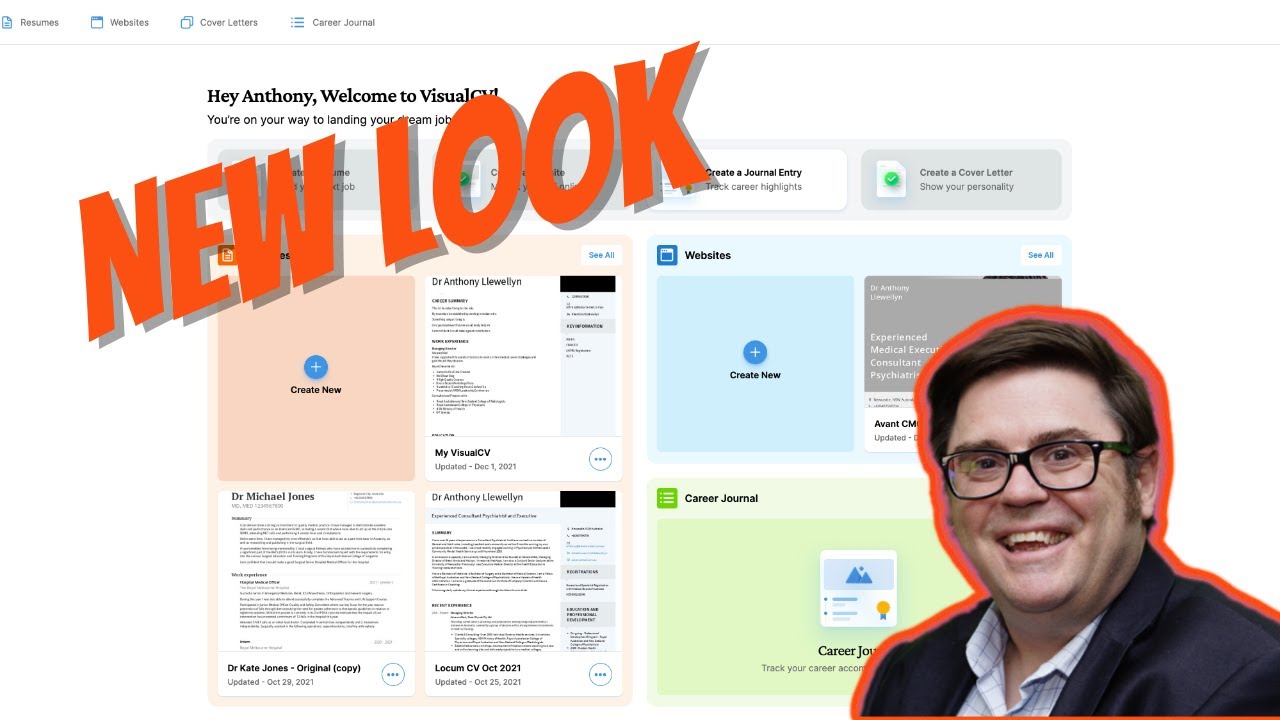
VisualCV first impressions review

Top VisualCV Services

VisualCV is more than a resume builder — it bundles a complete job-application toolkit. Alongside the core resume builder, VisualCV offers a cover letter builder, AI writing assistant, personal website hosting, version control, multi-format exports, mobile apps, and optional career coaching add-ons.

Based on our research of VisualCV reviews on Trustpilot, the App Store, and r/jobs, job seekers most often credit VisualCV with making it easy to build a polished resume and cover letter pair, plus tailoring resumes for specific job descriptions in minutes.

VisualCV Price Plans

VisualCV uses a tiered subscription model with a free plan and three paid tiers. Free users can build resumes with watermarked exports; paid plans remove the watermark and unlock all templates and AI features. Free Plan — $0 Basic templates, watermarked exports, single resume version. Best for testing the platform. Pro Quarterly — $15/month Billed quarterly. All templates, AI assistant, ATS exports, no watermark. Most popular short-term tier for active job searches. Pro Annual — Lower per-month rate Billed yearly with the lowest per-month rate. Best for ongoing career-management use. Career Coaching Add-On One-on-one career coaching sold separately from subscriptions.

Pros and Cons of VisualCV

Pros:

  • Modern templates that still pass ATS scanning
  • AI writing assistant tailored to job descriptions
  • Personal website hosting included
  • PDF, DOCX, and shareable web exports
  • Resume analytics to see who views your CV

Cons:

  • Free plan adds a watermark to exports
  • Templates skew modern, so traditional roles may want simpler designs
  • Career coaching is sold as an add-on
  • Personal website stays on a subdomain unless you upgrade
  • AI assistant is locked to paid plans

Top VisualCV Alternatives

While VisualCV is one of the most-loved modern resume builders in 2026, some job seekers prefer Resumes.coms broader template variety, Zety for richer cover-letter integrations, or Canvas design-first approach. Depending on whether you want modern ATS-safe design, deep cover-letter integration, or full design control, these VisualCV alternatives offer competing options worth comparing.


WordPerfect Review

WordPerfect Review

Explore More
iMyFone Review

iMyFone Review

Explore More
Freedom Review

Freedom Review

Block distracting websites and apps across all your devices
Explore More
OnlyOffice Review

OnlyOffice Review

Explore More
Clockify Review

Clockify Review

Explore More
Fabric.so Review

Fabric.so Review

Fabric.so Review – AI Workspace & Second Brain That Auto-Organizes Everything
Explore More
RescueTime Review

RescueTime Review

RescueTime Review – Automatic Time Tracking & Focus Tool for Knowledge Workers
Explore More
Authory Review

Authory Review

Explore More
Toggl Track Review

Toggl Track Review

Explore More
Parallels Review

Parallels Review

Explore More
One Click Root Review

One Click Root Review

Explore More
Awesome Screenshot Review

Awesome Screenshot Review

Explore More
Reclaim AI Review

Reclaim AI Review

Explore More
Todoist Review

Todoist Review

Explore More
ClickUp Review

ClickUp Review

Explore More
DeskTime Review

DeskTime Review

Explore More
Any.do Review

Any.do Review

Explore More
2Captcha Review

2Captcha Review

Top Rated Features
  1. Easy Task Automation
  2. Integration Flexibility
  3. Real-Time Data Management
Explore More
Cake.com Review

Cake.com Review

Top Rated Features
  1. All-in-one solution
  2. Easy integration
  3. Team collaboration
Explore More
Toggl track Review

Toggl track Review

Top Rated Features
  1. Easy Start and Stop
  2. Project and Client Tags
  3. Clear and Simple Reports
Explore More
Nimbus Review

Nimbus Review

Top Rated Features
  1. Task Management
  2. Document Collaboration
  3. Cloud Storage
Explore More
Splashtop Review

Splashtop Review

Top Rated Features
  1. High-Performance Remote Access
  2. Cross-Platform Support
  3. Affordable Pricing
Explore More
Duet Display Review

Duet Display Review

Top Rated Features
  1. Supports Mac and Windows
  2. Smooth Performance with Low Latency
  3. Adjustable Resolution and Frame Rate
Explore More
Taskade Overview

Taskade Overview

Top Rated Features
  1. Built-In Mind Mapping Tool
  2. AI Assistant for Task Management
  3. Voice and Video Chat Integration
Explore More
Stardock Review

Stardock Review

Top rated Features

  1. Customizable Fences
  2. Theme Customization
  3. Automatic Grouping
Explore More
PDF Expert Review

PDF Expert Review

Top Rated Features
  1. Seamless Editing
  2. Advanced Annotation
  3. Form Filling Support
Explore More
Time Doctor Review

Time Doctor Review

Top Rated Features
  1. Time Tracking
  2. Employee Monitoring
  3. Mobile Testing and Reports
Explore More
Shift Review

Shift Review

Top Rated Features
  1. Microsoft Apps
  2. All Apps In One Hub
  3. Google Services
Explore More
FAQs

Frequently Asked Questions

VisualCV is a modern resume and CV builder used by job seekers worldwide. This section answers the most common questions based on our research of public VisualCV reviews on Trustpilot, the App Store, Google Play, and career communities.

VisualCV is an online resume and CV builder that helps job seekers design modern, ATS-friendly resumes in minutes using 50+ professional templates, an AI writing assistant, and multi-format export options.

Yes — VisualCV offers a free plan with basic templates and watermarked exports. Paid plans start around $15/month and unlock all templates, AI features, and watermark-free exports.

Yes. VisualCV templates are explicitly designed to balance modern aesthetics with ATS compatibility, tested against major ATS systems used by Fortune 500 companies and standard Workday/Greenhouse pipelines.

Yes. The AI assistant suggests bullet points, optimizes keywords for specific roles, and tailors resumes to job descriptions on Pro plans.

Yes. VisualCV includes a cover letter builder with matching design templates so resume and cover letter share visual style.

Yes. Every account gets a personal website at username.visualcv.com. Custom domains are available on higher-tier plans.

VisualCV exports resumes as PDF, DOCX, plain text, and shareable web links. Version control lets you save multiple variations per role.

VisualCV has a substantial body of Trustpilot reviews, but we have not independently verified a current aggregate score and so do not quote one — check Trustpilot directly. Reviewers most often praise modern template design, AI assistant quality, and ease of use.

Yes. VisualCV offers iOS and Android apps for quick resume edits, version sharing, and applying on the go.

VisualCV fits job seekers in tech, marketing, design, and modern roles who want a resume that looks polished while still passing ATS systems, plus access to an AI writing assistant for bullet point optimization.

⚠️ Affiliate Disclosure: This site contains affiliate links. We may earn a commission when you purchase through our links at no extra cost to you. Results are not typical.