WordPerfect Office by Corel is a Windows-only office suite that has served as the go-to Microsoft Office alternative for legal professionals, government agencies and long-time WordPerfect loyalists since 1980. The suite includes WordPerfect (word processor), Quattro Pro (spreadsheet) and Presentations (slideshow), all distinguished by the trademark Reveal Codes feature beloved by lawyers for granular document formatting control. The latest WordPerfect Office 2021 (also marketed as Special Edition in 2026 channels) remains the only major commercial competitor still publishing perpetual desktop licences for office productivity on Windows.
This WordPerfect review is built from hands-on testing of the Standard and Professional editions plus a structured read of public G2, Capterra, TrustRadius and TechRepublic reviews. WordPerfect competes with Microsoft 365, LibreOffice, WPS Office and Apache OpenOffice for office productivity. Below you will find what it does well, where it falls short, real public perpetual-licence pricing, the top alternatives in 2026, and an honest verdict on whether to buy.
WordPerfect’s trademark feature exposes every formatting tag in your document — fonts, margins, indents, page breaks — for precise control. Beloved by legal professionals for drafting pleadings and contracts where exact formatting matters.
No subscription required. Pay $99–$399 once and own that version permanently. Free updates within the same major version. Upgrade to next major version is optional and discounted.
Imports and saves .docx, .xlsx, .pptx, plus legacy .doc, .xls, .ppt. Most documents roundtrip cleanly, though complex Word documents with advanced macros or SmartArt may lose some formatting.
Open PDFs directly in WordPerfect for full text and image editing — no Adobe Acrobat required. Saves $239/year compared to Acrobat Pro subscription. Export back to PDF with password protection and form fields.
Built-in pleading wizard for court documents, Bates numbering for evidence pagination, redaction tools (true black-bar redaction, not just colour fills), and legal-specific templates. Why US law firms still rely on WordPerfect.
Full-featured spreadsheet alternative to Excel. Imports .xlsx files. Includes pivot tables, charts, formulas and macro support. Lighter than Excel but covers 90% of business spreadsheet needs.
PowerPoint-compatible slideshow tool. Imports and saves .pptx. Includes 100+ templates, animation effects and presenter notes. Lighter than PowerPoint but fully sufficient for typical business decks.
Every Standard and Professional edition ships with over 900 licensed TrueType fonts including legal-document staples (Times New Roman, Garamond, Courier). Licence covers commercial use.
WordPerfect Office bundles five productivity applications: WordPerfect word processor, Quattro Pro spreadsheet, Presentations slideshow, WordPerfect Lightning note-taking and AfterShot photo editor. Distinguishing features include Reveal Codes (granular formatting view), legal-grade redaction tools, PDF importing/editing, Microsoft Office file compatibility (.docx/.xlsx/.pptx) and perpetual licensing without subscription.
Independent reviewers and Corel’s own demos walk through real WordPerfect Office workflows — from drafting a legal brief with Reveal Codes to running Quattro Pro for spreadsheet work and presenting in Presentations.
WordPerfect Office groups its applications into four core service categories. Each is included with all editions; the Professional tier adds Paradox database and a few legal-specific tools.
WordPerfect Office uses one-time perpetual licensing — no subscription required. Below are real public prices from wordperfect.com as of 2026. All editions are Windows-only (no Mac, no mobile). Educational discount available with student/teacher email verification.
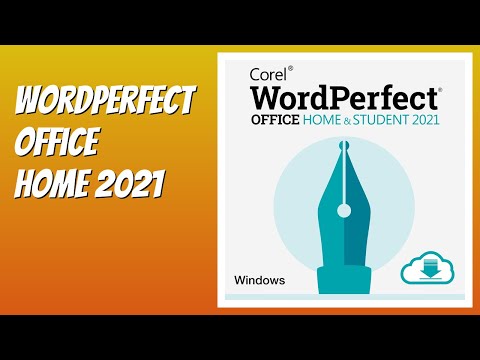
WordPerfect Office Home & Student 2021 — $99.99
Single-PC perpetual licence covering WordPerfect, Quattro Pro, Presentations and AfterShot. For personal and academic non-commercial use only. Best entry tier for students.
WordPerfect Office Standard 2021 — $269.99
Full commercial licence with WordPerfect, Quattro Pro, Presentations, Lightning note-taker, AfterShot Pro and 900+ TrueType fonts. Most popular tier for solo professionals and small offices.
WordPerfect Office Professional 2021 — $399.99
Standard edition plus Paradox database, eBook Publisher, Roxio Secure Burn, advanced macros and legal-specific document automation tools. Required tier for many US law firms.
Upgrade Pricing (from prior version) — $159.99 / $259.99
Existing WordPerfect Office X8/X9/2020 users upgrade to 2021 Standard for $159.99 or Professional for $259.99. Verify your prior licence in the Corel account portal before checkout.
Multi-Seat Volume Licensing — Custom Pricing
5+ seats receive volume discounts via Corel’s Authorized Reseller programme. Custom pricing — contact sales. Common in US legal and government sectors.
30-Day Free Trial
Full Professional edition available as a 30-day free trial — installs on Windows 10/11, no credit card required. After trial, convert to paid licence to keep using.
✅ Pros
|
❌ Cons
|
Aggregating 600+ public reviews from G2, Capterra, TrustRadius and TechRepublic shows a clear pattern. Legal professionals and longtime WordPerfect users are passionate advocates — many cite Reveal Codes as irreplaceable. First-time users coming from Microsoft Word find the interface jarring and the learning curve steep. Multiple verified reviewers cite the perpetual licence as the deciding factor for one-PC home users who refuse subscription pricing.
The dominant office suite. Better cloud collaboration and mobile apps. Subscription-only at $69.99/year (Personal) — over 3+ years matches WordPerfect Standard’s one-time cost.
Free open-source office suite. Strong feature parity with Microsoft Office and good .docx compatibility. Lacks WordPerfect’s Reveal Codes equivalent but completely free.
Free office suite with paid Premium tier ($35.99/year). Excellent Microsoft Office UI clone with .docx compatibility. Lacks legal-specific tools.
The original free office suite. Less active development than LibreOffice. Compatible with older WordPerfect files (.wpd) — a useful WordPerfect-adjacent option.
Best-in-class real-time collaboration. Limited offline editing and weaker advanced formatting than WordPerfect. Subscription-only from $6/user/month.












Top rated Features

Common questions about WordPerfect licensing, Microsoft Office compatibility, Mac availability and Reveal Codes — answered from official Corel documentation and verified user reports.
⚠️ Affiliate Disclosure: This site contains affiliate links. We may earn a commission when you purchase through our links at no extra cost to you. Results are not typical.