⚠️ Affiliate Disclosure: This page contains affiliate links. We may earn a commission at no extra cost to you. This does not influence our reviews. Read full disclosure →

Stardock Review

  • Home
  • No category assigned
  • - Stardock Review
icon01

Stardock Review

4.8 (2,230)

Stardock Overview

In the ever-evolving world of technology, personalization and efficiency are key aspects of creating an optimized digital workspace. While Windows offers some customization options, the features are often limited, leaving users desiring more control over their desktop environment. This is where Stardock comes in. Known for its powerful suite of desktop customization tools, Stardock allows users to organize, design, and optimize their Windows desktops like never before.

This Stardock review will delve deep into the company’s suite of products, showcasing how they can transform your workspace into a highly efficient and visually stunning environment. We will explore what Stardock offers, its key features, pricing plans, and pros and cons, ensuring you have all the information you need to determine if it’s the right desktop customization tool for you.

Stardock Fences: The Desktop Organizer

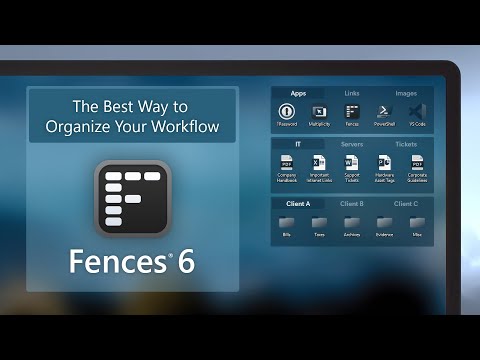
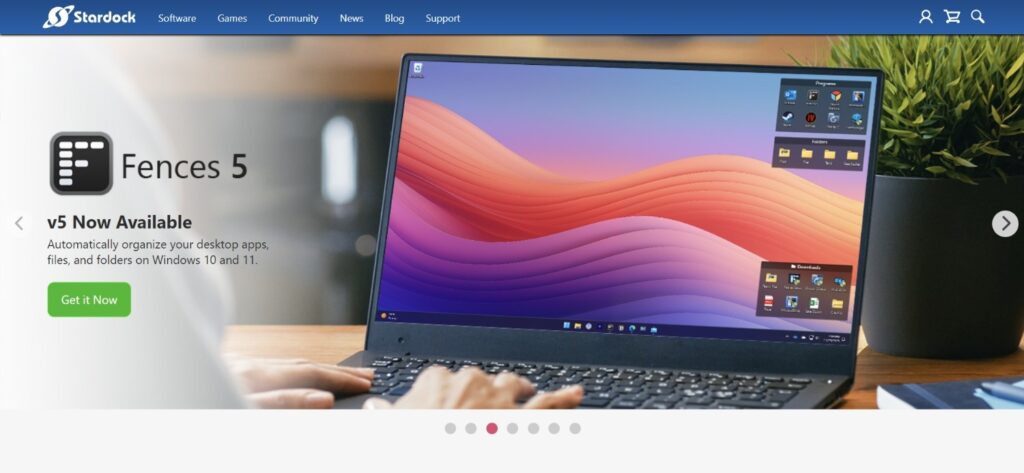
One of Stardock’s flagship products, Fences, is a must-have for users who want a more organized and decluttered desktop. Fences allows you to group your desktop icons into “fences,” which are customizable containers that can be resized, moved, and even labeled.


Key Features of Fences:

Customizable Fences: Create fences that hold groups of icons, files, or folders, allowing for a cleaner, more organized desktop.

Automatic Sorting: Set rules for icons to automatically sort into the appropriate fences based on file type or origin, eliminating the need for manual organization.

Quick Access: Double-clicking the desktop hides all icons, providing a clean workspace in seconds, while double-clicking again restores them.

Folder Portals: View the contents of specific folders directly from your desktop, saving time and improving workflow efficiency.

Multiple Pages: Use swipes to create multiple desktop pages, where each page can contain different fences for different projects or tasks.

For users who manage numerous files and applications, Stardock Fences is a powerful desktop customization tool that helps streamline productivity.


WindowBlinds: Complete Interface Customization

WindowBlinds takes desktop personalization to a whole new level. With this tool, users can apply custom themes or skins to their Windows operating system, altering the appearance of windows, buttons, taskbars, and more.


Key Features of WindowBlinds:

Custom Themes: Apply visually stunning skins that completely change the look of your Windows interface, from colors to window shapes and textures.

Theme Customization: Modify pre-existing themes or create entirely new ones, giving users full control over their desktop aesthetics.

Efficiency: WindowBlinds is optimized to ensure that these customizations do not slow down your system or affect performance.

Compatibility: Compatible with both modern and older versions of Windows, ensuring that even users with older systems can take advantage of desktop customization.

For anyone looking to give their desktop a fresh and unique appearance, WindowBlinds is an essential desktop customization tool.


Groupy: Tabbed Navigation for Windows

If multitasking is a significant part of your daily workflow, Groupy is a game-changing solution. Groupy allows you to combine multiple applications into tabbed groups, much like how web browsers work with multiple tabs.

Key Features of Groupy:

Tabbed Groups: Group applications, such as file explorers or text editors, under one window with tabbed navigation, reducing desktop clutter.

Drag-and-Drop Grouping: Easily drag windows together to form a tabbed group, or separate them when needed.

Automatic Grouping: Set rules for applications that should always be grouped together, simplifying multitasking.

For users juggling multiple tasks at once, Groupy provides an elegant solution to minimize desktop clutter and enhance productivity.


Start10/Start11: Bring Back the Classic Start Menu

Windows 10 and 11 introduced significant changes to the Start menu, leaving some users longing for the simplicity of older versions. Start10 and Start11 are designed to bring back the classic Start menu interface, complete with additional customization features.


Key Features of Start10/Start11:

Classic Start Menu: Restore the traditional Start menu layout while maintaining the functionality of the latest Windows versions.

Custom Themes: Match your Start menu to the rest of your desktop using custom themes and layouts.

Taskbar Customization: Further personalize your taskbar with additional customization options, such as transparency or position adjustments.

For users who prefer a more straightforward and familiar interface, Start10/Start11 is the perfect desktop customization tool.

 

DeskScapes: Animated Wallpapers and Dynamic Backgrounds

For users who want to push the boundaries of desktop personalization, DeskScapes offers animated and video-based wallpapers, bringing life and motion to the desktop.

Key Features of DeskScapes:

Animated Wallpapers: Apply visually striking animated backgrounds or videos as your wallpaper, setting your desktop apart from the crowd.

Special Effects: Add effects like blur, grayscale, or color adjustments to static wallpapers to make them more dynamic.

Customizable: DeskScapes allows you to easily modify and adjust wallpapers to fit your mood or style.

For users who are serious about desktop aesthetics, DeskScapes is the go-to desktop customization tool for adding life and creativity to your setup.

Team Collaboration

For businesses with multiple team members or departments managing social media, Sprout Social offers collaboration features that ensure seamless coordination.


Approval Workflows: With approval workflows, teams can ensure that posts go through a review process before they are published. This is particularly useful for businesses that require legal or brand compliance checks before posting.

Task Management: The platform allows teams to assign tasks, set priorities, and track the progress of each task, ensuring that nothing falls through the cracks.

Shared Asset Library: Teams can store and organize images, videos, and other assets in a shared library, making it easy to collaborate and maintain consistency across social media posts.


SproutSocial review

What is Stardock?

Stardock is a software development company that has been at the forefront of desktop customization for years. Their mission is to enhance and personalize the Windows user experience through innovative software solutions. While Stardock also dabbles in video game development, their reputation primarily comes from their exceptional desktop customization tools.

From organizing desktop icons to modifying the entire interface of your operating system, Stardock offers a range of products designed to meet the needs of both casual users and professionals. Whether you’re someone looking to declutter your workspace or a designer seeking full control over your desktop environment, Stardock has a tool that can help.

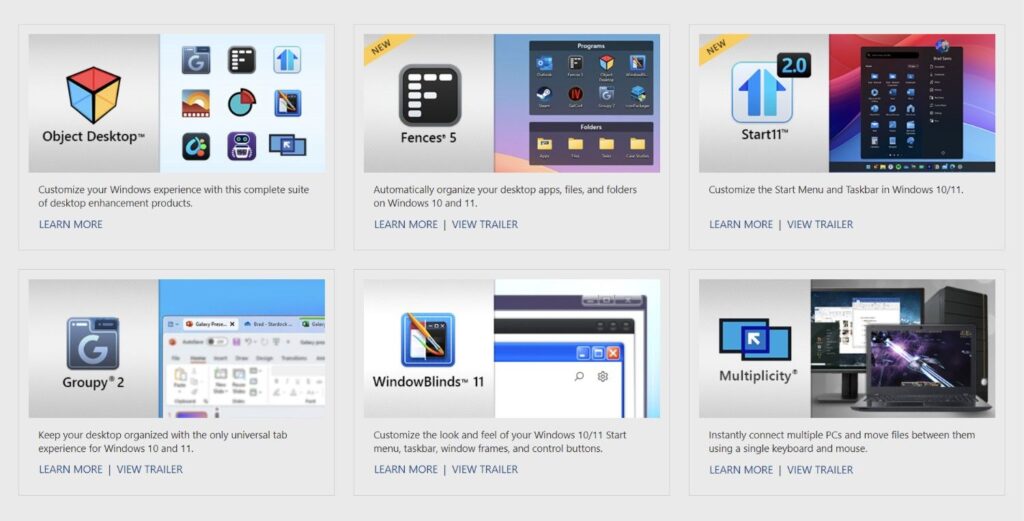
Some of the most popular desktop customization tools from Stardock include:

Fences – Organizes desktop icons into customizable groups.

WindowBlinds – Customizes the look and feel of the entire Windows interface.

Groupy – Introduces a tabbed interface to Windows.

Start10/Start11 – Restores the classic Start menu and taskbar customization.

DeskScapes – Allows users to apply animated wallpapers and dynamic backgrounds.

Let’s break down each of these desktop customization tools in more detail to understand their key features and why they stand out in the market.

No Data Found

Stardock Review - Pricing Plans

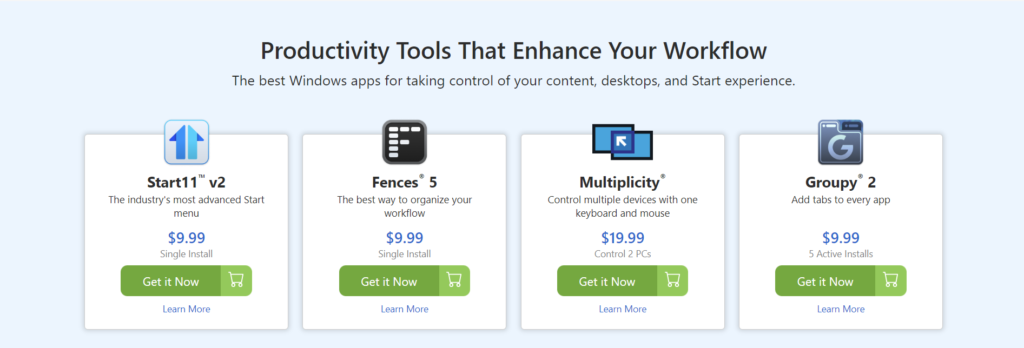
Stardock is a leader in desktop customization tools, offering an impressive suite of software designed to enhance productivity, organization, and aesthetic appeal. Below is a breakdown of Stardock’s eight flagship products, with their latest pricing:


1. Fences:

A must-have for desktop organization, Fences allows users to group desktop icons into customizable areas or “fences,” providing a clean and organized look.

Pricing: $13.99 (one-time purchase).

 
2. Start11:

Start11 lets you customize the Windows Start Menu and taskbar, making it easy to personalize your desktop’s interface to your liking.

Pricing: $5.99 (one-time purchase).


3. Groupy:

Simplifying multitasking, Groupy enables you to group applications into tabbed windows, similar to a web browser experience, making desktop management seamless.

Pricing: $6.99 (one-time purchase).


4. WindowBlinds:

If you love visual customization, WindowBlinds offers the ability to apply custom skins and themes, transforming your Windows interface.

Pricing: $9.99 (one-time purchase).

Stardock review - Pricing


5. Multiplicity:

Multiplicity allows you to control multiple PCs with a single keyboard and mouse, ideal for power users and multi-device setups.

Pricing: $19.99 for one device or $49.99 for five devices.

 
6. DeskScapes:

Add motion and animated wallpapers to your desktop with DeskScapes, offering creative customization options.

Pricing: $4.99 (one-time purchase).

 
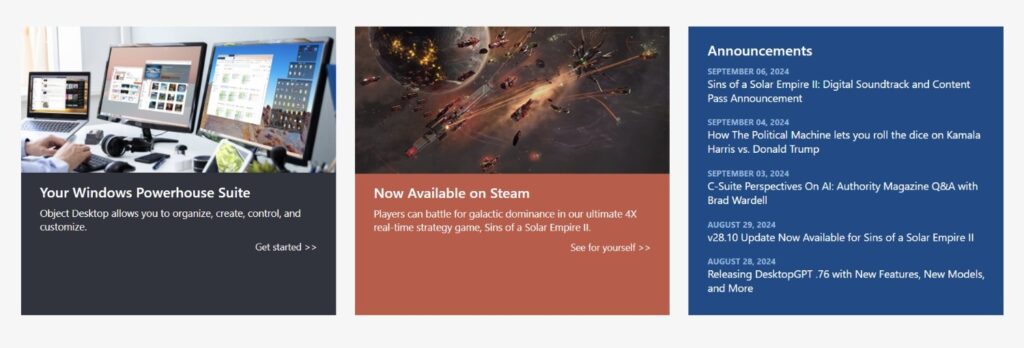
7. Object Desktop:

This all-in-one suite provides access to all of Stardock’s desktop customization tools, including Fences, Start11, Groupy, and more.

Pricing: $29.99 per year.

 
8. SoundPackager:

Change your Windows system sounds easily with SoundPackager, enabling full sound theme customization.

Pricing: $4.99 (one-time purchase).

Overall, Stardock’s desktop customization tools cater to users seeking greater control over their Windows environment. These tools are versatile, user-friendly, and affordable, making Stardock a top choice for anyone looking to enhance their desktop experience.

Stardock Review - pricing

Stardock Review – Pros and Cons

No Stardock review would be complete without weighing the pros and cons. While Stardock offers a powerful set of desktop customization tools, there are a few potential drawbacks worth noting.


Pros:

Comprehensive Customization: Stardock’s range of software provides nearly limitless customization options for your Windows desktop.

User-Friendly: Despite offering advanced features, the interface of each tool is intuitive, making them accessible for both beginners and power users.

Performance Optimized: Stardock’s tools are designed to run efficiently without slowing down your system, even with heavy customization.

Affordable: Stardock’s pricing structure is highly competitive, offering individual tools at a low cost or bundling them in the Object Desktop Suite for extra value.

Continuous Updates: The company frequently updates its software, ensuring compatibility with the latest Windows versions and addressing user feedback.


Cons:

Limited Free Features: Stardock’s tools are premium products, with no free versions available for long-term use. However, trial versions are available for users to test the software before purchasing.

Learning Curve: For users unfamiliar with desktop customization, the extensive features may initially seem overwhelming, though Stardock’s user-friendly interface helps ease the process.

Occasional Bugs: As with any software, occasional bugs or compatibility issues can occur, though these are usually addressed in updates.


Customer Support Options Available

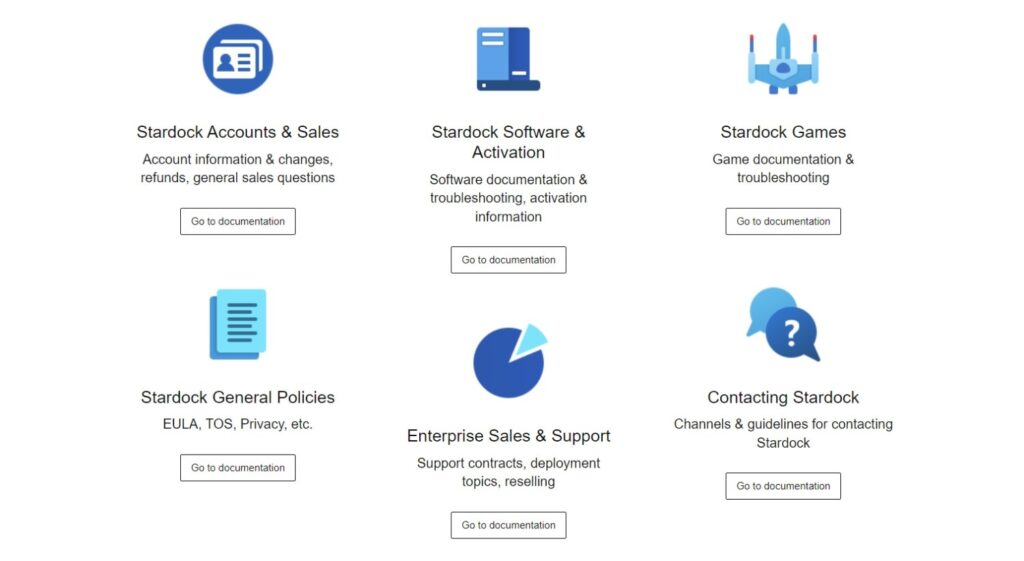
A major aspect of any software solution, especially one that is focused on customization, is the availability and quality of customer support. Stardock offers a variety of support channels to ensure users can get help when they need it. Let’s explore the customer support options provided by Stardock.


1. Knowledge Base and Documentation

Stardock provides an extensive knowledge base that is available to all users. This self-help resource is filled with FAQs, guides, and tutorials to help users resolve common issues and learn how to get the most out of their desktop customization tools. For each product, there are detailed articles that cover both basic and advanced usage, installation instructions, and troubleshooting tips.


2. Community Forums

Stardock has a vibrant community forum where users can ask questions, share custom themes and ideas, and engage with other users. The forums are particularly helpful for advanced users who are looking to customize their experience further or seek creative solutions to specific customization needs.

The forum is moderated, and Stardock staff often participate in discussions, providing users with direct feedback from the development team. This adds an extra layer of support and ensures that user concerns are addressed promptly.

3. Ticket-Based Support

For more specific or technical issues, Stardock offers a ticket-based support system. Users can submit a support ticket through the Stardock website, where they will be assigned a representative to assist with their issue. This is the primary method for resolving any bugs, software glitches, or account-related queries.

Typically, response times are swift, especially for users who have purchased the Object Desktop Suite. Premium users are given priority when it comes to customer support, ensuring faster resolution times.


4. Email Support

Stardock also provides email support for general inquiries and technical issues. While the email support option may not be as fast as the ticket system, it is a convenient method for users who have non-urgent questions or need clarification on certain features.


5. Live Updates and Patch Support

Stardock is known for continuously improving its software based on user feedback. Users have access to live updates that automatically download and patch any bugs or issues with the software. Stardock ensures that their desktop customization tools remain compatible with the latest versions of Windows, providing ongoing support through these updates.


Stardock Review - Final Thoughts

In conclusion, Stardock offers some of the best desktop customization tools available for Windows users. Whether you’re looking to organize your icons with Fences, apply custom themes with WindowBlinds, or improve your workflow with Groupy, Stardock’s products offer an unparalleled level of personalization and control over your desktop environment.

For those who take pride in a clean, efficient, and aesthetically pleasing workspace, this Stardock review makes it clear that the company’s products are worth considering. While there are minor drawbacks, such as the lack of free features and occasional bugs, the pros far outweigh the cons. With intuitive interfaces, excellent performance optimization, and affordable pricing, Stardock stands out as a leader in the world of desktop customization.

If you’re looking to enhance your Windows experience, whether through desktop organization, visual customization, or improved workflow, Stardock provides all the tools you need.

4.5 EASE OF USE
4.0 VALUE FOR MONEY
3.0 CUSTOMER SUPPORT
2.0 FUNCTIONALITY
Silvian Ly Product Director
Review Date: 29 August, 2024

SaleFish Digital Identity

Project Type :Digital Marketing

“Lorem ipsum dolor sit amet, consectetur adipiscing elit. Sed est turpis, fermentum sed orci vel, scelerisque tincidunt leo. Aliquam porttitor porta turpis, id luctus nisi faucibus vel. Sed quam mauris, ultricies vel eros sagittis, condimentum laoreet magna. Orci varius natoque penatibus et magnis dis parturient montes, nascetur ridiculus mus. Nunc porta, augue quis finibus sollicitudin, tellus mauris varius felis”.

OVERALL RATING
OVERALL RATING
OVERALL RATING
OVERALL RATING

Stardock Review: Comparison with Competitors

When evaluating Stardock’s desktop customization tools, it’s essential to see how they stack up against the competition. Stardock has carved a niche for itself, but other software developers also offer desktop customization tools. In this section, we’ll compare Stardock with its closest competitors and highlight where it stands out and where it might fall short.


1. Stardock vs. Rainmeter

Rainmeter is one of the most well-known open-source desktop customization tools, primarily focused on adding widgets and system monitors to your desktop. Unlike Stardock’s commercial offerings, Rainmeter is free and offers extensive customization for users who are comfortable with more technical setups.


Key Differences:

Customization Flexibility: Rainmeter allows for deep customization, but it requires more manual setup and scripting knowledge compared to Stardock’s user-friendly interface. Stardock provides out-of-the-box solutions that are much easier to apply, making it a better choice for users who prefer simplicity.

Visual Design: While Rainmeter excels at adding functional widgets (like system monitors or weather forecasts) to the desktop, Stardock WindowBlinds goes a step further by allowing users to modify the entire Windows interface, including buttons, window borders, and taskbars. For complete desktop customization, Stardock is more comprehensive.

Price: Rainmeter is free, while Stardock Fences, WindowBlinds, and other tools come with a price tag. However, Stardock’s ease of use and professional polish may justify the cost for users who prefer quick and visually appealing setups.


2. Stardock vs. RocketDock

RocketDock is a lightweight application launcher that allows users to place a customizable dock on their desktop, similar to the macOS dock. It’s designed to simplify application access but doesn’t offer the extensive desktop customization tools that Stardock provides.


Key Differences:

Functionality: While RocketDock focuses solely on providing a quick-access dock, Stardock’s Fences and Groupy go far beyond by offering complete desktop organization and window grouping functionalities. Fences allows users to create folders and portals, while Groupy provides tabbed interfaces for any application.

Customization Depth: RocketDock is limited to visual customization and does not offer the comprehensive desktop control that WindowBlinds or Fences provide. Stardock allows for far more extensive customization of both appearance and functionality.

Price: RocketDock is free but limited in its scope. Stardock, though not free, provides a more professional and full-featured solution, justifying the cost for users looking for comprehensive desktop customization.

3. Stardock vs. DisplayFusion

DisplayFusion is another popular tool for users who work with multiple monitors and want advanced control over their desktop setup. It allows users to manage windows, create custom taskbars for each monitor, and add wallpapers to multiple displays.


Key Differences:

Multi-Monitor Support: DisplayFusion excels in managing multi-monitor setups, which is something Stardock’s tools don’t focus on as much. If you’re managing several screens, DisplayFusion is better suited for that purpose.

Desktop Customization: However, when it comes to general desktop aesthetics and icon management, Stardock Fences and WindowBlinds offer more complete desktop customization tools than DisplayFusion. For single-screen setups or users focused on making their desktops visually appealing and organized, Stardock is a better choice.

Ease of Use: Stardock’s interface is more user-friendly and requires less configuration compared to DisplayFusion, which can be a bit overwhelming for beginners.


4. Stardock vs. Microsoft PowerToys

PowerToys is a suite of utilities from Microsoft designed to enhance productivity in Windows. While it doesn’t focus on desktop aesthetics, it offers some features that overlap with Stardock’s desktop customization tools, such as window management (through FancyZones) and system customization.


Key Differences:

Customization Focus: PowerToys is designed more for power users who need enhanced productivity and system control, while Stardock’s desktop customization tools are primarily focused on aesthetics, organization, and improving the user experience through visual enhancements.

User Interface: Stardock Fences offers a more intuitive and visual way to organize desktop icons compared to the window management tools in PowerToys. Additionally, PowerToys lacks the visual appeal and aesthetic customization that WindowBlinds offers.

Pricing: PowerToys is free and open-source, which is a big draw for many users. However, Stardock provides a more visually polished and user-friendly experience, making it worth the investment for users who prioritize both functionality and aesthetics.

Stardock support
FAQs

FAQs

Sorry, No FAQ Data Found.

⚠️ Affiliate Disclosure: This site contains affiliate links. We may earn a commission when you purchase through our links at no extra cost to you. Results are not typical.