Time Doctor Review

icon01

Time Doctor Review

4.5 (2,467)

Time Doctor Overview

Time Doctor is a productivity and time-tracking software designed to help businesses and individuals manage work efficiently. Being a leading review platform, we at Idealonlinebusiness found that it is a platform that monitors employee performance, tracks tasks, and improves accountability. Companies of all sizes use it to increase productivity. It provides reports, integrations, and project tracking features for managers and teams. In this article, we explore its features, services, pricing, pros, and comparisons. If you’re looking for detailed insights, this Time Doctor review will give you the clarity you need.

Productivity Tracking

This software captures time spent on tasks, providing detailed reports for employers. It allows managers to measure employee performance without micromanaging, ensuring transparency and accountability while reducing wasted hours on non-work-related activities.

Screen Monitoring

Time Doctor offers optional screenshot monitoring. Businesses can activate it to see activity levels while respecting privacy. This creates a balance between productivity assurance and trust within teams, especially in remote work settings.

Distraction Alerts

When an employee spends too much time on social media or unrelated sites, the platform sends gentle reminders. These alerts keep workers focused, encouraging discipline and better task completion rates throughout the workday.

Client Billing

Companies can use Time Doctor to accurately bill clients based on tracked work hours. Automated timesheets and invoices reduce disputes, improve trust, and simplify financial management for service-based businesses dealing with multiple clients.

Detailed Reports

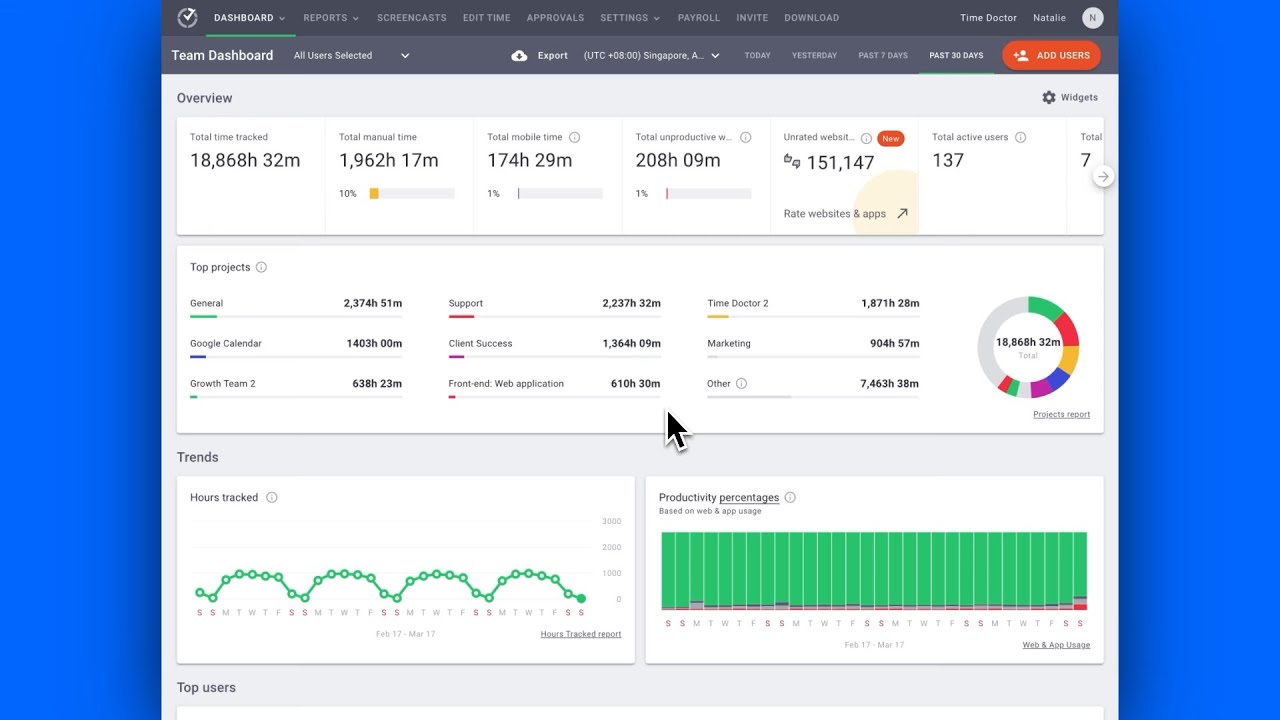
Comprehensive reports showcase time usage, employee activity, and project allocation. These insights help managers identify workflow inefficiencies, enhance resource allocation, and boost productivity across departments without relying solely on manual updates or status meetings.

App Integrations

Time Doctor integrates with popular apps like Asana, Trello, Slack, and Jira. This ensures seamless collaboration across tools and allows employees to continue using their favorite project management apps within a unified system.

Offline Tracking

Even without internet access, Time Doctor records time and work data. Once reconnected, all information syncs automatically, making it reliable for workers in remote or low-connectivity areas where continuous tracking is otherwise difficult.

Team Management

Managers can easily assign tasks, set deadlines, and monitor work progress. Time Doctor enhances accountability within distributed teams, allowing leaders to balance workloads, prevent burnout, and ensure timely project deliveries without constant check-ins.

Time Doctor Features – What You Get?

Time Doctor features include time tracking, reporting, integrations, and monitoring options. It is built to enhance workplace productivity for both freelancers and large enterprises. With flexible settings and detailed reports, managers gain actionable insights.

  • Easy Time Tracking
  • Detailed Productivity Reports
  • Optional Screen Monitoring
  • Client Billing Tools
  • Offline Time Recording
  • Project Task Management
  • Real-Time Data Access
  • Seamless App Integrations
  • Learning Curve Issues
  • Privacy Concerns Raised
  • Limited Free Version
  • Requires Strong Connectivity

Video Guides and Tutorials

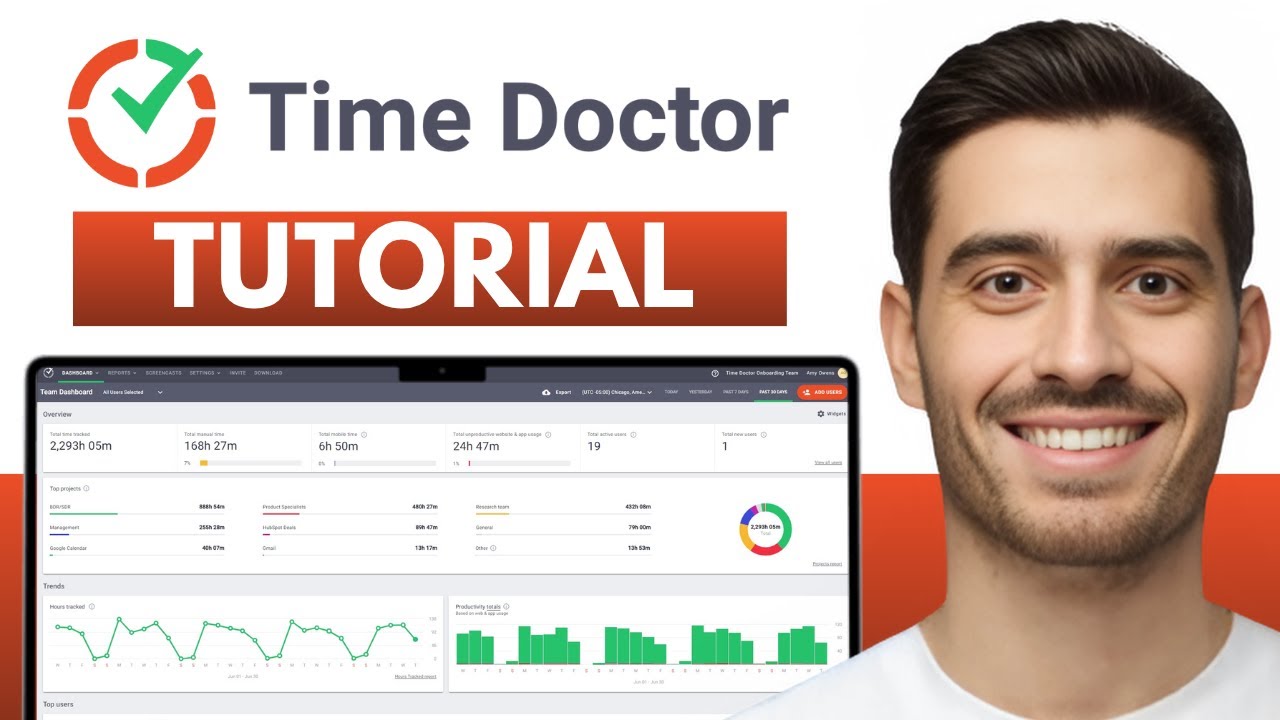
Time Doctor provides extensive video tutorials for onboarding and advanced usage. These tutorials simplify learning for new users, covering features like setup, task tracking, and reports. They also guide managers in using integrations with third-party apps. With step-by-step instructions, even beginners can quickly adapt. Businesses benefit from accessible resources that reduce training time and improve adoption across teams.

Zootrix Tutorial
Proxy Seller Review
Liquid Web Hosting
Why Small Businesses Love DigiSigner

Best Time Doctor Services

Time Doctor services are designed to help businesses streamline productivity, monitoring, and reporting with ease. These services assist individuals, freelancers, and enterprises in optimizing work hours while ensuring transparency and efficiency in every task.

Read more: Helium 10 free trial | Writesonic pricing | Vodien review | Homestyler app

Time Doctor Price Plans

Time Doctor pricing is flexible, offering plans suited for freelancers, SMBs, and large enterprises. The Basic plan starts at $7/month per user with essential tracking features. The Standard plan, priced at $10/month, adds integrations and advanced reporting. The Premium plan costs $20/month, featuring video screen captures and VIP support. With clear Plans of Time Doctor, businesses can choose according to size and needs.

Pros and Cons of Time Doctor

The Pros and Cons of Time Doctor show a balanced perspective. Its benefits include accurate tracking, seamless integrations, and strong productivity reports. However, privacy concerns and a learning curve may challenge some users. Overall, it provides measurable time doctor benefits, helping organizations balance flexibility with accountability while keeping workflow efficient. Many businesses value these features, while others may prefer alternatives.

Comparison Time Doctor vs Hubstaff

The comparison Time Doctor vs Hubstaff highlights both tools as strong productivity platforms. Time Doctor excels in reporting and offline tracking, while Hubstaff offers GPS tracking for field workers. Both integrate with project management tools, yet each caters to slightly different organizational needs. Choosing between them depends on team structure, reporting preferences, and specific business goals.

4.5 EASE OF USE
4.0 VALUE FOR MONEY
4.5 CUSTOMER SUPPORT
5.0 FUNCTIONALITY
Rajesh Kumar Productivity & Workflow Consultant
Review Date: 20 September, 2024

ProTime Solutions
Project Type: Time Tracking & Employee Monitoring Tool Evaluation

“Time Doctor offers robust time tracking with features like activity monitoring, screenshot capture, and detailed reporting, making it ideal for remote teams and freelancers. While it enhances productivity insights, some users find its monitoring features intrusive. Additionally, the mobile app has limitations, and customer support responsiveness can vary.”

EASE OF USE
VALUE FOR MONEY
CUSTOMER SUPPORT
FUNCTIONALITY

Alternatives

Time Doctor stands out as the best choice among productivity tools due to its accurate time tracking, detailed reporting, app integrations, and offline tracking. Popular alternatives include Hubstaff, Toggl Track, and RescueTime. Explore some alternatives to see which aligns best with your workflow and business requirements.


1st Formations Review

1st Formations Review

4.6 (2,791)
Top Rated Features
  1. Company Formation Packages
  2. Non-Resident Services
  3. Address Services
Explore More
Deel Overview

Deel Overview

4.5 (2,690)
Top Rated Features
  1. Contractor and Employee Management
  2. Automated Global Payroll
  3. 24/7 Customer Support and Local Advisors
Explore More
Skillshare Review

Skillshare Review

4.6 (2,337)
Top Rated Features
  1. Project Based Learning
  2. Community Engagement
  3. Offline Learning with Mobile App
Explore More
GetSmarter Review

GetSmarter Review

4.4 (2,309)
Top Rated Features
  1. Real-time feedback
  2. Certificate of completion
  3. 24/7 student support
Explore More
MindManager Review

MindManager Review

4.8 (2,959)
Top Rated Features
  1. Mind Mapping Tools
  2. Collaboration & Integration
  3. Productivity Boosters
Explore More
Headway App Review

Headway App Review

4.5 (2,617)
Top Rated Features
  1. Bite-Sized Book Summaries
  2. Smart Library
  3. Expert-Curated Content
Explore More
SentryPC Review

SentryPC Review

4.8 (2,887)
Top Rated Features
  1. Real-Time Monitoring
  2. Keystroke Logging
  3. Website & App Blocking
Explore More
Shift Review

Shift Review

3.9 (2,693)
Top Rated Features
  1. Microsoft Apps
  2. All Apps In One Hub
  3. Google Services
Explore More
FAQs

Frequently Asked Questions

Time Doctor is a powerful productivity tool, and many users have questions before choosing it. At Idealonlinebusiness, we offer answers to all your queries, making it easier to understand its key features and usage.

Time Doctor is a time-tracking and productivity software designed to improve efficiency for individuals and teams. A detailed time doctor review highlights how it monitors work hours, tasks, and app usage to boost productivity.

Time Doctor pricing depends on the plan you choose. Basic plans start at $7/month, while Premium plans offer advanced reporting and features at $20/month. Time doctor review articles often praise the transparent pricing structure.

Time Doctor features include time tracking, productivity reports, integrations, and offline tracking. According to many time doctor review sources, these features help managers and freelancers streamline work and monitor performance efficiently.

Yes, popular time doctor alternative options include Hubstaff, Toggl Track, and RescueTime. While these tools offer similar tracking, a Time Doctor review often points out that Time Doctor benefits in reporting and task management are superior.

Time Doctor vs Hubstaff differs mainly in reporting and offline tracking. Hubstaff focuses more on GPS tracking for field teams. In most time doctor review comparisons, Time Doctor excels in productivity analytics and desktop tracking features.

The Pros and Cons of Time Doctor include accurate tracking, app integrations, and productivity analytics as advantages. Limitations may include learning curve challenges and privacy concerns. Time doctor review articles show the benefits outweigh the drawbacks.

Time Doctor benefits include improved productivity, better accountability, and efficient team management. A time doctor review highlights that businesses gain insights into work patterns and reduce wasted hours effectively using the software.

Yes, Time Doctor tracks hours worked on specific tasks or projects, generating accurate invoices. Many time doctor review sources emphasize how this feature improves billing transparency and saves time for freelancers and agencies.

Yes, Time Doctor provides video guides and tutorials that cover setup, task tracking, and reporting. According to a time doctor review, these resources make it easier for new users to adopt the platform efficiently.

Time Doctor review and comparison time doctor vs hubstaff articles show it is ideal for teams and individuals who want detailed reports, offline tracking, and integrations. While alternatives exist, Time Doctor benefits make it a top choice.

Ideal Online Business
By chatting, you agree to our terms.