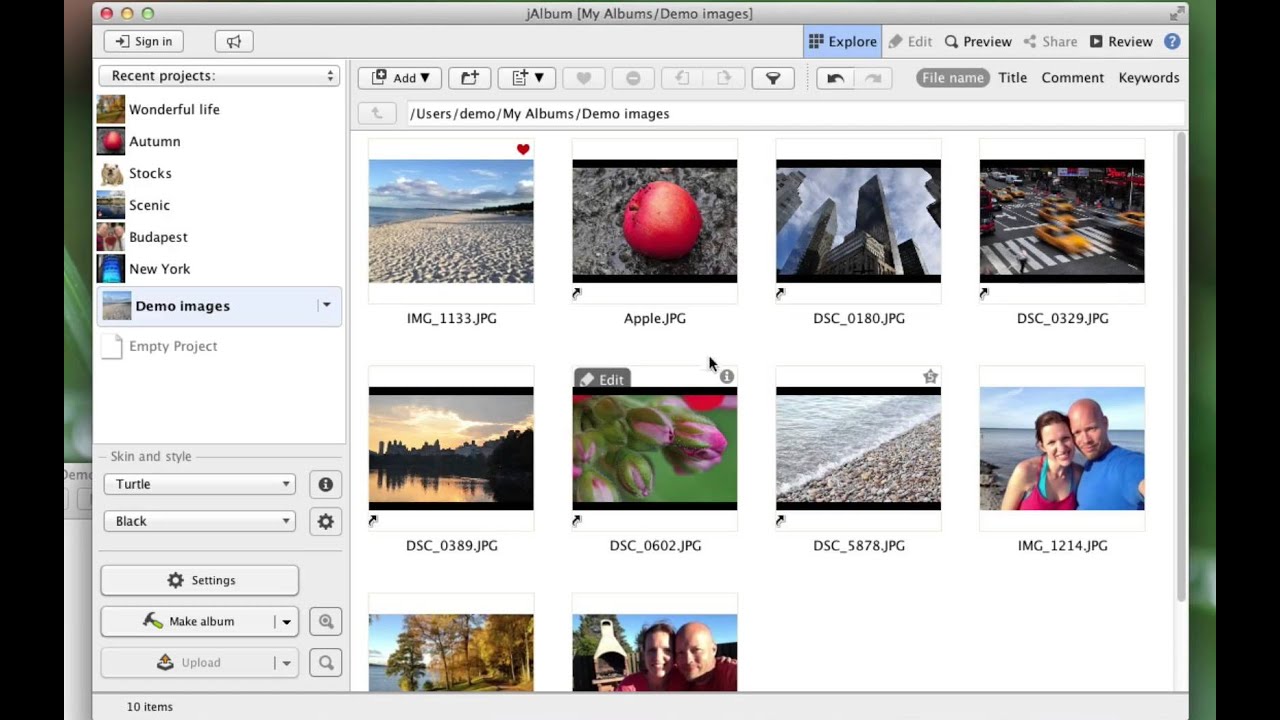
jAlbum is a Swedish photo gallery software that has been helping photographers, hobbyists, and small businesses build polished online photo and video galleries since 2002. The desktop app for Windows, macOS, and Linux turns folders of images into web-ready galleries with customizable themes, called \u201cskins.\u201d
With drag-and-drop publishing, batch editing, watermarking, video transcoding, optional shopping cart for selling photos, and the ability to handle up to 50,000 images per album, jAlbum remains a favorite among long-time photographers who want full control of their galleries without committing to a SaaS subscription.
Drag any folder of images or videos into jAlbum and turn it into a polished web-ready gallery in minutes.
Handle galleries with up to 50,000 images on an ordinary computer \u2014 perfect for archives, weddings, and event coverage.
Native support for 160+ video formats with automatic conversion to web-friendly MP4 means photos and videos mix in one gallery.
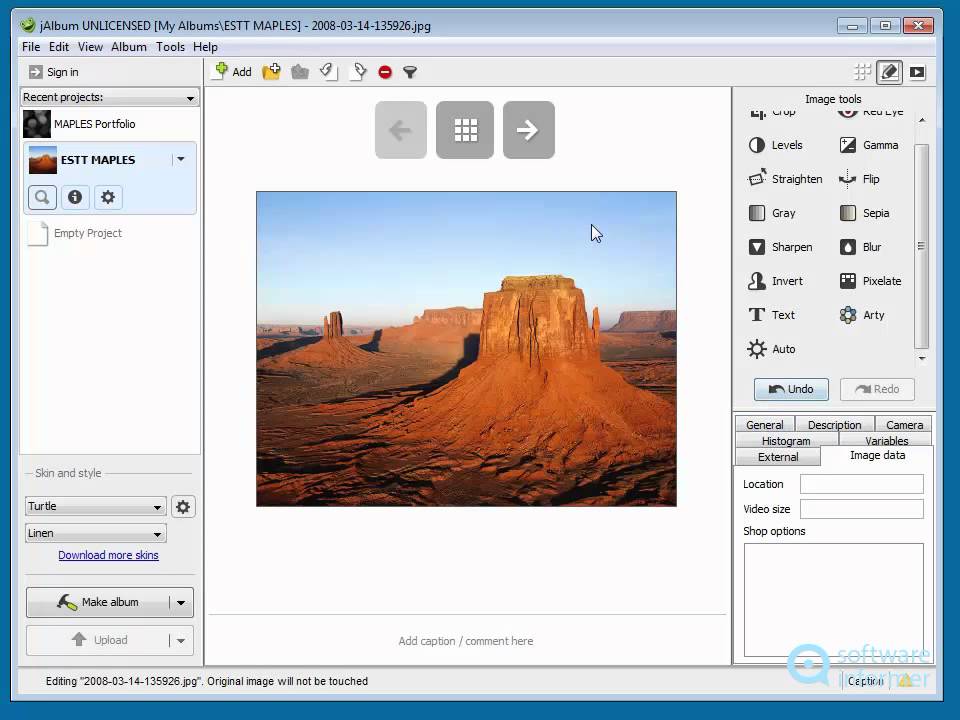
Crop, sharpen, adjust levels, auto-correct, or watermark hundreds of images in one batch instead of opening each file in Photoshop.
Choose from dozens of free and premium gallery skins, then customize colors, fonts, layouts, and add custom HTML.
Sell digital downloads and prints directly from your gallery with built-in cart integrations for PayPal, Google Checkout, and Fotomoto.
Standard ($49) and Pro ($99) licenses are one-time purchases with no monthly fees \u2014 a major perk vs SaaS gallery platforms.
Publish to your own web server via FTP or use the optional jalbum.net hosting subscription for a turnkey experience.
jAlbum combines deep gallery customization with intuitive media management:
Watch official and community tutorials to see how to organize photos, customize skins, watermark images, and sell prints through jAlbum.
jAlbum offers a free tier and two paid licenses with optional hosting add-ons:
According to G2, jAlbum scores well for flexibility, customization, and one-time pricing. Shutterbug praises the speed of bulk gallery generation and the depth of skin customization. Trustpilot users compliment the desktop control but note the dated UI as a recurring criticism.
Other photo gallery and portfolio platforms worth comparing:

Erase.bg is a free AI-powered background removal service from Pixelbin.io that removes image backgrounds in seconds with one click. In this Erase.bg review by IdealOnlineBusiness.com, we look at its pricing, output quality, features, and ease of use based on public Trustpilot, G2, and Product Hunt reviews. Whether you are an e-commerce seller, content creator, designer, or marketer, Erase.bg provides fast, professional background removal at scale with batch processing and API access.
Our analysis of Erase.bg background remover reviews shows the platform is trusted for high-quality results, free usage, and fast processing. It holds a 4.8/5 rating on Trustpilot across 4,500+ reviews. Users praise the precise edge detection on hair, fur, and fine details, free high-resolution downloads, and quick batch processing. For e-commerce product photos, profile pics, and marketing visuals, Erase.bg is one of the best free background removers.
Explore More
Photo AI is an AI-powered photo generator that lets you create studio-quality professional photos of yourself without ever hiring a photographer. In this Photo AI review by IdealOnlineBusiness.com, we look at its pricing, photo realism, features, and ease of use based on public Product Hunt, Trustpilot, and Reddit reviews. Whether you need LinkedIn headshots, dating photos, social media content, or creative imagery, Photo AI promises lifelike results in minutes.
Our analysis of Photo AI shows the platform is widely trusted for photorealistic AI photo generation and creative versatility. It holds a 4.5/5 rating across user reviews and has been featured on Product Hunt as a top product. Users praise the realism, costume changes, scene variety, and quick training, while some flag occasional facial inconsistency in complex poses. For anyone wanting affordable professional photos, Photo AI is a strong choice.
Explore More
Imagine Art is an AI-powered image generation platform that transforms your text prompts into high-quality images, illustrations, art, and visuals in seconds. In this Imagine Art review by IdealOnlineBusiness.com, we look at its pricing, features, model quality, and ease of use based on public G2, Trustpilot, and Capterra reviews. Whether you’re a digital artist, social media manager, e-commerce seller, or marketer, Imagine Art promises studio-quality visuals without hiring a designer.
Our analysis of Imagine Art AI reviews shows the platform is trusted for its photorealistic output, style diversity, and speed. It holds a 4.6/5 rating on G2 across 2,500+ reviews. Users praise the one-click art generation, anime mode, image-to-image transformations, and the inpainting/outpainting features. Some flag occasional content moderation strictness. For creators who want fast, high-quality AI art without design skills, Imagine Art is a strong option.
Explore More

⚠️ Affiliate Disclosure: This site contains affiliate links. We may earn a commission when you purchase through our links at no extra cost to you. Results are not typical.