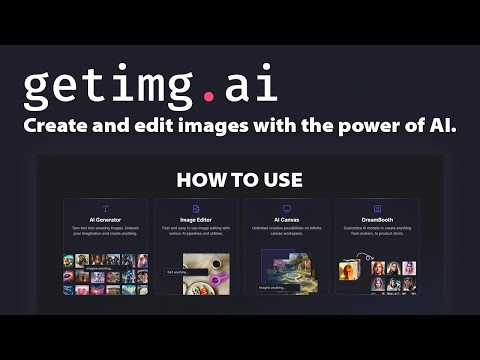
getimg is an AI image suite for generating, editing, upscaling and expanding images, with a range of image and video models available under a single subscription.
At IdealOnlineBusiness, we have worked through all four tiers, what credits actually buy, and the two features that decide your plan before volume does. Note at the outset that there is no free tier here, which sets it apart from several rivals.
| Pros | Cons |
|---|---|
| Commercial rights from 8 dollars: unusual at the entry price point. | No free plan: nothing to test with beyond a paid month. |
| Many models in one place: no separate subscriptions to compare generators. | Entry restricts models: the cheapest tier does not open everything. |
| Real editing suite: inpainting, expanding and upscaling, not just prompts. | Credit burn is unpredictable: rates vary by model and resolution. |
| 16K upscaling: genuinely useful for print and large format. | Upscaling needs Plus: a jump to 55 dollars a month yearly. |
| Team workspaces: practical separation for agency client work. | Per-seat credits: team costs scale with headcount. |
| Yearly billing saves 15-20 percent: meaningful at the upper tiers. | Aesthetics trail Midjourney: on raw prompt-to-image quality. |
getimg is the workflow choice rather than the aesthetics choice. Pick your tier on upscaling and workspaces first, then check the credits will cover you, and use the first paid month to learn your real burn rate before buying a year.
getimg bundles a range of image and video models behind one interface, so you are not paying separate subscriptions to try different generators. The Entry tier opens 11 image and 9 video models; higher tiers unlock all of them.
Commercial rights are included on every paid tier, including the cheapest. That matters more than most feature comparisons, because several rivals reserve commercial use for mid or upper plans.
There is no permanent free tier. The cheapest way in is Entry at 8 US dollars a month billed yearly, or 10 monthly. If a free allowance is essential to your workflow, this is not the tool.
Everything runs on credits: 3,000 a month on Entry, 15,000 on Core, 35,000 on Plus and 100,000 on Ultra, allocated per seat. Model choice and resolution determine how fast you burn them, so the headline number matters less than what you generate.
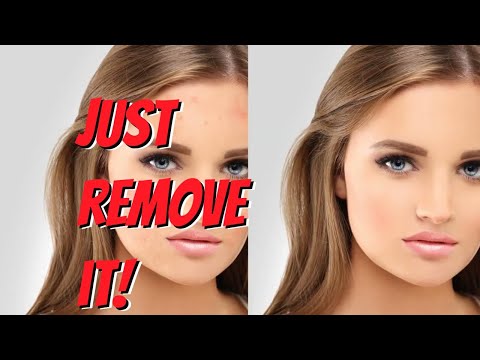
Beyond text-to-image, getimg covers editing, inpainting, upscaling and expanding existing images. That is what makes it a working tool rather than a novelty generator.
Upscaling to 16K arrives on the Plus tier. If you produce work for print or large-format display, that is the line that decides your plan rather than the credit allowance.
Concurrent generations run from 2 on Entry to 10 on Ultra. In practice this is a throughput limit: it decides how many ideas you can explore in parallel, which matters more than it sounds during real creative work.
Team workspaces scale from 2 on Core to 10 on Ultra, and credits are allocated per seat. For an agency running several client accounts, workspace count often forces the tier before credit consumption does.
Four paid tiers and no free plan. Entry is 10 US dollars a month, or 8 billed yearly at 96, and includes 3,000 credits a month, commercial rights, 11 image models, 9 video models and 2 concurrent generations. Core is 30 a month or 25 yearly at 300, lifting you to 15,000 credits per seat, all models, 4 concurrent generations and 2 team workspaces. Plus is 65 a month or 55 yearly at 660 for 35,000 credits per seat, 16K upscaling, 8 concurrent generations, 5 workspaces and top-up credits. Ultra is 175 a month or 150 yearly at 1,800 for 100,000 credits per seat, 10 concurrent generations and 10 workspaces.
Yearly billing saves roughly 15 to 20 percent across the range. Credits are consumed at different rates by different models and resolutions, so the allowance figures are only comparable once you know what you generate. Test on Entry before committing to a year.
Walkthroughs covering generating a first image, using inpainting to fix part of a picture, and upscaling output for print.
getimg is a generation and editing suite rather than a single model wrapper. These are the jobs it covers.
There is no free plan. Entry is 10 US dollars a month, or 8 billed yearly, for 3,000 credits, commercial rights and a subset of models. Core is 30 a month or 25 yearly for 15,000 credits per seat and all models. Plus is 65 or 55 yearly for 35,000 credits, 16K upscaling and top-up credits. Ultra is 175 or 150 yearly for 100,000 credits and 10 workspaces.
Two things decide your tier and neither is the credit number. The first is upscaling: if you need 16K output for print, you are on Plus regardless of volume. The second is workspaces, which matter if you separate client work. Only after those does credit consumption come into it.
The commercial rights position is the strongest thing about this pricing. Getting commercial use at the 8-dollar entry point is unusual, and for a freelancer producing client work at low volume it makes getimg one of the cheapest legitimate routes into AI image generation.
The AI image market splits between aesthetic-first generators and workflow-first suites. getimg sits firmly in the second camp.
On this site, Depositphotos pricing covers the stock route if a real photograph would serve better, and Clipping Magic, reviewed here is the narrower tool if background removal is the actual job.

Use the Retouch4me discount code OnlineBusiness20 at checkout to take 20% off Retouch4me AI retouching plugins. It is a partner code issued to IdealOnlineBusiness.com.

Erase.bg is a free AI-powered background removal service from Pixelbin.io that removes image backgrounds in seconds with one click. In this Erase.bg review by IdealOnlineBusiness.com, we look at its pricing, output quality, features, and ease of use based on public Trustpilot, G2, and Product Hunt reviews. Whether you are an e-commerce seller, content creator, designer, or marketer, Erase.bg provides fast, professional background removal at scale with batch processing and API access.
Our analysis of Erase.bg background remover reviews shows the platform is trusted for high-quality results, free usage, and fast processing. It holds a 4.8/5 rating on Trustpilot across 4,500+ reviews. Users praise the precise edge detection on hair, fur, and fine details, free high-resolution downloads, and quick batch processing. For e-commerce product photos, profile pics, and marketing visuals, Erase.bg is one of the best free background removers.
Explore More
Photo AI is an AI-powered photo generator that lets you create studio-quality professional photos of yourself without ever hiring a photographer. In this Photo AI review by IdealOnlineBusiness.com, we look at its pricing, photo realism, features, and ease of use based on public Product Hunt, Trustpilot, and Reddit reviews. Whether you need LinkedIn headshots, dating photos, social media content, or creative imagery, Photo AI promises lifelike results in minutes.
Our analysis of Photo AI shows the platform is widely trusted for photorealistic AI photo generation and creative versatility. It holds a 4.5/5 rating across user reviews and has been featured on Product Hunt as a top product. Users praise the realism, costume changes, scene variety, and quick training, while some flag occasional facial inconsistency in complex poses. For anyone wanting affordable professional photos, Photo AI is a strong choice.
Explore More
Imagine Art is an AI-powered image generation platform that transforms your text prompts into high-quality images, illustrations, art, and visuals in seconds. In this Imagine Art review by IdealOnlineBusiness.com, we look at its pricing, features, model quality, and ease of use based on public G2, Trustpilot, and Capterra reviews. Whether you’re a digital artist, social media manager, e-commerce seller, or marketer, Imagine Art promises studio-quality visuals without hiring a designer.
Our analysis of Imagine Art AI reviews shows the platform is trusted for its photorealistic output, style diversity, and speed. It holds a 4.6/5 rating on G2 across 2,500+ reviews. Users praise the one-click art generation, anime mode, image-to-image transformations, and the inpainting/outpainting features. Some flag occasional content moderation strictness. For creators who want fast, high-quality AI art without design skills, Imagine Art is a strong option.
Explore More

Common questions about getimg pricing, credits, commercial rights and whether there is a free plan.
⚠️ Affiliate Disclosure: This site contains affiliate links. We may earn a commission when you purchase through our links at no extra cost to you. Results are not typical.