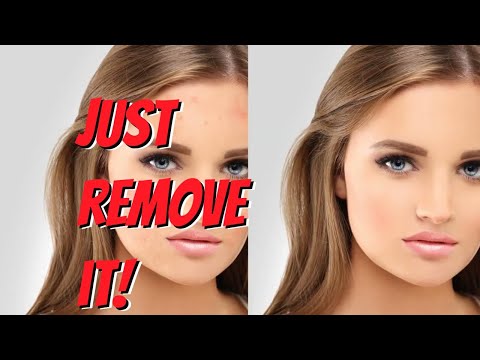
Looking for the best image editor to create amazing visuals? An image editor powered by AI makes editing easy , fast, and professional. Among the many image editors online, there are some best image editors like Canva, Fotor, Adobe Firefly, etc. that allows you to remove backgrounds, improve quality, and create stunning designs effortlessly. Whether you are a beginner or a professional designer, using the best AI image editor saves time and improves creativity. With modern tools, these image editors online offer smart features like automatic retouching, AI effects, and user-friendly interfaces, making your creative projects easier and more efficient than ever.

Erase.bg is a free AI-powered background removal service from Pixelbin.io that removes image backgrounds in seconds with one click. In this Erase.bg review by IdealOnlineBusiness.com, we look at its pricing, output quality, features, and ease of use based on public Trustpilot, G2, and Product Hunt reviews. Whether you are an e-commerce seller, content creator, designer, or marketer, Erase.bg provides fast, professional background removal at scale with batch processing and API access.
Our analysis of Erase.bg background remover reviews shows the platform is trusted for high-quality results, free usage, and fast processing. It holds a 4.8/5 rating on Trustpilot across 4,500+ reviews. Users praise the precise edge detection on hair, fur, and fine details, free high-resolution downloads, and quick batch processing. For e-commerce product photos, profile pics, and marketing visuals, Erase.bg is one of the best free background removers.
Explore More
Photo AI is an AI-powered photo generator that lets you create studio-quality professional photos of yourself without ever hiring a photographer. In this Photo AI review by IdealOnlineBusiness.com, we look at its pricing, photo realism, features, and ease of use based on public Product Hunt, Trustpilot, and Reddit reviews. Whether you need LinkedIn headshots, dating photos, social media content, or creative imagery, Photo AI promises lifelike results in minutes.
Our analysis of Photo AI shows the platform is widely trusted for photorealistic AI photo generation and creative versatility. It holds a 4.5/5 rating across user reviews and has been featured on Product Hunt as a top product. Users praise the realism, costume changes, scene variety, and quick training, while some flag occasional facial inconsistency in complex poses. For anyone wanting affordable professional photos, Photo AI is a strong choice.
Explore More
Imagine Art is an AI-powered image generation platform that transforms your text prompts into high-quality images, illustrations, art, and visuals in seconds. In this Imagine Art review by IdealOnlineBusiness.com, we look at its pricing, features, model quality, and ease of use based on public G2, Trustpilot, and Capterra reviews. Whether you’re a digital artist, social media manager, e-commerce seller, or marketer, Imagine Art promises studio-quality visuals without hiring a designer.
Our analysis of Imagine Art AI reviews shows the platform is trusted for its photorealistic output, style diversity, and speed. It holds a 4.6/5 rating on G2 across 2,500+ reviews. Users praise the one-click art generation, anime mode, image-to-image transformations, and the inpainting/outpainting features. Some flag occasional content moderation strictness. For creators who want fast, high-quality AI art without design skills, Imagine Art is a strong option.
Explore More
Table of Content
In a visual-first digital economy, image editors are the creative engines that transform raw concepts into professional assets. Your graphics are your brand’s silent ambassador, and the right software provides the precision needed to craft high-impact visuals that stop the scroll. This category explores industry-leading photo editing software and vector design tools that balance “smart” automation like AI-driven object removal with the granular control required for professional-grade typography and branding.
Whether you are refining high-resolution photography for a commercial portfolio or designing intricate vector assets for a new brand identity, these visual content tools elevate your creative output. By choosing image editing solutions that align with your aesthetic goals, you bridge the gap between “basic graphics” and “brand authority.”
Selecting the right photo editing software or graphic design platform requires matching the tool’s functional depth with your specific design workflow:
Based on thousands of verified user reviews in 2026, these are the best visual design and image editing tools leading the market. We have prioritized platforms that balance professional versatility with an intuitive user interface.
| Platform | Rating | Review Count | Primary Specialty |
|---|---|---|---|
| Kittl | 4.7 | 2,488 | Best for Vector Design & Professional Branding |
For modern digital businesses, the most efficient design stack centers on the integration of manual artistic control and intelligent design resources.
The cost of creative design and editing solutions typically follows a tiered subscription model:
Modern creators prioritize features that bridge the gap between technical power and creative intuition:
The defining trend currently is the shift toward “Accessible Professionalism.” In 2026, the most successful creators are those using platforms like Kittl to combine professional-grade Vector Editing with the speed of modern templates to ensure the result feels authentic and human-led.
Furthermore, we are seeing a move toward Omnichannel Asset Production. The same image must now work for website headers, mobile apps, and social feeds. By choosing an ideal online business creative stack that prioritizes vector scalability and intuitive interfaces, you ensure every pixel you publish reinforces your authority and captures your audience’s focus.
At IdealOnlineBusiness, we answer your queries about image editing tools. From the best AI image editor and best free image editor to online image editor and image text editor options, our team of experts guide you to create professional, eye-catching visuals effortlessly.
⚠️ Affiliate Disclosure: This site contains affiliate links. We may earn a commission when you purchase through our links at no extra cost to you. Results are not typical.