EaseUS is a software company founded in 2004 that specializes in data recovery, backup, partition management, and disk utilities for Windows, macOS, iOS, and Android. In this EaseUS review by IdealOnlineBusiness.com, we look at the full EaseUS product family — Data Recovery Wizard, Todo Backup, Partition Master, MobiMover, and more — along with pricing, features, real-user ratings, and ease of use based on public G2, Capterra, and Trustpilot reviews.
Whether you have accidentally formatted a drive, need to clone an SSD before an upgrade, or want scheduled backups for a small business, EaseUS offers consumer-friendly tools that consistently rank among the most downloaded data utilities in the world. Our analysis of data recovery and backup software reviews shows EaseUS is widely trusted for high recovery rates, a clean interface, and its free tier that lets you actually scan a drive before paying. EaseUS Data Recovery Wizard has public reviews on both G2 and Trustpilot. We have not independently verified a current aggregate score on either and so do not quote figures, but users repeatedly praise the quick scan speed and the breadth of recoverable file formats.
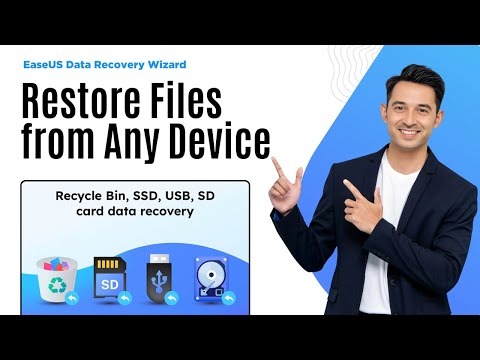
EaseUS Data Recovery Wizard is the flagship product, capable of recovering documents, photos, videos, audio, archives, and emails across more than 1,000 file formats. It works on internal HDDs and SSDs, external USB drives, SD cards, cameras, and even on RAW, deleted, or unmountable partitions, which is why it ranks among the top recovery tools in G2 user reviews.
Unlike many competitors, EaseUS offers a genuinely useful free tier that lets you scan a drive, preview the recoverable files, and actually restore up to 2 GB of data without paying. This makes EaseUS one of the few recovery tools where you can verify it works on your specific drive before committing to a license.
EaseUS Todo Backup creates full system, partition, file-level, and incremental backups, with disaster-recovery boot media for restoring an unbootable PC. The free edition covers personal backups, while Home and Workstation editions add cloud backup, scheduled jobs, and outlook email backup for power users.
Partition Master resizes, merges, splits, copies, and converts partitions (MBR ↔ GPT) without losing data, and includes tools for migrating Windows to an SSD or cloning entire disks. It is the EaseUS product that most reviewers reach for during PC upgrades and SSD migrations.
EaseUS MobiMover moves photos, videos, music, contacts, and messages between iPhone, iPad, Android, and PC without iTunes. It also includes a free video downloader and WhatsApp transfer feature, making it useful for users switching phones or backing up mobile data.
When Windows or macOS will not boot, you can create EaseUS bootable rescue media on a USB stick and recover data directly from the failed system. This is a key feature for IT technicians and home users dealing with crashed operating systems or ransomware-locked drives.
Unlike many SaaS-style competitors, EaseUS still offers lifetime, one-time-payment licenses for its flagship products. This appeals to users who want predictable costs, especially individual technicians and small repair shops who do not want a perpetual subscription.
The EaseUS product family covers all major consumer operating systems, with native installers for Windows and macOS plus mobile apps and PC-side tools for iOS and Android. That makes it a one-stop recovery and backup vendor for households and small IT teams with mixed devices.
EaseUS packages a full suite of disk, data, and backup utilities into one product family. Data Recovery Wizard recovers deleted, formatted, and lost files from HDDs, SSDs, USB drives, SD cards, and even crashed systems. Todo Backup handles full-system and file-level backups with disaster-recovery boot media. Partition Master resizes, merges, splits, and converts partitions without losing data. MobiMover moves photos, contacts, and files between iPhone, iPad, and PC. The shared installer and consistent UI make it easy to learn one tool and quickly use the others.
Where EaseUS really separates itself from generic recovery tools is the depth of supported scenarios and devices. The Data Recovery Wizard supports more than 1,000 file types and can recover from RAW, encrypted, or unmountable drives — and the free version lets you scan and preview files before buying a license. According to EaseUS reviews on G2 and Trustpilot, users most often highlight the high recovery success rate, the speed of the quick scan, and how clearly the software guides non-technical users through what is normally a stressful situation.
If you prefer learning by watching, EaseUS has a strong library of YouTube tutorials from both the official channel and independent reviewers. These walkthroughs cover installing Data Recovery Wizard, scanning a corrupted USB stick, cloning an SSD with Partition Master, and setting up scheduled Todo Backup jobs. IdealOnlineBusiness.com recommends watching at least two of the beginner tutorials below before paying for a license so you can see the interface and recovery rates for yourself before committing.
EaseUS uses a tiered license model. The plans below reflect Data Recovery Wizard Pro (the most widely-purchased EaseUS product) and are current at the time of this review. The Yearly plan is the best value for most users.
Easy and safe. Apply to all data loss situations.
Cost-effective backup & restore software for PCs.
Manage your disk space to improve PC performance.
According to verified reviews on G2 and Trustpilot, EaseUS Data Recovery Wizard consistently scores in the 4.4–4.6 range with reviewers praising the high recovery rate on accidentally formatted drives and the clarity of the recovery wizard. Reviewers note that the free version is unusually generous and that the lifetime license is one of the few remaining one-time-payment options for serious recovery software. The most common complaints involve scan duration on large or failing drives and that Pro licenses are tied to a single PC unless you move up to a Technician plan.
EaseUS Data Recovery Wizard is one of the most popular data recovery tools in 2026, but depending on the scenario — emergency professional recovery, free-only use, or enterprise backup — you may want to compare alternatives. Below are the most credible EaseUS alternatives based on real G2 and Capterra rankings.


Box Inc is a leading enterprise content cloud platform helping businesses securely store, share, sign and collaborate on files with granular access control. In this Box Inc review by IdealOnlineBusiness.com, we evaluate the Business and Enterprise plans, Box Sign electronic signatures, Box AI, integrations with Microsoft 365, Google Workspace, Salesforce and Slack, advanced governance and compliance tools, security certifications including FedRAMP and HIPAA, pricing tiers, and verified customer feedback from G2 and Capterra.
Explore More


Filemail is a high-speed file transfer platform that lets you send files of any size, up to 5TB per transfer, without compression, signup, or installation. In this Filemail review by IdealOnlineBusiness.com, we look at its pricing, features, transfer speeds, and ease of use based on public G2, Trustpilot, and Capterra reviews. Whether you are a video editor, designer, legal professional, or anyone moving large files, Filemail promises ultra-fast transfers with no file size limits and enterprise-grade security.
Our analysis of Filemail file transfer reviews shows the platform is trusted for raw speed, no signup requirement for senders, custom branding, and detailed tracking. It holds a 4.6/5 rating on G2 with 250+ reviews and high marks on Trustpilot. Users praise the UDP-accelerated transfers, password protection, white-label branding, and Outlook integration, while some flag the free tier upload limits. For teams sharing massive files, Filemail is a robust option.
Explore More







EaseUS is best known for Data Recovery Wizard, but the brand covers a much wider set of tools for backup, partition management, and mobile data transfer. This section answers the most common questions about EaseUS pricing, free vs. paid plans, recovery limits, supported devices, and how it compares to other data recovery and backup software.
⚠️ Affiliate Disclosure: This site contains affiliate links. We may earn a commission when you purchase through our links at no extra cost to you. Results are not typical.