⚠️ Affiliate Disclosure: This page contains affiliate links. We may earn a commission at no extra cost to you. This does not influence our reviews. Read full disclosure →

VWO Review

VWO logo

VWO Review

Editorial rating: 4.3 / 5

VWO Overview

VWO (Visual Website Optimizer) is a leading AI-first digital experience optimization platform used by 6,000+ businesses across 90+ countries. VWO combines research, experimentation, and personalization into one unified suite. It includes A/B, multivariate, split-URL, and feature testing for web, mobile, and server-side, plus heatmaps, session recordings, form analytics, funnels, and surveys. VWO has been ranked #1 in Experimentation on G2 and won Best E-Commerce Tech Platform and Best Data Analytics & Insights Platform awards.

A/B, Split URL, and Multivariate Testing

Run experiments on web, mobile app, and server-side using a visual editor or feature flags — no dev dependency required.

Heatmaps, Session Recordings & Funnels

Understand visitor behavior through click maps, scroll maps, full session replays, funnel analysis, and form analytics.

AI-Powered Hypothesis & Test Ideas

VWO Plan generates prioritized test ideas and hypotheses using AI, combining your data with CRO best practices.

On-site Surveys & Feedback

Capture qualitative insights directly on your site with targeted surveys, NPS, and exit-intent questions.

Feature Flags & Rollouts

Ship features safely with VWO Web Rollouts — gradual rollouts, percentage targeting, and remote configuration.

Web Personalization at Scale

Deliver targeted experiences based on visitor segments, behavior, geo, and custom attributes.

Server-side & Mobile Experimentation

Test backend changes, APIs, and mobile app flows using VWO SDKs for iOS, Android, Node, Python, PHP, and more.

Integrations & Data360 CDP

Unify customer data and connect to Segment, GA4, Mixpanel, Amplitude, Salesforce, HubSpot, Zapier, and other tools.

VWO delivers everything you need to understand visitor behavior and convert more of them into customers. From the visual editor for non-developers to server-side feature flags for engineering teams, VWO scales from small startups to enterprise programs with thousands of experiments.

A/B, MVT & Split URL Testing Visual Editor (no-code) Heatmaps & Scrollmaps Session Recordings Funnel & Form Analytics On-site Surveys & NPS AI Hypothesis Generator (VWO Plan) Personalization Engine Feature Flags & Web Rollouts Server-side & Mobile SDKs Audience Targeting & Segmentation 100+ Integrations

Watch these VWO demos and tutorials to see the platform in action. These videos walk through A/B testing setup, heatmap analysis, session replays, personalization, and how teams use VWO to drive conversion rate improvements on their websites.

VWO demo and full tutorial
VWO Testing overview
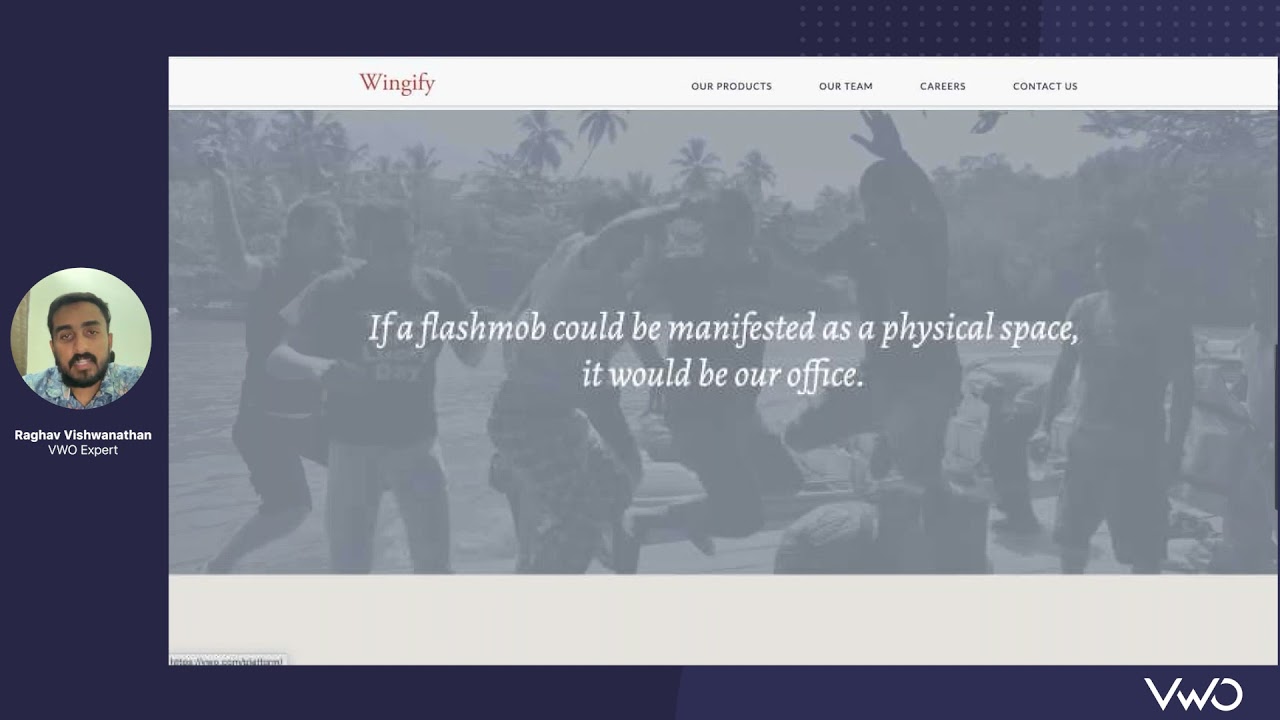
Live walkthrough of VWO
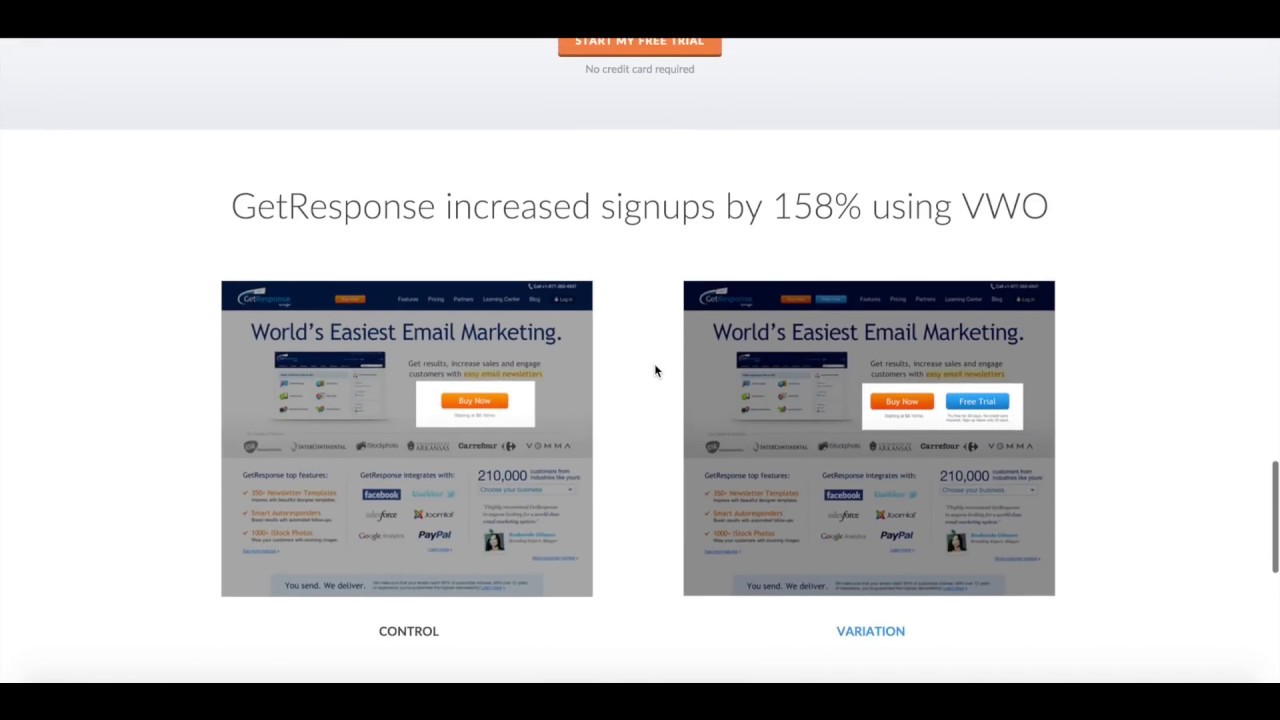
Create an A/B test using VWO

VWO Reviews

VWO has a substantial body of verified reviews on G2. We have not independently verified a current aggregate score and so do not quote one — check G2 directly. Customers repeatedly highlight the intuitive visual editor, responsive support, and the depth of research tools like heatmaps and session recordings. Here are some of the most helpful reviews from actual VWO users.

Pros and Cons of VWO

Here is an honest look at where VWO excels and where it has limitations, based on feedback from CRO and marketing teams across G2 and Capterra.

Pros

  • ✅ All-in-one CRO suite: A/B, multivariate, and split-URL testing plus heatmaps, session recordings, surveys, and personalization.
  • ✅ Visual, no-code editor lets marketers build and launch tests without developers.
  • ✅ Powerful targeting and segmentation for personalized experiences.
  • ✅ Bayesian statistics engine delivers clear, easy-to-trust reporting.
  • ✅ Solid integrations with analytics tools and responsive customer support.

Cons

  • ❌ Costs scale quickly with traffic volume and add-on modules.
  • ❌ Advanced server-side and full-stack testing has a steeper learning curve.
  • ❌ Some capabilities are reserved for higher-tier plans.
  • ❌ Visual edits can cause flicker if not implemented carefully.
  • ❌ Smaller, low-traffic sites may not need the full suite.
4.5 EASE OF USE
4.2 VALUE FOR MONEY
4.6 CUSTOMER SUPPORT
4.3 FUNCTIONALITY

VWO Alternatives

Alternatives to VWO include Optimizely (enterprise experimentation), AB Tasty, Convert Experiences (mid-market focused), Google Optimize successor tools, Kameleoon, and Adobe Target. VWO differentiates on breadth (research + testing + personalization) and pricing flexibility compared to Optimizely and Adobe Target.


Apify Review

Apify Review

4.8
Top Rated Features
  1. No-Code Scraping
  2. Cloud-Based Scraping
  3. Automated Workflows
Explore More
EaseUS Review

EaseUS Review

Editorial rating: 4.6 / 5
Explore More
Domo Review

Domo Review

Best Enterprise Data Experience & BI Platform
Explore More
LucidLink Review

LucidLink Review

Streaming Cloud File Service for Creative Teams
Explore More
Box Inc Review

Box Inc Review

Editorial rating: 4.4 / 5

Box Inc is a leading enterprise content cloud platform helping businesses securely store, share, sign and collaborate on files with granular access control. In this Box Inc review by IdealOnlineBusiness.com, we evaluate the Business and Enterprise plans, Box Sign electronic signatures, Box AI, integrations with Microsoft 365, Google Workspace, Salesforce and Slack, advanced governance and compliance tools, security certifications including FedRAMP and HIPAA, pricing tiers, and verified customer feedback from G2 and Capterra.

Explore More
AOMEI Review

AOMEI Review

Editorial rating: 4.6 / 5 — Backup, partition manager & data recovery suite for Windows, free and pro tiers
Explore More
pCloud Review

pCloud Review

Editorial rating: 4.5 / 5 — Encrypted cloud storage with lifetime plans, 2TB+ tiers and zero-knowledge encryption
Explore More
Filemail Review

Filemail Review

Editorial rating: 4.6 / 5

Filemail is a high-speed file transfer platform that lets you send files of any size, up to 5TB per transfer, without compression, signup, or installation. In this Filemail review by IdealOnlineBusiness.com, we look at its pricing, features, transfer speeds, and ease of use based on public G2, Trustpilot, and Capterra reviews. Whether you are a video editor, designer, legal professional, or anyone moving large files, Filemail promises ultra-fast transfers with no file size limits and enterprise-grade security.

Our analysis of Filemail file transfer reviews shows the platform is trusted for raw speed, no signup requirement for senders, custom branding, and detailed tracking. It holds a 4.6/5 rating on G2 with 250+ reviews and high marks on Trustpilot. Users praise the UDP-accelerated transfers, password protection, white-label branding, and Outlook integration, while some flag the free tier upload limits. For teams sharing massive files, Filemail is a robust option.

Explore More


Backblaze Review

Backblaze Review

Backblaze Review – Unlimited Computer Backup at $99/yr & B2 Cloud Storage at $6/TB
Explore More
ScrapingBee Review

ScrapingBee Review

Editorial rating: 4.7 / 5 — JavaScript-rendered web scraping API trusted by 10,000+ devs
Explore More
GoodSync Review

GoodSync Review

Editorial rating: 4.5 / 5
Explore More
Spokeo Review

Spokeo Review

Editorial rating: 4.4 / 5
Explore More
ipapi Review

ipapi Review

ipapi Review
Explore More
Factors AI Review

Factors AI Review

Editorial rating: 4.7 / 5
Explore More
Hotjar Review

Hotjar Review

Editorial rating: 4.3 / 5
Explore More
Databox Review

Databox Review

Editorial rating: 4.4 / 5
Explore More
Browse AI Review

Browse AI Review

Editorial rating: 4.8 / 5
Explore More
SimplePractice Review

SimplePractice Review

4.1
Top Rated Features
  1. Client Management
  2. Telehealth Services
  3. Billing and Invoicing
Explore More
Practice Better Review

Practice Better Review

4
Top Rated Features
  1. Client Management
  2. Secure Notes
  3. Scheduling Tools
Explore More
Knack Review

Knack Review

4.8
Top Rated Features
  1. Custom App Builder
  2. User-Friendly Interface
  3. Secure Data Management
Explore More
WinZip Review

WinZip Review

4.5
Top Rated Features
  1. Easy Installation
  2. Backup & File Recovery Services
  3. Fast File Compression & Extraction
Explore More
Reportei Review

Reportei Review

4.6
Top Rated Features
  1. Multi-Platform Integration
  2. Pre-Formatted Report Templates
  3. Custom Branding Features
Explore More
Octoparse Overview

Octoparse Overview

4.8
Top Rated Features
  1. No-Code Scraping
  2. Cloud-Based Scraping
  3. Automated Workflows
Explore More
Supermetrics Review

Supermetrics Review

4.6
Top Rated Features
  1. Standard Event Tracking
  2. Real-Time Reporting
  3. Campaign Insights
Explore More
FAQs

VWO FAQs

Here are the most common questions about VWO A/B testing and the VWO platform, covering pricing, free trials, integrations, and which use cases it fits best.

VWO is an AI-first digital experience optimization platform that combines A/B testing, heatmaps, session recordings, surveys, personalization, and feature flags in one suite. You install a single snippet on your site and then design, launch, and measure experiments through the VWO dashboard.

Yes. VWO offers a free 30-day trial of all paid plans and a permanently free VWO Web Rollouts tier for up to 50,000 monthly tracked users with basic feature flags.

VWO Testing Growth plans start around $308/month billed annually for 10,000 monthly tracked users. Pro and Enterprise plans scale based on traffic and product modules (Testing, Insights, Personalize, Data360).

Yes. VWO integrates with Google Analytics 4, Segment, Mixpanel, Amplitude, Salesforce, HubSpot, Shopify, WordPress, Zapier, and 100+ other tools.

Yes. VWO provides SDKs for iOS, Android, Node, Python, PHP, Java, Go, Ruby, and .NET for server-side and mobile experimentation.

Yes. VWO Insights includes heatmaps, scrollmaps, session recordings, form analytics, funnels, and surveys as part of a unified research suite.

Yes. VWO has won Best E-Commerce Tech Platform awards and is widely used by Shopify, Magento, and WooCommerce stores for testing product pages, checkout flows, and personalization.

VWO has a substantial body of reviews on G2 and also appears on Gartner Peer Insights. We have not independently verified a current aggregate score or any category ranking, so we do not quote those claims — check G2 and Gartner directly, where both are shown live.

Some users report the analytics and reporting module feels slightly less advanced than enterprise competitors, and the highest traffic plans can become expensive at scale.

VWO is a great fit for marketing teams, growth teams, and product teams at e-commerce, SaaS, and media companies that want an all-in-one experimentation and research platform.

⚠️ Affiliate Disclosure: This site contains affiliate links. We may earn a commission when you purchase through our links at no extra cost to you. Results are not typical.