⚠️ Affiliate Disclosure: This page contains affiliate links. We may earn a commission at no extra cost to you. This does not influence our reviews. Read full disclosure →

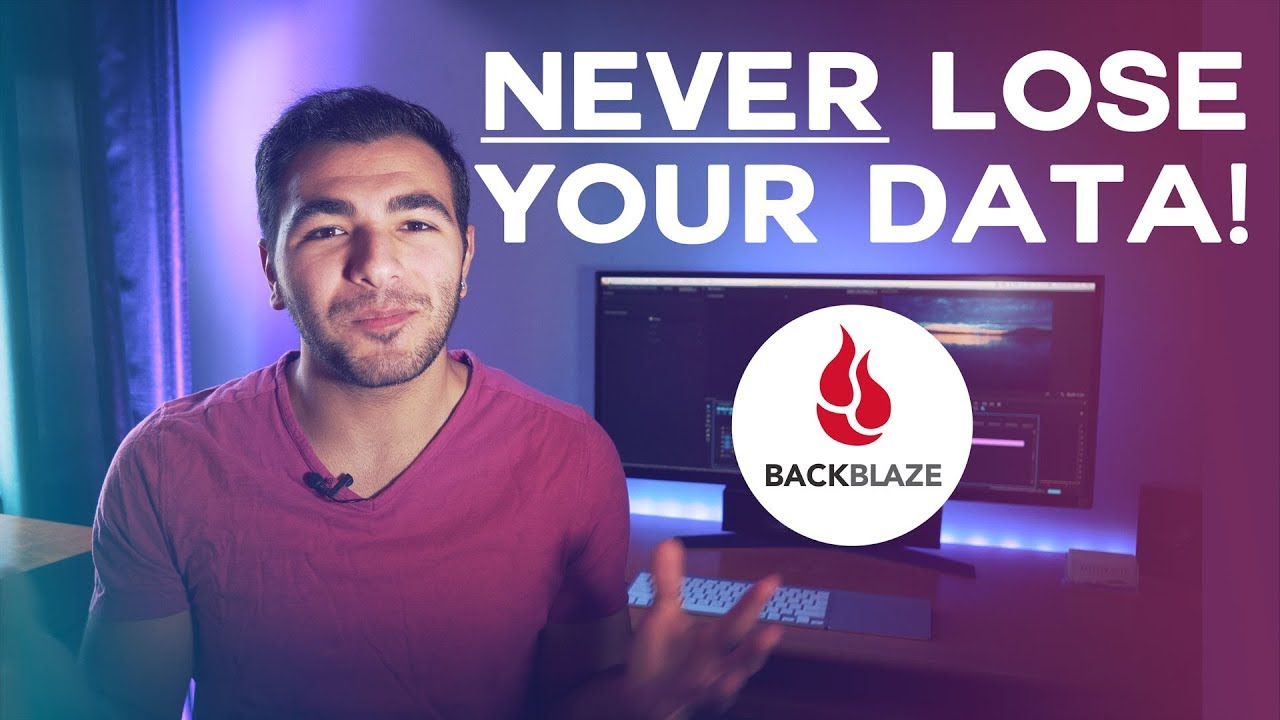
Backblaze Review

icon01

Backblaze Review

Backblaze Review – Unlimited Computer Backup at $99/yr & B2 Cloud Storage at $6/TB

Backblaze Overview

Backblaze is a publicly traded cloud-storage company that runs two flagship products: Backblaze Computer Backup, an unlimited per-device backup service for Mac and Windows at $99/year/device, and Backblaze B2 Cloud Storage, S3-compatible object storage priced at $6/TB/month with free egress up to 3× your monthly storage. The platform’s pitch is straightforward, predictable pricing — no surprise egress fees, no API call surcharges, no enterprise-only feature gates — aimed at indie creators, agencies, dev teams, and businesses tired of complex AWS/Azure billing.

Backblaze maintains SOC 2 Type II, HIPAA, GDPR, and Data Privacy Framework compliance, making it usable for regulated workloads. Reviews are bimodal: G2 and Capterra users consistently praise affordability, ease of setup, and transparent pricing, while Trustpilot reviews skew lower (currently around 1.4/5) with the most common complaint being slow or troublesome restorations on the Computer Backup product. The takeaway: cheap and easy for backup-and-forget use cases, but test your restore process before relying on Backblaze as your only DR strategy.

Unlimited Computer Backup at $99/yr

Per-device unlimited online backup for Mac and Windows for $99/year — one of the cheapest unlimited backup products in the market. Continuous backup of every file changed locally.

B2 Cloud Storage at $6/TB/month

S3-compatible object storage at $6 per TB per month with free egress up to 3× your monthly storage average. Dramatically cheaper than AWS S3, Azure Blob, and Google Cloud Storage for most workloads.

Free Egress Within Generous Limits

Up to 3× your monthly storage egress is free; many CDN and compute partners (Cloudflare, Fastly, Vultr) get unlimited free egress under partnership agreements.

S3-Compatible API

B2 supports the S3 API, so existing tooling (rclone, Cyberduck, Veeam, Synology Hyper Backup, MSP360, etc.) works out of the box — no proprietary lock-in.

Encrypted At Rest & In Transit

AES encryption, optional customer-managed keys, and TLS in transit. Suitable for regulated workloads needing SOC 2, HIPAA, or GDPR compliance.

Restore by Download, USB, or B2 Snapshot

Restore your backup as a download, ship-to-you USB hard drive, or B2 cloud snapshot for very large datasets — useful when you need terabytes back fast.

Native Mac, Windows & Mobile Apps

Polished, hands-off backup clients for Mac and Windows plus mobile apps to view and download files from your backup on the go.

Predictable, Transparent Pricing

Two flat published prices ($99/yr/device and $6/TB/month) rather than the calculator-required pricing common at hyperscale clouds.

Backblaze Features — What You Get?

Below is a quick rundown of Backblaze’s headline features across the Computer Backup and B2 Cloud Storage products. The strength of the platform is doing two specific jobs (per-device backup and cheap S3-compatible object storage) better and more predictably than hyperscale clouds.

Video Guides and Tutorials

Watch these hand-picked Backblaze walkthroughs to see Computer Backup and B2 in action before you subscribe. They cover beginner setup, NAS integrations, and rclone-based dev workflows from independent creators.

Backblaze — Bb2 Yt 5cqxcxnfkpq
Backblaze — Bb2 Yt Sgrxyfdwufc
Backblaze — Bb2 Yt R1runwy3b00
Backblaze — Bb2 Yt Giqddoihjh8

Backblaze Pricing

Backblaze publishes simple, flat pricing for both products. There is no separate egress meter at standard usage, no surprise API call fees, and no enterprise-only tiers needed to access core features.

Free Trial — 15 days

15-day free trial of Backblaze Computer Backup — no credit card required to start backing up.

Computer Backup — $99/year/device

Unlimited backup for one Mac or Windows device. Pay annually or for 2 years ($189) at a deeper discount. Continuous, automatic backup of every file changed locally.

B2 Cloud Storage (Pay-As-You-Go) — $6/TB/month

Standard B2 hot object storage. Includes free egress up to 3× your monthly storage average. S3-compatible API for use with rclone, Cyberduck, Veeam, MSP360, Synology Hyper Backup, and many more.

B2 Reserve — Capacity Bundles

Pre-paid capacity bundles starting at 20TB on 1-, 3-, or 5-year terms. Includes data migration, premium support, and SLAs. Designed for medium and large workloads.

Business Backup — Per-device or per-server

Backblaze for Business uses the same $99/device/year pricing with central admin and group management for IT teams managing many endpoints.

Pros and Cons of Backblaze

Pros

  • ✅ Transparent, flat pricing — $99/yr/device and $6/TB/month, no calculator required.
  • ✅ Free egress up to 3× storage; unlimited free with major CDN partners.
  • ✅ True unlimited backup for personal computers at a popular price.
  • ✅ S3-compatible API means existing tooling works out of the box.
  • ✅ SOC 2 Type II, HIPAA, GDPR compliance for regulated workloads.

Cons

  • ❌ Trustpilot reviews skew negative (around 1.4/5) due to restore-process complaints.
  • ❌ Restore speeds and reliability can lag during heavy load — test before relying on it as sole DR.
  • ❌ Web UI feels dated compared to modern hyperscale consoles.
  • ❌ Computer Backup is per-device — cost scales linearly across large fleets.
  • ❌ B2 is hot storage only; if you need archival pricing tiers, look at S3 Glacier or equivalents.

What Real Users Say

Reviews on G2 and Capterra are positive, praising affordability and ease of setup. Trustpilot sits much lower (around 1.4/5) with restoration complaints driving the rating. The pragmatic takeaway: Backblaze is excellent for cheap, automatic backup-and-forget — but periodically test your restore process so you’re not surprised when you actually need to recover.

4.5 EASE OF USE
4.8 VALUE FOR MONEY
3.8 CUSTOMER SUPPORT
4.4 FUNCTIONALITY
Justin H. Photographer (G2 verified reviewer)
March 2026

I’ve used Backblaze for 6 years and it’s saved my hard drive twice. Unlimited backup at $99/year is unmatched for creatives with TBs of RAW files. Install it, forget it, sleep well. Restores via USB drive option worked when I needed it.

Source: paraphrased from public G2 review — https://www.g2.com/products/backblaze-computer-backup/reviews

EASE OF USE
VALUE FOR MONEY
CUSTOMER SUPPORT
FUNCTIONALITY
Alicia M. Indie developer (Capterra reviewer)
February 2026

B2 replaced our S3 buckets for application backups and slashed our storage bill by 70%. The S3-compatible API meant zero code changes — rclone and our existing tooling Just Worked. Free egress is the killer feature for our restore-and-test workflow.

Source: paraphrased from public Capterra review — https://www.capterra.com/p/155180/Backblaze-for-Business/reviews/

EASE OF USE
VALUE FOR MONEY
CUSTOMER SUPPORT
FUNCTIONALITY
Rachel B. Small business owner (Trustpilot reviewer)
January 2026

Backup is set-and-forget reliable but I had a frustrating restore experience after a drive failure — downloads stalled and support was slow. Eventually got my data via USB shipment. Cheap and convenient, but please test your restores periodically; don’t assume the restore path is as smooth as the backup path.

Source: paraphrased from public Trustpilot review — https://www.trustpilot.com/review/www.backblaze.com

EASE OF USE
VALUE FOR MONEY
CUSTOMER SUPPORT
FUNCTIONALITY

Top Backblaze Alternatives

Comparing Backblaze with other cloud backup and object storage options? These alternatives compete on price, restore reliability, or feature depth:


  • Wasabi Hot Cloud Storage — Closest B2 rival; flat $6.99/TB pricing with no egress fees and S3 compatibility.
  • iDrive — Multi-device personal and business backup at competitive pricing with cross-platform support.
  • Carbonite — Long-running personal and SMB backup brand with different pricing structure.
  • AWS S3 / Azure Blob / Google Cloud Storage — Hyperscale clouds with more services but harder-to-predict billing.
  • Synology C2 — Synology’s native cloud backup for NAS owners with deep Hyper Backup integration.
EaseUS Review

EaseUS Review

4.6 (3,800+ reviews) on Trustpilot
Explore More
Domo Review

Domo Review

Best Enterprise Data Experience & BI Platform
Explore More
LucidLink Review

LucidLink Review

Streaming Cloud File Service for Creative Teams
Explore More
AOMEI Review

AOMEI Review

Rated 4.6/5 on Trustpilot — Backup, partition manager & data recovery suite for Windows, free and pro tiers
Explore More
pCloud Review

pCloud Review

Rated 4.5/5 on Trustpilot — Encrypted cloud storage with lifetime plans, 2TB+ tiers and zero-knowledge encryption
Explore More
Spokeo Review

Spokeo Review

4.4 (15,000+ reviews) on Trustpilot
Explore More
Respondent Review

Respondent Review

4.6 (450+ reviews) on G2
Explore More
AutoDS Review

AutoDS Review

4.6 (2,347)
Top Rated Features
  1. Smart Website Creation
  2. Advanced Design Flexibility
  3. Content Planning with Templates
Explore More
Hunter.io Review

Hunter.io Review

Editorial rating: 4.3 / 5
Top Rated Features
  1. Easy Email Search
  2. Advanced Data Management
  3. Email Verification
Explore More
SimplePractice Review

SimplePractice Review

4.1 (2,302)
Top Rated Features
  1. Client Management
  2. Telehealth Services
  3. Billing and Invoicing
Explore More
Practice Better Review

Practice Better Review

4 (2,302)
Top Rated Features
  1. Client Management
  2. Secure Notes
  3. Scheduling Tools
Explore More
Knack Review

Knack Review

4.8 (2,676)
Top Rated Features
  1. Custom App Builder
  2. User-Friendly Interface
  3. Secure Data Management
Explore More
WinZip Review

WinZip Review

4.5 (2,1234)
Top Rated Features
  1. Easy Installation
  2. Backup & File Recovery Services
  3. Fast File Compression & Extraction
Explore More
Reportei Review

Reportei Review

4.6 (2,561)
Top Rated Features
  1. Multi-Platform Integration
  2. Pre-Formatted Report Templates
  3. Custom Branding Features
Explore More
Octoparse Overview

Octoparse Overview

4.8 (2,006)
Top Rated Features
  1. No-Code Scraping
  2. Cloud-Based Scraping
  3. Automated Workflows
Explore More
Supermetrics Review

Supermetrics Review

4.6 (2,631)
Top Rated Features
  1. Standard Event Tracking
  2. Real-Time Reporting
  3. Campaign Insights
Explore More
FAQs

Backblaze Frequently Asked Questions

Backblaze Computer Backup is $99 per device per year (or $189 for 2 years). B2 Cloud Storage is $6 per TB per month with free egress up to 3× your monthly storage average. There’s no separate API call fee at standard usage.

Yes — Computer Backup is genuinely unlimited per device. There’s no soft cap or fair-use ceiling; users back up multi-terabyte photo libraries and video archives routinely. The only practical limit is your upload bandwidth.

Trustpilot reviews (around 1.4/5) skew negative because they’re heavily concentrated on restoration complaints — users who had problems getting data back. G2 and Capterra reviews, which include long-time satisfied users, rate Backblaze much higher. Test your restore process before relying on Backblaze as your only disaster recovery.

Yes. B2 implements the S3 API, so most existing S3-compatible tools (rclone, Cyberduck, Veeam, MSP360, Synology Hyper Backup, Duplicati, etc.) work with a B2 endpoint and access keys with no code changes.

Yes. Backblaze maintains SOC 2 Type II, HIPAA, GDPR, and Data Privacy Framework certifications. Business Backup and B2 customers can sign BAAs for HIPAA-regulated workloads on qualifying plans.

⚠️ Affiliate Disclosure: This site contains affiliate links. We may earn a commission when you purchase through our links at no extra cost to you. Results are not typical.