AOMEI Tech is a Chinese software company founded in 2009 that has built one of the most respected suites of Windows utilities for backup, disk imaging, partition management, file sync, data recovery, and PC cloning. Its flagship products are AOMEI Backupper (system, disk, file, and cloud backup), AOMEI Partition Assistant (resize, merge, clone, convert MBR/GPT, migrate OS to SSD), AOMEI MyRecover (file and partition recovery), and AOMEI Cyber Backup (centralized backup for businesses, VMs, and servers). Across these products AOMEI serves over 50 million users in 180+ countries.
The platform is well-known for offering full-featured free editions plus paid Professional and Workstation tiers with lifetime upgrades. Independent reviewers consistently rank AOMEI Backupper and Partition Assistant in the top tier of Windows backup and disk software for 2026, with strong UI, fast performance, and a 90-day money-back guarantee on all paid editions.
AOMEI Backupper supports full, incremental, and differential backups of your system, disks, partitions, and individual files — with scheduling, encryption, and compression.
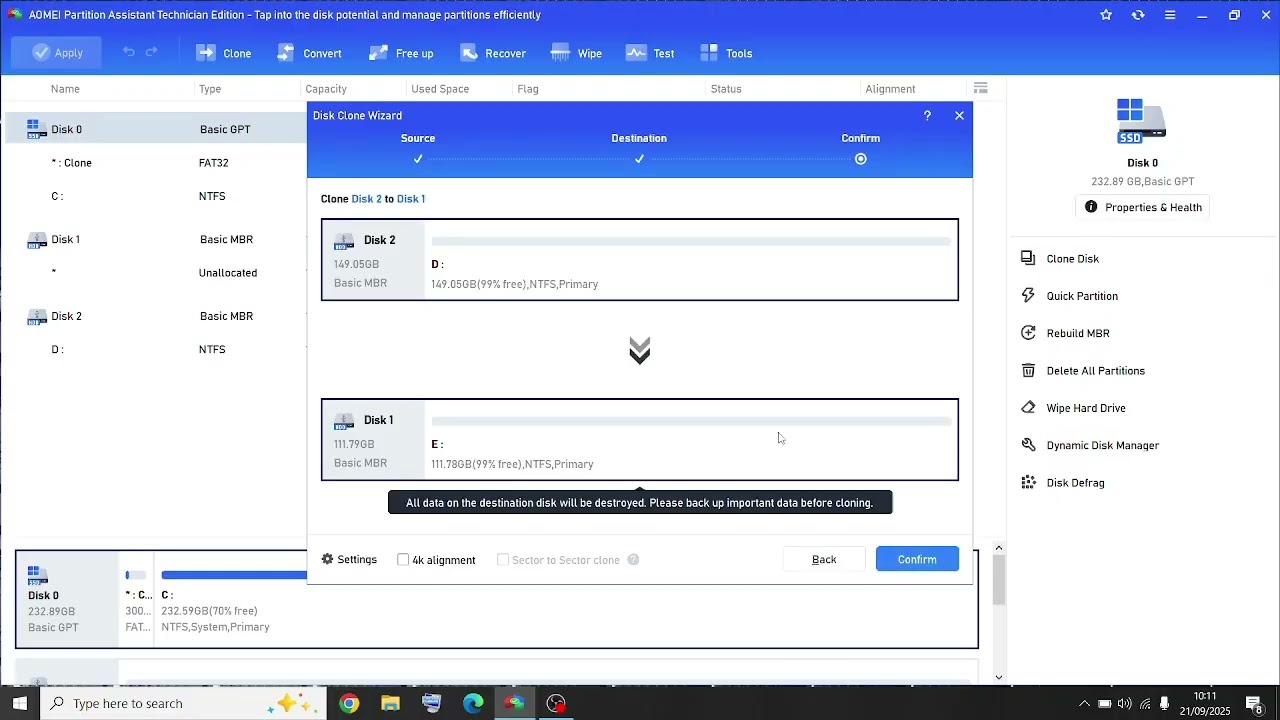
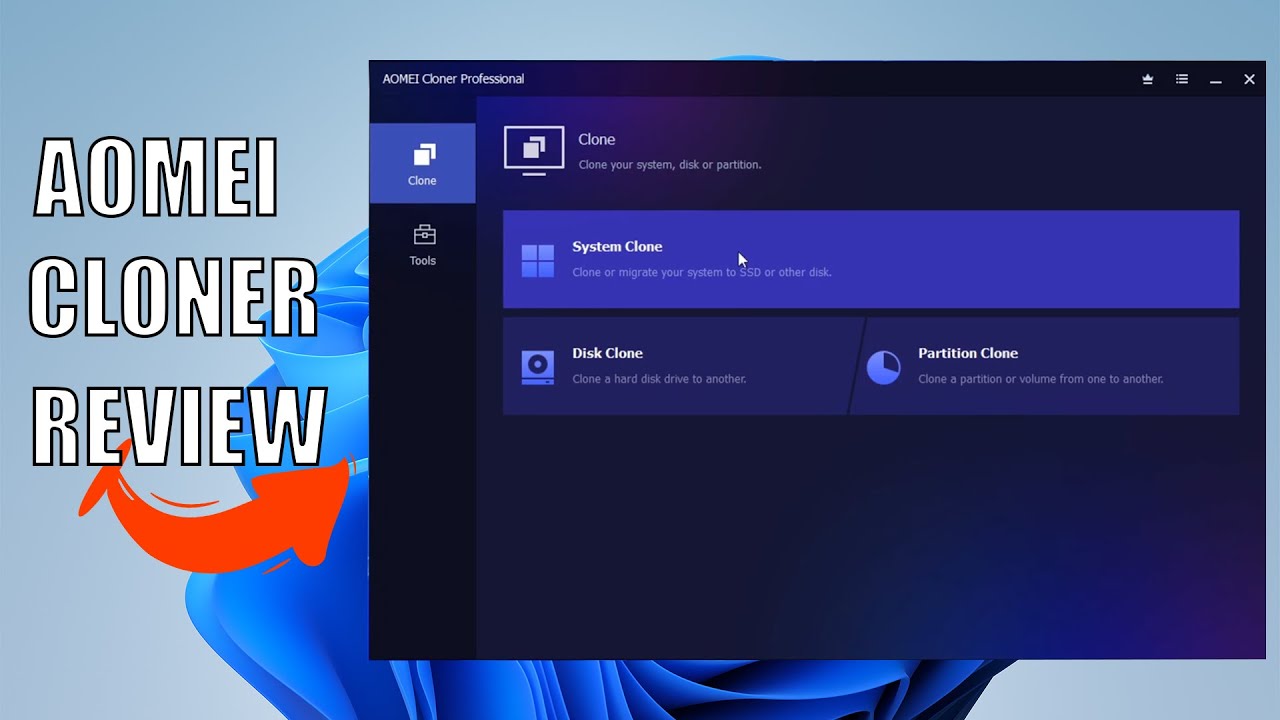
Clone a hard drive or SSD with one click, including system drives. Migrate Windows from HDD to a smaller SSD without reinstalling.
AOMEI Partition Assistant resizes, merges, splits, moves, copies, and formats partitions without losing data — plus MBR/GPT conversion and dynamic disk management.
Move your entire Windows installation, programs, and user data from an old HDD to a new SSD — typically in under an hour and without reactivating Windows.
Real-time, scheduled, and bidirectional file sync between local folders, network shares, and supported cloud drives.
Recover deleted, formatted, or lost files and partitions from internal drives, external HDDs, USB sticks, and SD cards on Windows.
AOMEI Cyber Backup provides centralized image backup for Windows PCs, servers, and VMware/Hyper-V virtual machines from a single console.
AOMEI Backupper Standard and AOMEI Partition Assistant Standard are free for personal use and already cover most home backup and partition needs.
AOMEI’s product family delivers a full Windows protection toolkit: system, disk, partition, and file backups; full and incremental scheduling with encryption; one-click disk cloning; OS migration to SSD; partition resizing, merging, splitting, moving, and copying; MBR/GPT conversion; bootable WinPE recovery media; real-time and scheduled file sync; cloud backup; lost-data recovery (AOMEI MyRecover); centralized business backup for PCs, servers, and VMs (AOMEI Cyber Backup); plus a 90-day money-back guarantee and lifetime upgrades on most Professional editions. The free editions of Backupper Standard and Partition Assistant Standard already cover most home use cases.
To help you decide whether AOMEI is the right Windows utility suite for you, we have curated four hand-picked YouTube videos covering hands-on cloning tutorials, full reviews, and disk migration walkthroughs. These videos walk you through cloning a system drive, migrating Windows to an SSD, resizing partitions, and creating bootable recovery media.
AOMEI Backupper offers five editions. Standard is fully free for home/non-commercial use. Professional is $40/year or $70 lifetime for single PCs. Workstation is $50/year or $80 lifetime. Server is $149/year or $249 lifetime. Technician is $499/year or $799 lifetime (unlimited PCs). Technician Plus is $699/year or $999 lifetime (adds server backup). 90-day unconditional money-back guarantee on all paid plans.
AOMEI prices each product separately, with both annual and lifetime options. Free editions cover most personal use cases. Below are the typical 2026 public prices for the most popular AOMEI products.
System, disk, file, and partition backup; cloning; scheduling; bootable media — for personal use, free of charge with no time limit.
Adds dynamic disk backup, command-line backup, dissimilar hardware restore, real-time file sync, encryption, splitting, and merging of images.
Designed for non-server commercial Windows machines — adds 1 commercial workstation license.
Core partitioning, MBR/GPT conversion, basic clone — free for personal use.
Adds OS migration to SSD, dynamic disk management, command-line partitioning, file shredding, Windows To Go creator, allocate free space, and more.
Centralized backup for Windows PCs, servers, VMware ESXi, and Hyper-V — priced per machine, with volume discounts.
AOMEI offers bundled lifetime licenses (Backupper + Partition Assistant) at a meaningful discount during seasonal promotions, typically $79–$129 for 2 PCs.
AOMEI Partition Assistant rates 4.6/5 on G2 and AOMEI Backupper holds strong ratings on Software Advice. Reviewers consistently praise the value of the free editions and the clarity of the UI, with critical reviews mostly focused on Windows-only support and the cost of the Workstation/Server SKUs. For Windows users who need solid backup, partition management, and disk cloning at a reasonable price, AOMEI is one of the most-recommended suites in 2026.
If AOMEI is not the right fit, the strongest 2026 Windows backup and partition alternatives are:


Box Inc is a leading enterprise content cloud platform helping businesses securely store, share, sign and collaborate on files with granular access control. In this Box Inc review by IdealOnlineBusiness.com, we evaluate the Business and Enterprise plans, Box Sign electronic signatures, Box AI, integrations with Microsoft 365, Google Workspace, Salesforce and Slack, advanced governance and compliance tools, security certifications including FedRAMP and HIPAA, pricing tiers, and verified customer feedback from G2 and Capterra.
Explore More
Filemail is a high-speed file transfer platform that lets you send files of any size, up to 5TB per transfer, without compression, signup, or installation. In this Filemail review by IdealOnlineBusiness.com, we look at its pricing, features, transfer speeds, and ease of use based on public G2, Trustpilot, and Capterra reviews. Whether you are a video editor, designer, legal professional, or anyone moving large files, Filemail promises ultra-fast transfers with no file size limits and enterprise-grade security.
Our analysis of Filemail file transfer reviews shows the platform is trusted for raw speed, no signup requirement for senders, custom branding, and detailed tracking. It holds a 4.6/5 rating on G2 with 250+ reviews and high marks on Trustpilot. Users praise the UDP-accelerated transfers, password protection, white-label branding, and Outlook integration, while some flag the free tier upload limits. For teams sharing massive files, Filemail is a robust option.
Explore More






Quick answers to the most common questions buyers ask before installing AOMEI software in 2026.
⚠️ Affiliate Disclosure: This site contains affiliate links. We may earn a commission when you purchase through our links at no extra cost to you. Results are not typical.