⚠️ Affiliate Disclosure: This page contains affiliate links. We may earn a commission at no extra cost to you. This does not influence our reviews. Read full disclosure →

Browse AI Review

Browse AI logo

Browse AI Review

Editorial rating: 4.8 / 5

Browse AI Review

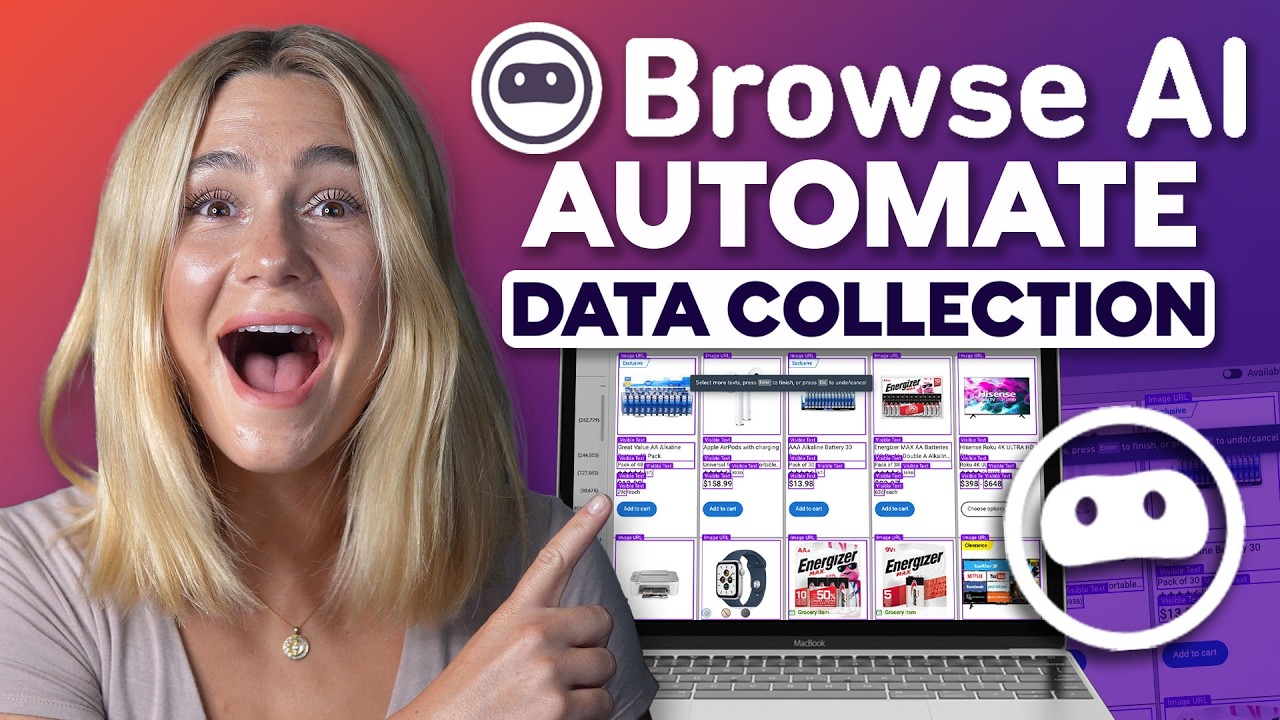
Browse AI is a no-code web scraping and monitoring platform that lets anyone train robots to extract data, monitor websites, and turn any site into an API or spreadsheet feed. With prebuilt robots for sites like LinkedIn, Amazon, Indeed, Zillow, and Airbnb, Browse AI is used by 470,000+ teams for lead generation, price tracking, and competitive intelligence. This Browse AI review covers pricing, robot accuracy, monitoring features, and how it compares to Apify and Octoparse.

How much does Browse AI cost?

Browse AI has a free forever plan with 50 credits a month across 2 websites. Personal is $19 a month billed annually (2,000 credits, 5 websites), Professional $69 (5,000 credits, 10 websites) and Premium starts near $500. Robots are unlimited on every tier, so credits rather than robots are the real limit.

No-Code Robot Builder

Record a scraping workflow by clicking through any website like a human — Browse AI learns the pattern and repeats it on thousands of pages without writing any code.

7,000+ Pre-Built Robots

Prebuilt robots are already trained to scrape Amazon, Zillow, LinkedIn, Indeed, Google Maps, Yelp, Airbnb, eBay, Glassdoor, Zomato and 7,000+ other popular sites.

Scheduled Data Extraction

Set any robot to run every 5 minutes, hourly, daily or weekly — results arrive in your chosen destination on schedule without you opening your laptop.

Website Change Monitoring

Track any webpage for text, price, stock or DOM changes and get email, Slack or webhook alerts the moment something moves — great for competitive intelligence.

Captcha & Login Handling

Built-in captcha solvers, credential vaults, 2FA handling and session cookies let robots scrape the pages that require logging in, not just public content.

Google Sheets & Zapier Integrations

Every robot connects natively to Google Sheets, Airtable and Zapier — rows arrive in your spreadsheet or CRM as soon as new data is scraped, no manual exports.

Prebuilt Data Export Formats

Export scraped data as CSV, JSON, JSONL, XML or directly into PostgreSQL and webhooks, with schema mapping so downstream systems get the exact field format they expect.

Premium Residential Proxies

Every paid plan ships with a pool of geo-targeted residential IPs so your robots look like real users from the right country and don’t get blocked or rate-limited.

Pros

  • Genuinely no-code — even non-technical users can train a robot in minutes
  • Massive prebuilt robot library covers most common scraping use cases
  • Built-in monitoring + alerts removes need for separate change-tracking tool
  • Strong reliability with built-in CAPTCHA and proxy management

Cons

  • Credits-based pricing can become expensive at high scrape volumes
  • Complex multi-step flows still need some technical configuration
  • Some enterprise sites with aggressive anti-bot measures still cause failures
  • Learning curve for advanced robot configuration
Pros: ✔ True no-code — record clicks, get a working scraper in 2 minutes ✔ 7,000+ pre-built robots for Amazon, LinkedIn, Indeed, Zillow, Google Maps ✔ Handles captchas, geolocation, logins and pagination automatically ✔ Scheduled runs (hourly, daily, weekly) with email/webhook alerts ✔ Built-in change detection and diff alerts ✔ Native integrations: Google Sheets, Zapier, Airtable, Make, API ✔ 50-row free tier — actually usable for small jobs ✔ SOC 2 Type II certified Cons: ✘ Credits consumed by each row — heavy scraping adds up fast ✘ Complex JS-rendered sites sometimes need multi-robot setups ✘ No built-in data transformation — push to Sheets and use formulas

Watch Browse AI tutorials, robot training walkthroughs, and competitive monitoring examples.

Browse AI Browse AI Web Scraping
Browse AI Browse AI Tutorial
Browse AI Browse AI Robot Setup
Browse AI Browse AI vs Apify

Browse AI Pricing Plans

Browse AI uses a credit-based subscription model. Each credit lets you extract roughly 10 rows of data from a single page or capture one screenshot. Annual billing offers approximately 60% off monthly pricing.

  • Free: $0/month — 50 credits/month, monitor up to 2 websites, basic features, community support
  • Starter: $19/month billed annually (or $48/month billed monthly) — 10,000 credits/year, monitor up to 5 websites, basic integrations
  • Professional: $99/month billed annually (or $87/month monthly with smaller credit pack) — 60,000 credits/year, monitor up to 10 websites, advanced features, premium integrations (Zapier, Google Sheets, webhooks)
  • Team: $249/month billed annually — 120,000 credits/year, advanced support, team collaboration, more parallel runs
  • Premium / Enterprise: Custom pricing — fully managed scraping services, dedicated infrastructure, SLA, custom training, ideal for large-scale data pipelines

Free plan is generous enough for testing. Credit overages can be purchased on demand. Public, prebuilt robots (e.g. Amazon, LinkedIn, eBay) are available across all paid plans.

Browse AI User Reviews

Verified G2 and Capterra reviews from Browse AI users in sales, marketing, ecommerce, and operations.

4.5 EASE OF USE
4.1 VALUE FOR MONEY
3.9 CUSTOMER SUPPORT
4.4 FUNCTIONALITY

Browse AI Alternatives

If Browse AI does not suit your needs, top alternatives include Apify (developer-grade scraping with massive actor marketplace), Octoparse (visual desktop scraper with cloud option), ParseHub (free tier with point-and-click training), Bright Data (enterprise proxy + scraping infrastructure), and Webscraper.io (Chrome extension for simple jobs).

On this site, our Apify review covers the developer-first option when you outgrow point-and-click robots, Octoparse, reviewed here is the closest no-code rival, and if the scraped data is feeding cold outreach, our Smartlead review covers the sending side.

Apify Review

Apify Review

4.8
Top Rated Features
  1. No-Code Scraping
  2. Cloud-Based Scraping
  3. Automated Workflows
Explore More
EaseUS Review

EaseUS Review

Editorial rating: 4.6 / 5
Explore More
Domo Review

Domo Review

Best Enterprise Data Experience & BI Platform
Explore More
LucidLink Review

LucidLink Review

Streaming Cloud File Service for Creative Teams
Explore More
Box Inc Review

Box Inc Review

Editorial rating: 4.4 / 5

Box Inc is a leading enterprise content cloud platform helping businesses securely store, share, sign and collaborate on files with granular access control. In this Box Inc review by IdealOnlineBusiness.com, we evaluate the Business and Enterprise plans, Box Sign electronic signatures, Box AI, integrations with Microsoft 365, Google Workspace, Salesforce and Slack, advanced governance and compliance tools, security certifications including FedRAMP and HIPAA, pricing tiers, and verified customer feedback from G2 and Capterra.

Explore More
AOMEI Review

AOMEI Review

Editorial rating: 4.6 / 5 — Backup, partition manager & data recovery suite for Windows, free and pro tiers
Explore More
pCloud Review

pCloud Review

Editorial rating: 4.5 / 5 — Encrypted cloud storage with lifetime plans, 2TB+ tiers and zero-knowledge encryption
Explore More
Filemail Review

Filemail Review

Editorial rating: 4.6 / 5

Filemail is a high-speed file transfer platform that lets you send files of any size, up to 5TB per transfer, without compression, signup, or installation. In this Filemail review by IdealOnlineBusiness.com, we look at its pricing, features, transfer speeds, and ease of use based on public G2, Trustpilot, and Capterra reviews. Whether you are a video editor, designer, legal professional, or anyone moving large files, Filemail promises ultra-fast transfers with no file size limits and enterprise-grade security.

Our analysis of Filemail file transfer reviews shows the platform is trusted for raw speed, no signup requirement for senders, custom branding, and detailed tracking. It holds a 4.6/5 rating on G2 with 250+ reviews and high marks on Trustpilot. Users praise the UDP-accelerated transfers, password protection, white-label branding, and Outlook integration, while some flag the free tier upload limits. For teams sharing massive files, Filemail is a robust option.

Explore More


Backblaze Review

Backblaze Review

Backblaze Review – Unlimited Computer Backup at $99/yr & B2 Cloud Storage at $6/TB
Explore More
ScrapingBee Review

ScrapingBee Review

Editorial rating: 4.7 / 5 — JavaScript-rendered web scraping API trusted by 10,000+ devs
Explore More
GoodSync Review

GoodSync Review

Editorial rating: 4.5 / 5
Explore More
Spokeo Review

Spokeo Review

Editorial rating: 4.4 / 5
Explore More
ipapi Review

ipapi Review

ipapi Review
Explore More
VWO Review

VWO Review

Editorial rating: 4.3 / 5
Explore More
Factors AI Review

Factors AI Review

Editorial rating: 4.7 / 5
Explore More
Hotjar Review

Hotjar Review

Editorial rating: 4.3 / 5
Explore More
Databox Review

Databox Review

Editorial rating: 4.4 / 5
Explore More
SimplePractice Review

SimplePractice Review

4.1
Top Rated Features
  1. Client Management
  2. Telehealth Services
  3. Billing and Invoicing
Explore More
Practice Better Review

Practice Better Review

4
Top Rated Features
  1. Client Management
  2. Secure Notes
  3. Scheduling Tools
Explore More
Knack Review

Knack Review

4.8
Top Rated Features
  1. Custom App Builder
  2. User-Friendly Interface
  3. Secure Data Management
Explore More
WinZip Review

WinZip Review

4.5
Top Rated Features
  1. Easy Installation
  2. Backup & File Recovery Services
  3. Fast File Compression & Extraction
Explore More
Reportei Review

Reportei Review

4.6
Top Rated Features
  1. Multi-Platform Integration
  2. Pre-Formatted Report Templates
  3. Custom Branding Features
Explore More
Octoparse Overview

Octoparse Overview

4.8
Top Rated Features
  1. No-Code Scraping
  2. Cloud-Based Scraping
  3. Automated Workflows
Explore More
Supermetrics Review

Supermetrics Review

4.6
Top Rated Features
  1. Standard Event Tracking
  2. Real-Time Reporting
  3. Campaign Insights
Explore More
FAQs

Browse AI FAQs

Common questions about Browse AI pricing, accuracy, and how no-code scraping works.

Browse AI pricing starts at a free tier (50 credits/month), Starter at $48.75/month (2,000 credits), Professional at $123.75/month (5,000 credits), and Team plans for higher volumes. Credits convert to robot runs based on complexity.

Browse AI scrapes publicly accessible data, which is legal in most jurisdictions, but users are responsible for respecting site terms of service, GDPR, and applicable laws.

Yes. Browse AI has built-in CAPTCHA solving and proxy rotation that handles most common anti-bot measures automatically.

Yes. Browse AI has a prebuilt LinkedIn robot for profile, company, and job-search data, though users must respect LinkedIn ToS for high-volume use.

Yes. Schedule any robot to re-check pages and trigger email alerts, webhooks, or Zapier/Make actions when content changes.

Yes. One-click integration to push extracted data directly into Google Sheets and Airtable as new rows or updates.

Yes. Every robot exposes a REST API endpoint, and there are webhook triggers for event-driven data delivery.

Yes — Browse AI offers a free forever tier with 50 monthly credits and a 7-day Professional trial for higher-volume testing.

Browse AI was founded in 2020 and is headquartered in Toronto, Canada with a global remote team.

Yes. Browse AI runs full headless browsers that handle JavaScript-rendered content, infinite scroll, and dynamic pagination.

⚠️ Affiliate Disclosure: This site contains affiliate links. We may earn a commission when you purchase through our links at no extra cost to you. Results are not typical.