Domo is a cloud-native business intelligence and data experience platform designed to bring together every data source in a business — from databases and SaaS apps to spreadsheets and IoT streams — and turn them into real-time dashboards, alerts, AI models, and data apps. Where traditional BI tools focus on reports, Domo positions itself as a full data operating system for the entire organisation.
Domo is built for mid-market and enterprise customers who need to operationalise data across departments without stitching together a data warehouse, an ETL stack, a BI tool, and a publishing layer separately. With 1,000+ pre-built connectors, Magic ETL drag-and-drop transformations, an AI service layer, and an app studio for building custom data apps, Domo aims to be both the analyst’s BI tool and the executive’s mobile dashboard.
Connect to virtually any source — Salesforce, Snowflake, Google Analytics, NetSuite, MySQL, S3, SAP, Workday — using Domo’s pre-built connector library, then keep data fresh with scheduled or streaming pipelines.
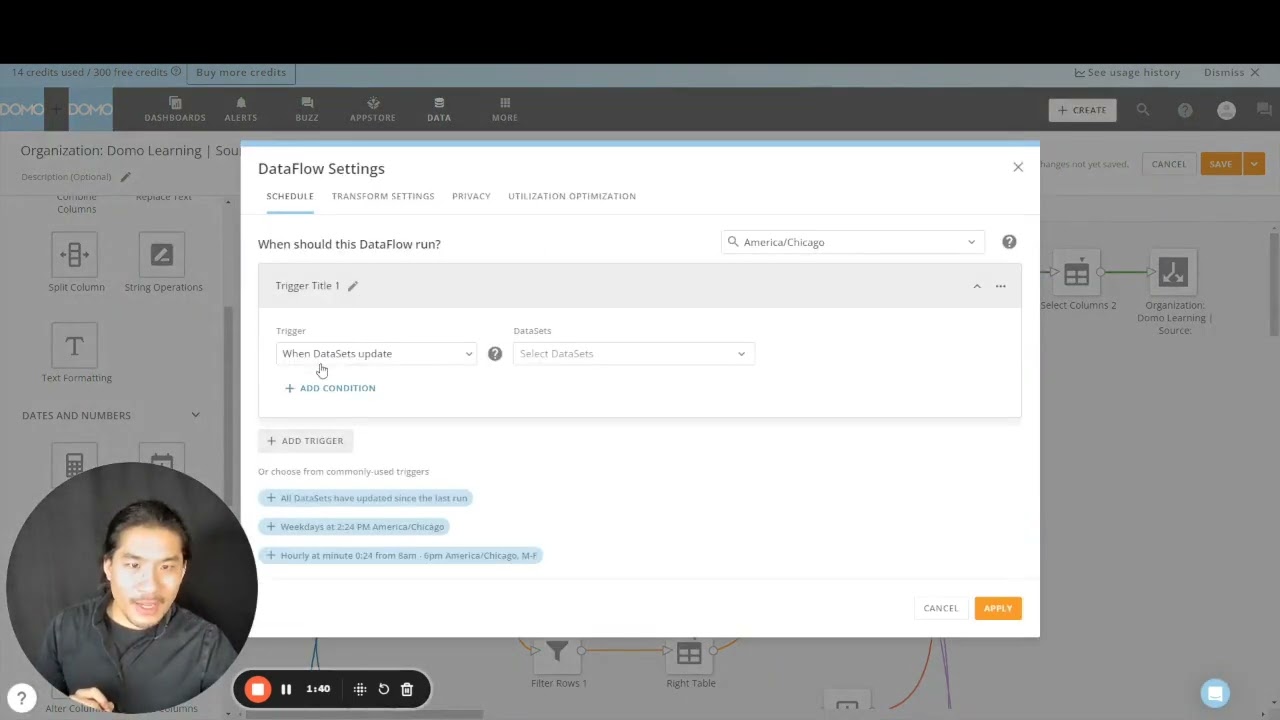
Build sophisticated data pipelines with a drag-and-drop interface, SQL editor, or Python/R scripts — no separate ETL platform required.
Compose interactive dashboards from reusable cards that refresh in real time. Every chart can be embedded, alerted on, or exported with a click.
Set alerts on KPI thresholds and discuss numbers in context with Buzz — Domo’s built-in chat that pins conversations directly to charts and dashboards.
Domo.AI bundles AutoML, generative AI via DomoGPT, custom model hosting, and pre-built AI agents so business teams can apply ML without a dedicated data science stack.
Use the low-code app studio to publish branded, role-based data apps for internal teams or external customers without writing a separate front-end.
White-label and embed Domo dashboards inside your own product to deliver customer-facing analytics with row-level security and SSO.
Native iOS/Android apps deliver dashboards on the go, while a centralised governance model handles permissions, certified datasets, lineage, and SOC 2/HIPAA compliance.
Domo combines data integration, transformation, visualisation, AI, and embedded analytics in one cloud platform. The platform includes 1,000+ pre-built connectors, Magic ETL, governed data sharing, real-time dashboards, alerts and Buzz collaboration, an AI service layer (DomoGPT and AutoML), an app studio for building custom data apps, and Domo Everywhere for embedding analytics into customer-facing products.
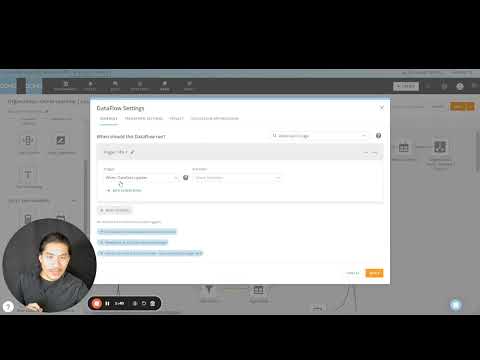
Independent Domo walkthroughs and reviews covering platform setup, dashboard building, Magic ETL, and overall capabilities.
Domo is most often deployed across these high-impact business use cases.
Domo uses a consumption-based pricing model — most plans are quote-only and tailored to the number of users, data refresh frequency, and required features. Below is what Domo publicly discloses on domo.com/pricing.
Free 30-day trial — no credit card required. Includes access to the Domo platform with sample data sets and core dashboards plus Magic ETL, so individuals and teams can evaluate the product before requesting a quote.
Custom pricing — contact sales. Includes core BI features, 1,000+ connectors, basic governance, and pay-as-you-go credits aligned to user activity rather than per-seat licenses.
Custom pricing — contact sales. Adds SSO, advanced governance, role-based permissions, larger data volumes, SLAs, and access to AI/ML capabilities (Domo.AI, AutoML, DomoGPT).
Custom pricing — contact sales. Premium tier with private link, HIPAA compliance, customer-managed encryption keys, advanced security, and Domo Everywhere embedded analytics for customer-facing use cases.
On G2, Domo holds a 4.3/5 average across 750+ reviews, with reviewers highlighting the breadth of connectors, executive-friendly dashboards, and Magic ETL’s ease-of-use (source: G2.com/products/domo). Capterra averages 4.2/5 across 280+ reviews, where mobile dashboards and real-time visibility get repeat praise. Across review sites, the most consistent critique is cost — both the lack of transparent pricing and the way consumption-based billing can scale unexpectedly (source: Capterra.com/p/130066/Domo).
If Domo’s scope or pricing isn’t the right fit, these are the most commonly evaluated alternatives:


Box Inc is a leading enterprise content cloud platform helping businesses securely store, share, sign and collaborate on files with granular access control. In this Box Inc review by IdealOnlineBusiness.com, we evaluate the Business and Enterprise plans, Box Sign electronic signatures, Box AI, integrations with Microsoft 365, Google Workspace, Salesforce and Slack, advanced governance and compliance tools, security certifications including FedRAMP and HIPAA, pricing tiers, and verified customer feedback from G2 and Capterra.
Explore More


Filemail is a high-speed file transfer platform that lets you send files of any size, up to 5TB per transfer, without compression, signup, or installation. In this Filemail review by IdealOnlineBusiness.com, we look at its pricing, features, transfer speeds, and ease of use based on public G2, Trustpilot, and Capterra reviews. Whether you are a video editor, designer, legal professional, or anyone moving large files, Filemail promises ultra-fast transfers with no file size limits and enterprise-grade security.
Our analysis of Filemail file transfer reviews shows the platform is trusted for raw speed, no signup requirement for senders, custom branding, and detailed tracking. It holds a 4.6/5 rating on G2 with 250+ reviews and high marks on Trustpilot. Users praise the UDP-accelerated transfers, password protection, white-label branding, and Outlook integration, while some flag the free tier upload limits. For teams sharing massive files, Filemail is a robust option.
Explore More







Frequent questions before adopting Domo as your BI platform.
⚠️ Affiliate Disclosure: This site contains affiliate links. We may earn a commission when you purchase through our links at no extra cost to you. Results are not typical.