pCloud is a Swiss-based cloud storage service launched in 2013 that has become one of the most trusted alternatives to Dropbox, Google Drive, and OneDrive. With over 14 million users worldwide, it stands out for its rare lifetime subscription plans, strong privacy protections backed by Swiss data laws, and zero-knowledge client-side encryption through pCloud Crypto. The service supports Windows, macOS, Linux, iOS, and Android, and includes a virtual disk (pCloud Drive) that lets you treat cloud storage like a local hard drive without filling up your physical disk.
Beyond raw storage, pCloud bundles a built-in media player, automatic photo organization, branded file-sharing links, password and expiration controls, 30-day file versioning (extendable up to a year), and integrations with social media for direct backups. While it lacks an in-browser document editor like Google Docs, its combination of speed, security, and one-time payment options has made it a favorite for individuals, photographers, and small teams who want to escape recurring subscription fees.
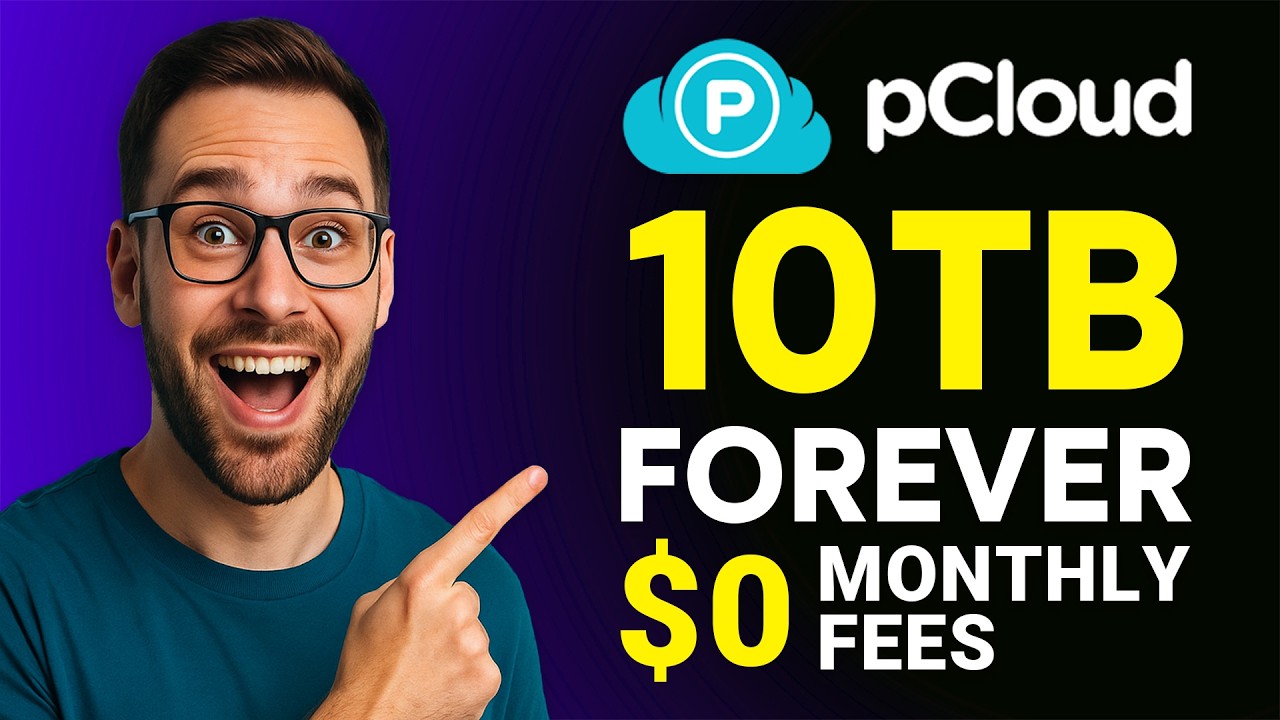
Pay once and own your storage forever — pCloud is one of the only major providers offering true lifetime plans (500 GB, 2 TB, or 10 TB), eliminating recurring monthly fees and saving significant money over five or ten years of use.
pCloud is headquartered in Switzerland and stores European user data in Luxembourg, meaning your files are protected by some of the strongest privacy laws in the world and are out of reach of US-style data subpoenas.
The optional pCloud Crypto add-on provides client-side, zero-knowledge AES-256 encryption — meaning even pCloud staff cannot read your files. Your decryption key never leaves your device.
pCloud Drive mounts your cloud storage as a virtual hard drive on Windows, macOS, and Linux. You access huge amounts of cloud data without using local disk space, while still browsing files like any normal folder.
Stream music and video directly from your cloud storage without downloading anything. The built-in player supports playlists and works in the browser, mobile app, and desktop client.
Every plan includes 30-day file history and the Rewind feature, which lets you restore files or even your entire account to a previous state. Extended history of up to one year is available as a paid add-on.
Native apps for Windows, macOS, Linux, iOS, and Android, plus a clean web interface and WebDAV support, ensure your files are always available wherever you work.
Create custom-branded download links with your own logo, cover image, expiration date, and password protection — useful for client deliveries, freelancers, and small agencies.
pCloud bundles a surprisingly complete feature set into a single, secure cloud storage platform. Beyond simple file backup and sync, you get block-level file transfer that uploads only changed portions of large files, automatic camera uploads on mobile, social media backup for Facebook and Instagram, and selective sync to control which folders live on which devices. The Crypto add-on gives you a private vault encrypted on your device, while pCloud Pass (a separate subscription) extends the ecosystem into password management. For business users, there are team folders, granular permission controls, audit logs, and a dedicated Business plan with 1 TB or more per user, all built on the same Swiss-hosted infrastructure that powers the consumer service.
To help you decide whether pCloud is the right cloud storage service for you, we have curated four hand-picked YouTube videos covering honest reviews, hands-on tutorials, and lifetime-plan deep dives. These videos walk you through the interface, the security features, the pCloud Drive virtual disk, and real-world experiences from users who have used pCloud as their primary cloud storage for years.
pCloud offers free, premium subscription and lifetime plan options. The free plan starts at 5GB (10GB after verification tasks). Premium (500GB) is $4.99/month or $49.99/year, Premium Plus (2TB) is $9.99/month or $99.99/year. The standout lifetime plans: 500GB Lifetime $199, 2TB Lifetime $399, 10TB Lifetime $1,190 — one-time payment forever. Business plans are $9.99/user/month, Business Pro with unlimited storage $19.98/user/month. pCloud Encryption add-on $49.99/year or $150 lifetime.
pCloud is unique among major cloud storage providers for offering true lifetime plans alongside the usual annual subscriptions. The headline benefit: pay once, own your storage forever. Below is the current public pricing as of 2026 — note that lifetime tiers are frequently discounted by 50–70% during seasonal promotions, so the effective price is often lower than the list price.
10 GB of free cloud storage with full access to pCloud Drive, the mobile apps, file sharing, and the built-in media player. No credit card required, and the 10 GB grows with referrals up to 20 GB total.
500 GB of storage, 500 GB of shared link traffic per month, and full file versioning. The lifetime price pays for itself in roughly four years compared to the annual plan.
2 TB of storage, 2 TB of monthly shared link traffic, and 30-day extended history. This is the most popular tier for power users, photographers, and small teams.
10 TB of storage with the largest monthly shared link allowance. Aimed at heavy users, content creators, and small businesses that need massive long-term storage without recurring fees.
Shared 2 TB of lifetime storage divided among up to 5 family members, each with their own private account.
1 TB per user (expandable to 2 TB), team folders, granular permissions, audit logs, account recovery, and a dedicated admin panel. Billed per user, with annual discounts available.
Optional zero-knowledge encryption add-on that creates a private vault encrypted on your device before upload. Available as an add-on to any paid plan.
pCloud is reviewed on G2, Capterra Business and Trustpilot. We would rather send you to those listings for current scores than quote a number we cannot verify. Power users on Trustpilot praise the speed, lifetime value, and Swiss privacy story, while critical reviewers most often cite desktop sync glitches and the extra cost for Crypto encryption. The consensus across G2 reviews, Capterra reviews, and Trustpilot is that pCloud is one of the strongest value picks if you want to escape recurring subscription fees and care about privacy.
If pCloud does not quite fit your needs — perhaps you want zero-knowledge encryption included by default, a built-in document editor, or a different pricing model — these are the most direct alternatives worth comparing in 2026:


Box Inc is a leading enterprise content cloud platform helping businesses securely store, share, sign and collaborate on files with granular access control. In this Box Inc review by IdealOnlineBusiness.com, we evaluate the Business and Enterprise plans, Box Sign electronic signatures, Box AI, integrations with Microsoft 365, Google Workspace, Salesforce and Slack, advanced governance and compliance tools, security certifications including FedRAMP and HIPAA, pricing tiers, and verified customer feedback from G2 and Capterra.
Explore More

Filemail is a high-speed file transfer platform that lets you send files of any size, up to 5TB per transfer, without compression, signup, or installation. In this Filemail review by IdealOnlineBusiness.com, we look at its pricing, features, transfer speeds, and ease of use based on public G2, Trustpilot, and Capterra reviews. Whether you are a video editor, designer, legal professional, or anyone moving large files, Filemail promises ultra-fast transfers with no file size limits and enterprise-grade security.
Our analysis of Filemail file transfer reviews shows the platform is trusted for raw speed, no signup requirement for senders, custom branding, and detailed tracking. It holds a 4.6/5 rating on G2 with 250+ reviews and high marks on Trustpilot. Users praise the UDP-accelerated transfers, password protection, white-label branding, and Outlook integration, while some flag the free tier upload limits. For teams sharing massive files, Filemail is a robust option.
Explore More








Quick answers to the most common questions buyers ask before choosing pCloud as their primary cloud storage in 2026.
⚠️ Affiliate Disclosure: This site contains affiliate links. We may earn a commission when you purchase through our links at no extra cost to you. Results are not typical.