Octoparse Overview

icon01

Octoparse Overview

4.8 (2,006)

Octoparse Overview

Octoparse is a no-code web scraping tool designed for users who want to extract structured data from websites without any programming skills. At IdealOnlineBusiness.com, we have prepared this detailed Octoparse review to help marketers, analysts, and eCommerce users understand what is Octoparse and how it simplifies the process of collecting online data. It allows users to pull data from dynamic and static websites, including eCommerce platforms, real estate sites, directories, and more.

With a visual workflow builder, point and click interface, and cloud-based data extraction, Octoparse is suitable for users ranging from individuals to enterprise teams. Whether you’re researching leads or monitoring prices, Octoparse pricing plans are flexible and cater to varying data needs. Many Octoparse reviews highlight its ease of use, fast setup, and customizable scraping templates that remove the need to code.

No-code scraping with point-and-click simplicity

Octoparse lets users set up web scraping tasks without writing a single line of code. Just point, click, and extract. This feature is ideal for non-technical users who want to collect data from websites quickly without learning programming or complex tools.

Extract data from dynamic websites with AJAX or JavaScript

 The tool handles complex site structures that use AJAX and JavaScript rendering, which is commonly praised in Octoparse reviews. It can wait for content to load, click buttons, and interact with dynamic elements, making it effective for modern websites that load content in real time.

Pre-built scraping templates for common platforms

Templates are available for platforms like Amazon, eBay, Yelp, and others. These templates let users skip manual setup and start scraping data immediately. They are especially useful for beginners or those who need quick data from popular eCommerce and review-based websites.

Cloud-based extraction for faster, large-scale scraping

Octoparse offers cloud scraping that operates in the background without affecting your local system. It allows you to schedule and manage large tasks that continue running even when your computer is offline. This is ideal for handling bulk data over long periods.

Built-in scheduler and automation tools

Users can schedule scraping tasks to run automatically at set intervals such as daily, weekly, or custom times. This feature is especially useful for price tracking, news monitoring, and data collection without constant manual involvement. It helps save time and increases efficiency.

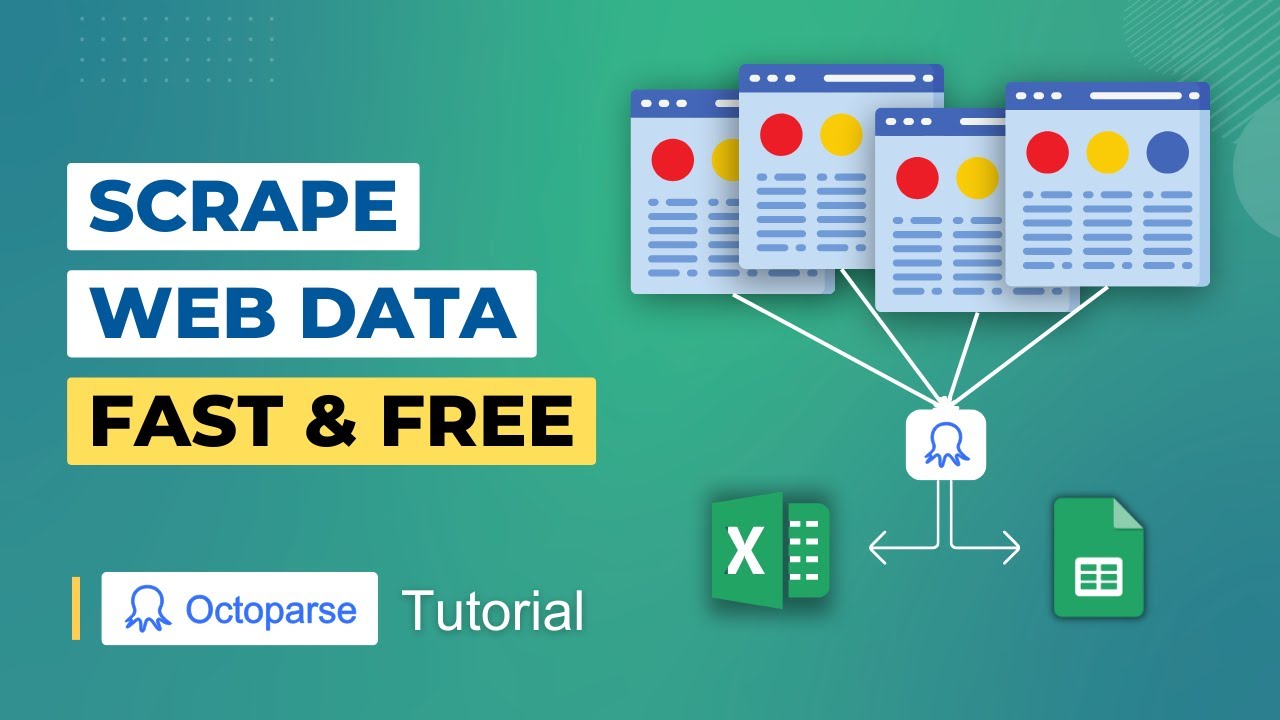
Export data in multiple formats like Excel, CSV, or JSON

Once scraping is complete, data can be exported in various formats including Excel, CSV, and JSON. This flexibility allows users to analyze, share, or integrate the data into other systems or tools depending on their project or business needs.

Free plan and scalable Octoparse pricing tiers

Octoparse offers a free plan that covers basic needs like local scraping and export. As your data demands increase, you can move to paid plans for cloud extraction, automation, and better support. Many Octoparse reviews highlight this flexible pricing as a major benefit.

Real-time support and helpful onboarding tutorials

This Octoparse features includes live chat, email support, and detailed tutorials to help users at every stage. New users benefit from guided workflows, video lessons, and a helpful knowledge base. This level of support helps reduce setup time and improves the learning experience.

Octoparse Features – What Do You Get

This Octoparse review offers a wide range of octoparse features designed for data professionals, marketers, and business users who need structured information without coding. The tool simplifies data collection from complex websites and handles login sessions, infinite scrolling, and dynamic elements with ease. Even users with no technical background can quickly build web scraping tasks using visual workflows.

  • Strong AES Encryption
  • Fast Streaming Servers
  • Torrent-Friendly Servers
  • Global Server Access
  • Multi-Device Support
  • Kill Switch Enabled
  • Split Tunneling Option
  • Responsive Customer Support
  • Limited Free Trial
  • Fewer Servers Globally
  • No Phone Support
  • Complex Setup Routers

Video Guides and Tutorials

Octoparse provides an organized library of video tutorials to help new users understand its interface and advanced functionalities. These videos walk users through each step of the data scraping process, from creating a new task to scheduling cloud extractions. Tutorials are ideal for users who want to know what is Octoparse before diving into complex workflows. Videos are available on their website and YouTube, covering topics like task cloning, XPath customization, pagination settings, and how Octoparse pricing plans differ in capabilities. They make onboarding quick and reduce the learning curve for users.

Zootrix Tutorial
Proxy Seller Review
Liquid Web Hosting
Why Small Businesses Love DigiSigner

Octoparse Services

Octoparse offers multiple services that support professional and large-scale data scraping needs. These services are especially useful for users who want to automate web data collection without coding. Businesses that require frequent data updates benefit from Octoparse’s scheduling, cloud access, and template libraries. The services allow teams to run multiple tasks simultaneously, extract millions of records, and access scraped data anytime. Whether you’re building price comparison tools, real estate databases, or lead lists, Octoparse’s core services help reduce manual workload.

Read more: Memberpress review | Stel order review | Topaz labs review | Reportei login

Octoparse Pricing

According to this Octoparse review, Octoparse pricing is structured to suit everyone from individual users to enterprise teams, offering flexible monthly and annual plans with access to core scraping tools. The free plan includes limited local tasks with desktop-only access, while paid tiers unlock advanced features such as cloud extraction, batch scraping, scheduling, CAPTCHA handling, IP rotation, API access, and team collaboration. As highlighted in many Octoparse review articles, the Standard plan at $89/month is ideal for small teams and growing data needs, whereas the Professional plan at $249/month is better suited for large businesses requiring higher performance, API access, and priority support, with annual plans providing cost savings.

Pros and Cons of Octoparse

This Octoparse review highlights Octoparse as a powerful no-code web scraping tool designed for data extraction from websites. Key benefits include a visual workflow builder, cloud-based scraping, and scheduling automation. However, the pros and cons of Octoparse also show limitations such as a learning curve for complex sites and higher pricing for advanced features. Overall, this Octoparse review suggests Octoparse is best for businesses and analysts needing scalable, automated web data collection.

Octoparse vs ParseHub Comparison

In this Octoparse review, the Octoparse vs ParseHub comparison helps users choose between two popular web scraping tools. Octoparse offers more advanced automation, cloud scraping, and enterprise-level features, while ParseHub focuses on simpler desktop-based scraping with easier setup. This Octoparse review indicates Octoparse suits large-scale data needs, whereas ParseHub is ideal for smaller or occasional scraping tasks.

4.5 EASE OF USE
4.0 VALUE FOR MONEY
4.1 CUSTOMER SUPPORT
4.0 FUNCTIONALITY
Pradeep Singh Data Automation Specialist
Review Date: 18 November, 2024

DataBridge Insights
Project Type: Web Scraping Tool Evaluation

“Octoparse offers a visual, no-code interface that makes web scraping accessible, with features like cloud extraction, task scheduling, IP rotation, and automatic CAPTCHA solving. Free tier works for small projects; paid plans unlock faster speeds, more concurrent tasks, and advanced exports. However, performance can suffer with very large or complex sites, and support response times are sometimes slow.”

EASE OF USE
VALUE FOR MONEY
CUSTOMER SUPPORT
FUNCTIONALITY

Octoparse Alternatives

While Octoparse is a powerful scraping tool, some users may prefer alternatives with different pricing, technical depth, or API access. Whether you’re looking for a point-and-click solution, a scalable API tool, or a browser-based platform, these Octoparse alternatives offer a range of features for different use cases. From developers to data analysts, each tool provides unique strengths that might be a better fit for specific scraping needs.


AutoDS Review

AutoDS Review

4.6 (2,347)
Top Rated Features
  1. Smart Website Creation
  2. Advanced Design Flexibility
  3. Content Planning with Templates
Explore More
Hunter.io Review

Hunter.io Review

4.0 (2,302)
Top Rated Features
  1. Easy Email Search
  2. Advanced Data Management
  3. Email Verification
Explore More
SimplePractice Review

SimplePractice Review

4.1 (2,302)
Top Rated Features
  1. Client Management
  2. Telehealth Services
  3. Billing and Invoicing
Explore More
Practice Better Review

Practice Better Review

4 (2,302)
Top Rated Features
  1. Client Management
  2. Secure Notes
  3. Scheduling Tools
Explore More
365 data science Review

365 data science Review

4.7 (2,981)
Top Rated Features
  1. Comprehensive Learning Program
  2. Flexible Subscription Plans
  3. Offers Skill Certificates
Explore More
Knack Review

Knack Review

4.8 (2,676)
Top Rated Features
  1. Custom App Builder
  2. User-Friendly Interface
  3. Secure Data Management
Explore More
WinZip Review

WinZip Review

4.5 (2,1234)
Top Rated Features
  1. Easy Installation
  2. Backup & File Recovery Services
  3. Fast File Compression & Extraction
Explore More
Reportei Review

Reportei Review

4.6 (2,561)
Top Rated Features
  1. Multi-Platform Integration
  2. Pre-Formatted Report Templates
  3. Custom Branding Features
Explore More
Supermetrics Review

Supermetrics Review

4.6 (2,631)
Top Rated Features
  1. Standard Event Tracking
  2. Real-Time Reporting
  3. Campaign Insights
Explore More
FAQs

Frequently Asked Questions

This section provides answers to common questions based on Octoparse reviews, Octoparse pricing breakdowns, and usage feedback from data professionals and new users. Octoparse is often recommended for those who want a no-code scraping solution that supports both cloud and local extraction. Its popularity continues to grow among marketers and researchers who want to understand what is Octoparse and how it works for daily data tasks.

Octoparse is a no-code web scraping tool used to collect data from websites. It is commonly used in eCommerce, SEO, and market research. Many Octoparse review articles highlight how it simplifies data extraction with a point-and-click interface that works well for non-developers.

Yes, Octoparse pricing includes a free plan with basic scraping and export options. However, features like cloud scheduling and task automation are only available in paid plans. Most users try the free version to understand what is Octoparse before upgrading.


Octoparse pricing begins at $89 per month for the Standard plan. The Professional plan starts at $249 per month and includes additional features like advanced cloud scraping, IP rotation, and premium support. These are often highlighted in detailed Octoparse reviews.

Yes, Octoparse supports login and CAPTCHA handling. These features are essential for scraping secure websites and are included in paid plans. Octoparse reviews often mention how effective the tool is for accessing restricted content.

Yes, Octoparse is designed with a visual interface that requires no coding skills. Users can build scraping tasks by clicking elements on a webpage. Many Octoparse review sources mention its ease of use for beginners.

 No, the desktop version of Octoparse software is only available for Windows. Mac users can access the cloud version through a browser but cannot install the local software. This limitation is often noted in Octoparse reviews.

Yes, Octoparse allows data export in Excel, CSV, JSON, and through API connections. It also supports integration with Google Sheets. These export features are useful for analysts and marketers working with large datasets.

Octoparse offers both local and cloud-based scraping. Tasks can be run on your computer or scheduled to run in the cloud. The choice depends on your selected plan and is one of the key differences in Octoparse pricing tiers.

Yes, Octoparse provides email and ticket-based support for paid users. Professional plan users receive priority assistance. Many Octoparse reviews mention the helpfulness of the support team during task setup and troubleshooting.

In most cases, yes. Octoparse includes features like IP rotation and CAPTCHA solving that help bypass anti-bot systems. While a few sites may block scraping, Octoparse software handles most modern websites effectively.


Ideal Online Business
By chatting, you agree to our terms.