⚠️ Affiliate Disclosure: This page contains affiliate links. We may earn a commission at no extra cost to you. This does not influence our reviews. Read full disclosure →

Help Scout Review

Help Scout logo

Help Scout Review

4.6

Help Scout Overview

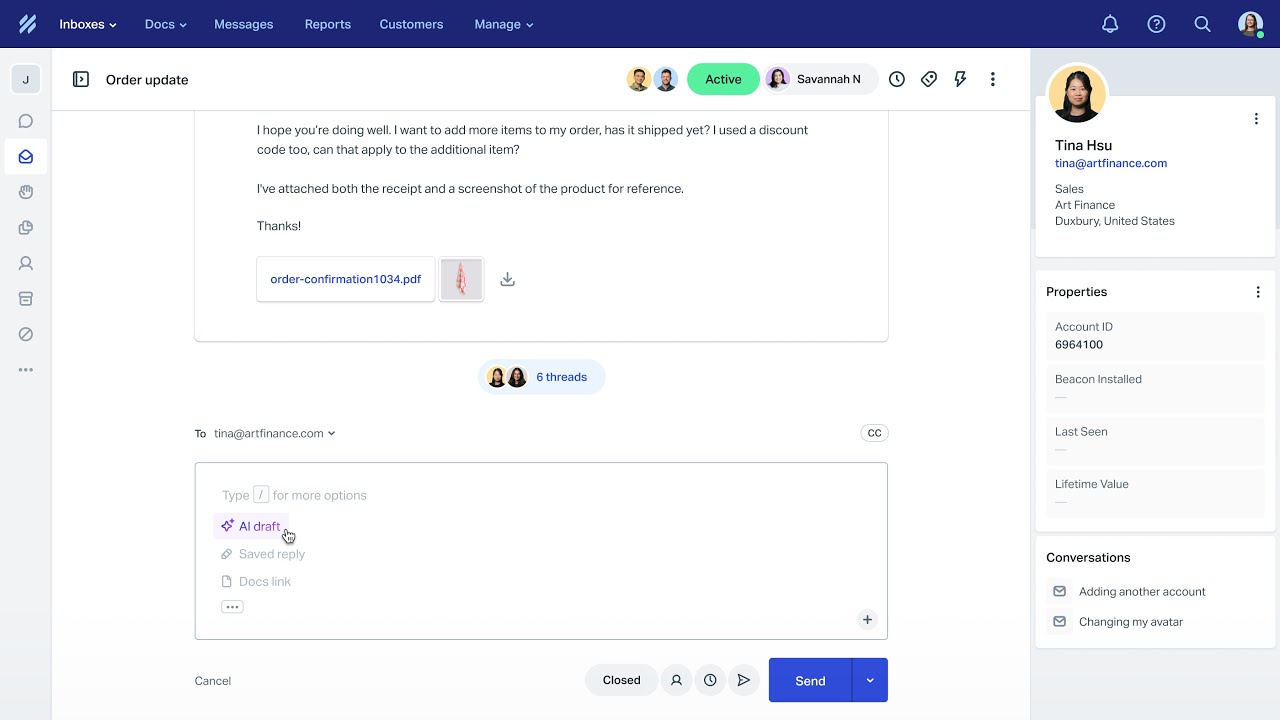
Help Scout is a customer support platform designed to make managing conversations easier for businesses of all sizes. It offers shared inboxes, live chat, knowledge bases, and automation to streamline customer service operations. Built with simplicity in mind, it empowers teams to provide personalized experiences without unnecessary complexity. At IdealOnlineBusiness, we specialize in reviewing top tools to help companies make smarter software choices. In this help scout review guide, we explore its functionality, pricing, and benefits. By the end, you’ll have a clear understanding of whether this solution suits your needs, based on this detailed Help Scout review.

Help Scout: Features, Pros & Cons

Pros Cons
User-Friendly Interface: Clean, email-like dashboard makes it easy for teams to adopt quickly. Limited Customization: Fewer design and workflow customization options compared to competitors.
Unified Communication: Combines email, chat, and help desk into one platform. Limited Integrations: Fewer third-party integrations than enterprise tools.
Strong Collaboration Tools: Shared inboxes, notes, and tagging improve team efficiency. No Advanced AI Automation: Lacks AI-driven automation features found in modern tools.
Automation Capabilities: Handles repetitive tasks like routing and responses efficiently. Learning Curve for Advanced Features: Some features require time to fully understand.
Knowledge Base Support: Helps customers self-serve with FAQs and guides. Pricing for Advanced Plans: Higher-tier plans may be costly for small teams.
Detailed Reporting & Insights: Track KPIs and improve customer service performance. Limited Enterprise Features: Not as powerful for large-scale enterprise needs.

Unified Communication

 The platform centralizes email, chat, and help desk functions into one place. Teams never miss queries, reduce switching between tools, and improve response times. According to many help scout review articles, this unified workspace makes customer service faster, consistent, and highly reliable.

Personalized Customer Care

 Businesses can deliver personal support using customer profiles and interaction history. Agents provide context-driven responses, improving loyalty and reducing churn. A detailed help scout review often highlights this personalization as a major advantage, ensuring businesses build trust and maintain stronger customer relationships

Team Collaboration

 Shared inboxes allow teams to handle conversations together. Tagging, notes, and assignments streamline workflows, while managers gain visibility. Teams avoid duplicated efforts, stay accountable, and collaborate better. This core functionality is often praised in every professional help scout review for enhancing teamwork efficiency.

Automation Tools

 Automation handles repetitive tasks like routing, triggers, and canned responses. It saves time, improves consistency, and ensures customers receive quick resolutions. A trusted help scout review emphasizes automation as a critical feature for businesses seeking productivity gains without compromising service quality.

Knowledge Base

 Help Scout offers simple tools to build knowledge bases with FAQs and guides. Customers solve issues independently, reducing ticket volume and increasing satisfaction. This also allows teams to concentrate on complex, personalized queries that require more detailed problem-solving.

Reporting & Insights

 With powerful dashboards, managers track performance, KPIs, and customer happiness scores. These insights help refine strategies, boost efficiency, and make data-driven decisions. Over time, businesses gain a clearer understanding of service quality and areas for improvement.

Multi-Channel Integration

 It integrates seamlessly with CRMs, e-commerce platforms, and third-party apps. Smooth connections improve workflow efficiency, strengthen data flow, and give businesses a 360-degree view of customer interactions across multiple channels, creating a more unified support ecosystem.

Ease of Use

 Help Scout’s clean, intuitive dashboard makes it easy for teams to adapt quickly. Minimal training is required, adoption rates improve, and businesses focus more on customer service delivery instead of struggling with overly complex software tools.

Help Scout Features – What Do You Get?

The help scout review highlights Help Scout features are designed to simplify customer communication and empower businesses with the right tools for efficiency. It provides automation, collaboration, and detailed insights, ensuring customer support processes are faster, smoother, and more effective for teams and customers alike.

  • Live Chat Widget
  • Limited Customizations
  • Customer Profiles View
  • Knowledge Base Setup
  • Few Integrations
  • Workflow Automations
  • Reporting and Insights
  • Collaboration Tools
  • Mobile App Access
  • Learning Curve
  • No AI Automation

Help Scout Video Guides and Tutorials

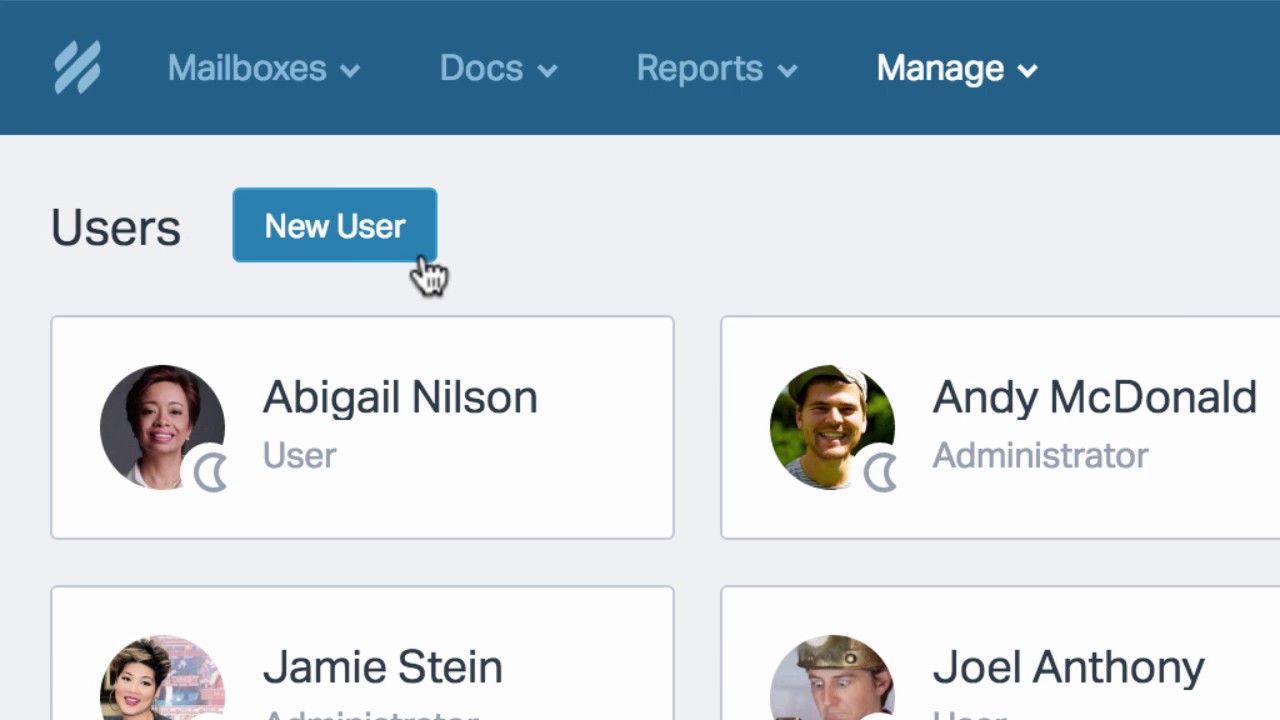
Help Scout provides extensive video tutorials covering setup, inbox management, knowledge base creation, and reporting. These guides and help scout review ensure users adapt quickly without external training. Step-by-step walkthroughs help new users build confidence, while advanced tutorials empower teams to use automation and integrations effectively. Whether you’re a beginner or an experienced user, the platform’s video library makes learning easy. Combined with customer support, these tutorials ensure businesses maximize the value of the platform while reducing onboarding time for employees.

Help Scout video thumbnail

Help Scout Pricing Plans

Help Scout offers three customer support tiers plus add-ons. Annual billing saves approximately 16% versus monthly, and a 15-day free trial covers all paid plans (no credit card required).

  • Standard: $25/user/month — multiple inboxes, live chat and SMS, WhatsApp/Instagram/Messenger, multiple knowledge bases, one basic SLA policy, basic workflows, unlimited tags and saved replies, AI Inbox assistant
  • Plus: $45/user/month — everything in Standard plus advanced workflows, two advanced SLA policies, secure customer portal, unlimited AI Drafts, round robin routing, Salesforce/Jira/HubSpot integrations, internal teams
  • Pro: $75/user/month — everything in Plus plus unlimited workflows, unlimited SLA policies, multiple routing types, SSO/SAML, HIPAA compliance, up to 50 light users, dedicated onboarding specialist, strategic account manager

Annual billing lowers the effective per-user rate by roughly 16% compared with paying monthly. All paid plans include a 15-day free trial with no credit card required.

Top Help Scout Services

Pros and Cons of Help Scout

Help Scout pairs a clean, email-like shared inbox with a built-in knowledge base and customer messaging, which makes it a strong fit for support-led teams. Here is how its strengths and trade-offs compare.

Pros

  • ✅ Shared inbox that feels like email, with collision detection, saved replies and assignments
  • ✅ Built-in knowledge base (Docs) and the Beacon widget for self-service and in-app help
  • ✅ Useful reporting plus customer profiles, workflows and automations
  • ✅ Friendly, approachable interface that new agents pick up quickly

Cons

  • ❌ Per-user pricing can become expensive as the team grows
  • ❌ Fewer deep customizations and ticketing-style controls than some enterprise help desks
  • ❌ Higher limits and advanced features are reserved for upper tiers
4.5 EASE OF USE
4.0 VALUE FOR MONEY
4.3 CUSTOMER SUPPORT
4.2 FUNCTIONALITY

Help Scout Alternative

Help Scout is often preferred because of its simplicity, affordability, and strong personalization. Unlike many competitors, it balances usability with advanced features without overwhelming users. However, businesses may consider Help Scout alternative tools such as Zendesk, Freshdesk, and GrooveHQ. While these offer different strengths, explore some alternative solutions if specific enterprise needs or advanced integrations are required. Therefore, our help scout review helps you to find the best Help Scout Alternatives.

CallHippo Review

CallHippo Review

Best Virtual Business Phone System for Sales & Support
Explore More
Nextiva Review

Nextiva Review

Editorial rating: 4.5 / 5 — 100,000+ businesses including Conan O'Brien and YMCA
Explore More
Tawk.to Review

Tawk.to Review

Editorial rating: 4.6 / 5

Tawk.to is a completely free live chat and customer messaging platform that lets businesses monitor and engage visitors on their websites in real time. In this Tawk.to review by IdealOnlineBusiness.com, we look at its pricing, features, real user ratings, and ease of use based on public G2, Capterra, and Trustpilot reviews. Whether you run an e-commerce store, SaaS business, or service company, Tawk.to provides unlimited chat, agents, and history at no cost, with optional paid add-ons.

Our analysis of Tawk.to live chat reviews shows the platform is widely loved for being genuinely free, easy to install, and feature-complete for small businesses. It holds a 4.6/5 rating on G2 with 300+ reviews and 4.6 on Capterra with thousands of reviews. Users call out the unlimited agents, knowledge base, mobile apps, and customization, while some flag occasional notification delays. For businesses wanting a robust free live chat platform, Tawk.to is hard to beat.

Explore More


Ringover Review

Ringover Review

Ringover Review – Cloud Phone, SMS & Video Platform With 80+ Integrations From $24/User
Explore More
Desku Review

Desku Review

Desku Review – AI Customer Support Platform for SaaS & Ecommerce From $9/User
Explore More
Vonage Review

Vonage Review

Editorial rating: 4.3 / 5
Explore More
Wati Review

Wati Review

Editorial rating: 4.6 / 5
Explore More
JustCall Review

JustCall Review

Editorial rating: 4.3 / 5
Explore More
Trengo Review

Trengo Review

Editorial rating: 4.4 / 5
Explore More
Tidio Review

Tidio Review

Editorial rating: 4.7 / 5
Explore More
Smartsupp Review

Smartsupp Review

Editorial rating: 4.7 / 5
Explore More
JivoChat Review

JivoChat Review

Editorial rating: 4.5 / 5
Explore More
Hiver Review

Hiver Review

Hiver Review
Explore More
HelpDesk Review

HelpDesk Review

HelpDesk Review
Explore More
KrispCall Review

KrispCall Review

Editorial rating: 4.6 / 5
Explore More
eDesk Review

eDesk Review

Editorial rating: 4.4 / 5
Explore More
Respond IO review

Respond IO review

4
Top Rated Features
  1. Unified Inbox
  2. Multi-Channel Messaging
  3. Automation Workflows
Explore More
Freshdesk Review

Freshdesk Review

4
Top Rated Features
  1. Automation Tools
  2. Multi-Channel Support
  3. Knowledge Base
Explore More
OpenPhone Review

OpenPhone Review

4
Top Rated Features
  1. Team Collaboration
  2. Voicemail Management
  3. Security & Compliance
Explore More
Freshchat Review

Freshchat Review

4.8
Top Rated Features
  1. Easy Setup
  2. AI-Powered Replies
  3. Mobile-Friendly
Explore More
Dialpad Review

Dialpad Review

4.5
Top Rated Features
  1. Unified Voice, Messaging, and Video
  2. Flexible Service Plans
  3. Intuitive, User-Friendly Dashboard
Explore More
Gist Review

Gist Review

4.4
Top Rated Features
  1. Unified Platform
  2. Automation Tools
  3. Strong Integrations
Explore More
LiveChat Review

LiveChat Review

4.8
Top Rated Features
  1. Versatile platform
  2. Import messages
  3. Customer support consistent
Explore More
FAQs

Frequently Asked Questions

Help Scout is a customer support platform designed for businesses of all sizes. At IdealOnlineBusiness, This Help Scout review provides detailed answers about Help Scout features, pricing, and alternatives to help you make confident decisions when selecting the right support tool for your business.

 Help Scout is a customer support platform that provides shared inboxes, live chat, and knowledge bases. Businesses use Help Scout to simplify communication, manage support tickets, and deliver personalized service across multiple channels efficiently.

A Help Scout review helps users understand its strengths and limitations. Reviews highlight real customer experiences, covering features, pricing, and usability, so businesses can decide whether Help Scout is the right tool for their support needs.

 Help Scout pricing starts at $20 per user/month. Higher-tier plans cost $40 and $65 per user/month, offering more advanced reporting, automation, and integrations to support growing businesses with scalable, affordable customer support solutions.

 Popular Help Scout features include shared inboxes, live chat, knowledge base setup, automation workflows, reporting dashboards, and customer profiles. These features allow teams to manage conversations, automate tasks, and improve customer service across multiple platforms efficiently.

 The pros and cons of Help Scout include strong usability, collaboration, and affordability as pros. However, it has limited integrations, fewer advanced customizations, and lacks AI-powered automation, which may affect enterprise-level businesses needing deeper functionality.

 Help Scout benefits include better team collaboration, faster customer support, detailed analytics, and affordability. These benefits make it an excellent solution for small and medium businesses seeking an easy-to-use customer support tool with powerful communication features.

Yes, Help Scout alternative options include Zendesk, Freshdesk, and GrooveHQ. These tools provide different strengths, but Help Scout is often chosen for its balance of simplicity, affordability, and personalization that works well for small businesses.

 When evaluating Help Scout vs Zendesk, Zendesk offers advanced customization and scalability for enterprises, while Help Scout focuses on simplicity, affordability, and user-friendliness. Small businesses often prefer Help Scout, while larger corporations benefit more from Zendesk’s enterprise features.

 A comparison Help Scout vs Zendesk helps businesses pick the right tool. Help Scout is simpler and cost-effective, while Zendesk provides advanced enterprise-grade options. The comparison ensures businesses choose based on size, budget, and customer support needs.

 Small to medium-sized businesses benefit most from Help Scout. Its simple design, affordable pricing, and efficient features make it perfect for startups, SMBs, and growing teams that want streamlined, personalized customer support experiences without complexity.

⚠️ Affiliate Disclosure: This site contains affiliate links. We may earn a commission when you purchase through our links at no extra cost to you. Results are not typical.