⚠️ Affiliate Disclosure: This page contains affiliate links. We may earn a commission at no extra cost to you. This does not influence our reviews. Read full disclosure →

Decktopus Review

icon01

Decktopus Review

Best AI Presentation Software for Founders & Marketers

Decktopus Overview

Decktopus is an AI-powered presentation tool built for founders, marketers, and sales teams who need polished decks without spending hours in PowerPoint. You type a topic, choose an audience and goal, and the generator returns a structured, on-brand deck with suggested talking points, layouts, and visuals.

What sets Decktopus apart from generic slide builders is its focus on outcome-driven decks: pitch presentations, sales proposals, training materials, and webinars. Each generated deck comes with an interactive viewer that captures form responses and analytics, so creators can track engagement after sharing.

AI Deck Generator

Enter a topic, audience, and goal — Decktopus instantly drafts a complete slide deck with structured sections, talking points, and visual placeholders so you can skip the blank-slide paralysis.

Smart Slide Templates

Choose from hundreds of professionally designed templates for pitch decks, sales proposals, training materials, and webinars, each one mobile- and tablet-friendly out of the box.

AI Voice-Over & Speaker Notes

Auto-generate speaker notes that match each slide, and turn them into AI voice-overs for self-running presentations, webinars, or async demos.

Interactive Forms & Quizzes

Embed lead-capture forms, polls, and quizzes directly inside slides — perfect for marketers running gated content and product demos.

Analytics & Engagement Tracking

See who viewed your deck, how long they spent on each slide, and which links they clicked — useful for sales follow-ups and content optimisation.

Custom Branding Kit

Set brand colors, fonts, and logos once and apply them across every deck. Paid plans support multiple brand kits, helpful for agencies and consultants.

PDF, PPTX & Web Export

Export decks to PDF or PowerPoint for offline use, or share an interactive web link that auto-updates whenever you change the underlying deck.

Team Workspaces & Sharing

Invite teammates to collaborate in shared workspaces with role-based permissions — Editor, Viewer, and Admin — for organized team-wide presentation libraries.

Decktopus Features – What You Get?

Decktopus combines AI-generated content with a slick deck builder so you can launch a presentation in minutes instead of hours. Beyond the core deck generator, you get speaker notes, AI voice-over, audience analytics, custom branding, lead-capture forms, and exports to PDF/PPTX. Paid tiers unlock team workspaces, custom domains, and advanced analytics — making it equally useful for solo founders pitching investors and marketing teams running scaled content programs.

AI deck generation, smart templates, AI voice-over, speaker notes, analytics, lead-capture forms, brand kit, PDF/PPTX export, team workspaces.

Video Guides and Tutorials

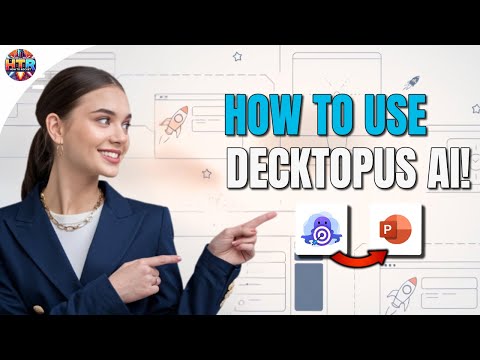
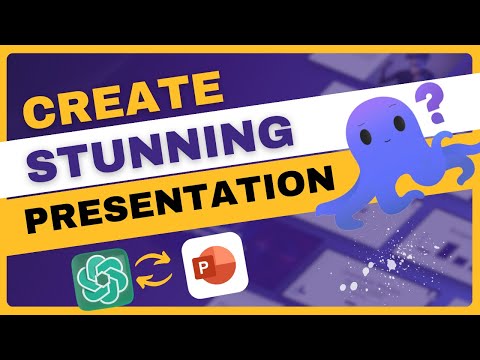
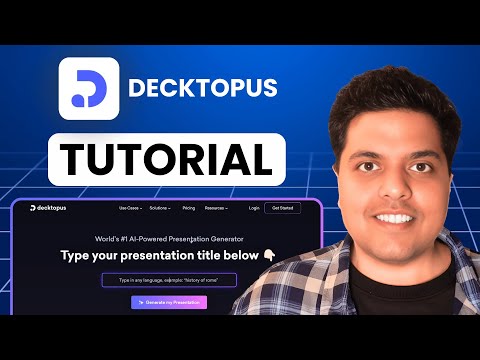
Watch real Decktopus walkthroughs from independent reviewers and AI educators to see the tool in action before you sign up.

Decktopus — Decktopus Yt Ha6upsasyni
Decktopus — Decktopus Yt Zmz36utoyeu
Decktopus — Decktopus Yt Sjsf Tmxhye
Decktopus — Decktopus Yt Pprieyn03sa

Decktopus Price Plans

Decktopus offers paid subscription plans billed monthly or annually. Prices below are from the decktopus.com pricing page (monthly billing, USD). Annual billing reduces the effective monthly cost.

Pro

$14.99/month ($179.99 billed annually). Unlimited decks, premium templates, PDF/PPTX export without watermark, custom branding, and AI voice-over. Best fit for solo creators and freelancers.

Business

$34.99/user/month ($419.99 billed annually). Adds custom domains, advanced analytics, lead-capture forms, integrations, and priority support. Recommended for marketing and sales teams.

Enterprise

Custom pricing — contact sales. Includes SSO, dedicated success manager, custom integrations, advanced security, and volume discounts for large teams.

Pros and Cons of Decktopus

Pros

  • ✅ AI deck generator produces a structured first draft in under a minute.
  • ✅ Built-in analytics show slide-level engagement after sharing.
  • ✅ Interactive forms and quizzes are useful for lead capture.
  • ✅ AI voice-over enables self-running demos and async pitches.
  • ✅ Generous free tier lets you fully evaluate the workflow.
  • ✅ Clean, modern templates that look professional without extra editing.

Cons

  • ❌ Design customisation is more limited than Canva or PowerPoint.
  • ❌ Free tier watermark on exports can be a dealbreaker for client work.
  • ❌ AI output sometimes needs manual editing for niche or technical topics.
  • ❌ No native offline editor — requires internet access to use.

What real users say

On G2, Decktopus holds a 4.6/5 average across 70+ reviews, with users praising the speed of AI deck generation and the polish of the generated slides (source: G2.com/products/decktopus). Capterra reviewers (4.5/5 average) consistently highlight the ease-of-use and the responsive customer support, while a recurring critique on both platforms is that advanced design tweaks still require manual work (source: Capterra.com/p/241019/Decktopus). Trustpilot scores trend lower (around 3.9/5) and tend to come from users frustrated with the free-tier watermark or auto-renew billing.

Overall – 4.6/5
G2 – 4.6/5
Capterra – 4.5/5
Trustpilot – 3.9/5
Priya N. Marketing Manager • Mid-Market • Reviewed on G2
2025-09-12

I needed to ship a sales-onboarding deck in a single afternoon. Decktopus drafted the structure, suggested slide-level talking points, and let me drop in our brand kit in minutes. The analytics on shared decks are a bonus — I can see which prospects actually finished the deck before I follow up.

Ease of Use
Features
Value for Money
Customer Support
Daniel R. Startup Founder • Small Business • Reviewed on Capterra
2025-10-04

The AI deck generator gave me a usable pitch in 90 seconds — the kind of first draft that would have taken me a whole evening to outline. Design controls feel a bit narrow versus Canva, but for pitch decks where structure matters more than visual flair, it has become my default tool.

Ease of Use
Features
Value for Money
Customer Support
Maya K. Independent Consultant • Reviewed on Trustpilot
2025-11-18

The Pro plan is great value for client work — exports are clean, the embedded forms help with discovery calls, and the AI voice-over is surprisingly natural. My only gripe is the free-tier watermark, which made me nervous about sharing test decks externally before I upgraded.

Ease of Use
Features
Value for Money
Customer Support

Top Decktopus Alternatives

If Decktopus doesn’t fit your workflow, several established alternatives are worth comparing:

  • Gamma — AI presentation builder with stronger design controls and more flexible page layouts; closest direct competitor to Decktopus.
  • Tome — AI-native storytelling tool that produces longer-form, narrative decks; better for product walkthroughs and pitches.
  • Beautiful.ai — Design-led deck builder with auto-formatting smart slides; preferred by teams who care most about visual polish.
  • Canva Magic Design — Broader graphics platform with an AI deck generator built in; best when presentations are one of several creative formats your team produces.
  • Pitch — Collaborative deck tool aimed at startups, with strong commenting, versioning, and team workflows.
Placeit Review

Placeit Review

4.6/5 on Trustpilot — instant logo, mockup & design template factory by Envato
Explore More
PosterMyWall Review

PosterMyWall Review

Rated 4.7/5 on G2 — 50M+ users worldwide
Explore More
Pacdora Review

Pacdora Review

Rated 4.6/5 on Capterra — 1,500+ 3D packaging templates
Explore More
Envato Market Review

Envato Market Review

4.1 (237+ reviews) on G2
Explore More
Glorify Review

Glorify Review

Glorify Review – Ecommerce-Focused Graphic Design Tool With Mockups, AI Background Remover & Templates
Explore More
Crowdspring Review

Crowdspring Review

4.0+ on G2 with featured reviews from 173 customers
Explore More
ProtoPie Review

ProtoPie Review

4.7 (240+ reviews) on G2
Explore More
Vexels Review

Vexels Review

4.6 (320+ reviews) on G2
Explore More
Creatify Review

Creatify Review

4.5 (2,972)
Top Rated Features
  1. AI Design Assistance
  2. Template Library & Smart Editing
  3. Real-time Design Suggestion
Explore More
Kyssbag Review

Kyssbag Review

4.3 (2,212)
Top Rated Features
  1. Smart Travel Design
  2. Smart Storage and Comfort
  3. Travel Planning Made Easy
Explore More
Nix Sensor Review

Nix Sensor Review

4.3 (2,1103)
Top Rated Features
  1. Easy Color Measurement
  2. File and Data Export
  3. Advanced Data Management
Explore More
Thrive Themes Review

Thrive Themes Review

4.6 (2,791)
Top Rated Features
  1. Easy Form Creation
  2. Mobile-Friendly Design
  3. Customizable Notifications
Explore More
BookBolt Review

BookBolt Review

4 (2,302)
Top Rated Features
  1. Simple Low Content Book Creation
  2. Advanced Keyword and Niche Research
  3. Wide Interior Template Library
Explore More
Pngtree Review

Pngtree Review

4.8 (2,672)
Top Rated Features
  1. Huge Collection of Images
  2. Free and Paid Options
  3. Constantly Updated Resources
Explore More
Uxcel Review

Uxcel Review

4.7 (2,676)
Top Rated Features
  1. Flexible Self-Paced Learning
  2. Uxcel Pricing Plans
  3. Core Features of Uxcel
Explore More
Homestyler Review

Homestyler Review

4.7 (2,991)
Top Rated Features
  1. Free 3D Home Design
  2. AI-Powered Design Assistance
  3. Professional-Grade Tools
Explore More
FAQs

Decktopus Frequently Asked Questions

Common questions buyers ask before signing up for Decktopus.

Yes — Decktopus offers a forever-free plan with limited AI deck generations and a watermark on exports. Paid plans start at $14.99/month for unlimited decks and watermark-free downloads.

Yes. Pro and Business plans let you export to PPTX, PDF, and shareable web links. The free tier exports to PDF only with a watermark.

The AI is excellent at structure and generic business topics, but for niche, technical, or branded content you should expect to review and edit the slides before sharing them externally.

The Business plan unlocks shared workspaces with role-based permissions (Editor, Viewer, Admin). Free and Pro plans are designed for solo users.

Yes. Decktopus supports custom branding kits — logos, brand colors, and font choices — applied across every deck. Business plans allow multiple brand kits for agencies.

Gamma offers more design flexibility, Tome focuses on longer-form storytelling, and Decktopus is more opinionated about deck structure — best when you want a strong first draft fast rather than a blank canvas.

⚠️ Affiliate Disclosure: This site contains affiliate links. We may earn a commission when you purchase through our links at no extra cost to you. Results are not typical.