⚠️ Affiliate Disclosure: This page contains affiliate links. We may earn a commission at no extra cost to you. This does not influence our reviews. Read full disclosure →

Pacdora Review

Pacdora logo

Pacdora Review

Editorial rating: 4.6 / 5 — 1,500+ 3D packaging templates

Pacdora Overview

Pacdora is a browser-based 3D packaging design platform that lets brands, agencies, and packaging engineers create dielines, render photorealistic mockups, and prototype custom boxes without specialized CAD software. With 1,500+ pre-built 3D templates spanning folding cartons, mailer boxes, paper bags, labels, bottles, and shipping containers, Pacdora replaces three separate tools — Adobe Dimension for renders, Esko ArtiosCAD for dielines, and SketchUp for prototype mockups. Use it for client pitches, prepress proofing, e-commerce mockups, and direct ordering of small production runs through Pacdora's manufacturing network.

1,500+ Packaging Templates

One of the largest libraries on the web — boxes, mailers, bottles, bags, pouches, tubes, sleeves, with industry-standard dielines included.

Browser-Based 3D Editor

Real-time 3D mockup editor that runs in any modern browser. No Adobe Illustrator or KeyShot license needed.

AI Packaging Design Assistant

Generate label artwork, color palettes, and packaging concepts from text prompts using the built-in AI design assistant.

Print-Ready Dieline Export

Download print-ready PDF dielines with bleed, CMYK profiles, and crop marks accepted by every commercial printer.

Direct Print-on-Demand

Order printed packaging in low quantities through integrated print partners — Amazon-ready boxes shipped to your warehouse.

Mockup Photography

Generate photorealistic product photography of your packaging on white backgrounds, lifestyle scenes, and Amazon-ready hero shots.

Team Collaboration

Share design boards with brand managers, designers, and clients for live comments and version control.

Asset Library & Brand Kits

Store logos, fonts, color palettes, and reusable artwork in centralized brand kits for consistent packaging across SKUs.

Pacdora Features – What You Get?

Pacdora bundles a full packaging design workflow into one browser app — templates, 3D editing, mockup rendering, and print fulfillment.

  • 1,500+ packaging templates across every category.
  • 3D real-time editor in the browser.
  • AI design assistant for artwork.
  • Print-ready dielines with bleed + CMYK.
  • Mockup photography for Amazon listings.
  • Direct print-on-demand partners.
  • Team collaboration on shared boards.
  • Brand kits for consistent multi-SKU branding.

Video Guides and Tutorials

Watch real Pacdora videos covering 3D editor walkthroughs, AI design, and dieline workflows.

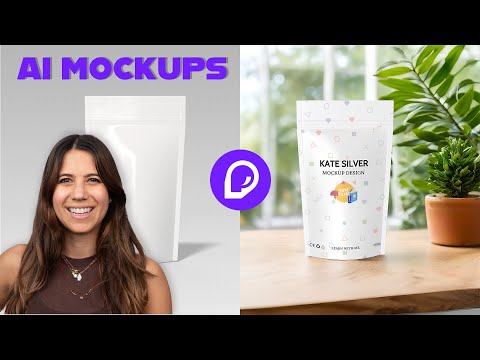
Complete Pacdora Packaging Design Tutorial
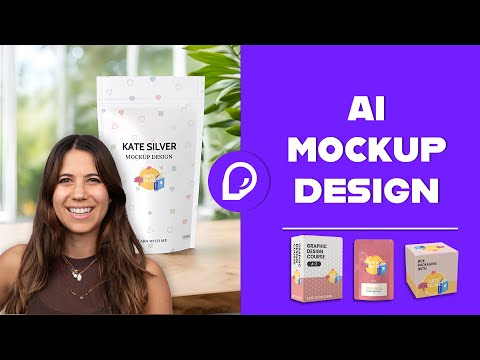
3D Packaging Design Mockup Tutorial
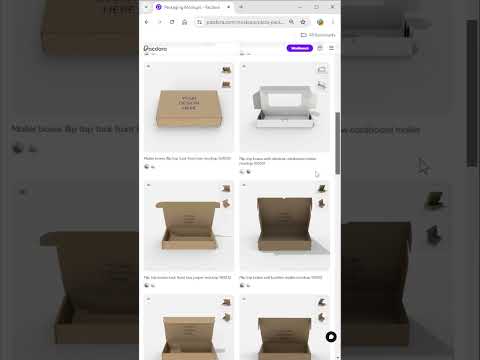
Pacdora Box Template Dieline 3D Mockup
Pacdora AI Packaging Walkthrough

Top Pacdora Services

Pacdora is sold on per-seat subscriptions. The Personal Pro Plan is $9/month billed monthly, or $5/month when billed yearly (~$60/year) — a 44% discount on annual. Team Version is custom-quoted for 5+ seats and adds collaboration, multi-seat access, and volume discounts. Pacdora also lists packaging plans at the high end starting at $29-$199 for specialized production workflows. No free version or trial — every plan is paid. Annual billing saves up to 40%.

Pacdora Price Plans

Pacdora offers a free plan with watermarked exports, paid Pro tiers with full HD exports, and a print-on-demand pay-per-order option for finished packaging.

Lite
$14 /mo
Billed monthly

Essential tools for beginners.

  • Remove all watermarks
  • Up to 2K rendered images
  • Up to 720p rendered videos
  • 300 AI credits / month
  • For personal use

Get Lite

Business
$99 /mo
Per seat, billed monthly

Full rights and premium outputs for commercial use.

  • Everything in Pro
  • Up to 8K rendered images
  • Up to 2K rendered videos
  • Commercial use & resale license
  • 10,000 AI credits / month

Get Business

Pros and Cons of Pacdora

Pros

  • ✅ Largest packaging template library on the web
  • ✅ True 3D editor in browser — no plugins needed
  • ✅ AI artwork generation built-in
  • ✅ Generous free plan for exploration
  • ✅ Print-on-demand for low MOQ runs
  • ✅ Beginner-friendly — no Illustrator/KeyShot skills required

Cons

  • ❌ Free plan exports are watermarked
  • ❌ Limited Illustrator-grade fine vector control
  • ❌ Print partner MOQ may not suit very large orders
  • ❌ 3D rendering quality below dedicated KeyShot for hero photography

What real users say

On Trustpilot and G2-style reviews, designers praise the template breadth and the speed from idea to print-ready dieline. DTC brand owners highlight the low-MOQ print fulfillment as a major time-saver vs. coordinating with traditional printers.

Pros: 1,500+ pre-built 3D templates, photorealistic renders in-browser, dielines + mockups + production in one tool, annual saves 44%
Cons: No free tier or trial, monthly billing is 80% more than annual, team pricing requires sales contact
Verdict: The best browser-based packaging design tool — Personal Pro annual at $60/year is unbeatable value vs. Adobe Dimension or Esko

Top Pacdora Alternatives

Looking at alternatives to Pacdora? The leading packaging design + mockup platforms are:

Placeit Review

Placeit Review

Editorial rating: 4.6 / 5
Explore More
Decktopus Review

Decktopus Review

Best AI Presentation Software for Founders & Marketers
Explore More
PosterMyWall Review

PosterMyWall Review

Editorial rating: 4.7 / 5 — 50M+ users worldwide
Explore More
Envato Market Review

Envato Market Review

Editorial rating: 4.1 / 5
Explore More
Glorify Review

Glorify Review

Glorify Review – Ecommerce-Focused Graphic Design Tool With Mockups, AI Background Remover & Templates
Explore More
Crowdspring Review

Crowdspring Review

Editorial rating: 4.0 / 5
Explore More
Tailor Brands Review

Tailor Brands Review

Editorial rating: 4.4 / 5
Explore More
Logo AI Review

Logo AI Review

Editorial rating: 4.5 / 5
Explore More
ProtoPie Review

ProtoPie Review

Editorial rating: 4.7 / 5
Explore More
Vexels Review

Vexels Review

Editorial rating: 4.6 / 5
Explore More
Uizard Review

Uizard Review

Editorial rating: 4.6 / 5
Explore More
Turbologo Review

Turbologo Review

Editorial rating: 4.7 / 5
Explore More
Simplified Review

Simplified Review

Editorial rating: 4.6 / 5
Explore More
Placid Review

Placid Review

Editorial rating: 4.7 / 5
Explore More
DesignPickle Review

DesignPickle Review

Editorial rating: 4.6 / 5
Top Rated Features
  1. Content Scheduling
  2. Content Curation
  3. Analytics Dashboard
Explore More
Penji Review

Penji Review

Editorial rating: 4.7 / 5
Top Rated Features
  1. Website Builder
  2. SEO
  3. Free Hosting
Explore More
Looka Review

Looka Review

4.3
Top Rated Features
  1. Advanced Keyword and Niche Research
  2. Cover Designer with Trim Size Accuracy
  3. PuzzleWiz Generator (Pro Plan Only)
Explore More
BookBolt Review

BookBolt Review

4
Top Rated Features
  1. Simple Low Content Book Creation
  2. Advanced Keyword and Niche Research
  3. Wide Interior Template Library
Explore More
Pngtree Review

Pngtree Review

Editorial rating: 4.0 / 5
Top Rated Features
  1. Huge Collection of Images
  2. Free and Paid Options
  3. Constantly Updated Resources
Explore More
Uxcel Review

Uxcel Review

4.7
Top Rated Features
  1. Flexible Self-Paced Learning
  2. Uxcel Pricing Plans
  3. Core Features of Uxcel
Explore More
DesignFiles Review

DesignFiles Review

Editorial rating: 4.6 / 5
Top rated Features
  1. Enterprise servers
  2. Monitoring services
  3. Tight security
Explore More
Homestyler Review

Homestyler Review

4.7
Top Rated Features
  1. Free 3D Home Design
  2. AI-Powered Design Assistance
  3. Professional-Grade Tools
Explore More
Coohom Review

Coohom Review

4.4
Top Rated Features
  1. Easy User Interface
  2. Realistic Renderings
  3. Cloud-Based Access
Explore More
Awesomic Review

Awesomic Review

4.8

Top Rated Features

  1. Wide Design Range
  2. Dedicated Designers
  3. Fast Turnaround
Explore More
Stencil Review

Stencil Review

4.6
Top Rated Features
  1. Free Stock Photography
  2. Google Fonts
  3. Chrome Extension
Explore More
FAQs

Pacdora Frequently Asked Questions

Pacdora is a browser-based 3D packaging design platform with mockup, dieline, and AI generation tools, used by brands, agencies, and packaging designers. This section answers the most common questions based on our review of Pacdora pricing, public feature documentation, and user feedback on Capterra, G2, and Trustpilot. Whether you are comparing Pacdora pricing, evaluating its 3D and AI tools, or deciding if the platform fits your workflow, these FAQs cover what matters most.

Pacdora Personal Pro is $9/month (monthly) or $5/month (yearly, ~$60/year — a 44% discount). Team pricing for 5+ seats is custom-quoted. Specialized production plans range from $29 to $199.

No — Pacdora does not offer a free version or trial. Every plan is paid from day one. The cheapest entry is Personal Pro annual at $60/year (~$5/month).

Adobe Dimension renders generic 3D mockups at $20.99/month. Pacdora is purpose-built for packaging — dielines, folding cartons, custom boxes — with 1,500+ packaging-specific templates. For packaging work Pacdora is dramatically faster and cheaper.

Yes — Pacdora connects your designs directly to its manufacturing partner network for short-run production. Specialized packaging plans ($29-$199) include print quotes, file preflight, and order management.

Import Adobe Illustrator AI files, PDF dielines, and PNG/JPG artwork. Exports include 4K renders, animated GIFs, PDF dielines, and print-ready PDF/X-1a for production.

For brands or solo packaging designers who need 3D mockups regularly, yes — $60/year is less than two months of Adobe Creative Cloud and the 1,500+ packaging templates eliminate hours of dieline work per project.

⚠️ Affiliate Disclosure: This site contains affiliate links. We may earn a commission when you purchase through our links at no extra cost to you. Results are not typical.