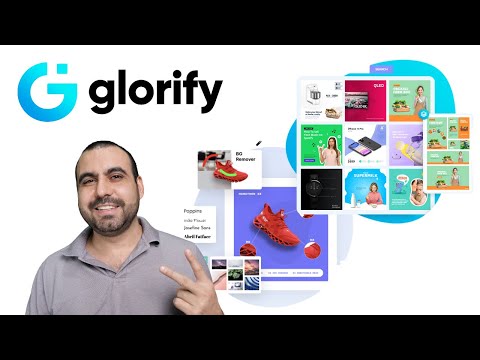
Glorify is a graphic design tool purpose-built for ecommerce business owners — Shopify, Amazon, Etsy, and DTC brands — that bundles product mockups, AI background removal, e-comm-optimized templates, image resizing, social media graphics, and a brand kit into one browser-based app. Where Canva is general-purpose, Glorify is laser-focused on the assets ecommerce sellers actually ship every week: high-converting product images, ad creatives, lifestyle mockups, social posts, and marketplace listings.
The catalog includes hundreds of e-commerce-specific templates, 3D device and packaging mockups (MacBooks, iPads, AirPods, apparel, packaging), AI image and copy generation, and one-click background removal. Pricing is approachable: a Basic tier at $19/month, a Pro tier at $32/month, and a Business tier at $97/month for larger teams, with frequent 48-hour free trial promotions on AppSumo. Reviewers consistently call out ease of use, the mockup library, and the e-commerce specialization as standout strengths.
Hundreds of templates designed for product listings, Facebook/Instagram ads, Amazon A+ content, Shopify hero images, email newsletters, and marketplace banners — not generic social templates retrofitted for commerce.
Drop your product into MacBook, iPad, iPhone, AirPods, apparel, packaging, or bottle mockups. Build front-view, top-view, or isometric scenes to showcase products beautifully.
One-click background removal handles edges, transparent objects, and reflective surfaces — turn casual phone shots into clean marketplace-ready product photos.
Generate product images from text prompts and on-brand ad copy with the built-in AI assistant — reduce reliance on separate Midjourney + ChatGPT workflows.
Convert any design to Facebook cover, Instagram post, Pinterest pin, Story, Reel, Amazon listing, and other platform-specific sizes in a single click.
Add shadows, reflections, call-out arrows, and labels to product photos — create informative product graphics that explain features and lift conversion.
Lock in your logo, fonts, color palette, and brand assets once. Team members work from the same kit; collaborators leave comments directly on design files.
Glorify routinely runs AppSumo 48-hour free trials at deep discounts (up to 93% off) — check current promotions before subscribing monthly.
Below is a quick rundown of Glorify’s headline features. The platform’s edge is e-commerce focus — if you spend most of your design time on product images, ad creatives, and marketplace listings rather than general brand assets, Glorify will feel built for you in a way Canva does not.
Watch these hand-picked Glorify walkthroughs to see mockups, AI background removal, and ecommerce templates in action before you sign up. They cover beginner tutorials, mockup creation, and side-by-side comparisons with Photoshop.
Glorify sells four tiers (Free, Plus, Pro, Business), billed monthly or annually with about 60% off annual.
Glorify offers three paid tiers (Basic, Pro, Business) with a 48-hour free trial on each. All plans include the same core templates and tools; tiers differ on users, projects, AI credits, and cloud storage. Yearly billing saves 20% versus monthly.
48-hour free trial on every paid plan lets you test templates, mockups, and AI tools before committing. Cancel anytime during the trial at no cost.
1 user, 1 project, 50 AI credits/month, unlimited files and guests, 10 GB cloud storage, and commercial licence. Best for solo Etsy or Shopify sellers managing one store.
3 users, 3 projects, 100 AI credits/month, unlimited files and guests, 10 GB cloud storage, and commercial licence. The recommended tier for entrepreneurs, marketers, and any growing startup.
6 users, unlimited projects, unlimited AI credits, unlimited files and guests, 1,000 GB cloud storage, and commercial licence. Designed for larger teams seeking additional resources, more seats, and team collaboration features.
Switch to yearly billing on any paid plan and save 20% versus monthly. Useful if you expect to use Glorify for more than a few months at a stretch.
Reviews on G2, Capterra, and AppSumo consistently highlight the ecommerce specialization, 3D mockups, and AI background remover as Glorify’s standout strengths. Common asks include richer animation and video tooling and a broader template library outside the ecommerce niche.

Comparing Glorify with other design tools? These alternatives compete on breadth, price, or specialty:








Top Rated Features
⚠️ Affiliate Disclosure: This site contains affiliate links. We may earn a commission when you purchase through our links at no extra cost to you. Results are not typical.