⚠️ Affiliate Disclosure: This page contains affiliate links. We may earn a commission at no extra cost to you. This does not influence our reviews. Read full disclosure →

PosterMyWall Review

icon01

PosterMyWall Review

Rated 4.7/5 on G2 — 50M+ users worldwide

PosterMyWall Overview

PosterMyWall is a marketing design platform with 1.5 million+ templates for flyers, posters, social media graphics, videos, animated GIFs, banners, business cards and email campaigns. Used by 50M+ small businesses, restaurants, churches, schools and marketing teams worldwide, it bundles a drag-and-drop editor, video maker, stock-photo library and built-in social media scheduler so you can design and publish from one tab. Premium and Premium Plus plans unlock watermark-free downloads, AI tools, email campaigns and team seats — making PosterMyWall the most affordable Canva alternative for non-designers running local marketing on a budget.

1M+ Professional Templates

Massive library of templates organized by industry (restaurants, churches, schools, real-estate, retail) plus event types (sales, holidays, openings).

AI Design Assistant

Generate flyers, posters, and social posts from text prompts. AI background remover, image generator, and copy-rewrite tools built-in.

Video Maker & Editor

Trim, splice, add music, captions, and motion graphics on the same canvas as static designs — output for Reels, TikTok, and digital signage.

Built-in Email Marketing

Send branded email blasts directly from PosterMyWall — no separate Mailchimp account needed. Built-in subscriber lists and campaign reports.

Multi-Channel Publishing

Schedule and publish to Facebook, Instagram, LinkedIn, YouTube, TikTok plus direct download for print and digital signage screens.

Digital Signage

Push designs to in-store TVs and digital displays via the PosterMyWall Display app — perfect for restaurants and retail.

Team Collaboration & Brand Kits

Multi-user accounts, shared folders, brand-kit color/font lockdown, and an internal asset library for consistent branded output.

Free Stock Photos & Music

Built-in stock photo, video, and music library plus integrations with Unsplash, Pexels, and YouTube Audio Library.

PosterMyWall Features – What You Get?

PosterMyWall combines a Canva-style design editor with email marketing, video editing, and digital signage publishing — uniquely targeting local SMBs.

  • 1M+ industry-specific templates.
  • AI design assistant for one-click flyers.
  • Video maker for Reels and TikTok.
  • Built-in email marketing with subscriber lists.
  • Multi-channel publishing to social, print, signage.
  • Digital signage push to in-store screens.
  • Brand kits and team collaboration.
  • Free stock photo/video/music library.

Video Guides and Tutorials

Watch real PosterMyWall tutorials covering templates, AI features, and publishing workflows.

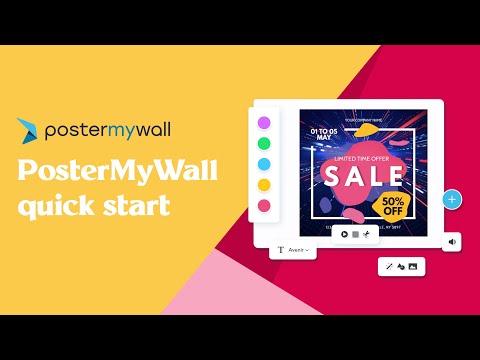
PosterMyWall Quick Start
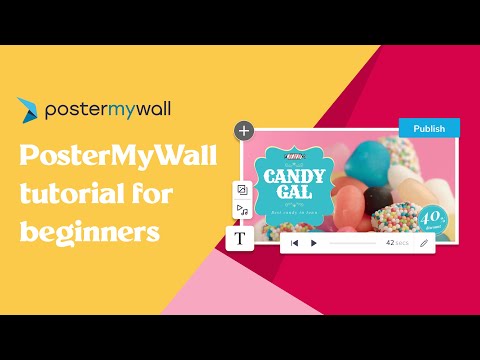
PosterMyWall Tutorial for Beginners
How to Use PosterMyWall
Getting Started with PosterMyWall

PosterMyWall Pricing Plans

PosterMyWall offers a free plan and three paid tiers, all billed annually for a discount. Email-send credits and digital signage screens scale with tier.

Plan Price Best For
Free $0 Casual users — watermarked exports, limited template access
Premium $59.95 / year Solo SMBs — full templates, no watermarks, social publishing
Premium Plus $99.95 / year Active marketers — email blasts + video + signage
Business From $249.95 / year Teams + agencies — multi-user, brand kits, white-label


Pros and Cons of PosterMyWall

Pros

  • ✅ Industry-specific template library is genuinely useful for SMBs
  • ✅ All-in-one: design + email + signage + social
  • ✅ Significantly cheaper than Canva Pro + Mailchimp combined
  • ✅ Excellent G2 (4.7/5) and Capterra (4.7/5) ratings
  • ✅ Strong digital signage support for restaurants and retail
  • ✅ Lifetime free tier with no time limit

Cons

  • ❌ Editor lacks some polish vs. Canva for advanced design
  • ❌ Email deliverability less robust than dedicated ESPs at scale
  • ❌ Mobile editor is less feature-rich than the desktop version
  • ❌ Brand kit features only on Business tier


What real users say

On G2 (4.7/5) and Capterra (4.7/5), SMB owners consistently praise the industry-specific templates and the value of bundling email + design + signage. Critiques center on the editor lacking Canva-style polish on advanced features. Trustpilot reviewers average 4.5/5.

Pros: 1.5M+ templates, free tier is genuinely usable, Premium Plus includes email campaigns, team pricing saves up to 77%
Cons: Free tier watermarks some assets, Premium Plus is 3x Premium for features not everyone needs, less polished UI than Canva
Verdict: Best Canva alternative for local businesses, restaurants and event marketers — Premium annual ($99.95) is the sweet spot
Patricia W. Restaurant owner · Local marketing
May 2026

I run a 30-seat restaurant and PosterMyWall Premium at $99.95/year handles all our weekly specials, social posts and printable menus. Cheaper than Canva Pro and the food-photography templates are way more relevant to my industry.

Templates
Value (Annual)
Restaurant Niche
Ease of Use
Theo M. Church communications · Small congregation
April 2026

Switched our church bulletins to PosterMyWall. The free plan was enough for 6 months; we upgraded to Premium when we started doing weekly social posts. Tutorials are great for non-designers in our volunteer team.

Free Tier
Ease of Use
Customer Support
Value for Money
Jordan R. Real estate agent · Property flyers
March 2026

Premium annual works for real estate flyers. Templates are basic compared to Canva but I crank out 5 property listings in 20 minutes. Annual pricing won me over.

Templates
Ease of Use
Value for Money
Flyer Quality

Top PosterMyWall Alternatives

Looking at alternatives to PosterMyWall? The leading SMB design + marketing platforms are:

  • Canva — most popular template design tool.
  • Adobe Express — Adobe-grade design tool with templates.
  • Visme — strong for infographics and presentations.
  • Fotor — AI photo + design editor.
  • VistaCreate (Crello) — template-heavy design tool.
  • Snappa — simple SMB design tool.
Placeit Review

Placeit Review

4.6/5 on Trustpilot — instant logo, mockup & design template factory by Envato
Explore More
Decktopus Review

Decktopus Review

Best AI Presentation Software for Founders & Marketers
Explore More
Pacdora Review

Pacdora Review

Rated 4.6/5 on Capterra — 1,500+ 3D packaging templates
Explore More
Envato Market Review

Envato Market Review

4.1 (237+ reviews) on G2
Explore More
Glorify Review

Glorify Review

Glorify Review – Ecommerce-Focused Graphic Design Tool With Mockups, AI Background Remover & Templates
Explore More
Crowdspring Review

Crowdspring Review

4.0+ on G2 with featured reviews from 173 customers
Explore More
ProtoPie Review

ProtoPie Review

4.7 (240+ reviews) on G2
Explore More
Vexels Review

Vexels Review

4.6 (320+ reviews) on G2
Explore More
Creatify Review

Creatify Review

4.5 (2,972)
Top Rated Features
  1. AI Design Assistance
  2. Template Library & Smart Editing
  3. Real-time Design Suggestion
Explore More
Kyssbag Review

Kyssbag Review

4.3 (2,212)
Top Rated Features
  1. Smart Travel Design
  2. Smart Storage and Comfort
  3. Travel Planning Made Easy
Explore More
Nix Sensor Review

Nix Sensor Review

4.3 (2,1103)
Top Rated Features
  1. Easy Color Measurement
  2. File and Data Export
  3. Advanced Data Management
Explore More
Thrive Themes Review

Thrive Themes Review

4.6 (2,791)
Top Rated Features
  1. Easy Form Creation
  2. Mobile-Friendly Design
  3. Customizable Notifications
Explore More
BookBolt Review

BookBolt Review

4 (2,302)
Top Rated Features
  1. Simple Low Content Book Creation
  2. Advanced Keyword and Niche Research
  3. Wide Interior Template Library
Explore More
Pngtree Review

Pngtree Review

4.8 (2,672)
Top Rated Features
  1. Huge Collection of Images
  2. Free and Paid Options
  3. Constantly Updated Resources
Explore More
Uxcel Review

Uxcel Review

4.7 (2,676)
Top Rated Features
  1. Flexible Self-Paced Learning
  2. Uxcel Pricing Plans
  3. Core Features of Uxcel
Explore More
Homestyler Review

Homestyler Review

4.7 (2,991)
Top Rated Features
  1. Free 3D Home Design
  2. AI-Powered Design Assistance
  3. Professional-Grade Tools
Explore More
FAQs

PosterMyWall Frequently Asked Questions

PosterMyWall is an online design platform for local businesses, offering 500K+ templates for flyers, social posts, restaurant menus, digital signage, and email campaigns. This section answers the most common questions based on our review of PosterMyWall pricing, official documentation, and user feedback on G2, Capterra, and Trustpilot. Whether you are comparing PosterMyWall pricing, evaluating its templates, or deciding if the platform fits your local marketing workflow, these FAQs cover what matters most.

PosterMyWall offers a free plan, Premium at $9.95/month ($99.95/year), and Premium Plus at $29.95/month ($319.95/year). Team plans start at $6/seat (Premium) and $15/seat (Premium Plus), saving up to 77% versus individual seats.

Yes — PosterMyWall has a permanently free plan with unlimited design capability. Watermarks appear on some premium assets, you are limited to 1 social media account, and AI tools are locked. Free is genuinely usable for personal projects.

PosterMyWall has more local-marketing templates (flyers, posters, restaurant menus) at a lower price. Canva has a more polished UI, better brand kit tools and stronger team features. PosterMyWall Premium at $99.95/year is roughly 25% cheaper than Canva Pro.

Yes — Premium and Premium Plus include a video editor with templates, stock footage, music library and animated text. The free plan can preview but watermarks the export.

Yes — you can cancel from your account settings. Annual plans are pre-paid; cancellation stops auto-renewal but does not refund the current cycle. Monthly plans cancel immediately at the end of the current month.

Premium Plus adds AI design tools, email campaign sending, more team seats and higher stock asset access. If you only design graphics, stick with Premium. If you also send email campaigns or use AI design weekly, Plus pays back via consolidated tools.

Yes — the PosterMyWall Display app runs on Fire TV and other displays, letting you publish designs as digital menus, lobby screens, or in-store promotions. The Business plan adds remote screen management and scheduling across multiple locations.

Yes — Premium Plus and Business plans include built-in email marketing with subscriber list management, scheduled sends, and basic campaign analytics. This makes PosterMyWall a viable all-in-one design + email tool for small local businesses.

Yes — schedule and publish posts directly to Facebook, Instagram, LinkedIn, YouTube, and TikTok from the editor. Premium and higher plans include a built-in scheduler with a calendar view and post analytics.

PosterMyWall fits local SMBs (restaurants, churches, schools, real estate agents) that need quick flyers, social posts, menus, and digital signage at a low price. Larger marketing teams will find Canva or Adobe Express more powerful, but PosterMyWall wins on local-marketing templates and bundled email + signage features.

⚠️ Affiliate Disclosure: This site contains affiliate links. We may earn a commission when you purchase through our links at no extra cost to you. Results are not typical.