⚠️ Affiliate Disclosure: This page contains affiliate links. We may earn a commission at no extra cost to you. This does not influence our reviews. Read full disclosure →

DesignPickle Review

icon01

DesignPickle Review

4.6 (480+ reviews) on G2

Design Pickle Overview

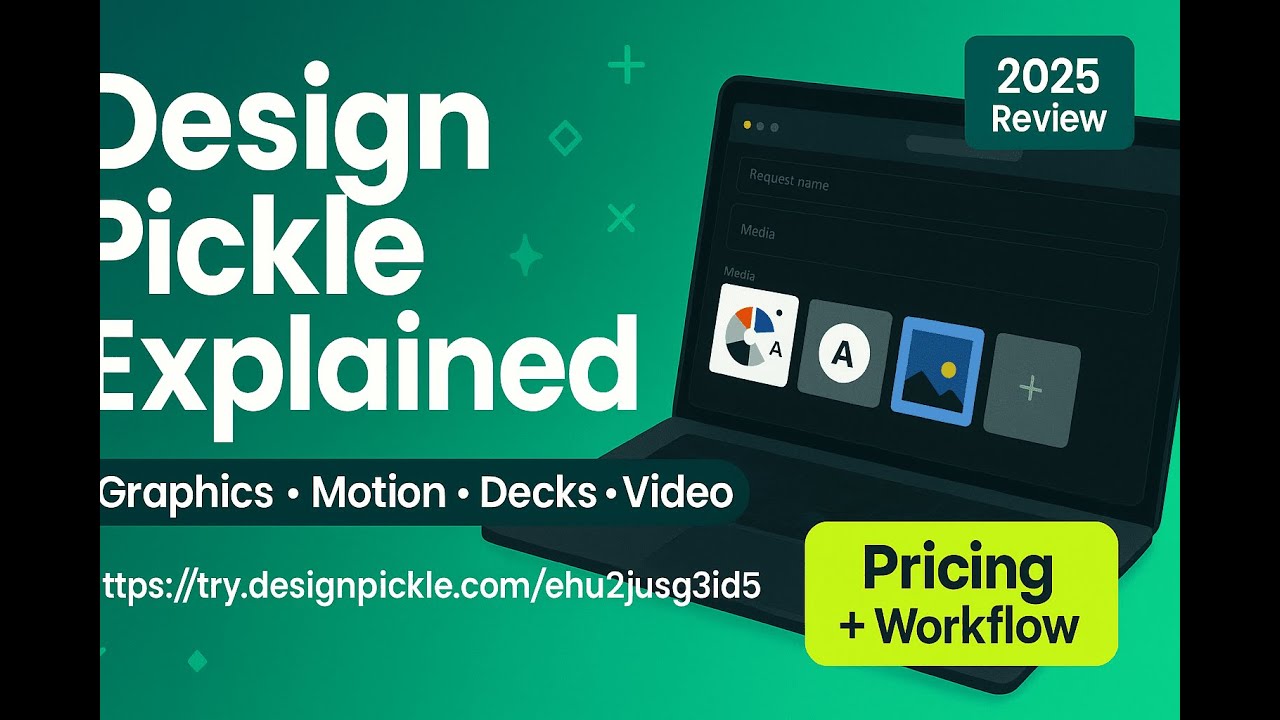
Design Pickle is an unlimited graphic design subscription service that provides on-demand design, illustrations, motion graphics, and presentations through dedicated remote designers for a flat monthly fee. In this Design Pickle review by IdealOnlineBusiness.com, we look at its pricing, features, real user ratings, and ease of use based on G2, Capterra, and Trustpilot reviews. Whether you’re a marketing manager, an agency owner, or a startup founder, Design Pickle promises unlimited creative requests with predictable pricing and consistent turnarounds without the cost of in-house designers.

Our analysis of Design Pickle reviews shows the platform is widely trusted for fast turnarounds, dedicated designer relationships, and the breadth of design types covered. It holds a 4.5/5 rating on G2 with users praising the project management portal, source files included on every request, and easy revisions as the standout features. For marketing teams that need scalable, on-demand design without hiring more headcount, Design Pickle delivers strong value at a transparent flat rate.

Unlimited Design Requests with Flat Monthly Pricing

Submit as many design tasks as you want and pay one predictable monthly fee, with no per-project markups or hourly billing surprises.

Dedicated Designer Assigned to Your Brand

Get matched with a vetted, dedicated designer who learns your brand style, voice, and preferences over time for consistent on-brand results.

Wide Range of Creative Services

Request graphics for social media, ads, presentations, illustrations, motion graphics, websites, and even custom illustrations and infographics.

Custom Project Management Platform

Manage all your design requests, revisions, and approvals through Design Pickle’s purpose-built project management dashboard with team collaboration tools.

Unlimited Revisions and Source Files

Get unlimited revisions on every project and full source files including PSD, AI, and editable formats so your team always owns the assets.

Stock Photo, Icon and Font Access

Tap into a built-in library of premium stock photos, icons, and fonts so designers can use polished assets without separate licensing costs.

Fast 24-Hour Turnarounds

Most standard design requests are returned within 24-48 hours, with rush options available for tight marketing campaign deadlines.

Affordability Factor

Compared to other social tools, Crowdfire is budget-friendly. It provides essential tools at competitive rates, making it suitable for startups, freelancers, and growing agencies.

Design Pickle’s combination of unlimited design requests, dedicated designers, source files included, and a wide service range makes it a strong choice for marketing teams and agencies that need scalable creative work without the overhead of hiring designers.

  • Easy Scheduling
  • Content Curation
  • Multi-Platform Posting
  • Analytics Tracking
  • Affordable Plans
  • Hashtag Finder
  • Automated Posting
  • Team Collaboration
  • Limited Free Plan
  • Advanced Tools Locked
  • Fewer Templates
  • Learning Curve

See how Design Pickle helps marketing teams and agencies scale their design output with unlimited requests, dedicated designers, and quick turnarounds across social, ads, presentations, and motion graphics.

DesignPickle — Designpickle Video 1
DesignPickle — Designpickle Video 2
DesignPickle — Designpickle Video 3
DesignPickle — Designpickle Video 4

Crowdfire Price Plans

Crowdfire offers multiple pricing tiers to suit different user needs. The free plan includes basic scheduling and one account per platform. Paid tiers unlock features like advanced analytics, bulk scheduling, and additional social accounts. Crowdfire pricing starts at a budget-friendly level, making it competitive compared to other tools. Higher plans scale for businesses and agencies, offering collaboration options and deeper insights. As per many crowdfire review, the flexibility of Crowdfire pricing ensures both freelancers and enterprises can find a plan that fits their requirements.

Pros and Cons of Crowdfire

Crowdfire is a social media management tool that helps users discover content, schedule posts, and grow engagement across platforms like Instagram, Twitter, Facebook, and LinkedIn. Many crowdfire review articles highlight its intuitive dashboard, content recommendations, and analytics features. The pros and cons of Crowdfire include powerful post-scheduling and competitor insights, while limitations involve occasional API restrictions and fewer advanced features compared to enterprise tools. Overall, crowdfire benefits include streamlined social planning, efficient content curation, and analytics that support improved audience growth for creators and small businesses.

Comparison Crowdfire vs Hootsuite

When evaluating Crowdfire vs Hootsuite, Crowdfire shines in affordability and ease of use, making it suitable for startups and individuals. Hootsuite, on the other hand, provides more enterprise-level integrations and advanced analytics. The comparison Crowdfire vs Hootsuite highlights that while Hootsuite caters to larger corporations, Crowdfire appeals to budget-conscious users who want streamlined social media management with all essential tools included. Ultimately, the choice between Crowdfire vs Hootsuite depends on team size and scalability needs.

4.5 EASE OF USE
4.1 VALUE FOR MONEY
4.2 CUSTOMER SUPPORT
4.4 FUNCTIONALITY
Rajat Kapoor Social Media Strategist,
Review Date: 20 July, 2024

TrendWave Media

Project Type: Social Scheduling & Growth Analytics
“Crowdfire is a social media management tool offering post-scheduling, content curation, analytics, and follower insights in one dashboard. Its interface helps users plan content calendars, discover trending topics, and track performance across platforms. Basic plans handle essential features; advanced analytics or multiple accounts require upgrades. It’s ideal for small businesses or influencers who need to stay consistent and grow organically online.”

EASE OF USE
VALUE FOR MONEY
CUSTOMER SUPPORT
FUNCTIONALITY

Crowdfire Alternative

While Crowdfire stands out for affordability and simplicity. Its strength lies in user-friendly features, scheduling, and automation. However, alternatives like Buffer, SocialBee, and Hootsuite offer different advantages. Each Crowdfire alternative may suit specific needs such as advanced analytics or enterprise solutions. For startups and small businesses, Crowdfire remains a leading option, but it is best to explore some alternative tools before finalizing.


Tailwind Review

Tailwind Review

Rated 4.4/5 on G2 — Pinterest, Instagram & Facebook scheduler with AI captions, SmartSchedule and analytics
Explore More
ContentStudio Review

ContentStudio Review

ContentStudio Review – AI Social Media Management, Content Discovery & Scheduling From $25/mo
Explore More
SmarterQueue Review

SmarterQueue Review

96% user satisfaction across 226+ reviews — the smartest evergreen content scheduler
Explore More
Post Planner Review

Post Planner Review

4.4+/5 across G2 & Capterra — engagement-first social media scheduler from $9/month
Explore More
Riverside Review

Riverside Review

4.8 (2,789)
Top Rated Features
  1. Smart Content Creation
  2. Advanced Recording & Editing
  3. Content Planning with AI
Explore More
Flick Review

Flick Review

4.1 (2,321)
Top Rated Features
  1. Easy Content Scheduling
  2. Advanced Analytics
  3. Integration with Tools
Explore More
Sendible Review

Sendible Review

4.0 (2,302)
Top Rated Features
  1. Easy Post Scheduling
  2. Smart Content Suggestions
  3. Customizable Notifications
Explore More
FineShare Review

FineShare Review

4.2 (2,009)
Top Rated Features
  1. Easy Content Creation
  2. Advanced Audio and Video Management
  3. Smart Editing Tools
Explore More
SocialBee Review

SocialBee Review

4.4 (2,150)
Top Rated Features
  1. Simple Low Content Book Creation
  2. Advanced Keyword and Niche Research
  3. Wide Interior Template Library
Explore More
SproutSocial Review

SproutSocial Review

4.6 (2,700)
Top Rated Features
  1. Engagement Management
  2. Social Listening
  3. Analytics and Reporting
Explore More
Onestream Review

Onestream Review

4.7 (2,571)
Top Rated Features
  1. Unified Platform
  2. Simplified Integration
  3. Cloud and On-Premise Options
Explore More
TubeBuddy Review

TubeBuddy Review

4.5 (2,775)
Top Rated Features
  1. Simplified SEO
  2. Time-Saving Automation
  3. Audience Engagement
Explore More
PromoRepublic Review

PromoRepublic Review

4.6 (2,847)
Top Rated Features
  1. Time-Saving Automation
  2. Content Creation Assistance
  3. Multi-Platform Support
Explore More
Wordable Review

Wordable Review

4.6 (2,764)
Top Rated Features
  1. Time-Saving Efficiency
  2. Error-Free Formatting
  3. Bulk Export Options
Explore More
Awario Review

Awario Review

4.5 (2,246)
Top Rated Features
  1. Real-Time Tracking
  2. Competitor Monitoring
  3. Customer Insights
Explore More
Social Searcher Review

Social Searcher Review

4.3 (2,367)
Top Rated Features
  1. Real-Time Monitoring
  2. User-Friendly Interface
  3. Accurate Sentiment Analysis
Explore More
MeetEdgar Review

MeetEdgar Review

4.7 (2,839)
Top Rated Features
  1. Time-Saving Automation
  2. Easy Content Recycling
  3. Category-Based Posting
Explore More
SocialPilot Review

SocialPilot Review

4.4 (2,368)
Top Rated Features
  1. Social Media Scheduling
  2. Content Curation
  3. Client Management
Explore More
Crowdfire Review

Crowdfire Review

4.5 (2,246)
Top Rated Features
  1. Content Scheduling
  2. Content Curation
  3. Analytics Dashboard
Explore More
TikTok For Business Review

TikTok For Business Review

4.6 (2,433)
Top Rated Features
  1. Short-Form Video Ads
  2. Analytics Dashboard
  3. Campaign Management
Explore More
FAQs

Frequently Asked Questions

Crowdfire is a social media management tool that simplifies posting, automation, and analytics. At IdealOnlineBusiness, we provide clear answers about Crowdfire features, Crowdfire pricing, and everything you need to know about using the platform effectively.

 Crowdfire is a social media management tool that helps users schedule posts, track analytics, and curate content. With its simple interface, Crowdfire supports multiple platforms, making it a time-saving solution for both individuals and businesses.

 Yes, a comprehensive Crowdfire review usually highlights its ease of use, automation tools, and affordability. Reviews often mention how it helps with scheduling, analytics, and collaboration, making it a strong choice for social media growth.

 Crowdfire pricing is known for being more affordable compared to larger competitors. It offers a free plan with basic features and paid plans that scale with advanced analytics, automation, and additional social media account support.

 Some standout Crowdfire features include post scheduling, content curation, detailed analytics, hashtag recommendations, and team collaboration tools. These features simplify campaign management, making it easier to maintain consistent online presence across platforms.

 Yes, depending on business needs, you can explore a Crowdfire alternative like Buffer, SocialBee, or Hootsuite. Each tool offers unique advantages, but Crowdfire remains popular due to its affordability and beginner-friendly design.

The pros and cons of Crowdfire include affordable pricing, easy scheduling, and automation as benefits, while limitations include a restricted free plan, locked advanced features, and a slight learning curve for new users.

 Key Crowdfire benefits include saving time through automation, improving engagement with analytics, and managing multiple accounts in one place. It helps individuals, startups, and businesses streamline their social media strategies effectively.

 When it comes to Crowdfire vs Hootsuite, Crowdfire is more budget-friendly and beginner-focused, while Hootsuite offers deeper enterprise-level features. Small teams often prefer Crowdfire for affordability, while larger companies lean towards Hootsuite for scalability

 A comparison Crowdfire vs Hootsuite shows that Crowdfire is easier to use, with affordable plans and simple features, while Hootsuite delivers advanced integrations, broader analytics, and multi-user enterprise solutions for larger organizations.

 Crowdfire is ideal for freelancers, startups, and small businesses that want affordable, easy-to-use tools. With automation, analytics, and collaboration, it simplifies digital marketing, making it suitable for both beginners and professionals.

⚠️ Affiliate Disclosure: This site contains affiliate links. We may earn a commission when you purchase through our links at no extra cost to you. Results are not typical.