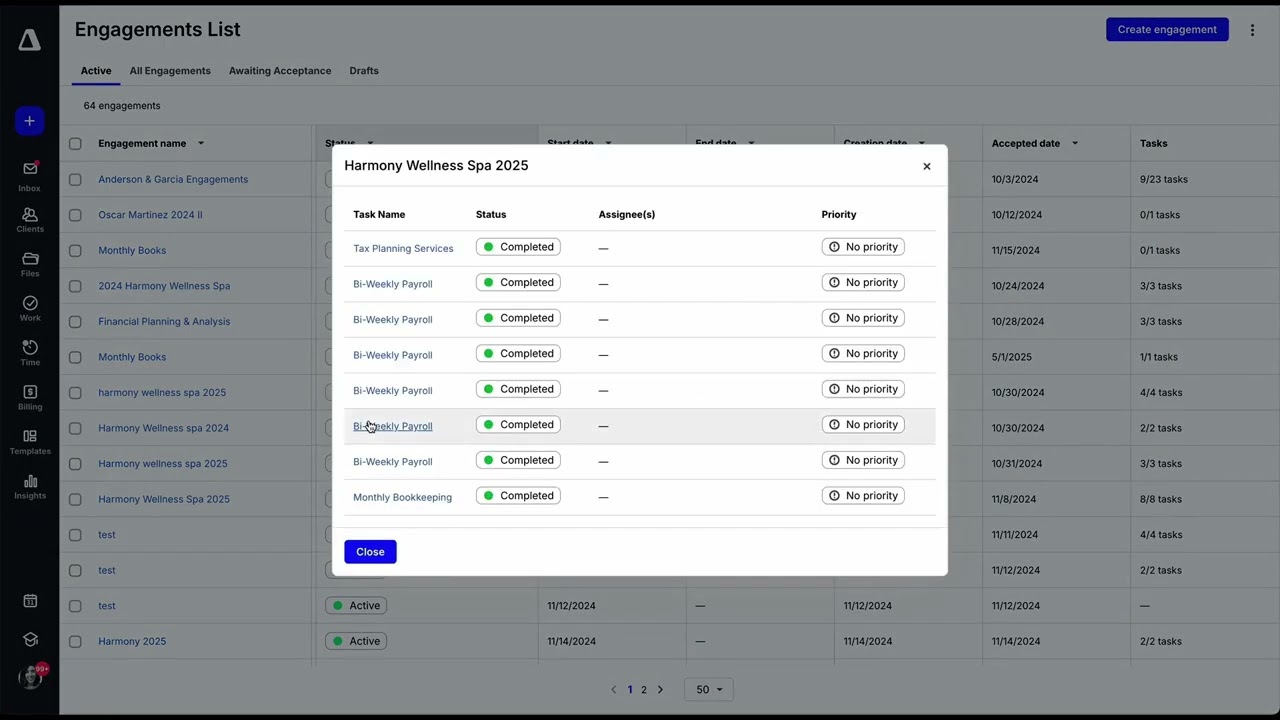
Canopy is an all-in-one accounting practice management platform built for tax professionals, CPAs, and bookkeeping firms. Combining client management, document storage, secure messaging, time tracking, billing, and tax resolution tools, Canopy replaces multiple disconnected systems with a single workspace. This Canopy review covers pricing, the modular product structure, IRS transcript integration, and how it compares to Karbon and TaxDome.
Canopy is sold by module rather than as one flat subscription: practice management, document management, time and billing, and tax resolution are licensed separately, and pricing scales with the number of users and clients in your firm. That keeps it flexible for a growing practice, but it means you need a quote for your specific module mix.
On this site, our Clockify review covers billable-hour tracking if that is the only piece you need, and Hello Bonsai, reviewed here suits solo practitioners who want proposals and invoicing without a full practice suite.
Central client database stores every contact, engagement, related entity, notes and open balance so tax and bookkeeping teams share one source of truth per client.
Each client logs into a branded portal to upload documents, sign engagement letters, message the team securely and pay invoices — no more scattered emails and Dropbox links.
Drag and drop PDFs, W-2s, 1099s and bank statements into Canopy and built-in OCR reads the values, files them in the right folder and tags them to the correct client.
Design recurring tax-return, bookkeeping-close and resolution workflows as reusable templates with assignees, deadlines and automatic client reminders.
Send, track and collect e-signatures on engagement letters, 7216 consents and resolution forms — fully compliant and stored in the client record.
Staff timers run against client engagements and roll up into invoices, partner-review reports and utilization dashboards without leaving the app.
Pull IRS account, wage and income and record-of-account transcripts for every client in minutes via the official IRS e-Services integration — no more manual faxing.
Track IRS notices and state letters end-to-end: log the notice, assign a responder, draft the response, attach supporting docs and close the loop — all audit-ready.
Canopy combines client management, a secure client portal, document management with OCR, workflow automation, e-signatures, time tracking and billing, IRS transcript integration, and tax notice management into one platform built for CPAs, tax pros, and bookkeeping firms. Here is a quick look at the key features you get with Canopy.
Canopy uses per-user, per-month pricing (billed annually) across four plans, with every plan including the full practice management platform — CRM, workflow, document management, billing, client portal, payments, and core AI. Higher tiers unlock deeper automation, reporting, and controls. Annual billing saves 20% versus monthly.
Optional Service Power-Up add-ons extend the platform: Tax Workflow Automation starting at $34/credit/client, Close Automation at $10/connected client per month (first 5 connections included), and Tax Resolution at $50/user/month (all billed annually, with volume discounts available). A free trial with core tools and credits is available.
Here is an honest look at where Canopy excels and where it falls short, based on user feedback from CPAs and bookkeeping firms across G2 and Capterra.
Verified G2 and Capterra reviews from CPAs, EAs, and bookkeeping firm owners using Canopy.
If Canopy is not the right fit, top alternatives include Karbon (best collaboration and email integration), TaxDome (very competitive pricing with strong portal), Jetpack Workflow (lightweight workflow tracking), Pixie (UK-focused practice management), and Aero Workflow (process-driven for accounting teams).

Common questions about Canopy pricing, modules, and tax practice features.
⚠️ Affiliate Disclosure: This site contains affiliate links. We may earn a commission when you purchase through our links at no extra cost to you. Results are not typical.