⚠️ Affiliate Disclosure: This page contains affiliate links. We may earn a commission at no extra cost to you. This does not influence our reviews. Read full disclosure →

DocSend Review

icon01

DocSend Review

Best Secure Document Sharing & Analytics Platform

DocSend Overview

DocSend is a secure document-sharing and analytics platform — now part of Dropbox — built for teams that share high-value documents with external audiences. Instead of emailing PDF attachments, you upload your file to DocSend and share a link, then track exactly how recipients interact with it: who opened it, which pages they read, how long they stayed, and whether they forwarded the link.

This visibility makes DocSend especially popular with founders sharing pitch decks with investors, sales teams sending proposals, and corporate development teams running virtual data rooms. It combines the convenience of a link with enterprise-grade access controls — email verification, NDA gating, watermarking, passcodes, and expiry — without the friction of a full document management system.

Page-by-Page Document Analytics

See exactly which slides or pages each visitor viewed, how long they spent, and whether they revisited later — perfect for prioritising follow-up with engaged investors or prospects.

Secure Link Sharing

Share a single trackable link instead of an email attachment. Update the underlying file at any time and the link stays the same — no more re-sending v17 of the deck.

Email Verification & NDA Gating

Require email verification, passcodes, or NDA acceptance before viewers can access the file. Useful when sharing pitch decks or financial models with external parties.

Visitor-Level Access Controls

Revoke access, set link expiry dates, and disable downloads or screenshots on a per-recipient basis — even after the link has been shared.

Custom Branding & Domains

White-label your DocSend viewer with your logo, colours, and a custom subdomain so the experience feels native to your brand, not Dropbox.

Virtual Data Rooms

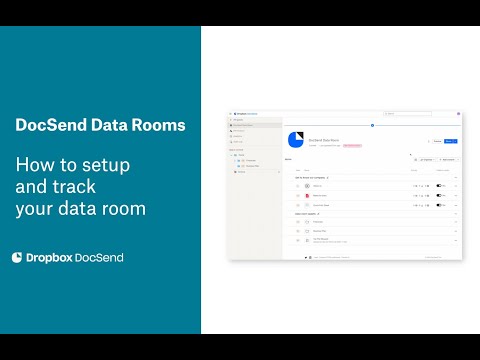
Spin up a full virtual data room with folder structure, bulk permissions, audit logs, and watermarking for fundraising, M&A, or partnership due diligence.

eSignature Integration

Send documents for legally binding eSignature directly from DocSend and track the signing flow alongside your usual document analytics.

CRM & Sales Stack Integrations

Sync engagement data with Salesforce, HubSpot, Outreach, and Slack so sales reps see DocSend activity inside the tools they already work in.

DocSend Features – What You Get?

DocSend layers analytics, security, and document control on top of standard file sharing. You get page-by-page engagement tracking, email/passcode/NDA gating, branded link customisation, virtual data rooms for due diligence, video tracking, and integrations with Salesforce, HubSpot, and Outreach. Higher tiers add eSignature, document templates, multi-user spaces, and advanced security features for enterprise teams.

Secure document sharing, page-level analytics, NDA gating, passcode protection, virtual data rooms, eSignature, video tracking, custom branding, CRM integrations.

Video Guides and Tutorials

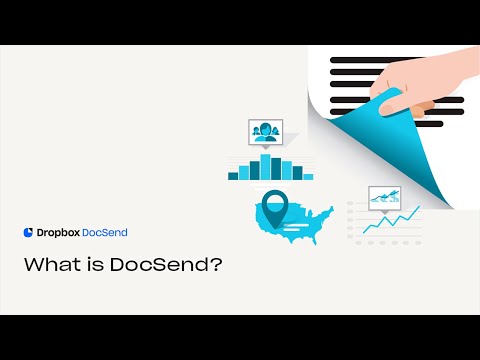
Hand-picked DocSend walkthroughs covering setup, secure sharing, analytics, and virtual data rooms.

DocSend — Docsend Yt Ipkl8 Gca7k
DocSend — Docsend Yt Pglv0nmwnj4
DocSend — Docsend Yt Oqwv7g6t6i4
DocSend — Docsend Yt Bv1wxprbi8q

DocSend Price Plans

DocSend offers four plans. Prices below are from docsend.com/pricing (annual billing, USD); per-user plans bill per seat, while higher tiers include a set number of users.

Personal

$10/user/month. Up to 4 documents, basic analytics, email verification, passcodes, and link customisation. Best for founders sharing a single deck.

Standard

$45/user/month. Unlimited documents, NDA gating, custom branding, eSignature, and team management. Recommended for sales and BD teams.

Advanced

$150/month (3 users included). Adds virtual data rooms, advanced security, dynamic watermarking, and Salesforce integration — built for fundraising and corporate development teams.

Advanced Data Rooms

$180/month (3 users included). Full virtual data room platform with bulk permissions, advanced audit logs, custom domains, and enterprise SSO/SCIM.

Pros and Cons of DocSend

Pros

  • ✅ Page-level analytics give unparalleled visibility into how recipients engage with your documents.
  • ✅ Strong security controls — passcodes, NDA gating, link expiry, and watermarking.
  • ✅ Backed by Dropbox, with enterprise-grade infrastructure and uptime.
  • ✅ Virtual data rooms remove the need for a separate VDR vendor for most use cases.
  • ✅ Clean viewer experience that works in-browser without recipient sign-up.
  • ✅ Solid integrations with Salesforce, HubSpot, Slack, and Outreach.

Cons

  • ❌ Per-user pricing escalates quickly for large sales teams.
  • ❌ Advanced data room features are gated behind the highest pricing tier.
  • ❌ Some interface elements still feel dated compared to newer competitors.
  • ❌ No native document creation — you must produce documents elsewhere first.

What real users say

DocSend holds a 4.6/5 average across 240+ reviews on G2, with reviewers consistently citing page-level analytics and link controls as the standout features (source: G2.com/products/docsend). Capterra reviewers (4.6/5 average across 50+ reviews) highlight its ease of setup and trustworthy security; on TrustRadius the most common critique across plans is cost-per-seat for larger sales teams. Founders frequently cite DocSend as table stakes when pitching VCs (source: Capterra.com/p/153013/DocSend).
Overall – 4.6/5
G2 – 4.6/5
Capterra – 4.6/5
TrustRadius – 8.7/10
Olivia M. Startup Founder • Reviewed on G2
2025-09-08

I will never email a pitch deck as an attachment again. Knowing exactly which slide an investor lingered on — and which they skipped — has completely changed how I run follow-up calls. The link-revoke feature also saved me when a deck started circulating beyond the original investor.

Ease of Use
Features
Value for Money
Customer Support
Rafael T. Account Executive • Mid-Market • Reviewed on Capterra
2025-10-12

Our entire sales team runs proposals through DocSend. The Salesforce integration means the CRM updates automatically when a prospect opens the proposal, and the page-level analytics tell me whether to follow up about pricing or value-prop next.

Ease of Use
Features
Value for Money
Customer Support
Hana W. Corporate Development Manager • Reviewed on TrustRadius
2025-11-02

We use the Advanced plan for fundraising data rooms. The bulk permissions and dynamic watermarking are best-in-class. The only friction is the price jump to unlock data rooms — for teams that only need them occasionally, that tier feels heavy.

Ease of Use
Features
Value for Money
Customer Support

Top DocSend Alternatives

If DocSend’s per-seat pricing or feature mix isn’t right, these alternatives are worth considering:

  • PandaDoc — full document automation suite with proposals, eSignature, and CRM integrations; broader than DocSend but heavier to adopt.
  • Papermark — newer open-source DocSend alternative with similar link sharing, analytics, and virtual data rooms at a lower price.
  • BriefLink — focused on founder-to-investor sharing with a streamlined fundraising workflow.
  • Google Drive + Workspace — free baseline for secure sharing if you don’t need analytics or NDA gating.
  • Datasite Diligence — enterprise-grade virtual data room for serious M&A; far pricier but battle-tested for large transactions.
Coda Review

Coda Review

All-in-One Collaborative Workspace
Explore More
Connecteam Review

Connecteam Review

4.6 (2,200+ reviews) on Capterra
Explore More
Notion Review

Notion Review

4.7 (5,500+ reviews) on G2
Explore More
Any.do Review

Any.do Review

4.6/5 on G2 (720 verified reviews)
Explore More
Flowlu Review

Flowlu Review

4.5 (2,782)
Top Rated Features
  1. AI Design Assistance
  2. Template Library & Smart Editing
  3. Real-time Design Suggestion
Explore More
Paymo Review

Paymo Review

4.7(2,345)
Top Rated Features
  1. Smart Project Management
  2. User-Friendly Dashboard
  3. Team Collaboration Tools
Explore More
The Adventure Challenge Review

The Adventure Challenge Review

4.3 (2,324)
Top Rated Features
  1. Easy and Fun Challenges
  2. Surprise and Mystery
  3. Custom Experiences
Explore More
Mimir Review

Mimir Review

4.5 (2,110)
Top Rated Features
  1. Easy Assignment Creation
  2. Advanced Data Management
  3. Conditional Workflows
Explore More
Dropified Review

Dropified Review

4.6 (2,198)
Top Rated Features
  1. Automated Order Fulfillment
  2. Smart Product Imports
  3. Advanced Image Editor
Explore More
Miro Review

Miro Review

4.5 (2,015)
Top Rated Features
  1. Visual Collaboration
  2. Pre-Built Templates
  3. Infinite Canvas
Explore More
FAQs

DocSend Frequently Asked Questions

Frequent questions before adopting DocSend.

Yes. DocSend supports email verification, passcodes, NDA gating, link expiry, dynamic watermarking, and access revocation. The platform is SOC 2 Type II compliant and inherits Dropbox’s enterprise security infrastructure.

For most fundraising and partnership use cases, yes — the Advanced plan and Advanced Data Rooms tier offer folder structures, bulk permissions, dynamic watermarking, and audit logs. For large complex M&A you may still want a dedicated VDR like Datasite.

Plans start at $15/user/month (Personal), $65/user/month (Standard), and $250/user/month (Advanced, 3-user minimum). Custom enterprise pricing is available for Advanced Data Rooms.

Yes. Email verification gates link access per recipient, so if your link is forwarded, the new viewer must verify their own email — and you will see them as a separate visitor in your analytics.

Yes, eSignature is included in the Standard plan and above. You can request legally binding signatures on documents shared through DocSend without using a separate signing platform.

DocSend is owned by Dropbox but focuses specifically on tracked, secure, branded external sharing with analytics. Regular Dropbox is built for storage and collaboration rather than per-page engagement tracking and recipient-level access controls.

⚠️ Affiliate Disclosure: This site contains affiliate links. We may earn a commission when you purchase through our links at no extra cost to you. Results are not typical.