⚠️ Affiliate Disclosure: This page contains affiliate links. We may earn a commission at no extra cost to you. This does not influence our reviews. Read full disclosure →

Creately Review

icon01

Creately Review

4.4/5 on G2 (1,200 verified reviews)

Creately Review

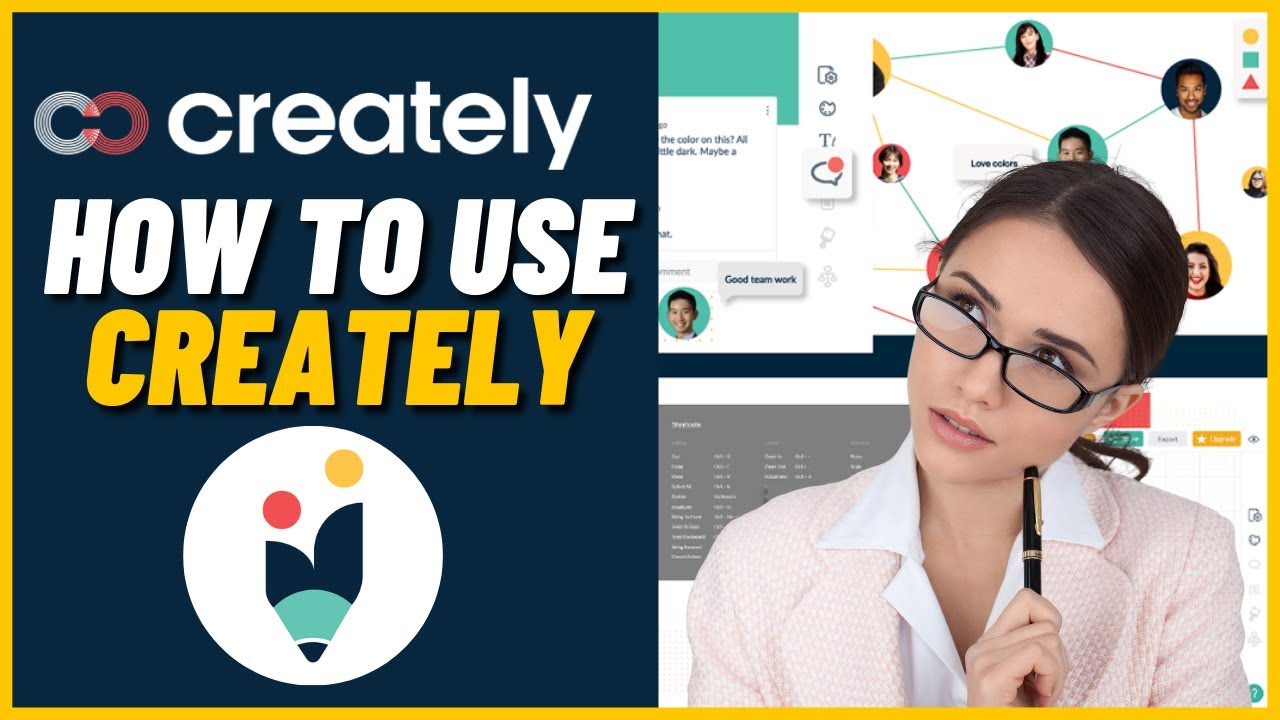
Creately is a visual collaboration and diagramming platform used by 12 million users worldwide for flowcharts, mind maps, wireframes, UML diagrams, org charts, and whiteboarding. Built around a “visual database” that links diagrams to live data, Creately combines the simplicity of Lucidchart with the collaboration of Miro. This Creately review covers pricing, template library, AI features, and how it compares to Lucidchart, Miro, and draw.io.

Infinite Canvas & Smart Zoom

Work on one infinite canvas with smart zoom, clustering and frames — build a single enterprise architecture diagram or wall-size mind map without switching files.

10,000+ Shape Library

Creately ships with 10,000+ professionally designed shapes across flowcharts, UML, BPMN, AWS/Azure, org charts, mind maps and wireframes — not just rectangles and ovals.

Real-Time Collaboration

Real-time cursors, in-shape comments, voice/video huddles, follow mode and granular edit permissions let distributed teams whiteboard live without Zoom + Miro juggling.

AI Visual Assist

Prompt the AI to generate a diagram, summarize a messy canvas, cleanup alignment, suggest next nodes or convert a doc into a flowchart — all within Creately.

Data-Linked Diagrams

Connect any shape to live Google Sheets, Airtable, Jira or CSV and the diagram updates as the data changes — ideal for org charts, project plans and asset maps.

Pre-Built Templates Library

Thousands of pre-built templates for SWOT, roadmap, customer journey, SIPOC, user story map, retros and software design accelerate workshops from blank-canvas anxiety.

Confluence, Jira & Slack Integrations

Native integrations with Confluence, Jira, Slack, Microsoft Teams, Google Workspace and GitHub embed live Creately diagrams directly inside docs and tickets.

Presentation Mode

Run the canvas as a clean presentation with frame-by-frame navigation, speaker mode and hidden UI — replaces exporting to PowerPoint for most architecture reviews.

Pros

  • Only visual platform with true data-linked diagramming (visual database)
  • Massive template library covers virtually every diagram type
  • Strong AI diagram-from-text feature
  • Competitive pricing versus Lucidchart and Miro

Cons

  • Feature breadth means learning curve versus simpler tools
  • UI can feel dense compared to Miro or FigJam
  • Some niche diagram types still missing templates
  • Offline mode limited
  • One-click ad creative generation for Meta, Google, TikTok, and LinkedIn
  • Creative Scoring AI predicts conversion performance before launch
  • AI text generator for headlines, descriptions, and CTAs
  • AI product photography and video ads from a single image
  • Competitor Insight AI for tracking rival top-performing ads
  • Direct integrations with Meta Ads Manager and Google Ads
  • Brand kit system with unlimited generations on paid plans
  • Unlimited iStock photos bundled on higher tiers ($900 value)
  • 7-day free trial available on Starter, Professional, and Ultimate plans
  • Limited mobile-first ad sizes flagged by some Capterra reviewers
  • Trial-to-paid billing and refund flow criticized in public Trustpilot reviews
  • Customization and manual design control more limited than full design tools

See Creately demos, template walkthroughs, and use-case tutorials for diagramming and visual collaboration.

Creately Creately Diagramming Review
Creately Creately Visual Workspace
Creately Create Flowcharts with Creately
Creately Creately vs Lucidchart

Creately Pricing Plans

Creately offers four pricing tiers including a free forever plan. Notably, the Business plan uses flat (unlimited-user) pricing, making it unusually affordable for growing teams. Annual billing offers ~20% off monthly.

  • Free: $0 forever — unlimited public canvases (45 items each), 1 folder, basic shape libraries, PNG/JPEG export, basic integrations — ideal for solo students and casual users
  • Personal: $5/month billed annually (or $7/month monthly) — unlimited items per canvas, unlimited folders, all shape libraries, PDF/SVG export, premium templates, no watermarks, version history
  • Team: $5/user/month billed annually (or $7/user/month monthly) — everything in Personal + real-time collaboration, sharing, comments, role-based permissions, team libraries, Slack/Confluence integrations
  • Business: $89/month flat (unlimited users) billed annually — unusual unlimited-seat pricing, everything in Team + advanced collaboration, advanced permissions, premium support, priority feature requests
  • Enterprise: Custom pricing — SSO, SCIM, advanced admin controls, dedicated CSM, custom training, premium SLAs

A free trial is available on paid plans, no credit card required. The Business plan's flat-rate model is one of Creately's biggest differentiators for mid-size teams.

Creately User Reviews

Verified G2 and Capterra reviews from Creately users across engineering, product, operations, and education.

4.5 EASE OF USE
4.1 VALUE FOR MONEY
3.9 CUSTOMER SUPPORT
4.4 FUNCTIONALITY
Aman V. Product Manager
Feb 2026

We use Creately for user-flow mapping and system architecture. The visual database lets me link services on a diagram to actual owner data, so when someone changes roles the diagrams auto-update. Saved us from Miro + Lucidchart + a spreadsheet of owners. Pricing is honestly half of what we paid for Lucidchart.

EASE OF USE
VALUE FOR MONEY
CUSTOMER SUPPORT
FUNCTIONALITY

Creately Alternatives

If Creately does not fit your workflow, top alternatives include Lucidchart (best-in-class diagramming with Atlassian ecosystem), Miro (industry leader for whiteboarding and workshops), draw.io (free open-source diagram editor), Mural (enterprise visual collaboration), and Figma FigJam (whiteboarding in the Figma ecosystem).

UniPin Review

UniPin Review

4.3/5 on Trustpilot — Southeast Asia's leading game-credit & digital-voucher reseller for Mobile Legends, PUBG, Free Fire and 1,000+ games
Explore More
Big Cash Review

Big Cash Review

4.7/5 on Google across 400K+ reviews — earn real money & gift cards by playing games and completing simple tasks
Explore More
Verv Review

Verv Review

4.6/5 (App Store & Google Play)
Explore More
Rosetta Stone Review

Rosetta Stone Review

Rated 4.3/5 on Trustpilot — 25M+ learners worldwide since 1992
Explore More
Preply Review

Preply Review

Rated 4.6/5 on Trustpilot — 1.5M+ students, 40,000+ verified tutors
Explore More
Pinwheel Kids and Teens Phone Review

Pinwheel Kids and Teens Phone Review

Rated 4.5/5 on Trustpilot — Trusted by 100,000+ families since 2019
Explore More
National Personal Training Institute Review

National Personal Training Institute Review

Rated 4.6/5 on industry reviews — Accredited diploma program since 1993
Explore More
Koolay Review

Koolay Review

AI-Powered All-in-One CMS for Schools, Nonprofits & Businesses
Explore More
IXL Review

IXL Review

Adaptive K-12 Learning Platform for Math, ELA, Science & More
Explore More
AppSumo Review

AppSumo Review

Rated 4.6/5 on Trustpilot — Lifetime software deals, SaaS bundles and AI tools at heavily discounted prices
Explore More
Guesty Review

Guesty Review

Guesty Review – Property Management Software for Airbnb, Vrbo & Direct-Booking Short-Term Rentals
Explore More
Piano Marvel Review

Piano Marvel Review

Piano Marvel Review – Structured Online Piano Lessons, Sight-Reading Tests & 5,000+ Pieces
Explore More
ScrapingBee Review

ScrapingBee Review

4.7+/5 across G2 & Capterra — JavaScript-rendered web scraping API trusted by 10,000+ devs
Explore More
Classin Review

Classin Review

4.6+/5 across G2 & Capterra — purpose-built virtual classroom for 60K+ institutions in 150 countries
Explore More
Harpoon Review

Harpoon Review

4.6+/5 across G2 & Capterra — forward-looking time-tracking + invoicing for freelancers
Explore More
Elevo Learning Review

Elevo Learning Review

96% of 550+ surveyed principals would rebook Elevo — WASC-accredited K-8 SEL programs
Explore More
Sploot Review

Sploot Review

4.8 on Birdeye (1500+ reviews) & 4.6 on App Store
Explore More
Make.com Review

Make.com Review

4.8 (300+ reviews) on G2 & 4.7 on Capterra
Explore More
JustCall Review

JustCall Review

4.3 (2,376 reviews) on G2 & 4.1 on Capterra
Explore More
LinkBox Review

LinkBox Review

4.5 (50+ reviews) on Capterra & SoftwareAdvice
Explore More
Wyzant Review

Wyzant Review

3.9 (1,500+ reviews) on Sitejabber & 4.7 on EduReviewer
Explore More
Firstbase Review

Firstbase Review

Firstbase
Explore More
Finviz Review

Finviz Review

4.6/5
Explore More
FCP Effects Review

FCP Effects Review

FCP Effects
Explore More
FastComet Review

FastComet Review

FastComet Review
Explore More
ezTexting Review

ezTexting Review

EZ Texting Review
Explore More
Entrupy Review

Entrupy Review

Entrupy Review
Explore More
Ablefy Review

Ablefy Review

4.4/5 on Capterra, 120+ verified reviews
Explore More
Edureka Review

Edureka Review

4.5/5 on Trustpilot, 15,000+ learner reviews
Explore More
eDesk Review

eDesk Review

4.4/5 on G2, 400+ verified reviews
Explore More
Durable Review

Durable Review

Durable Review
Explore More
DeskTime Review

DeskTime Review

4.5/5 on G2 (391 verified reviews)
Explore More
EmailOctopus Review

EmailOctopus Review

4.7/5 on G2 (390 verified reviews)
Explore More
Demio Review

Demio Review

4.7/5 on G2 (265 verified reviews)
Explore More
Databox Review

Databox Review

4.4/5 on G2 (390 verified reviews)
Explore More
Concord Review

Concord Review

4.4/5 on G2 (310 verified reviews)
Explore More
Clipping Magic Review

Clipping Magic Review

4.5/5 on G2 (240 verified reviews)
Explore More
ClickSend Review

ClickSend Review

4.6/5 on G2 (380 verified reviews)
Explore More
Caspio Review

Caspio Review

4.4/5 on G2 (195 verified reviews)
Explore More
Capsule CRM Review

Capsule CRM Review

4.6/5 on G2 (630 verified reviews)
Explore More
Canopy Review

Canopy Review

4.5/5 on G2 (245 verified reviews)
Explore More
Browse AI Review

Browse AI Review

4.8/5 on G2 (530 verified reviews)
Explore More
Botsify Review

Botsify Review

4.5/5 on G2 (165 verified reviews)
Explore More
Blueshift Review

Blueshift Review

4.4/5 on G2 (380 verified reviews)
Explore More
Blogify Review

Blogify Review

4.4/5 on G2 (95 verified reviews)
Explore More
Ausha Review

Ausha Review

4.6/5 on G2 (180 verified reviews)
Explore More
Arise Apparel Review

Arise Apparel Review

4.6/5 on Trustpilot (220 verified reviews)
Explore More
Any.do Review

Any.do Review

4.6/5 on G2 (720 verified reviews)
Explore More
Anchor Review

Anchor Review

4.4/5 on G2 (650 verified reviews)
Explore More
AmEnglish Review

AmEnglish Review

4.5/5 on G2 (112 verified reviews)
Explore More
Alison Review

Alison Review

4.5/5 on Trustpilot (5,800+ verified reviews)
Explore More
Adalo Review

Adalo Review

4.3/5 on G2 (6 verified reviews)
Explore More
Cake.com Review

Cake.com Review

4.2 (2,501)
Top Rated Features
  1. All-in-one solution
  2. Easy integration
  3. Team collaboration
Explore More
OpenPhone Review

OpenPhone Review

4 (2,100)
Top Rated Features
  1. Team Collaboration
  2. Voicemail Management
  3. Security & Compliance
Explore More
Looka Review

Looka Review

4.3 (2,300)
Top Rated Features
  1. Advanced Keyword and Niche Research
  2. Cover Designer with Trim Size Accuracy
  3. PuzzleWiz Generator (Pro Plan Only)
Explore More
Later Review

Later Review

4.2 (2,050)
Top Rated Features
  1. Multi Platform Scheduling
  2. Media Library Management
  3. Analytics and Reporting
Explore More
Housecall Pro Review

Housecall Pro Review

4.5
Top Rated Features
  1. Job scheduling automation
  2. Payment collection
  3. Reporting tools
Explore More
1password Review

1password Review

4.8 (2,389)
Top Rated Features
  1. Stay Organized Easily
  2. Multi-Device Syncing
  3. Strong Online Security
Explore More
FAQs

Creately FAQs

Common questions about Creately pricing, AI features, and integrations.

Creately has a free plan with limited workspaces. Paid plans start at $5/user/month (Starter), $5/user/month (Business with team features), and Enterprise pricing with SSO and audit logs.

Yes — Creately offers a free plan with up to 3 workspaces, suitable for individual use and small projects, before upgrading to paid tiers.

Yes. Creately AI generates flowcharts and mind maps from text prompts and offers smart diagram suggestions.

Yes. Deep Atlassian integration lets you embed Creately diagrams into Confluence pages and link Jira issues to process maps.

Lucidchart has deeper enterprise features and stronger Google Workspace integration; Creately wins on pricing, visual database, and AI diagramming. Both are strong — choice depends on workflow.

Yes — Creately imports .vsdx Visio files and .drawio files, converting them into editable Creately diagrams.

Yes. Multi-cursor real-time editing, inline comments, @mentions, and voice notes for remote team collaboration.

Creately lets you store data (employees, services, processes) in a database, then link diagrams to that data. When data changes, every diagram updates — unique to Creately.

Creately is cloud-first; limited offline mode is available for desktop app users but full collaboration requires an internet connection.

Creately is headquartered in Melbourne, Australia with engineering teams in Sri Lanka. It was founded in 2008 by Nicholas Gunawardena.

⚠️ Affiliate Disclosure: This site contains affiliate links. We may earn a commission when you purchase through our links at no extra cost to you. Results are not typical.