⚠️ Affiliate Disclosure: This page contains affiliate links. We may earn a commission at no extra cost to you. This does not influence our reviews. Read full disclosure →

Kitchen.co Review

20% OFF — Kitchen.co Coupon Valid until 29 Nov 2026

Kitchen.co Overview

Kitchen.co is an all-in-one client portal and project management platform built for agencies, freelancers, and service businesses that need a single workspace to collaborate with clients. In this Kitchen.co review by idealonlinebusiness.com, you will see how Kitchen.co simplifies client communication, project tracking, file sharing, invoicing, and team collaboration in a clean white-labeled portal that your clients actually enjoy using.

Branded Client Portal

Kitchen.co lets you set up a client portal that looks like an extension of your agency. On the Agency White-label and Lifetime plans you can upload your logo, create your own color theme, point your own custom domain to Kitchen.co and hide its branding completely, so clients never see which platform you use.

Projects, Tasks and Kanban Boards

Organize client work on boards with Kanban, Table and Calendar views. Tasks support assigned members, labels, start and due dates with reminders, milestones and custom fields, and your team and clients can comment and attach files on each task to stay in sync without juggling multiple tools.

Conversations and Threaded Replies

Conversations keep team and client communication in one place. You can keep a discussion private to your team or invite clients, reply in threads, @mention people and attach files, and client replies sent by email sync straight back into the conversation.

File Sharing, Feedback and Approvals

Share files with clients in organized folders, let clients upload files too, and preview images, PDFs, DOCs, PSDs and XDs. Your team and clients can comment directly on images, PDFs and videos and approve files, so feedback stays attached to the work instead of getting lost in email threads.

Task Time Tracking

Add the Time Tracking field to any task to manually log how many hours have been worked and how many you estimate are remaining. Kitchen.co then shows a progress bar on the task based on the logged hours.

Invoicing and Online Payments

Create one-time and recurring invoices and price quotes in the currency you choose, with line items and tax rates. Clients can pay online by card through processors such as Stripe, Square, Razorpay and 2Checkout, or via PayPal, and recurring invoices can charge clients automatically. Kitchen.co also integrates with FreshBooks, FreeAgent, QuickBooks and Xero.

Contact Forms

Build contact forms with name, email, text and dropdown fields, then embed them on your website or inside your Kitchen.co workspace. Every submission automatically creates a new conversation and adds the submitter as a client, so new inquiries land right where you manage client work.

Unlimited Clients and Projects

Every Kitchen.co plan, including Free, comes with unlimited clients and projects. The Free plan covers up to 2 internal users, Agency White-label costs $29 per internal user per month, and the Lifetime deals cover 5 or unlimited internal users for a one-time price.

Video Guides and Tutorials

Kitchen.co bundles a client portal, project management, conversations, file sharing, invoicing and white-label branding into a single workspace. Below is a closer look at the features that matter most for agencies and freelancers running client work in 2026.

Kitchen.co Features What You Get

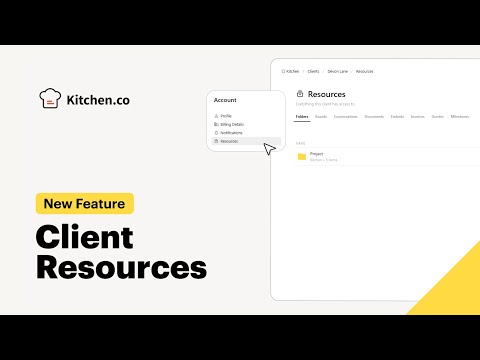
Watch these video walk-throughs and reviews to see how Kitchen.co works in practice, from using it as a client portal to newer features like Client Resources.

Kitchen.co — Yt B3v04ipaswk
Kitchen.co — Yt Dhwepxo6yfw
Kitchen.co — Yt Ayzm2bkyv1u
Kitchen.co — Yt Gdykcgigzvs

Top Kitchen.co Services

Kitchen.co is a client portal and project-management platform that gives agencies and freelancers one place to organize client work, communicate, share files and get paid. Here are the core services it offers:

  • Folders: nested, color-coded folders you can share selectively with clients and collaborators
  • Conversations: private team threads or client discussions, with client email replies syncing back into Kitchen.co
  • Boards: shared Kanban boards where your team and clients assign tasks, report statuses and post updates
  • Files: organized file exchange with client uploads, previews for images, PDFs, DOCs, PSDs and XDs, and Google Drive, Dropbox and OneDrive support
  • Docs: create, store and share documents with your team and clients in one central place
  • Invoicing & Payments: one-time and recurring invoices with automatic payments via Stripe, Square, PayPal, Razorpay and 2Checkout, plus FreshBooks, FreeAgent, QuickBooks and Xero integrations
  • Embed Tabs: add Google Docs, Sheets, Slides, Forms, Google Calendar, Calendly, Figma, InVision, YouTube, Vimeo and Loom to any project
  • File Feedback & Approvals: comment directly on images, PDFs and videos to collect feedback and client approvals
  • Branding & White-labeling: hide Kitchen.co branding, use your own domain, logo and colors, and send unbranded notifications

Kitchen.co Price Plans

Kitchen.co keeps pricing simple: a free-forever plan, one paid plan billed monthly per internal user, and one-time Lifetime deals you can pay in installments. Every plan includes unlimited clients and projects, and you can try Agency White-label features free for 14 days with no credit card.

Free Plan $0/month

Free forever for up to 2 internal users. Includes unlimited clients and projects, 2 GB storage (500 MB per file), projects & conversations, tasks & boards, docs, invoices & price quotes, and the client portal. Ideal for freelancers and start-up agencies managing client projects and payments in one place.

Agency White-label Plan $29/user/month

Billed monthly per internal user. Includes everything in Free plus 500 GB storage (5 GB per file), file feedback & approvals, recurring invoices, custom roles & permissions, advanced branding, unbranded emails, custom domain and custom email domain. Best for established agencies that need a fully white-labeled client portal.

Lifetime Plan (5 Users) $299 one-time

Pay $299 once, or in 2 installments of $149, and use Kitchen.co forever with 5 internal users. Includes everything in Agency White-label — 500 GB storage, custom domain, custom email domain, advanced branding and unbranded emails — with no monthly subscription or renewal costs.

Lifetime Plan (Unlimited Users) $599 one-time

Pay $599 once, or in 3 installments of $199, for unlimited internal users. Includes the same all-inclusive Agency White-label feature set, making it the best value for growing teams that want to avoid per-user monthly fees.

Note: The Agency White-label plan is billed monthly per internal user. All plans, including Free, come with unlimited clients and projects.

Top Kitchen.co Alternatives

If you are evaluating Kitchen.co against other tools, here are the closest alternatives worth comparing.

DocSend Review

DocSend Review

Best Secure Document Sharing & Analytics Platform
Explore More
Confetti Review

Confetti Review

Explore More
Box Inc Review

Box Inc Review

Box Inc is a leading enterprise content cloud platform helping businesses securely store, share, sign and collaborate on files with granular access control. In this Box Inc review by IdealOnlineBusiness.com, we evaluate the Business and Enterprise plans, Box Sign electronic signatures, Box AI, integrations with Microsoft 365, Google Workspace, Salesforce and Slack, advanced governance and compliance tools, security certifications including FedRAMP and HIPAA, pricing tiers, and verified customer feedback from G2 and Capterra.

Explore More


SketchNote Review

SketchNote Review

Explore More
Coda Review

Coda Review

All-in-One Collaborative Workspace
Explore More
Start Infinity Review

Start Infinity Review

Explore More
Connecteam Review

Connecteam Review

Explore More
Notion Review

Notion Review

Explore More
TeamGantt Review

TeamGantt Review

Explore More
Project.co Review

Project.co Review

Explore More
Ora Review

Ora Review

Explore More
Creately Review

Creately Review

Explore More
Flowlu Review

Flowlu Review

Top Rated Features
  1. AI Design Assistance
  2. Template Library & Smart Editing
  3. Real-time Design Suggestion
Explore More
Paymo Review

Paymo Review

Top Rated Features
  1. Smart Project Management
  2. User-Friendly Dashboard
  3. Team Collaboration Tools
Explore More
Mimir Review

Mimir Review

Top Rated Features
  1. Easy Assignment Creation
  2. Advanced Data Management
  3. Conditional Workflows
Explore More
Miro Review

Miro Review

Top Rated Features
  1. Visual Collaboration
  2. Pre-Built Templates
  3. Infinite Canvas
Explore More
MindManager Review

MindManager Review

Top Rated Features
  1. Mind Mapping Tools
  2. Collaboration & Integration
  3. Productivity Boosters
Explore More
FAQs

Frequently Asked Questions

Below are the most common questions about Kitchen.co, covering pricing, features, alternatives, and whether it is the right fit for your business.

Kitchen.co is a client portal and project management platform built for agencies, consultants, freelancers and service businesses that work with external clients. It combines projects, tasks, conversations, file sharing and invoicing in a single workspace that can be fully white-labeled on its paid plans.

Yes. Kitchen.co’s Free plan is free forever for up to 2 internal users and includes unlimited clients and projects, 2 GB storage, tasks and boards, docs, invoices and price quotes, and the client portal. Paid access starts at $29 per internal user per month on the Agency White-label plan, which adds 500 GB storage, recurring invoices, advanced branding and a custom domain.

Kitchen.co has a Free plan ($0, up to 2 internal users) and the Agency White-label plan at $29 per internal user per month, billed monthly. It also sells Lifetime deals: $299 one-time (or 2 installments of $149) for 5 internal users, or $599 one-time (or 3 installments of $199) for unlimited internal users.

Yes. The Agency White-label and Lifetime plans include advanced branding, a custom domain, a custom email domain and unbranded emails, so your clients see your agency’s brand instead of Kitchen.co’s.

Yes. You can create one-time and recurring invoices in Kitchen.co and let clients pay online by card (through Stripe, Square, Razorpay or 2Checkout) or via PayPal. Invoices paid through the Kitchen.co checkout are marked as Paid automatically, recurring invoices can charge clients automatically, and you can connect FreshBooks, FreeAgent, QuickBooks or Xero for accounting.

Kitchen.co includes basic time tracking on tasks. You add the Time Tracking field to a task and manually log the hours worked and the hours you estimate are remaining, and a progress bar shows how far along the task is. Time is entered manually rather than with a running timer.

ClickUp is a deeper internal PM tool with more customization, while Basecamp emphasizes simple flat-rate team collaboration. Kitchen.co sits in between, optimized specifically for client-facing work with white-labeled portals, invoicing, and chat in one place.

For service businesses that bill by project or retainer, Kitchen.co replaces three or four separate tools (project manager, chat, file storage, invoicing) with one branded portal. That makes it strong value compared to stacking ClickUp, Slack guest seats, Stripe, and Google Drive.

Kitchen.co fits creative agencies, freelance designers, web/marketing studios, and small consultancies that need to manage multiple clients, projects, files, invoices, and conversations in a single client-portal workspace. If your bottleneck is keeping client work organized, communication tidy, and billing on time — not running ads — Kitchen.co is a strong fit.

⚠️ Affiliate Disclosure: This site contains affiliate links. We may earn a commission when you purchase through our links at no extra cost to you. Results are not typical.