⚠️ Affiliate Disclosure: This page contains affiliate links. We may earn a commission at no extra cost to you. This does not influence our reviews. Read full disclosure →

Adalo Review

Adalo logo

Adalo Review

Editorial rating: 4.3 / 5

Adalo Overview

Adalo is a no-code mobile and web app builder founded in 2018 that lets you design, publish and ship native iOS, Android and progressive web apps without writing a single line of code. Using a drag-and-drop visual canvas, a built-in collections database and 100+ pre-built components, Adalo turns ideas into App Store and Play Store apps in days rather than the months a traditional dev cycle takes.

The platform is widely used by founders, agencies, internal-tool builders and educators who need real native apps without hiring a developer. Plans start with a free tier and scale to $160/month for production-grade business apps.

Visual Drag-and-Drop App Builder

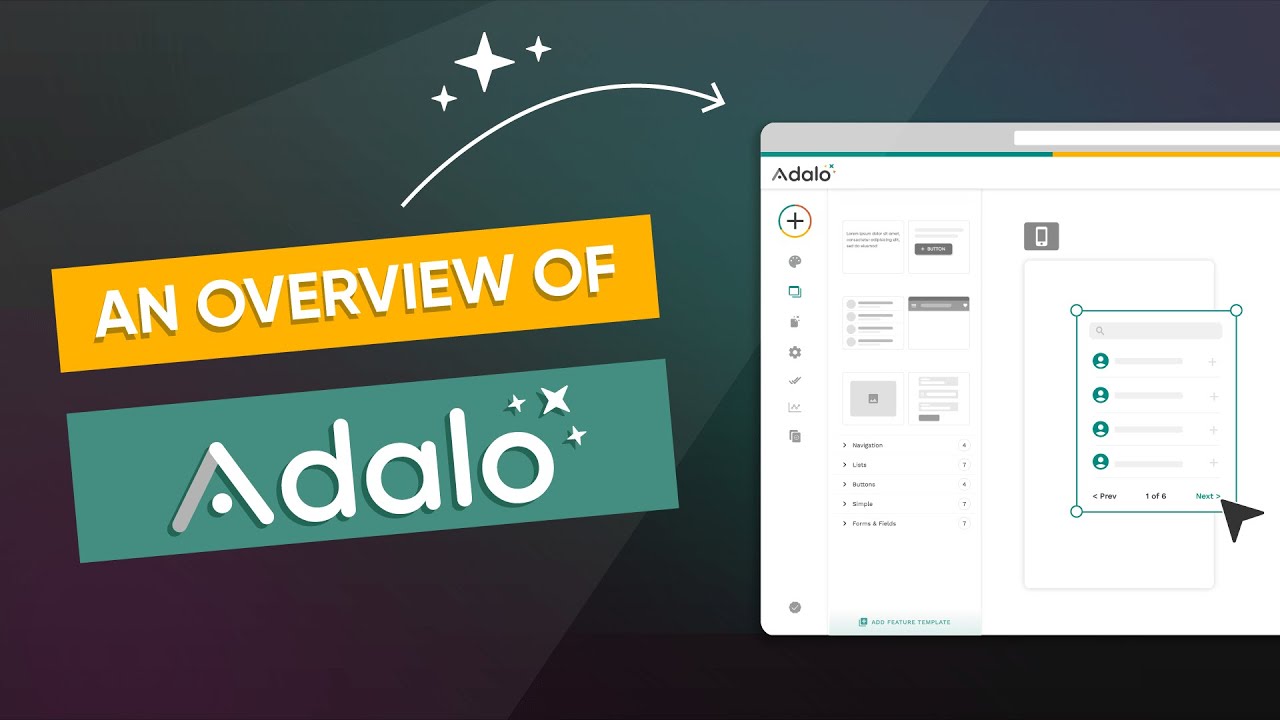
Adalo’s canvas works like a design tool — drag screens, components and lists onto the artboard, double-click to wire up actions, and preview the working app instantly. There is no code generation step or build server to wait for.

True Native iOS and Android Apps

Unlike most no-code tools that only output PWAs, Adalo compiles your project to native iOS (Swift) and Android (Java) binaries. You publish to the App Store and Google Play under your own developer account with a single click in the dashboard.

Built-In Collections Database

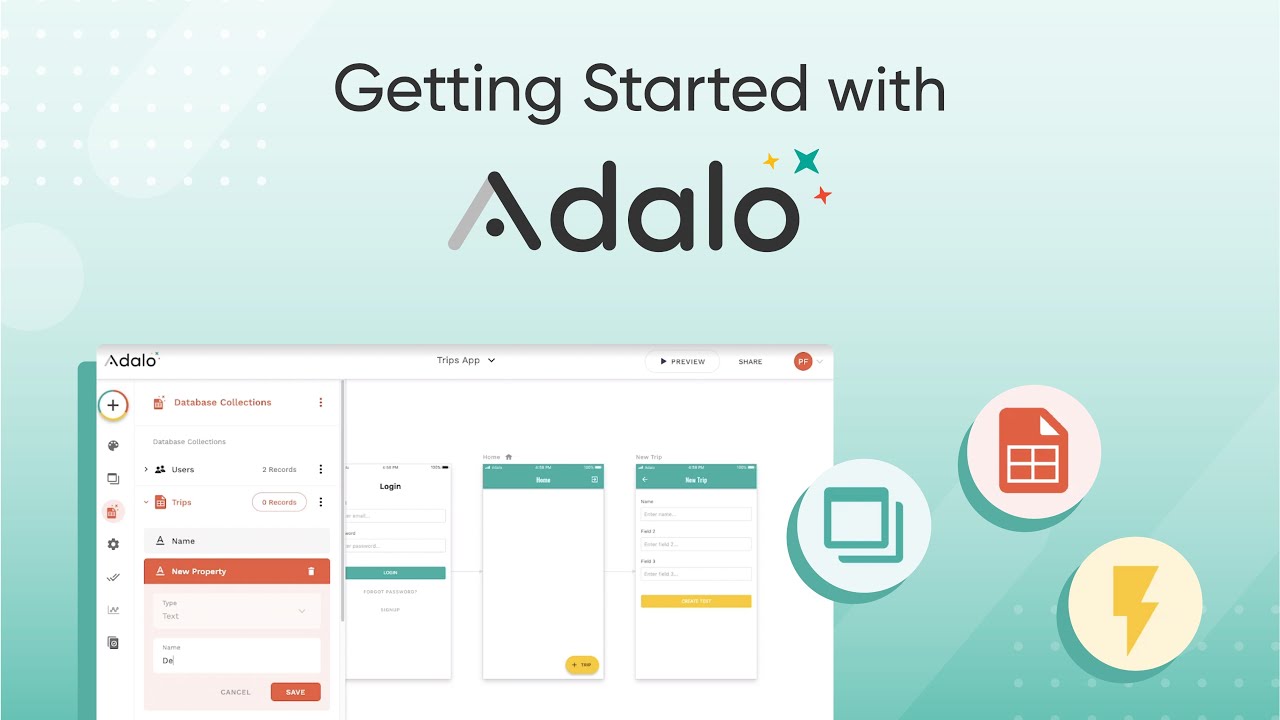
Every Adalo app ships with a relational Collections database. Define properties, relationships and computed fields visually — no SQL, no schema files. CRUD actions on lists and forms map directly to the database without backend code.

Authentication & User Roles

Email/password sign-up, social login, password reset, profile screens and role-based screen access are pre-built. Lock screens to logged-in users or specific user types with a single dropdown rather than custom auth code.

Push Notifications & In-App Messaging

Send push notifications from triggered actions (a new message arrives, an order ships, a comment is posted) without configuring Firebase or APNs yourself — Adalo handles the certificates and tokens behind the scenes.

External API & Zapier Integrations

The Custom Actions feature lets you call any REST API, send the response back into your collections, and chain actions together. Native Zapier and Make connectors give you 5,000+ integrations without writing webhooks.

Stripe & In-App Purchases

Built-in Stripe components handle one-off charges, subscriptions and customer management. Apple/Google in-app purchase support is available on Pro plans for App Store-compliant subscription monetization.

Component Marketplace

Beyond the 100+ default components, Adalo’s third-party marketplace adds calendars, video players, camera/QR scanners, maps, charts and more — most installable in a single click and configurable visually.

Adalo Features – What You Get?

Adalo is a no-code platform that lets you build native mobile and web apps with a drag-and-drop visual editor, no programming required.

Here are the standout features you get with Adalo:

  • Drag-and-Drop App Builder: Design fully functional iOS, Android, and web apps visually without writing a single line of code.
  • Native App Publishing: Publish real native apps directly to the Apple App Store and Google Play Store from inside Adalo.
  • Built-In Database: Create and manage your app data with a built-in collections database, no external setup needed.
  • Pre-Built Components: Use ready-made UI components like lists, forms, maps, and image carousels to speed up development.
  • Custom Actions & Logic: Add conditional logic, linking, and multi-step actions to create dynamic, interactive app flows.
  • External API Integrations: Connect to third-party services and external data sources through custom API integrations.
  • User Authentication: Add login, sign-up, and user-specific data with built-in authentication out of the box.
  • Marketplace Components: Extend your app with premium components and integrations from the Adalo component marketplace.
  • Responsive Web Apps: Build progressive web apps that adapt to any screen size alongside your mobile builds.
  • Templates & Cloneable Apps: Start fast with ready-made app templates you can customize to your own needs.
  • True no-code native app builder — ship to iOS App Store, Google Play, and the web from one project
  • Visual drag-and-drop canvas with multi-screen flow view and instant preview
  • Built-in database (Adalo Collections) with user auth, roles, and list filtering out of the box
  • Native push notifications, geolocation, image uploads, and in-app payments via Stripe
  • Custom Actions + Zapier and public API integrations for connecting external services
  • Component Marketplace with free and paid third-party UI blocks to extend the editor
  • Free plan for building and previewing; 7-day money-back guarantee on paid tiers
  • Active YouTube community, Adalo University courses, and responsive Forum support
  • App publishing to iOS/Android requires a paid plan and Apple/Google developer accounts
  • Complex logic and offline-first apps can hit the no-code performance ceiling
  • Some G2 reviewers note slower load times on data-heavy screens and limited offline caching

Video Guides and Tutorials

If you prefer to learn Adalo by watching, here are four hand-picked walkthroughs covering reviews, beginner tutorials, the visual canvas, and a head-to-head against Bubble.

Adalo product image
Adalo product image
Adalo product image
Adalo product image

Adalo Pricing Plans

Adalo uses flat, predictable pricing with no usage-based or per-action charges, and Ada (its AI assistant) is included on every plan. Annual billing saves about 20% versus monthly. Prices below are from Adalo’s official site (annual plans may show a further regional discount).

  • Free: $0 — 500 records per app, unlimited screens, unlimited test apps, 1 app editor, hosted Postgres database, and the Ada AI assistant
  • Starter: $36/month billed annually (currently $18/month with a 50% regional discount) — 1 published app, 1 editor, 5GB storage, custom domain, custom fonts, web publishing, automated app-store publishing, and no Adalo branding
  • Professional: $52/month billed annually (currently $26/month with a 50% regional discount) — 2 published apps, 5 editors, 25GB storage, custom integrations, custom app actions, app analytics, push notifications, and geolocation
  • Team: $160/month billed annually (currently $80/month with a 50% regional discount) — 5 published apps, 10 editors, 125GB storage, priority support, Xano integration, App & Collections API, version history, and white labeling
  • Adalo Blue: Custom enterprise pricing — dedicated infrastructure, on-premise deployment, and connections to any data source

Publishing to the app stores also requires an Apple Developer account ($99/year) and a Google Play account ($25 one-time), as required by Apple and Google. Publishing to iOS uses your own Apple Developer account.

Top Adalo Services

Adalo Pros and Cons

Pros

  • ✅ True no-code visual builder — no programming required
  • ✅ Publishes native apps to both the App Store and Google Play
  • ✅ Built-in database (collections) for managing app data
  • ✅ Large component marketplace and reusable templates
  • ✅ Responsive support and an active community

Cons

  • ❌ Can get expensive as your app scales and adds actions
  • ❌ Performance can lag on larger, data-heavy apps
  • ❌ Limited customization compared with hand-coded apps
  • ❌ App Store publishing still needs your own developer accounts

Adalo User Review

Below is a verified G2 user review for Adalo. We surface real 4-star and above reviews from people running production apps on the platform.

4.5 EASE OF USE
4.1 VALUE FOR MONEY
3.9 CUSTOMER SUPPORT
4.4 FUNCTIONALITY

Adalo Alternatives

The closest alternatives to Adalo are Bubble (most powerful no-code web app builder, but web-only), FlutterFlow (true native compile with deeper customization, steeper learning curve), Glide (spreadsheet-driven mobile apps, easiest to learn), Thunkable (drag-and-drop with strong logic blocks), and Bravo Studio (Figma-to-app converter for designers). Pick Adalo when you want native iOS + Android with the lowest learning curve; pick FlutterFlow if you need deeper customization or Firebase integrations.


Automattic Review

Automattic Review

Editorial rating: 4.4 / 5
Explore More
StellarWP Review

StellarWP Review

Editorial rating: 4.5 / 5 — Powers over 600,000 WordPress sites
Explore More
Koolay Review

Koolay Review

AI-Powered All-in-One CMS for Schools, Nonprofits & Businesses
Explore More
Duda Review

Duda Review

Best Website Builder for Agencies & Web Professionals
Explore More
AppSumo Review

AppSumo Review

Editorial rating: 4.6 / 5 — Lifetime software deals, SaaS bundles and AI tools at heavily discounted prices
Explore More
BINGE Movies & TV Review

BINGE Movies & TV Review

Editorial rating: 4.4 / 5

BINGE is one of Australia’s top streaming services, delivering an unmatched library of movies, top HBO shows, exclusive reality series, drama, comedy, kids content, and same-day-as-the-US premieres. In this BINGE Movies & TV review by IdealOnlineBusiness.com, we cover plans and pricing, streaming quality including 4K HDR, simultaneous streams, app device support across Smart TVs, mobile, Apple TV, and Chromecast, content library highlights, free trial details, and verified subscriber ratings from Australian review sites.

Explore More


10Web Review

10Web Review

Editorial rating: 4.7 / 5 — AI-powered WordPress builder, hosting and automation in one platform
Explore More
Glide Review

Glide Review

Editorial rating: 4.7 / 5 — No-code app builder — turn Google Sheets and data into mobile and web apps in minutes
Explore More
Guesty Review

Guesty Review

Guesty Review – Property Management Software for Airbnb, Vrbo & Direct-Booking Short-Term Rentals
Explore More
Beaver Builder Review

Beaver Builder Review

Beaver Builder Review – Trusted by 1M+ WordPress Sites for Drag-and-Drop Page Building
Explore More
FaceUp Review

FaceUp Review

Editorial rating: 4.7 / 5
Explore More
Ueni Review

Ueni Review

Editorial rating: 4.6 / 5
Explore More
Sploot Review

Sploot Review

Editorial rating: 4.8 / 5
Explore More
GeneratePress Review

GeneratePress Review

Editorial rating: 4.9 / 5
Explore More
Astra Review

Astra Review

Editorial rating: 4.7 / 5
Explore More
Strikingly Review

Strikingly Review

Editorial rating: 4.5 / 5
Explore More
Make.com Review

Make.com Review

Editorial rating: 4.8 / 5
Explore More
LinkBox Review

LinkBox Review

Editorial rating: 4.5 / 5
Explore More
Tilda Review

Tilda Review

Editorial rating: 4.6 / 5
Explore More
Softr Review

Softr Review

Editorial rating: 4.8 / 5
Explore More
Siter.io Review

Siter.io Review

Editorial rating: 4.7 / 5
Explore More
Popl Review

Popl Review

Editorial rating: 4.6 / 5
Explore More
Entrupy Review

Entrupy Review

Entrupy Review
Explore More
Ablefy Review

Ablefy Review

Editorial rating: 4.4 / 5
Explore More
Durable Review

Durable Review

Durable Review
Explore More
Caspio Review

Caspio Review

Editorial rating: 4.4 / 5
Explore More
Capsule CRM Review

Capsule CRM Review

Editorial rating: 4.6 / 5
Explore More
Blueshift Review

Blueshift Review

Editorial rating: 4.4 / 5
Explore More
Blogify Review

Blogify Review

Editorial rating: 4.4 / 5
Explore More
Carrd Review

Carrd Review

4.3
Top Rated Features
  1. Smart Website Creation
  2. Advanced Design Flexibility
  3. Content Planning with Templates
Explore More
Themify Review

Themify Review

4.8
Top Rated Features
  1. Easy Website Creation
  2. Pre-Built Templates
  3. Integrations and Add-ons
Explore More
Onepage Review

Onepage Review

4.7
Top Rated Features
  1. Global Server Coverage
  2. Fast and Secure Proxy Setup
  3. Smart IP Rotation and Control
Explore More
Thrive Themes Review

Thrive Themes Review

4.6
Top Rated Features
  1. Easy Form Creation
  2. Mobile-Friendly Design
  3. Customizable Notifications
Explore More
Webflow Review

Webflow Review

4.2
Top Rated Features
  1. Visual Design Freedom
  2. CMS Integration
  3. SEO-Friendly
Explore More
Framer Review

Framer Review

4.7
Top Rated Features
  1. Responsive Design
  2. Team Collaboration
  3. Code Export
Explore More
Gravity Forms Review

Gravity Forms Review

4.8
Top Rated Features
  1. Advanced Data Management
  2. Conditional Logic
  3. Integrations
Explore More
MemberPress Review

MemberPress Review

4.7
Top Rated Features
  1. Simple Setup and Integration
  2. Comprehensive Content Protection
  3. Automated Payments and Recurring Billing
Explore More
Slider Revolution Review

Slider Revolution Review

4.7
Top Rated Features
  1. Drag-and-Drop Visual Editor
  2. Pre-Designed Templates
  3. Multimedia Support
Explore More
Leadpages Review

Leadpages Review

4.9
Top Rated Features
  1. Drag-and-drop builder
  2. Mobile-Responsive Templates
  3. Lead Capture Forms
Explore More
CSSIgniter Review

CSSIgniter Review

3.7
Top Rated Features
  1. Large Theme Library
  2. New themes every month
  3. Money-Back Guarantee
Explore More
Site123 Review

Site123 Review

4.6
Top Rated Features
  1. Website Builder
  2. SEO
  3. Free Hosting
Explore More
TemplateMonster Review

TemplateMonster Review

4.5
Top Rated Features
  1. Wide Template Collection
  2. Easy Customization Options
  3. Plugins and Add-ons
Explore More
Ucraft Review

Ucraft Review

4.7
Top Rated Features
  1. Customizable Templates
  2. SEO Management
  3. Reporting/Analytics
Explore More
Webnode Review

Webnode Review

4.5
Top Rated Features
  1. User-Friendly Builder
  2. Safe And Reliable Hosting
  3. Responsive Templates
Explore More
FAQs

Adalo FAQs

Common questions answered before you start building on Adalo.

Adalo is a no-code platform for building real native iOS, Android and web apps using a drag-and-drop visual editor. It includes a built-in relational database, authentication, push notifications and one-click App Store / Play Store publishing.

Yes — the Free plan lets you build and preview unlimited apps. Publishing to App Store, Google Play or a custom domain requires a paid plan starting at $36/month (annual billing).

Free plan is $0; Starter $36/mo; Professional $52/mo; Team $160/mo; Business $200/mo (all annual billing). Plans differ mainly by App Actions per month, number of editors, and whether you can publish to native stores.

Yes. Adalo compiles a true native binary you can publish under your own Apple Developer ($99/yr) and Google Play Developer ($25 one-time) accounts. The dashboard handles certificates, signing and asset generation.

Yes. Custom Actions let you call any REST API and pipe the response into your app collections. Native Zapier and Make connectors add 5,000+ pre-built integrations without writing webhooks.

Stripe is built-in for one-time charges and subscriptions. Apple In-App Purchase and Google Play Billing are supported on Pro and higher plans for App Store-compliant subscription monetization.

Bubble is more powerful for complex web apps but does not produce real native iOS/Android binaries. Adalo wins for true mobile apps and a faster learning curve; Bubble wins for advanced server logic and web-only SaaS.

Yes — Adalo is one of the fastest ways to ship an MVP on App Store and Play Store. Most founders go from idea to live app within 1–3 weeks on the Starter plan.

Yes. The Component Marketplace adds calendars, maps, video players, charts, QR scanners, camera tools and more. Most components are free or one-time purchase and install with one click.

Adalo fits founders shipping mobile MVPs, agencies building client apps, internal-tool builders, educators teaching app design, and anyone who needs a real native app without a development team.

⚠️ Affiliate Disclosure: This site contains affiliate links. We may earn a commission when you purchase through our links at no extra cost to you. Results are not typical.