⚠️ Affiliate Disclosure: This page contains affiliate links. We may earn a commission at no extra cost to you. This does not influence our reviews. Read full disclosure →

Themify Review

icon01

Themify Review

4.8 (2,422)

Themify Overview

Themify review shows it as a highly flexible and user-friendly WordPress theme and page builder. With drag-and-drop design capabilities, pre-made templates, and advanced customization, Themify helps bloggers, businesses, and website owners create visually stunning websites without coding knowledge.

For expert tips, tutorials, and guides to grow your online projects, visit IdealOnlineBusiness, where we share strategies and tools to make website creation smooth and effective.

Themify: Features, Pros & Cons

Pros Cons
Easy Drag-and-Drop Builder: Create websites visually without coding knowledge. Paid Add-ons Required: Some advanced features are only available in premium add-ons.
Pre-Built Templates: Large library of ready-to-use templates for quick setup. Learning Curve: Beginners may take time to explore all customization options.
Advanced Customization: Full control over layout, colors, typography, and animations. Limited Third-Party Ecosystem: Fewer third-party plugins compared to competitors like Elementor.
Responsive Design: Mobile-friendly layouts that adapt to all devices automatically. Performance Depends on Setup: Heavy designs can slow down site speed if not optimized.
WooCommerce Integration: Easily build and manage online stores. UI Can Feel Outdated: Some users find the interface less modern compared to newer builders.
SEO-Friendly & Fast: Optimized code helps improve search rankings and performance. Support Limited in Lower Plans: Priority support is mostly available in higher-tier plans.


Themify Review 2026: The Fastest Drag-and-Drop WordPress Themes?

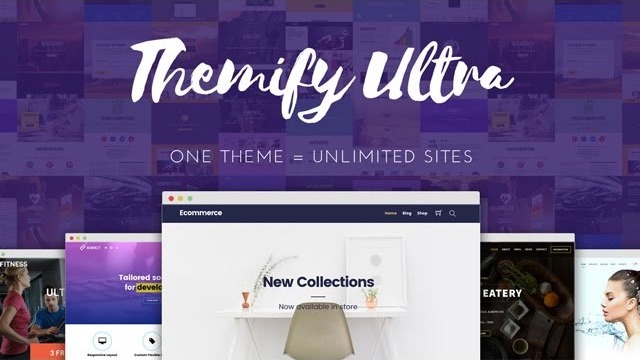
In 2026, Core Web Vitals are more critical than ever for SEO ranking, and Themify has maintained its status as a top-tier performance contender. While many page builders bloat your site with heavy code, Themify’s “Ultra” and “Shoppe” themes are built on a modular framework that only loads the scripts you actually use.

Here is how Themify ensures high-speed performance for your 2026 marketing site:

  • 90+ Google PageSpeed Scores: Out of the box, Themify layouts are optimized for LCP (Largest Contentful Paint). With built-in lazy loading, WebP image support, and minified scripts, it is one of the few builders that can achieve an ‘A’ grade without heavy third-party caching plugins.
  • The Cheetah Framework: The 2026 core update to the Themify framework has further reduced the DOM size. This means your pages are lighter, leading to faster execution times on mobile devices and a better overall user experience.
  • No Coding Necessary: The visual editor allows you to design on the front end in real-time. Because it avoids the “shortcode mess” of older builders, switching themes in the future is cleaner, and your site remains fast throughout years of updates. 

Easy Website Creation

Themify allows users to design pages using a simple drag-and-drop interface. You can create blogs, eCommerce stores, portfolios, or landing pages effortlessly. Many Themify review articles highlight how intuitive the platform is for beginners and professionals alike.

Advanced Customization Features

Themify features include live editing, animation effects, and custom layouts. Users can control typography, colors, and element positioning with ease. Many Themify review posts emphasize that advanced customization ensures unique websites without requiring coding knowledge.

Pre-Built Templates

Themify offers a large library of pre-designed templates for multiple industries. Whether it’s a business website or a personal blog, you can import templates and customize them quickly. Many Themify review articles praise templates for saving time and improving workflow. Once your site looks professional, the next step is building a loyal audience through consistent communication; reading this SendX review will show you how to use intuitive email marketing tools to turn your website visitors into long-term subscribers with ease.

Integrations and Add-ons

Themify integrates seamlessly with WooCommerce, Mailchimp, and other popular WordPress plugins. You can extend functionality using add-ons for forms, sliders, and galleries. Many users compare Themify vs Elementor and highlight its integration flexibility as a major advantage.

Mobile-Friendly and Responsive Design

All websites built with Themify are mobile-friendly and responsive. Pages adjust to desktops, tablets, and smartphones automatically. Themify review articles often note how responsive designs improve user experience and engagement. To truly capitalize on this engagement, professional businesses need a robust system to manage the leads and customers coming from their site; reading this Zoho review will show you how their suite of business applications, from CRM to finance, integrates perfectly with your digital presence to streamline your entire operation.

SEO & Performance Optimization

Themify ensures SEO-friendly code, fast loading times, and optimized layouts. This helps improve search rankings and visitor experience. Many users highlight Themify benefits for creating websites that are both visually appealing and search engine optimized.

Advanced Themify Features: Builder Pro and Style Variables

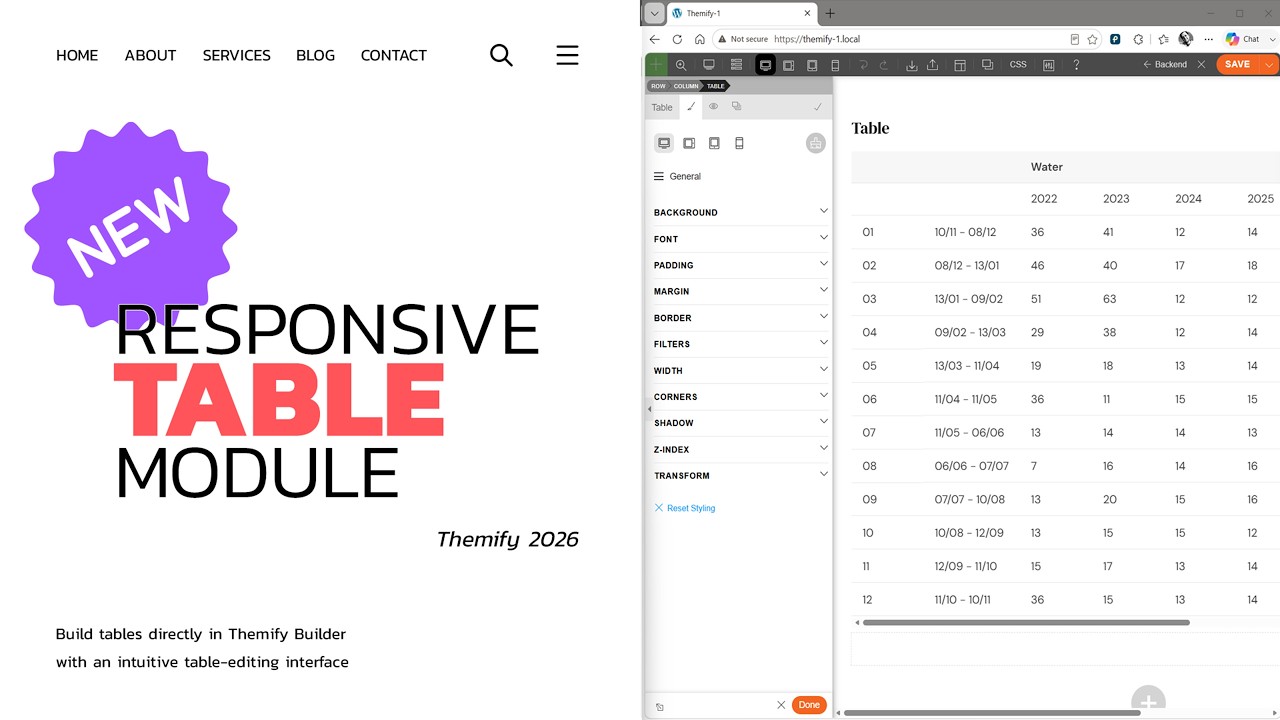
Themify has evolved from a simple page builder into a complete Site Orchestration tool. Two features stand out in 2026 for those looking to build professional, scalable websites without touching a line of code: Builder Pro and Style Variables.

1. Builder Pro: Total Site Control

Builder Pro is no longer just for pages; it is a full Theme Builder. It allows you to create dynamic templates for your entire site:

  • Custom Headers & Footers: Design unique navigation menus for specific sections of your site (e.g., a different header for your Shop vs. your Blog).
  • Dynamic Templates: Create a single “Single Post” or “Archive” template, and it will automatically apply to all your content. It even supports WooCommerce product and archive templates.
  • Display Conditions: You can set sophisticated rules, such as showing a specific sidebar only on “Digital Marketing” categories or a custom footer for “Black Friday” landing pages.

2. Style Variables: Global Design Efficiency

Style Variables are the secret to maintaining brand consistency across a massive site. They allow you to define reusable values for colors, fonts, and spacing.

  • One-Click Updates: If you decide to change your brand’s “Accent Color” from blue to purple, you simply update the variable once. Every button, link, and border using that variable updates instantly across the entire site.
  • Responsive Variables: In 2026, you can set different variable values for mobile vs. desktop. For example, you can define a heading_size variable that is 48px on desktop but automatically scales to 24px on mobile for better readability.

Themify 2026 Feature Matrix

Feature User Benefit Technical Impact
Builder Pro Build an entire theme visually Zero PHP coding for headers, footers & templates
Style Variables Maintain brand consistency easily Reusable CSS variables & faster global edits
Post Type Builder Create custom data structures Flexible for directories, listings & dynamic fields
Built-in Minification Faster page load times Reduces file sizes by 60-70% via Gzip


Themify Features – What You Get?

Themify features provide the tools needed to design, customize, and optimize websites efficiently:

  • Drag-and-Drop Builder
  • Pre-Designed Templates
  • Advanced Layout Customization
  • Animation Effects & Styling Options
  • WooCommerce Integration
  • Mobile-Friendly & Responsive Design
  • SEO Optimized
  • Add-on Support
  • Import & Export Options
  • Multi-Site & Theme Options
  • Some Advanced Features Require Paid Add-ons
  • Slight Learning Curve for Beginners

Video Guides and Tutorials

Themify tutorial videos simplify learning for new users. They guide through theme installation, page building, customization, and integration. Many Themify review posts highlight tutorials as a key tool to save time and create professional websites efficiently.

Zootrix Tutorial
Proxy Seller Review
Liquid Web Hosting
Why Small Businesses Love DigiSigner

Themify Services

Themify services focus on helping users leverage the theme effectively. Their support team assists with setup, customization, troubleshooting, and integration. Many Themify review articles praise excellent customer support as a major reason to choose Themify.

Themify Price Plans

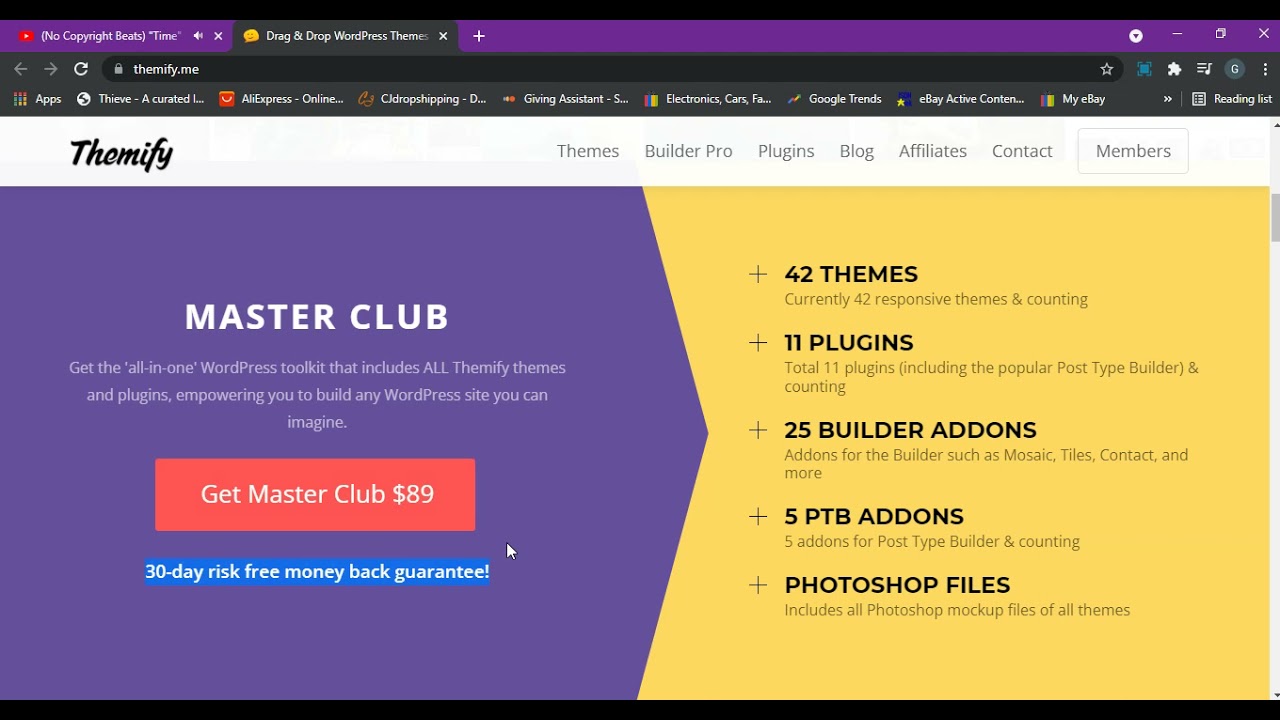
Themify pricing is structured to suit beginners, growing businesses, and advanced developers. The Basic plan offers essential themes and page building features. Pro plans add advanced modules, WooCommerce support, and premium templates. The Master Club provides full access to all themes, add-ons, and priority support. Many Themify review articles recommend starting small and upgrading as your website grows.

Pros and Cons of Themify

+Pros
  • Easy Drag-and-Drop Builder for visual design
  • Large library of pre-built, ready-to-use templates
  • Advanced customization for layout and typography
  • Responsive design that adapts to all devices
  • Seamless WooCommerce integration for online stores
  • SEO-friendly code for better search rankings
  • Fast site setup with intuitive design tools
Cons
  • Some advanced features require paid add-ons
  • Learning curve for beginners to explore all options
  • Fewer third-party plugins than competitors
  • Heavy designs can slow down site performance
  • User interface can feel outdated to some
  • Priority support limited to higher-tier plans

Overall: Themify is a versatile WordPress theme and builder that provides excellent features for creating professional websites. Although some advanced features may require extra add-ons, its flexibility and SEO-friendly nature make it a solid choice for bloggers and businesses alike.


Themify vs Elementor

Themify vs Elementor comparisons show that while Elementor offers more third-party add-ons, Themify provides simpler usability with pre-built templates and responsive layouts. Many comparison Themify vs Elementor reviews suggest Themify is ideal for users seeking an easy yet customizable page builder.

4.7 EASE OF USE
4.4 VALUE FOR MONEY
4.8 CUSTOMER SUPPORT
5.0 FUNCTIONALITY
Rahul Deshmukh Web Designer
Review Date: 19 January, 2025

PixelEdge Creations
Project Type:
WordPress Theme Customization

“Themify is a versatile WordPress theme and builder platform that helps users design professional, responsive websites without coding. It offers a drag-and-drop interface, prebuilt layouts, and powerful customization options suitable for beginners and developers alike. Many users appreciate its lightweight design and speed optimization features. While some premium add-ons require an upgrade, Themify remains one of the best value-for-money tools for building creative and functional websites easily.”

EASE OF USE
VALUE FOR MONEY
CUSTOMER SUPPORT
FUNCTIONALITY

Themify Alternatives

Themify is a top choice for WordPress website design because of its intuitive drag-and-drop builder, customizable themes, and responsive design, making it superior to many alternatives. It allows users to create professional websites quickly without coding knowledge. Some notable alternatives include Elementor, Divi, and WPBakery. Explore these alternatives to discover versatile tools that help you design stunning and fully functional websites with ease.


Automattic Review

Automattic Review

4.4 (3,200+ reviews) on Trustpilot
Explore More
Graphy Review

Graphy Review

Best All-in-One Course Selling & LMS Platform
Explore More
StellarWP Review

StellarWP Review

Rated 4.5/5 on G2 — Powers over 600,000 WordPress sites
Explore More
Duda Review

Duda Review

Best Website Builder for Agencies & Web Professionals
Explore More
10Web Review

10Web Review

Rated 4.7/5 on G2 — AI-powered WordPress builder, hosting and automation in one platform
Explore More
Glide Review

Glide Review

Rated 4.7/5 on G2 — No-code app builder — turn Google Sheets and data into mobile and web apps in minutes
Explore More
Beaver Builder Review

Beaver Builder Review

Beaver Builder Review – Trusted by 1M+ WordPress Sites for Drag-and-Drop Page Building
Explore More
Strikingly Review

Strikingly Review

4.5 (300+ reviews) on Capterra & G2
Explore More
Adalo Review

Adalo Review

4.3/5 on G2 (6 verified reviews)
Explore More
Penji Review

Penji Review

4.7 (300+ reviews) on G2
Top Rated Features
  1. Website Builder
  2. SEO
  3. Free Hosting
Explore More
Carrd Review

Carrd Review

4.3 (2,387)
Top Rated Features
  1. Smart Website Creation
  2. Advanced Design Flexibility
  3. Content Planning with Templates
Explore More
Paperpal Review

Paperpal Review

4.3 (2,089)
Top Rated Features
  1. Easy Writing Assistance
  2. Advanced Editing Features
  3. AI-Powered Suggestions
Explore More
Onepage Review

Onepage Review

4.7 (2,999)
Top Rated Features
  1. Global Server Coverage
  2. Fast and Secure Proxy Setup
  3. Smart IP Rotation and Control
Explore More
Webflow Review

Webflow Review

4.2 (2,090)
Top Rated Features
  1. Visual Design Freedom
  2. CMS Integration
  3. SEO-Friendly
Explore More
Framer Review

Framer Review

4.7 (2,676)
Top Rated Features
  1. Responsive Design
  2. Team Collaboration
  3. Code Export
Explore More
Gravity Forms Review

Gravity Forms Review

4.8 (2,678)
Top Rated Features
  1. Advanced Data Management
  2. Conditional Logic
  3. Integrations
Explore More
Tutor LMS Review

Tutor LMS Review

4.7 (2,915)
Top Rated Features
  1. Student Management Tools
  2. Monetization Options
  3. Seamless Integrations
Explore More
MemberPress Review

MemberPress Review

4.7 (2,888)
Top Rated Features
  1. Simple Setup and Integration
  2. Comprehensive Content Protection
  3. Automated Payments and Recurring Billing
Explore More
Slider Revolution Review

Slider Revolution Review

4.7 (2,506)
Top Rated Features
  1. Drag-and-Drop Visual Editor
  2. Pre-Designed Templates
  3. Multimedia Support
Explore More
Leadpages Review

Leadpages Review

4.9 (2,001)
Top Rated Features
  1. Drag-and-drop builder
  2. Mobile-Responsive Templates
  3. Lead Capture Forms
Explore More
PDFfiller Review

PDFfiller Review

4.7 (2,337)
Top Rated Features
  1. PDF Editing
  2. Electronic Signatures
  3. Document Conversion
Explore More
Coohom Review

Coohom Review

4.4 (2,117)
Top Rated Features
  1. Easy User Interface
  2. Realistic Renderings
  3. Cloud-Based Access
Explore More
DocHub Review

DocHub Review

4.8 (2,959)
Top Rated Features
  1. Edit PDFs (text, images, forms)
  2. Cloud Storage Integration
  3. Secure sharing and Collaboration
Explore More
PDF Expert Review

PDF Expert Review

4.7 (2,771)
Top Rated Features
  1. Seamless Editing
  2. Advanced Annotation
  3. Form Filling Support
Explore More
CSSIgniter Review

CSSIgniter Review

3.7 (2,901)
Top Rated Features
  1. Large Theme Library
  2. New themes every month
  3. Money-Back Guarantee
Explore More
Site123 Review

Site123 Review

4.6 (2,582)
Top Rated Features
  1. Website Builder
  2. SEO
  3. Free Hosting
Explore More
TemplateMonster Review

TemplateMonster Review

4.5 (2,876)
Top Rated Features
  1. Wide Template Collection
  2. Easy Customization Options
  3. Plugins and Add-ons
Explore More
Ucraft Review

Ucraft Review

4.7 (2,587)
Top Rated Features
  1. Customizable Templates
  2. SEO Management
  3. Reporting/Analytics
Explore More
Webnode Review

Webnode Review

4.5 (2,876)
Top Rated Features
  1. User-Friendly Builder
  2. Safe And Reliable Hosting
  3. Responsive Templates
Explore More
FAQs

Frequently Asked Questions

This Themify FAQ answers common questions about Themify pricing, features, and customization options. Learn how Themify compares to Elementor, Divi, and Beaver Builder, and discover why it’s one of the most popular WordPress theme and page builder tools for creating responsive, SEO-friendly websites without coding.

Themify review articles describe it as a WordPress theme and page builder with drag-and-drop customization and pre-built templates.

Themify pricing varies by plan, from basic themes to Master Club with full access and priority support.

Themify features include drag-and-drop builder, templates, WooCommerce integration, SEO optimization, and responsive designs.

Comparison Themify vs Elementor shows Themify is simpler with built-in templates, while Elementor offers more add-ons and third-party support.

Yes. Tutorials provide step-by-step guidance to maximize theme and page builder capabilities efficiently.

Yes. WooCommerce integration allows full eCommerce functionality.

Themify benefits include fast website creation, responsive designs, template library, and easy customization without coding.

Comparison Themify vs Divi shows Divi offers more design flexibility, but Themify is beginner-friendly and faster to set up.

Yes. Email assistance, setup guidance, and troubleshooting are available for all plans.

Comparison Themify vs Beaver Builder highlights Themify’s template library and ease of use, ideal for quick and professional websites.

⚠️ Affiliate Disclosure: This site contains affiliate links. We may earn a commission when you purchase through our links at no extra cost to you. Results are not typical.