⚠️ Affiliate Disclosure: This page contains affiliate links. We may earn a commission at no extra cost to you. This does not influence our reviews. Read full disclosure →

MailerCheck Review

MailerCheck logo

MailerCheck Review

4.9

MailerCheck Overview

If your email campaigns are suffering from high bounce rates or low inbox placement, this MailerCheck review provides a complete, expert-backed analysis of a powerful email verification tool designed to clean and validate your email lists with precision. Built for marketers, businesses, and agencies, MailerCheck ensures your emails reach real users—helping you improve deliverability and maximize campaign performance.

In today’s competitive email marketing landscape, sending emails to invalid or risky addresses can damage your sender reputation and reduce ROI. MailerCheck solves this problem with advanced validation methods, real-time reporting, and seamless integrations—allowing you to maintain a clean, high-quality email list without technical complexity.

At IdealOnlineBusiness, we’ve carefully analyzed MailerCheck features, pricing, accuracy, and real user feedback to give you a clear and unbiased perspective. This guide helps you decide whether MailerCheck is the right tool to optimize your email marketing strategy and improve inbox success rates.

MailerCheck Review: Features, Pros & Cons

Pros Cons
Saves Your Sender Reputation: It hunts down “junk” emails and trap addresses before you hit send, making sure your real emails actually land in the inbox, not the spam folder. No “Free Forever” Plan: While they give you free credits to start, you’ll eventually need to pay once you’ve used them up.
Super Easy to Use: You don’t need to be a developer. Just upload your CSV list or connect your email provider, and it cleans everything with a few clicks. Occasional Slow Scans: If you’re uploading a massive list of 50,000+ emails, it can take a bit of time to verify every single one accurately.
Real-Time API: You can put it on your website’s signup form to catch typos and fake emails exactly when a user tries to subscribe. Credit Expiration: Depending on your plan, credits might not stay forever, so you have to keep an eye on your balance.
Deep Insights: It doesn’t just say “Valid” or “Invalid.” It tells you why an email is risky like if it’s a catch-all or a temporary inbox. Dashboard Complexity: For someone who just wants to check one email, the full suite of reports and integrations might feel like a bit much.
Integrates with Everyone: It talks perfectly to MailerLite, Mailchimp, GetResponse, and more, so you can clean your lists without leaving your dashboard. Support Wait Times: Their team is great, but because they are popular, getting a response during peak hours might take a little longer.
Inbox Insights: A really cool feature that tests how your email layout will look in different providers (Gmail, Outlook, etc.) before you send it to your whole list. Not a Complete Marketing Suite: It’s a specialized tool. It’s perfect for cleaning lists, but it won’t send the actual newsletters for you.

What You’ll Learn in This MailerCheck Review

  • How MailerCheck improves email deliverability and sender reputation

  • Key MailerCheck features like bulk verification and real-time reporting

  • Real pros and cons (honest evaluation)

  • MailerCheck pricing plans and value for money

  • Comparison: MailerCheck vs NeverBounce & other alternatives

  • Who should use MailerCheck (marketers, agencies, businesses)

Who Should Use MailerCheck?

MailerCheck is ideal for:

  • Email marketers looking to reduce bounce rates

  • Businesses running regular email campaigns

  • Agencies managing multiple client email lists

  • Freelancers handling lead generation and outreach

  • Anyone wanting to improve email deliverability and ROI

Easy Email Verification

MailerCheck allows users to quickly verify email lists without any technical skills. You can clean contact lists, validate leads, and improve campaign performance easily. Many MailerCheck review posts mention how intuitive and user-friendly the interface is for beginners and pros alike.

Advanced Validation Features

The MailerCheck features include syntax checks, domain validation, and mailbox verification. This ensures high accuracy and reduces bounce rates significantly. Businesses often highlight in MailerCheck review articles how it helps maintain a healthy sender reputation and avoid spam traps.

Real-Time Reporting

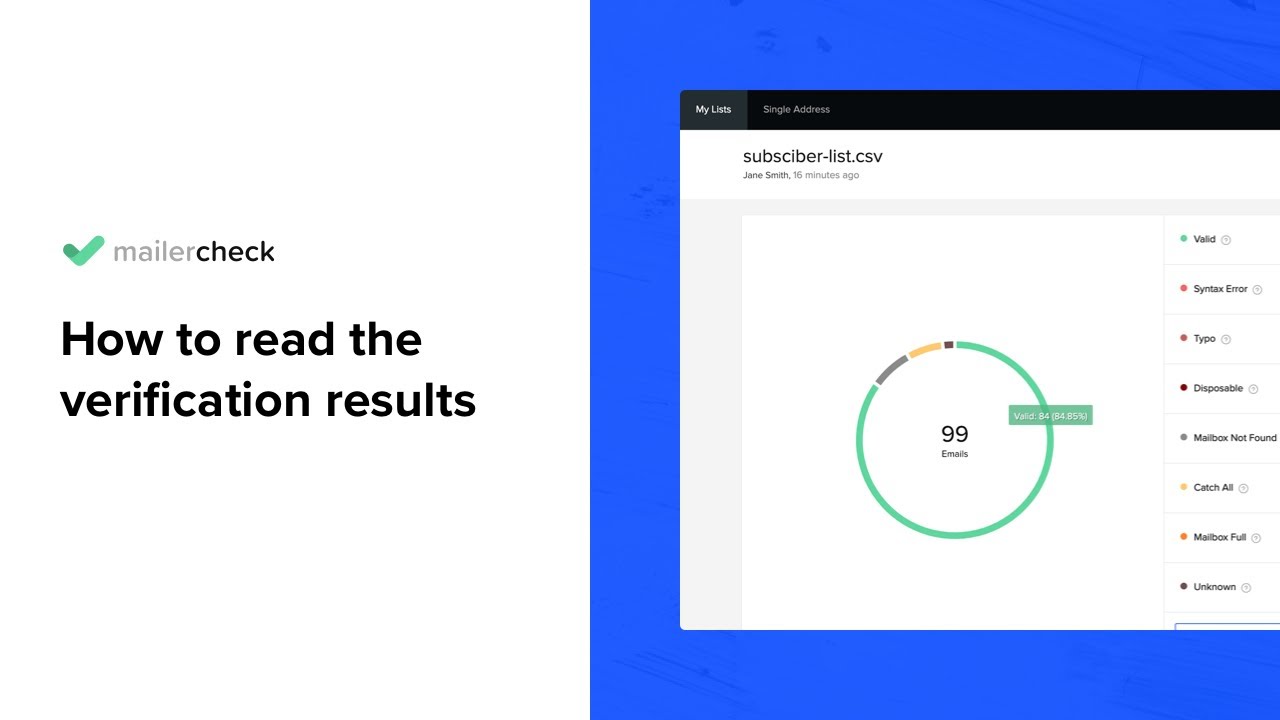
Users can track verification progress, email status, and results in real time. This makes MailerCheck reliable for marketers who need actionable insights instantly. Many MailerCheck review posts praise the transparency and simplicity of reporting tools.

Integration Flexibility

MailerCheck integrates seamlessly with popular marketing platforms like Mailchimp, HubSpot, and ActiveCampaign. You can automate list cleaning and syncing, making email marketing more efficient. These MailerCheck features are often highlighted in reviews as time-saving and productivity-boosting.

Mobile-Friendly Dashboard

The MailerCheck dashboard is optimized for mobile devices. You can validate lists, check stats, and manage tasks on the go. Many MailerCheck review articles mention how mobile accessibility keeps campaigns running smoothly anytime.

Spam and Bounce Prevention

By verifying emails in advance, MailerCheck helps reduce bounces and prevents blacklisting. Continuous updates ensure your email campaigns are safe and effective. Reviews often compare it favorably in comparison MailerCheck vs NeverBounce guides for reliability and pricing.

Custom Notifications

Users can receive alerts for completed verifications, list cleaning results, and system updates. This ensures marketers never miss important updates, improving workflow efficiency.

MailerCheck Review 2026: Improve Your Email Deliverability

In 2026, reaching the inbox has become more challenging due to stricter sender requirements from major providers like Google and Yahoo. MailerCheck has evolved into a comprehensive deliverability suite that goes beyond simple list cleaning to ensure your marketing campaigns actually get seen.

Here is how MailerCheck helps you stay out of the spam folder:

  • Advanced Email Verification: Using real-time API and bulk processing, MailerCheck identifies disposable emails, syntax errors, and “catch-all” addresses that could damage your sender reputation.
  • Inbox Placement Testing: Before you hit send, you can predict where your email will land Primary Inbox, Promotions tab, or Spam across providers like Gmail and Outlook.
  • Spam Content Analysis: The tool scans your subject lines and body text for “spam-trigger” words and broken links, giving you actionable insights to fix them before they affect your bounce rate.
  • DMARC & Blocklist Monitoring: MailerCheck provides real-time alerts if your domain appears on any global blocklists, allowing you to protect your domain authority proactively.

MailerCheck Features – What You Get?

MailerCheck features empower users to manage email lists efficiently. From single address checks to bulk validations, it helps you maintain clean, high-performing lists. Both beginners and experts find it indispensable.

  • Bulk Email Verification
  • Syntax and Domain Checks
  • Real-Time Reporting
  • Integration with Marketing Tools
  • Mobile-Friendly Dashboard
  • Spam & Bounce Prevention
  • Custom Notifications
  • Affordable Pricing Plans
  • Export and Import Options
  • Some Advanced Integrations Require Paid Plans
  • Slight Learning Curve for Beginners

Video Guides and Tutorials

MailerCheck tutorial videos provide step-by-step guidance on verifying emails, using integrations, and analyzing reports. Many MailerCheck review posts highlight how tutorials save time and reduce errors, helping users fully leverage the platform for email marketing campaigns.

MailerCheck video thumbnail
MailerCheck bulk email list verification
MailerCheck video thumbnail

MailerCheck: Comparison, Pros & Cons

Comparison: MailerCheck vs NeverBounce

Both clean email lists, but with different scope. MailerCheck pairs email verification with deliverability and inbox-placement testing and blocklist monitoring in one dashboard, backed by the MailerLite team and with no-expiry credits. NeverBounce is a focused, fast bulk verification service with strong integrations. Choose MailerCheck for an all-round deliverability toolkit, and NeverBounce for pure high-volume verification.

Pros and Cons of MailerCheck

Pros

  • Accurate email verification and list cleaning to cut bounces and protect sender reputation
  • Deliverability and inbox-placement testing to see exactly where your emails land
  • Blocklist monitoring and email analytics together in one dashboard
  • Flexible pay-as-you-go credits with no expiry, plus monthly plans, from the trusted MailerLite team

Cons

  • Focused on verification and deliverability rather than full email sending
  • Costs add up for very large lists or frequent high-volume checks
  • Fewer integrations than some standalone verification services
4.8 EASE OF USE
4.4 VALUE FOR MONEY
4.7 CUSTOMER SUPPORT
5.0 FUNCTIONALITY

MailerCheck Alternatives

MailerCheck is a top choice for email verification because of its high accuracy, fast processing, and user-friendly interface. It ensures cleaner email lists, reduces bounce rates, and improves campaign deliverability better than many alternatives. Some notable alternatives include ZeroBounce, NeverBounce, and BriteVerify. Explore these alternatives to find the right email verification tool that fits your business needs.


GMass Review

GMass Review

Best Cold Email & Mail Merge Tool for Gmail
Explore More
Omnisend Review

Omnisend Review

Editorial rating: 4.6 / 5 — Powers 130,000+ ecommerce stores worldwide
Explore More
ActiveCampaign Review

ActiveCampaign Review

Editorial rating: 4.5 / 5
Explore More
Stripo Review

Stripo Review

Professional Email Template Builder
Explore More
Bouncer Review

Bouncer Review

Editorial rating: 4.8 / 5
Explore More
SendPulse Review

SendPulse Review

Editorial rating: 4.6 / 5
Explore More
MailerSend Review

MailerSend Review

Editorial rating: 4.6 / 5
Explore More
Proton Mail Review

Proton Mail Review

Editorial rating: 4.6 / 5
Explore More
Lemlist Review

Lemlist Review

Editorial rating: 4.4 / 5
Explore More
Benchmark Email Review

Benchmark Email Review

Editorial rating: 4.4 / 5
Explore More
Postmark Review

Postmark Review

Editorial rating: 4.6 / 5
Explore More
Mixmax Review

Mixmax Review

Mixmax Review
Explore More
TOPOL Review

TOPOL Review

Editorial rating: 4.6 / 5
Explore More
EmailOctopus Review

EmailOctopus Review

Editorial rating: 4.7 / 5
Explore More
GetResponse Review

GetResponse Review

4
Top Rated Features
  1. Easy Automation
  2. Professional Templates
  3. Advanced Analytics
Explore More
SMTP Review

SMTP Review

3.3
Top Rated Features
  1. Reliable Email Delivery
  2. Integration with Applications
  3. Authentication Support
Explore More
Fastmail Review

Fastmail Review

4
Top Rated Features
  1. Secure Communication
  2. Contacts Management
  3. Multiple Devices


Explore More
icontact Review

icontact Review

4.6
Top Rated Features
  1. Easy-to-Use Templates
  2. Time-Saving Automation
  3. Detailed Reporting & Analytics
Explore More
Smartlead Review

Smartlead Review

Editorial rating: 4.4 / 5

Top Rated Smartlead AI Features Unlimited mailboxes with free unlimited email warmup AI personalization, master inbox and multi-channel sequences Native CRM integration and agency sub-accounts

Explore More


ZeroBounce Review

ZeroBounce Review

4.8
Top Rated Features
  1. Accurate Email Validation
  2. Spam Trap Detection
  3. AI-Powered Scoring
Explore More
SendX Review

SendX Review

4.4
Top Rated Features
  1. Drag-and-drop Email Builder
  2. Automated Workflows
  3. Guaranteed deliverability
Explore More
Woodpecker Review

Woodpecker Review

4.5
Top Rated Features
  1. Smart Email Automation
  2. Deliverability Optimization
  3. CRM Integrations
Explore More
Pabbly Review

Pabbly Review

4.8
Top Rated Features
  1. Automation Simplified
  2. Billing and Payments
  3. Lead Management
Explore More
MailTag Review

MailTag Review

4.4
Top Rated Features
  1. Real-Time Tracking
  2. Scheduling Emails
  3. Email Automation
Explore More
FAQs

Frequently Asked Questions

This MailerCheck FAQ covers everything you need to know about MailerCheck pricing, features, integrations, and benefits. Learn how MailerCheck compares to NeverBounce, ZeroBounce, and EmailListVerify, and find out why it’s one of the most trusted tools for email verification and list cleaning.

MailerCheck review articles describe it as a reliable email verification tool that helps maintain clean lists and reduce bounce rates.


MailerCheck pricing is pay-as-you-go, starting at just a few cents per email, ideal for all budgets.

MailerCheck features include bulk verification, real-time reporting, domain checks, and integration with marketing platforms.

MailerCheck vs NeverBounce often shows MailerCheck as more cost-effective while offering accurate verification.

Yes. Tutorials and guides help beginners integrate and validate emails efficiently.

Absolutely. Its bulk email verification tools save time and reduce bounces.

MailerCheck benefits include accurate results, affordability, fast processing, and seamless integration with popular tools.

Comparison MailerCheck vs ZeroBounce shows ZeroBounce offers scoring and advanced analytics, while MailerCheck focuses on simplicity and cost-effectiveness.

Yes. Customer support and email assistance are available round the clock.

Based on comparison MailerCheck vs EmailListVerify, MailerCheck is faster, easier to use, and more affordable for most users.

⚠️ Affiliate Disclosure: This site contains affiliate links. We may earn a commission when you purchase through our links at no extra cost to you. Results are not typical.