Proton Mail is a Switzerland-based encrypted email service built by the team behind CERN, designed for users who want true end-to-end encryption, zero-access encryption at rest, and Swiss privacy law protection. The platform offers free and paid plans across web, desktop, iOS, and Android, with a clean inbox, custom domains, and an integrated suite that includes Proton Calendar, Proton Drive, and Proton VPN. According to Proton Mail reviews on Trustpilot and G2, users highlight the strong commitment to privacy, the open-source clients, and the simple but powerful interface. Proton Mail is built for journalists, businesses, and privacy-conscious individuals who refuse to trade their email content for advertising profiles.
Every Proton Mail message between Proton users is end-to-end encrypted automatically — no setup needed.
Even Proton can’t read your inbox: all messages are stored with zero-access encryption on Swiss servers.
Use your own domain (yourname@yourcompany.com) on any paid Proton Mail plan with full encryption.
Schedule appointments with encrypted Proton Calendar and store files in encrypted Proton Drive.
Set passwords and expiration timers for individual emails, even to non-Proton recipients.
Sign up without a phone number or recovery email if you value anonymity.
Use Proton Mail in Outlook, Apple Mail or Thunderbird through the Proton Bridge desktop app.
Protect logins with TOTP codes from any authenticator app or with a YubiKey hardware key.
Proton Mail packages a complete privacy-first email experience into one workspace. You get end-to-end encryption between Proton users, password-protected emails for non-Proton recipients, custom domains, anti-phishing, anti-spam with smart filters, integrated Proton Calendar, Proton Drive cloud storage, two-factor authentication, and access through encrypted desktop and mobile clients. According to Proton Mail reviews on Trustpilot and G2, users most often call out the genuine zero-access architecture, the clean and modern UI, and the seamless integration with the rest of the Proton suite.
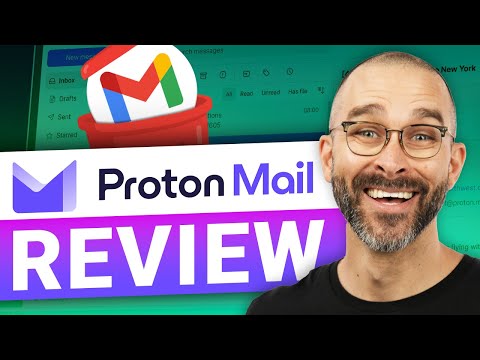
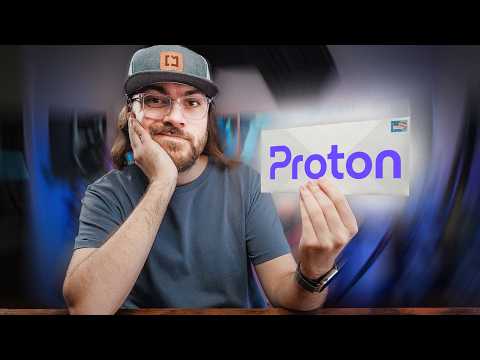
If you prefer to learn by watching, Proton Mail has a polished library of tutorials on YouTube from both the official Proton channel and independent reviewers. These walkthroughs cover how to set up your encrypted inbox, use Proton Calendar and Drive, add a custom domain, and import existing email. IdealOnlineBusiness.com recommends watching at least two of the beginner tutorials below before paying for a plan, so you can see the encryption flow, mobile apps, and bridge for desktop clients for yourself before committing.
Proton Mail keeps pricing simple with a genuinely usable free plan and a few affordable paid tiers, all billed at the lower rate when you choose annual billing. The free Proton Free plan costs $0/month and includes 1 GB of storage and one encrypted email address.
Mail Plus is $3.99/month (billed annually) and adds 15 GB of storage, 10 email addresses, support for a custom domain, and 10 hide-my-email aliases. Proton Unlimited at $9.99/month bundles 500 GB of storage with the full Proton suite, including Proton VPN, Drive, Pass, and Calendar. For teams, Proton Business plans start from around $7.99 per user/month with admin controls and shared domain management. All paid plans come with a 30-day money-back guarantee.
What do real users say about Proton Mail? IdealOnlineBusiness.com pulled together Proton Mail reviews from G2, Trustpilot and the App Store to give a balanced perspective. The reviews below highlight the strong default encryption, the unified Proton ecosystem, and the common complaints around search limitations and IMAP needing the Proton Bridge. Together they should help you decide whether Proton Mail fits your privacy-first email needs.
While Proton Mail leads on Swiss-based end-to-end encrypted email in 2026, alternatives may suit specific use cases better. Tutanota is the strongest direct competitor with German-jurisdiction encrypted email. Mailbox.org and Posteo are German-based privacy options. Fastmail offers a polished UI without zero-access encryption. Hey by Basecamp is great for personal email workflows. For business use, Microsoft 365 and Google Workspace remain the dominant alternatives, with Proton Business positioned as the privacy alternative.


Explore More


Top Rated Smartlead AI Features Unlimited mailboxes with free unlimited email warmup AI personalization, master inbox and multi-channel sequences Native CRM integration and agency sub-accounts
Explore More




Below are the most common questions about Proton Mail pricing, custom domains, encryption, calendar/drive add-ons and using IMAP via the Proton Bridge.
⚠️ Affiliate Disclosure: This site contains affiliate links. We may earn a commission when you purchase through our links at no extra cost to you. Results are not typical.