⚠️ Affiliate Disclosure: This page contains affiliate links. We may earn a commission at no extra cost to you. This does not influence our reviews. Read full disclosure →

Wave.video Review

icon01

Wave.video Review

4.5 (1,200+ reviews) on G2 & Trustpilot

Wave.video Overview

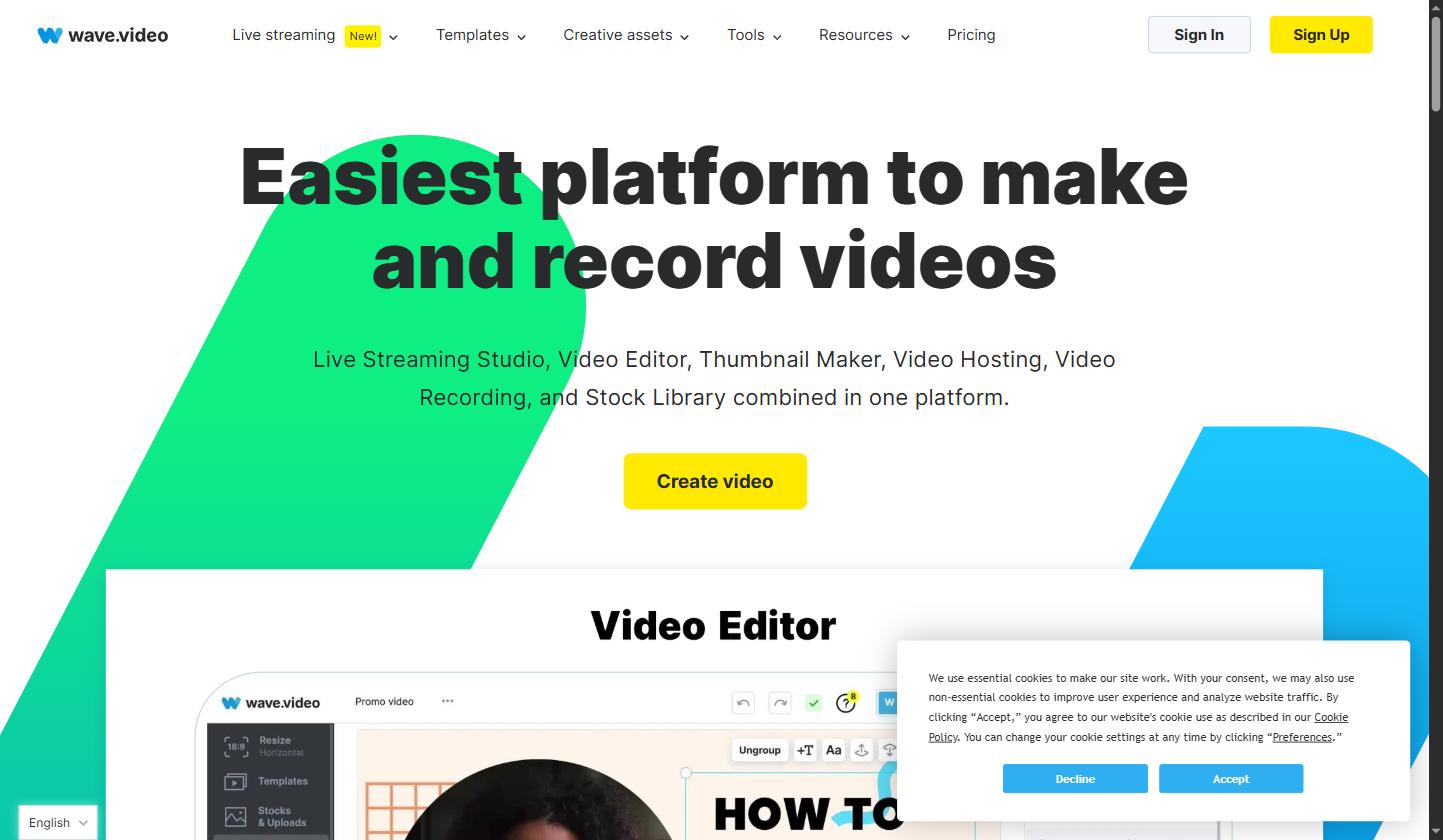
Wave.video is an all-in-one online video creation platform designed for marketers, content creators, and businesses of all sizes. In this Wave.video review by IdealOnlineBusiness.com, we examine its video editor, live streaming studio, thumbnail maker, video hosting, and stock library — all packed into one affordable platform.

Our analysis of Wave.video shows it earns consistently high marks across G2, Capterra, and Trustpilot, with users praising its ease of use, multi-format export capabilities, and the quality of its built-in stock library. Whether you’re repurposing a podcast clip, creating social media videos, or streaming live to multiple platforms, Wave.video covers the entire content workflow without the need for separate tools.

Wave.video stands out from generic video tools by combining a browser-based editor, live streaming capabilities, and a massive stock library under one roof. The platform’s multi-destination live streaming pushes your broadcast simultaneously to YouTube, Facebook, LinkedIn, and Twitch — without requiring any separate software. Its auto-resize feature instantly reformats videos to every social media dimension, saving hours of manual editing work. Wave.video’s built-in teleprompter and recording studio make it a go-to choice for coaches, course creators, and agencies that produce regular video content.

Online video editor with 200M+ stock assets Live streaming to 30+ platforms simultaneously Auto-resize videos for all social media formats Thumbnail maker with templates Video hosting with analytics Text-to-speech and subtitle generator Brand kit for consistent look Screen recording and teleprompter tool Team collaboration features API access on higher plans

If you prefer to learn by watching, Wave.video has a solid library of tutorials on YouTube covering its video editor, live streaming setup, thumbnail creation, and advanced features. These walkthroughs are ideal for new users who want to see the platform in action before committing to a paid plan. IdealOnlineBusiness.com recommends watching at least two of the tutorials below to get a feel for the interface and video workflow before upgrading.

Wave.video Review
Wave.video Review
Wave.video Review
Wave.video Review

Wave.video User Reviews & Ratings

Wave.video holds strong ratings across major independent review platforms. On G2, it averages 4.5/5 stars with users particularly praising the ease of creating multi-format videos and the quality of the stock library. Capterra reviewers highlight the live streaming feature and the all-in-one nature of the tool as standout advantages. Below are representative reviews from real users of the platform.

Free Plan — $0/month
Creator Plan — $24/month (billed annually)
Business Plan — $48/month (billed annually)
Marketing Manager Verified G2 Review
March 2025

“Wave.video has completely changed how our team produces social media content. The auto-resize feature alone saves us 3-4 hours per week. We used to need separate tools for video editing, thumbnails, and hosting — Wave.video replaced all of them at a fraction of the cost.”

Ease of Use
Features
Value for Money
Support
Content Creator Verified Trustpilot Review
January 2025

“I’ve been using Wave.video for my YouTube channel and live streams for over a year. The stock library is enormous and saves me from paying for Storyblocks or Envato separately. The live streaming to multiple platforms simultaneously is a game-changer for growing an audience.”

Ease of Use
Features
Value for Money
Support
Online Course Instructor Verified Capterra Review
February 2025

“The teleprompter and screen recording tools inside Wave.video are exactly what I needed for creating course content. The video hosting analytics help me understand which lessons my students watch fully versus skip. Highly recommend for anyone in the education space.”

Ease of Use
Features
Value for Money
Support

Wave.video Alternatives

While Wave.video is a powerful all-in-one platform, here are the main alternatives worth considering depending on your specific use case:

Animoto — A simple drag-and-drop video maker focused on slideshow-style videos. Good for beginners but lacks live streaming and advanced editing capabilities compared to Wave.video.

Vimeo — Excellent for video hosting and collaboration, but does not offer the video creation tools, stock library, or live streaming that Wave.video provides out of the box.

Canva Video — Great for quick social media clips with Canva’s design ecosystem, but Canva’s video editor is more limited and lacks Wave.video’s live streaming studio and thumbnail analytics.

Streamyard — A specialist live streaming tool that outperforms Wave.video for advanced multi-guest broadcasts, but it does not include a video editor, stock library, or video hosting features.

For most solo creators, marketing teams, and small businesses that need an end-to-end video platform, Wave.video offers the best combination of features, pricing, and ease of use.

Streamlabs Review

Streamlabs Review

Rated 4.4/5 on G2 — Used by over 8M streamers worldwide
Explore More
Picsart Review

Picsart Review

Rated 4.6/5 on G2 — 150M+ monthly active users, 1B+ downloads
Explore More
Hohem Review

Hohem Review

AI-Powered Smartphone & Camera Gimbal Stabilizers for Creators
Explore More
Animoto Review

Animoto Review

4.6 (2,901)
Top Rated Features

1.Smart Video Creation
2.Advanced Video Optimization
3.AI Video Assistance


Explore More

Kittl Review

Kittl Review

4.7 (2,488)
Top Rated Features
  1. Drag-and-Drop Interface
  2. Extensive Template Library
  3. Vector Editing
Explore More
Wondershare Review

Wondershare Review

4.7 (2,666)
Top Rated Features
  1. Intuitive Video Editing
  2. Complete PDF Management
  3. Powerful Data Recovery
Explore More
Topaz Labs Review

Topaz Labs Review

4 (2,192)

Top Rated Features

  1. AI-Powered Auto Enhancements
  2. Super Resolution with Gigapixel AI
  3. Smart Sharpening (Sharpen AI)
Explore More
Fliki AI Review

Fliki AI Review

4.9 (1,867)
Top Rated Features
  1. Text-to-Video
  2. Stock Media Library
  3. Multi-Format Export
Explore More
Phrasly AI Overview

Phrasly AI Overview

4.8 (2,114)
Top Rated Features
  1. Military-Grade AI Detection
  2. Context-Aware Humanization
  3. Plagiarism Safeguard
Explore More
RenderForest Review

RenderForest Review

4.6 (2,799)
Top Rated Features
  1. Simplified Branding Tools
  2. Professional Video Templates
  3. Website Builder Flexibility
Explore More
CapCut Review

CapCut Review

4.8 (2,999)
Top Rated Features
  1. 4K Video Export
  2. 1000+ Templates
  3. AI-Powered Tools
Explore More
WeVideo Review

WeVideo Review

4.6 (2,1124)
Top Rated Features
  1. Mobile-Friendly Video Editing
  2. Flexible Subscription Plans
  3. Suitable for Educational Projects
Explore More
CorelDRAW Review

CorelDRAW Review

4.6 (2,394)
Top Rated Features
  1. Advanced Vector Design Tools
  2. Advanced Typography Controls
  3. Cross-Platform Compatibility
Explore More
Motion Elements Review

Motion Elements Review

4.8 (2,318)
Top Rated Features
  1. After Effects templates
  2. Sound effects & LUTs
  3. Motion graphics
Explore More
InVideo Review

InVideo Review

4.8 (2,721)
Top Rated Features
  1. AI-Powered Editing
  2. Template Library
  3. Text-to-Speech Options
Explore More
Zubtitle Review

Zubtitle Review

4.8 (2,448)
Top Rated Features
  1. Subtitles Video
  2. Video Resizing
  3. Video Trimming
Explore More
Stencil Review

Stencil Review

4.6 (2,750)
Top Rated Features
  1. Free Stock Photography
  2. Google Fonts
  3. Chrome Extension
Explore More
FAQs

Wave.video Frequently Asked Questions

Here are answers to the most common questions about Wave.video to help you decide if it’s the right platform for your video creation and marketing needs.

Yes, Wave.video offers a free plan that includes the basic video editor, thumbnail maker, and access to a stock library with up to 15-minute video exports with a watermark. Paid plans start at $16/month (Streamer) for watermark-free exports and more features.

Absolutely. Wave.video includes a live streaming studio on paid plans that lets you broadcast simultaneously to 30+ platforms including YouTube, Facebook, LinkedIn, and Twitch. You can add branded overlays, invite guest speakers, and schedule streams in advance.

Wave.video exports videos in MP4 format across multiple aspect ratios including 16:9 (widescreen), 1:1 (square), 9:16 (vertical/Stories), and 4:5 (portrait). This makes it easy to repurpose a single video for YouTube, Instagram, TikTok, and LinkedIn simultaneously.

Yes, Wave.video includes video hosting on all plans. You get a branded video player, embed codes for your website, and analytics showing views and engagement. The amount of hosted storage varies by plan, with Business and higher plans offering the most space.

Wave.video is more specialized for video than Canva. While Canva has broader graphic design capabilities, Wave.video offers a more powerful video editor, built-in live streaming, dedicated video hosting, and a much larger video stock library. For teams focused on video marketing, Wave.video is the stronger choice.

⚠️ Affiliate Disclosure: This site contains affiliate links. We may earn a commission when you purchase through our links at no extra cost to you. Results are not typical.