Buddy Punch is an intuitive cloud-based employee time-tracking and scheduling software that helps businesses simplify payroll, monitor attendance, and manage shifts. In this Buddy Punch review by IdealOnlineBusiness.com, we look at its pricing, GPS tracking, facial recognition punch-in, geofencing, scheduling, PTO management, payroll integrations, and how thousands of small and mid-sized businesses use Buddy Punch to eliminate buddy punching, automate timesheets, and run payroll faster from any device.
Buddy Punch charges per user plus a $19 monthly base fee. Starter is $4.99 per user a month on annual billing, Pro $6.99 and Advanced $12.99; monthly billing adds about a dollar per user. Payroll is an $8 per user add-on with its own $49 base fee, and administrators are free users.
Buddy Punch stamps a GPS location on each punch made from the mobile app, so you can see where a shift actually started and ended. It is the single feature most field-service and construction teams buy the product for.
Draw a radius around a job site and staff can only clock in once they are physically inside it. Geofencing sits on the Pro plan and above and removes most of the argument about who was where.
The kiosk can capture a webcam photo at punch-in or match a face against an enrolled profile. Both are aimed squarely at buddy punching, which is where the product gets its name.
Publish shifts, handle drop and swap requests, and let staff see their roster next to their timecard. Scheduling is a one dollar per user add-on and is bundled free on the Pro and Advanced plans.
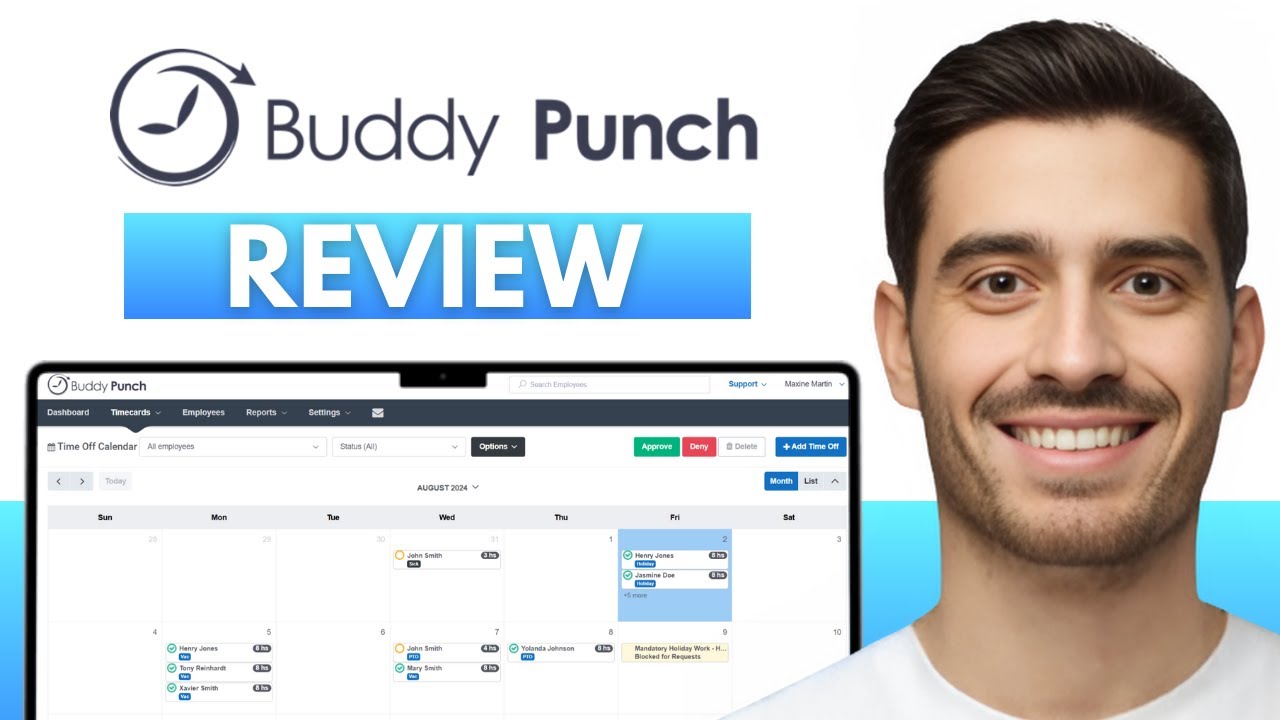
Set accrual rules once and Buddy Punch tracks balances, handles requests and approvals, and carries the result through to the timecard. Managers approve time off from the same queue they approve punches in.
Approved timecards export to QuickBooks, Gusto, ADP, Paychex, Paylocity, Workday and others, so hours land in payroll without rekeying. A paid Payroll add-on can also run payroll inside Buddy Punch itself.
Crews working somewhere with no signal can still punch, with entries syncing once the device reconnects. A shared tablet can act as a kiosk so a whole crew clocks in from one device.
Buddy Punch flags approaching overtime, enforces paid and unpaid break rules, and alerts managers before a timecard turns into a compliance problem. The Advanced tier adds SSO, granular manager permissions and deeper reporting.
Buddy Punch includes GPS tracking, facial recognition, geofencing, PTO management, and payroll exports.
Buddy Punch consolidates everything teams need for accurate time tracking, scheduling, and payroll prep:
Buddy Punch sells three tiers (Standard, Pro, Premium), billed monthly or annually with about 15% off annual.
Buddy Punch has 1,000+ reviews on Capterra and additional reviews on G2, GetApp, and Software Advice. Common themes from real customer reviews:
“Easy for non-tech employees” — Owners and managers consistently mention how simple Buddy Punch is for staff to use — the punch-in/out is one button on web or mobile, and there’s a kiosk mode for shared devices.
“GPS & facial recognition stopped buddy punching” — Multiple reviews mention catching and eliminating buddy-punching after switching, often recovering 5-15% in payroll savings.
“Payroll integration saves hours” — QuickBooks, Gusto, and ADP exports are routinely called out for being one-click and accurate, replacing manual timesheet entry.
“Best customer support” — Reviewers consistently highlight fast email and live chat support — a refreshing contrast to enterprise HR platforms.
“Scheduling +
timeclock in one” — Restaurants, retail, and construction teams call out the value of combining shift scheduling and time tracking in a single tool.
Buddy Punch is one of the strongest SMB time clocks — here are the leading 2026 alternatives:
When I Work — Strong on shift scheduling. Slightly more expensive and weaker on payroll integrations.
Connecteam — All-in-one with communication, scheduling, and time tracking. Better for desk-less teams.
TSheets / QuickBooks Time — Now owned by Intuit. Deepest QuickBooks integration but pricier per user.
Homebase — Free tier available, restaurant/retail focus. Less GPS depth than Buddy Punch.
Deputy — Strong scheduling and labour cost forecasting. More complex setup.
Clockify — Free time tracker with paid upgrades. Lacks scheduling and GPS.
For most SMBs needing time clock + scheduling + payroll prep with GPS and facial recognition, Buddy Punch is one of the best value picks in 2026.
On this site, our Clockify review covers the free-first alternative if you only need timesheets, absence.io, reviewed here handles leave and PTO approval as a dedicated tool, and our Hello Bonsai review suits freelancers who need time tracking tied to invoicing.



How much does Buddy Punch cost?
Buddy Punch starts at $4.49/user/month + $19 base fee for the Standard plan. Pro is $5.99/user/month and Premium is $7.99/user/month. A 14-day free trial is available with no credit card.
Does Buddy Punch have GPS tracking?
Yes. Buddy Punch includes GPS location tagging on every punch (Standard plan) and adds geofencing — restrict punch-ins to specific job sites — on the Pro plan and above.
Does Buddy Punch integrate with QuickBooks?
Yes. Buddy Punch has a one-click integration with QuickBooks Online, QuickBooks Desktop, Gusto, ADP, Paychex, and 30+ other payroll/HR systems.
What is facial recognition in Buddy Punch?
An anti-buddy-punching feature that verifies the punch-in is the actual employee using their phone or kiosk camera. Available on the Pro plan and above.
Is Buddy Punch good for small businesses?
Yes. Buddy Punch is built for SMBs with 10-500 employees and has very strong reviews from restaurants, retail, construction, and field service teams. Pricing scales linearly with employee count.
⚠️ Affiliate Disclosure: This site contains affiliate links. We may earn a commission when you purchase through our links at no extra cost to you. Results are not typical.