⚠️ Affiliate Disclosure: This page contains affiliate links. We may earn a commission at no extra cost to you. This does not influence our reviews. Read full disclosure →

Insightful Review

Insightful logo

Insightful Review

Insightful Review

What is Insightful?

Insightful (formerly Workpuls) is a leading workforce analytics and employee monitoring platform built for hybrid and remote teams. It captures time tracking, application and website usage, productivity trends, project costs, and team workload data, helping managers make data-backed decisions about resourcing, capacity, and performance without being invasive.

Pros and Cons of Insightful

Pros

  • Automatic time tracking with active vs idle detection and detailed app and website analytics
  • Productivity trends, focus time and workload or capacity insights across teams
  • Project and task-level time and cost reporting plus integrations with Jira, Asana and Trello
  • Flexible deployment with optional screenshots and privacy and transparency controls

Cons

  • Monitoring features need clear communication with staff to keep team trust
  • Some advanced analytics and features are reserved for higher tiers
  • Per-employee pricing can add up for large teams

Automatic Time Tracking

Insightful tracks work time automatically based on computer activity, eliminating manual timesheets. Active time and idle time are separated clearly so reports reflect real focused work.

App and Website Analytics

See which apps and websites each team member uses, for how long, and how they compare to productive baselines. Identify tools that drive value and those that distract.

Productivity Trends and Focus Time

Visualize productive hours, focus time, distraction patterns, and performance trends across days, weeks, and months to coach teams toward better habits.

Project and Cost Reporting

Allocate time to projects and tasks, then see accurate time and cost per project for billing, profitability analysis, and capacity planning.

Screenshots and Session Replays

Optional screenshot and replay features provide evidence-level visibility where needed. Fully transparent with team members so monitoring builds trust, not fear.

Workload and Capacity Planning

Spot overloaded team members, underused capacity, and upcoming resourcing gaps with real-time workload dashboards that prevent burnout and missed deadlines.

Integrations With Work Tools

Connect Insightful with Jira, Asana, Trello, ClickUp, payroll systems, and more so tracked time flows into project management and HR workflows automatically.

Privacy-First Approach

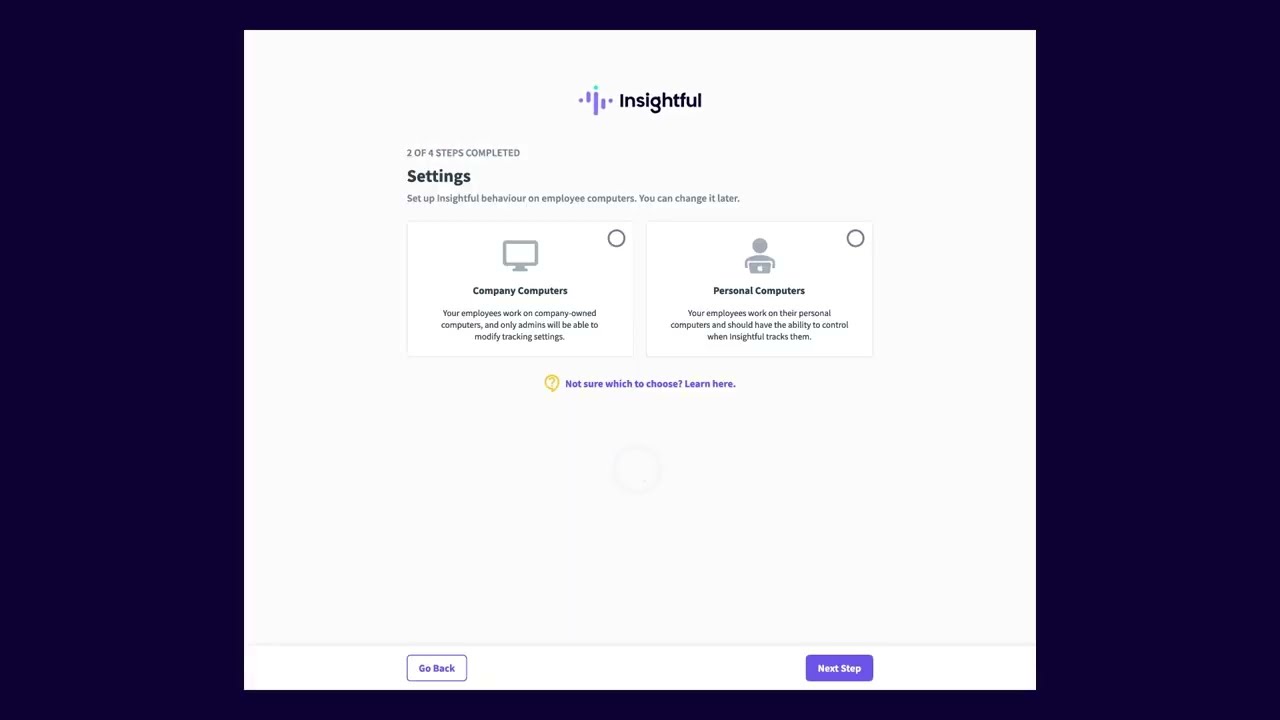
Insightful supports transparent monitoring policies, respects privacy during personal hours, and offers compliance controls to meet GDPR, HIPAA, and internal governance standards.

Insightful gives managers clear, ethical visibility into how work gets done across distributed teams:

  • Automatic time tracking with active vs idle time
  • App and website usage analytics per team member
  • Productivity trends, focus time, and distraction insights
  • Project and task-level time and cost reporting
  • Screenshots and session replays (optional and transparent)
  • Workload balance and team capacity planning
  • Integrations with Jira, Asana, Trello, and payroll systems
  • Privacy and compliance-first with transparent monitoring

Watch these Insightful walkthroughs covering setup, productivity analytics, and team management features:

Insightful video thumbnail

Insightful Pricing Plans

Insightful (formerly Workpuls) is sold as a per-seat subscription with custom modular pricing. Plans start at $8-10/user/month and scale based on workforce size and add-ons selected. A free 7-day trial covers all plans with no credit card required.

  • Productivity Management: $8/user/month (annual) or $10/user/month (monthly) — automatic time & attendance tracking, app & URL monitoring, productivity scoring, employee behavior analytics, basic screenshots
  • Time Tracking: $10/user/month (annual) — project-based time tracking, billable hours, manual time entries, client/project reports, invoicing-ready exports
  • Process Improvement: $15/user/month (annual) — workflow analysis, automation candidates, process mapping, AI-powered insights, custom KPI dashboards
  • Enterprise: Custom pricing — modular bundles of all products, custom on-prem deployment, advanced security (SOC2, ISO 27001), dedicated CSM, custom integrations, SSO/SAML

All plans include unlimited screenshots, real-time activity tracking, productivity reports, project profitability, payroll integration, and the desktop/mobile clients (Windows, Mac, Linux, iOS, Android). Volume discounts are available for 50+ seats, and a 7-day free trial covers all paid plans.

What Managers and Operations Teams Say About Insightful

Insightful is used by thousands of companies to understand productivity and resourcing. Here is what real users are saying:

4.6 EASE OF USE
4.5 FEATURES
4.4 SUPPORT
4.5 VALUE FOR MONEY

Insightful Alternatives

While Insightful leads in workforce analytics, other options include Hubstaff (time tracking plus monitoring), Time Doctor (productivity and client billing focus), Toggl Track (time-only no monitoring), ActivTrak (privacy-forward productivity insights), and Teramind (stronger security monitoring).


MyOutDesk Review

MyOutDesk Review

Editorial rating: 4.7 / 5
Explore More
Gusto Review

Gusto Review

All-in-One Payroll, Benefits, and HR for Small Businesses
Explore More
absence.io Review

absence.io Review

Editorial rating: 4.5 / 5 — European HR absence management — leave tracking, approvals, calendar sync and reporting
Explore More
Timetastic Review

Timetastic Review

Editorial rating: 4.6 / 5
Explore More
Sage HR Review

Sage HR Review

Editorial rating: 4.5 / 5
Explore More
Proxify Review

Proxify Review

Proxify Review – Top 1% Vetted Developers, Matched in 2 Days, Trusted by 2,000+ Companies
Explore More
Buddy Punch Review

Buddy Punch Review

Editorial rating: 4.8 / 5
Explore More
Paylocity Review

Paylocity Review

Editorial rating: 4.4 / 5
Explore More
Wishup Review

Wishup Review

Editorial rating: 4.8 / 5
Explore More
Manatal Review

Manatal Review

Editorial rating: 4.8 / 5
Explore More
Remote Review

Remote Review

Editorial rating: 4.7 / 5
Explore More
Papaya Global Review

Papaya Global Review

Editorial rating: 4.5 / 5
Explore More
Surepayroll Review

Surepayroll Review

4.5
Top Rated Features
  1. Tax Filing Guarantee
  2. “3-Tap” Mobile Payroll
  3. Household/Nanny Tax Specialization
Explore More
Deel Review

Deel Review

Editorial rating: 4.6 / 5
Top Rated Features
  1. Contractor and Employee Management
  2. Automated Global Payroll
  3. 24/7 Customer Support and Local Advisors
Explore More
FAQs

Frequently Asked Questions About Insightful

Got questions about Insightful? Here are answers to the most common ones from managers and operations teams considering the platform.

Insightful (formerly Workpuls) is a workforce analytics and employee monitoring platform that tracks time, app and website usage, productivity patterns, and project costs across distributed teams. Data is captured via a lightweight desktop agent and presented in manager dashboards.

Insightful pricing starts around $6.40 per user per month for Time Tracking when billed annually, with higher tiers for Productivity Management and Enterprise. A 7-day free trial is available. Check the Insightful pricing page for current rates.

Insightful can take screenshots at configurable intervals as an optional feature. This is typically used for compliance or performance evidence and should be disclosed to employees according to policy. The feature can be disabled by admins.

Yes. Insightful is GDPR compliant, offers data residency options, encrypts data in transit and at rest, and provides controls for data retention and employee consent. It supports transparent monitoring aligned with EU regulations.

Absolutely. Insightful is built for remote and hybrid teams. The desktop agent works on Windows and macOS, syncing data to the cloud so managers see a unified picture regardless of where team members work.

Yes. Beyond tracking, Insightful classifies apps and websites as productive or unproductive per role, surfaces focus time versus distraction time, and highlights patterns managers can use to improve team productivity.

Yes. You can assign time to projects and tasks, then Insightful reports actual hours and costs per project. This supports billing clients, analyzing profitability, and forecasting capacity.

Insightful integrates with Jira, Asana, Trello, ClickUp, monday.com, payroll systems, and exports to CSV or Excel. Tracked time flows automatically into project management and HR workflows.

Yes. Insightful supports employee dashboards where team members see their own tracked time, productivity patterns, and activity. This transparency helps build trust and allows self-improvement.

Yes. Agencies use Insightful for client billing, project profitability, and capacity planning. The platforms project-level time and cost reporting, combined with screenshots when needed, make it a strong fit for agency workflows.

⚠️ Affiliate Disclosure: This site contains affiliate links. We may earn a commission when you purchase through our links at no extra cost to you. Results are not typical.