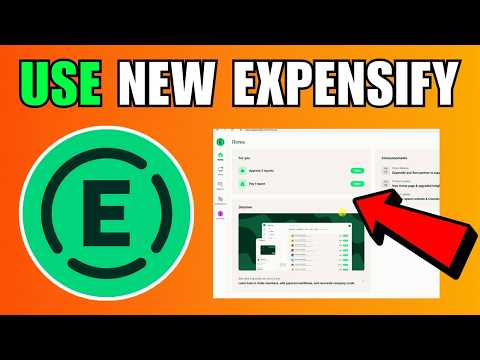
Expensify is one of the longest-running and most widely used expense management platforms, built for individuals, small businesses, and enterprise finance teams. Its flagship feature — SmartScan — uses OCR to automatically extract merchant, date, amount, and tax data from any photographed or emailed receipt, then categorises and submits the expense for approval, eliminating manual data entry.
Beyond receipt scanning, Expensify bundles the Expensify Card (a corporate Mastercard with real-time reconciliation), automatic mileage tracking, multi-step approval workflows, ACH reimbursements, bill pay, invoicing, travel booking, and deep integrations with QuickBooks, Xero, NetSuite, Sage, and major HR platforms. New Expensify (formerly Expensify.com’s next-gen workspace) adds chat-driven expense submission and team collaboration in a single mobile/desktop app.
Snap or email any receipt and SmartScan extracts merchant, date, amount, currency, tax, and category in seconds — even from crumpled, foreign-language, or low-light photos.
The Expensify Card (Visa or Mastercard) auto-reconciles every transaction against the matching receipt and pushes coded entries to your accounting platform — no end-of-month chase.
Mobile-app GPS auto-detects drives and submits mileage at IRS-compliant or custom rates. Manual mileage entries also supported for legacy logs.
Build approval flows by amount, category, project, department, or country. Out-of-policy expenses are flagged automatically before submission.
Reimburse employees via Next-Day ACH in the US (RapidReimbursement) or via international wire/ACH globally. Vendor bill pay schedules invoice payments straight from Expensify.
Native real-time sync to all major accounting platforms keeps the GL in lockstep with expense reports — no CSV exports, no manual journals.
Capture spend in 150+ currencies with automatic FX conversion, VAT/GST tracking, and per-country tax rates — useful for global teams and travelling consultants.
New Expensify combines expense submission with a Slack-style chat workspace where teams discuss bills, request reimbursements, and approve in-thread — a notable shift away from email approvals.
Expensify packs SmartScan OCR, the Expensify Card, automatic mileage tracking, approval workflows, ACH reimbursements, bill pay, invoicing, travel booking, and a customer-managed chat interface into one platform. Native integrations with QuickBooks, Xero, NetSuite, Sage Intacct, Workday, and Gusto sync expenses to your books automatically. Higher tiers add advanced policies, multi-currency support, and per-diem rules for larger teams.
Hand-picked Expensify walkthroughs and independent reviews covering setup, SmartScan, the Expensify Card, and policy workflows.
Expensify is built around a handful of high-impact expense-management workflows that finance teams rely on every month.
Expensify uses per-member pricing, with the Expensify Card lowering the effective rate when a share of company spend runs on the card. Expensify has streamlined its lineup to two paid plans plus a free option for individuals. Prices below are from expensify.com/pricing (USD per member per month).
$5/member/month. Adds corporate card programme, custom approval workflows, multi-level admin, and tag-based reporting. Standard mid-market tier.
Custom pricing, as low as $9 per active member/month. Adds advanced policy compliance, NetSuite/Sage Intacct sync, SAML SSO, per-diem rules, and dedicated support. Built for finance teams scaling globally.
$0/month. SmartScan receipt capture limited to 25 scans/month for individual users — useful for personal tracking before upgrading.
Expensify is one of the most-reviewed expense platforms on G2. We have not independently verified a current aggregate score and so do not quote one — check it yourself at G2.com/products/expensify). Capterra reviewers (4.4/5 across 1,100+ reviews) consistently praise SmartScan and the QuickBooks integration. The most common critique across review sites is rising per-user costs for teams that don’t adopt the Expensify Card, and occasional friction migrating between classic Expensify and New Expensify.

If Expensify isn’t the right fit for your team, these alternatives are commonly compared:


Common questions before adopting Expensify.
⚠️ Affiliate Disclosure: This site contains affiliate links. We may earn a commission when you purchase through our links at no extra cost to you. Results are not typical.