⚠️ Affiliate Disclosure: This page contains affiliate links. We may earn a commission at no extra cost to you. This does not influence our reviews. Read full disclosure →

Post Planner Review

icon01

Post Planner Review

4.4+/5 across G2 & Capterra — engagement-first social media scheduler from $9/month

Post Planner Overview

Post Planner is the engagement-first social media scheduling and content discovery platform trusted by 800,000+ small businesses, agencies and solopreneurs since 2011. Distinguished from Buffer, Hootsuite and Later by its content discovery engine that surfaces high-engagement posts in your niche, Post Planner combines scheduling across Facebook (pages and groups), Instagram, LinkedIn (profiles + pages), Pinterest, X/Twitter, TikTok, YouTube and Google Business Profile. Plans start at just $9/month.

This Post Planner review is based on hands-on testing of the Starter through Business tiers, plus a structured read of public G2, Capterra, GetApp and SaaSworthy reviews. Post Planner replaces Buffer, Hootsuite, Later and Zoho Social for budget-conscious solopreneurs and small marketing teams that want curated content + scheduling + analytics under one $9/month subscription. Below you will find what it does well, where customer support comes up as a recurring complaint, real public pricing, video walkthroughs and the alternatives worth considering.

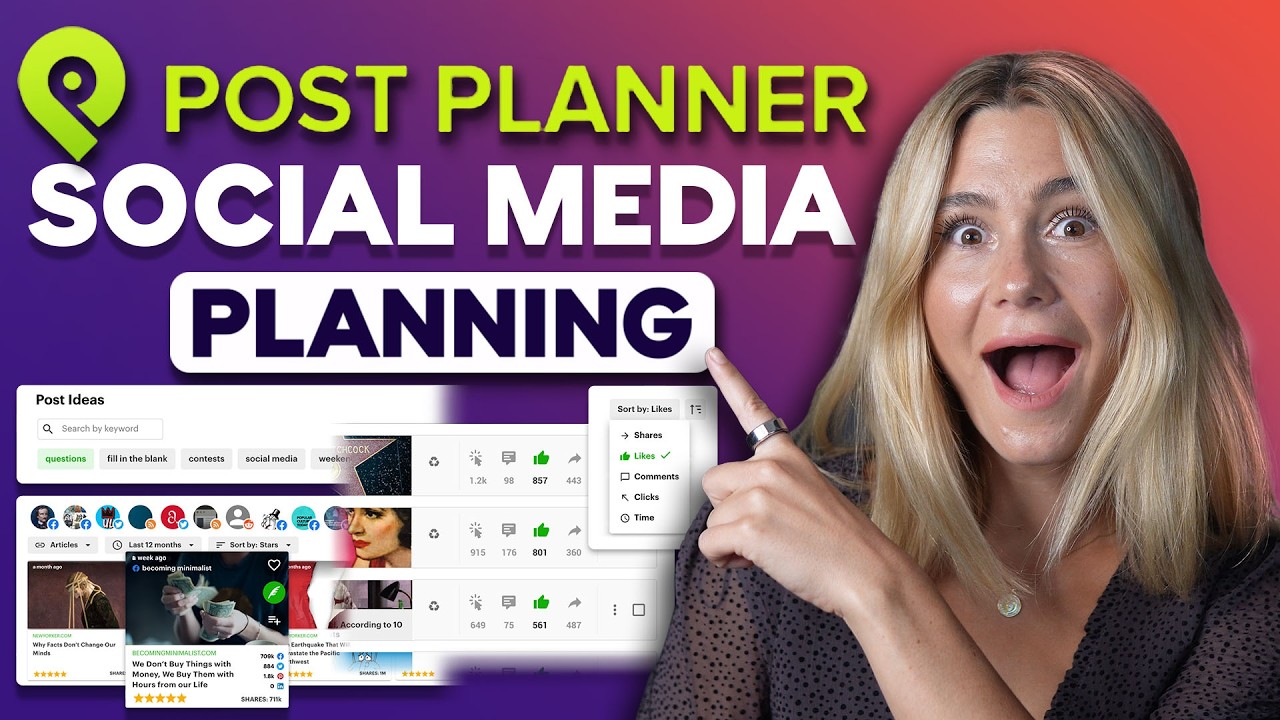
Content Discovery Engine

Multi-Platform Scheduling

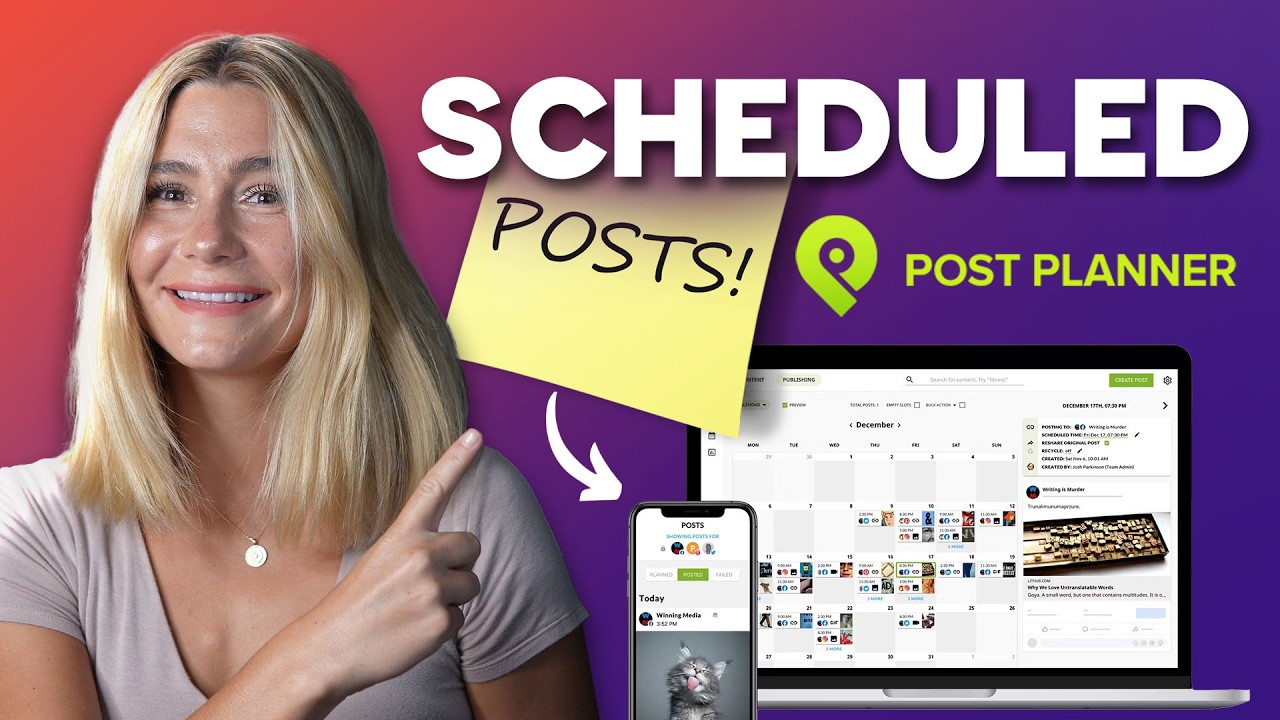
Visual Content Calendar

Recurring Posting Plans

Canva Integration & Image Editor

Engagement-Focused Analytics

First Comment & Hashtag Manager

Affordable from $9/month

Post Planner Features — What You Get?

Post Planner bundles eight pillars that small marketing teams need every week: trending content discovery engine, multi-platform scheduling (FB/IG/LinkedIn/Pinterest/X/TikTok/YouTube/GBP), visual drag-and-drop calendar, recurring evergreen content recycling, native Canva integration + image editor, engagement-first analytics, Instagram first-comment + hashtag manager, and an industry-leading $9/month entry price. Together they replace Buffer, Hootsuite, Later and Zoho Social.

Video Guides and Tutorials

Below are four hand-picked Post Planner walkthroughs covering the master scheduling tutorial, an honest small-business review, a beginner setup guide and a head-to-head vs. competitors. They are the fastest way to evaluate Post Planner before claiming the 7-day trial.

Post Planner — Pp Vid1 Jpg
Post Planner — Pp Vid2 Jpg
Post Planner — Pp Vid3 Jpg
Post Planner — Pp Vid4 Jpg

Post Planner Price Plans

7-Day Free Trial — full feature access

Test every feature for 7 days. No credit card required for the trial; cancel anytime.

Starter Plan — $9/month

1 user, 5 social profiles, 100 scheduled posts, content discovery, 5 hashtag groups and unlimited posting via the calendar.

Growth Plan — $19/month

3 users, 10 profiles, 1,000 scheduled posts, recurring evergreen recycling, AI caption generator and engagement analytics.

Business Plan — $49/month

6 users, 25 profiles, unlimited posts, advanced analytics, Canva premium integration, white-label reports and priority support.

Annual Discount — 20% off

Pay annually and save 20% on every paid tier. Most popular for established small businesses.

Pros and Cons of Post Planner

Post Planner earns 4.4+/5 ratings across G2 and Capterra for one reason: it is the cheapest viable scheduler that also surfaces trending content. Here is the honest scorecard.

Pros

  • ✅ Industry-low $9/month starter price — the cheapest serious scheduler we tested.
  • ✅ Content discovery engine surfaces niche-relevant trending posts — rare in this category.
  • ✅ Supports 8+ platforms including Pinterest, TikTok, YouTube and Google Business Profile.
  • ✅ Recurring evergreen content recycling automates top-post replays.
  • ✅ Native Canva integration plus a usable built-in image editor.
  • ✅ Instagram first-comment + hashtag rotation features prevent shadowbans.

Cons

  • ❌ Customer support is the most-cited complaint — slow responses during peak hours.
  • ❌ Analytics depth is lighter than Hootsuite Insights or Sprout Social.
  • ❌ Mobile app feels dated and lags behind the web experience.
  • ❌ Some users report billing-transparency issues at upgrade/downgrade time.
  • ❌ Fewer integrations (Zapier, Slack) than Buffer or Hootsuite.

What real users say: Reviewers on G2 and Capterra consistently highlight aggressive pricing and the content discovery engine, while flagging customer support response times as the trade-off you accept for this much value.

4.5 EASE OF USE
4.7 VALUE FOR MONEY
4.0 CUSTOMER SUPPORT
4.3 FUNCTIONALITY
Verified G2 Reviewer (Small Business Owner) G2
April 2026

Switched from Buffer to save $20/month and was surprised the content discovery feature actually doubled my engagement. Schedule once a week, the recurring evergreen plan recycles top posts automatically. Best value in the category for solo operators.

Source: paraphrased from public G2 review — g2.com/products/post-planner/reviews.

EASE OF USE
VALUE FOR MONEY
CUSTOMER SUPPORT
FUNCTIONALITY
Verified Capterra Reviewer (Marketing Agency) Capterra
February 2026

Run Post Planner for 8 client accounts. Calendar is clean, Canva integration saves time, and the price point makes the math easy for our retainers. Honest gripe: when something breaks support is slow — took 3 days to get an Instagram reconnection sorted.

Source: paraphrased from public Capterra review — capterra.com/p/255189/Post-Planner.

EASE OF USE
VALUE FOR MONEY
CUSTOMER SUPPORT
FUNCTIONALITY
Verified Trustpilot Reviewer (Solopreneur) Trustpilot
January 2026

The content discovery is genuinely useful — finally have niche-relevant share-worthy content without trawling forums. AI captions are decent but generic. Mobile app is dated; I do everything on the web. Overall worth the $9/month.

Source: paraphrased from public Trustpilot review — trustpilot.com/review/postplanner.com.

EASE OF USE
VALUE FOR MONEY
CUSTOMER SUPPORT
FUNCTIONALITY

Top Post Planner Alternatives

Post Planner is the cheapest serious scheduler with content discovery — but depending on team size and analytics needs, these alternatives are worth comparing:


  • Buffer — wins for clean UI and best-in-class brand recognition with similar starter pricing.
  • Hootsuite — wins for enterprise teams that need deep analytics, listening and team workflows.
  • Later — wins for Instagram-first creators that need a polished visual planner and link-in-bio.
  • Metricool — wins for free-tier value plus deeper analytics and competitor tracking.
  • SmarterQueue — wins for evergreen recycling-led teams that want category-based content rotation.
Tailwind Review

Tailwind Review

Rated 4.4/5 on G2 — Pinterest, Instagram & Facebook scheduler with AI captions, SmartSchedule and analytics
Explore More
ContentStudio Review

ContentStudio Review

ContentStudio Review – AI Social Media Management, Content Discovery & Scheduling From $25/mo
Explore More
SmarterQueue Review

SmarterQueue Review

96% user satisfaction across 226+ reviews — the smartest evergreen content scheduler
Explore More
DesignPickle Review

DesignPickle Review

4.6 (480+ reviews) on G2
Top Rated Features
  1. Content Scheduling
  2. Content Curation
  3. Analytics Dashboard
Explore More
Riverside Review

Riverside Review

4.8 (2,789)
Top Rated Features
  1. Smart Content Creation
  2. Advanced Recording & Editing
  3. Content Planning with AI
Explore More
Flick Review

Flick Review

4.1 (2,321)
Top Rated Features
  1. Easy Content Scheduling
  2. Advanced Analytics
  3. Integration with Tools
Explore More
Sendible Review

Sendible Review

4.0 (2,302)
Top Rated Features
  1. Easy Post Scheduling
  2. Smart Content Suggestions
  3. Customizable Notifications
Explore More
FineShare Review

FineShare Review

4.2 (2,009)
Top Rated Features
  1. Easy Content Creation
  2. Advanced Audio and Video Management
  3. Smart Editing Tools
Explore More
SocialBee Review

SocialBee Review

4.4 (2,150)
Top Rated Features
  1. Simple Low Content Book Creation
  2. Advanced Keyword and Niche Research
  3. Wide Interior Template Library
Explore More
SproutSocial Review

SproutSocial Review

4.6 (2,700)
Top Rated Features
  1. Engagement Management
  2. Social Listening
  3. Analytics and Reporting
Explore More
Onestream Review

Onestream Review

4.7 (2,571)
Top Rated Features
  1. Unified Platform
  2. Simplified Integration
  3. Cloud and On-Premise Options
Explore More
TubeBuddy Review

TubeBuddy Review

4.5 (2,775)
Top Rated Features
  1. Simplified SEO
  2. Time-Saving Automation
  3. Audience Engagement
Explore More
PromoRepublic Review

PromoRepublic Review

4.6 (2,847)
Top Rated Features
  1. Time-Saving Automation
  2. Content Creation Assistance
  3. Multi-Platform Support
Explore More
Wordable Review

Wordable Review

4.6 (2,764)
Top Rated Features
  1. Time-Saving Efficiency
  2. Error-Free Formatting
  3. Bulk Export Options
Explore More
Awario Review

Awario Review

4.5 (2,246)
Top Rated Features
  1. Real-Time Tracking
  2. Competitor Monitoring
  3. Customer Insights
Explore More
Social Searcher Review

Social Searcher Review

4.3 (2,367)
Top Rated Features
  1. Real-Time Monitoring
  2. User-Friendly Interface
  3. Accurate Sentiment Analysis
Explore More
MeetEdgar Review

MeetEdgar Review

4.7 (2,839)
Top Rated Features
  1. Time-Saving Automation
  2. Easy Content Recycling
  3. Category-Based Posting
Explore More
SocialPilot Review

SocialPilot Review

4.4 (2,368)
Top Rated Features
  1. Social Media Scheduling
  2. Content Curation
  3. Client Management
Explore More
Crowdfire Review

Crowdfire Review

4.5 (2,246)
Top Rated Features
  1. Content Scheduling
  2. Content Curation
  3. Analytics Dashboard
Explore More
TikTok For Business Review

TikTok For Business Review

4.6 (2,433)
Top Rated Features
  1. Short-Form Video Ads
  2. Analytics Dashboard
  3. Campaign Management
Explore More
FAQs

Post Planner Frequently Asked Questions

Quick answers to the questions buyers ask most before signing up for Post Planner — pricing, free trial, ideal users, platforms supported and content discovery.

Post Planner is a social media scheduler with built-in content discovery. It surfaces trending high-engagement posts in your niche, schedules to 8+ networks (Facebook pages and groups, Instagram, LinkedIn, Pinterest, X/Twitter, TikTok, YouTube, Google Business Profile) and runs evergreen content recycling automatically.

Post Planner offers Starter at $9/month (5 profiles, 100 scheduled posts), Growth at $19/month (10 profiles, 1,000 posts) and Business at $49/month (25 profiles, unlimited posts). Annual billing saves 20% across every tier. New accounts get a 7-day free trial with no card required.

Yes — every new account gets a 7-day free trial with full feature access. No credit card required up front. The trial includes content discovery, multi-platform scheduling and AI captions.

Post Planner fits solopreneurs, small-business owners, freelance social media managers and small agencies (1–6 seats) on a budget who want scheduling plus content discovery in one tool. It is especially strong for creators who post daily and rely on niche-relevant trending content for ideas.

Post Planner supports Facebook (pages and groups), Instagram (feed, Stories, Reels), LinkedIn (profiles and pages), Pinterest, X/Twitter, TikTok, YouTube and Google Business Profile from a single dashboard. That is more platforms than Buffer or Later cover at this price point.

⚠️ Affiliate Disclosure: This site contains affiliate links. We may earn a commission when you purchase through our links at no extra cost to you. Results are not typical.