⚠️ Affiliate Disclosure: This page contains affiliate links. We may earn a commission at no extra cost to you. This does not influence our reviews. Read full disclosure →

Radaar Review

Radaar Overview

Radaar is an all-in-one social media management platform built to help freelancers, agencies, and growing brands schedule posts, engage with audiences, monitor mentions, and report results across every major channel from a single dashboard. In this Radaar review by Ideal Online Business, we explore how the platform consolidates publishing, social inbox, monitoring, link-in-bio, and analytics into one workspace at a price point that undercuts most enterprise competitors.

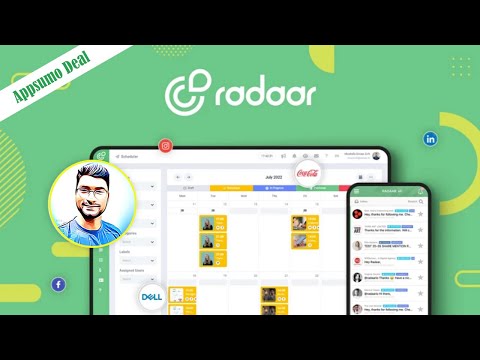
Radaar supports more than ten networks including Facebook, Instagram, X (Twitter), LinkedIn, YouTube, TikTok, Pinterest, Google Business Profile, and Mastodon, and offers a unified content calendar that lets you plan weeks of content with drag-and-drop ease. Where Radaar really stands out is the built-in social inbox, which pulls every comment, DM, mention, and review into a single Gmail-style stream so teams can reply quickly without bouncing between native apps.

Approval workflows, post drafts, and shared content libraries make it suitable for agencies handling several clients, while the included AI caption writer, hashtag generator, and link-in-bio tool give solo creators a serious productivity edge. With more than 50,000 active users, positive Trustpilot reviews, and a generous lifetime deal that has made it a long-time AppSumo favorite, Radaar has carved out a strong reputation as a budget-friendly Buffer or Hootsuite alternative that does not feel stripped down.

Unified Multi-Channel Scheduler

Plan and queue content for ten plus social networks from one drag-and-drop calendar. Cross-posting, network-specific tweaks, and bulk uploads via CSV save hours every week and keep posting cadence consistent across every channel you manage.

Social Inbox for Comments and DMs

Every comment, mention, message, and review lands in a unified inbox where teams can assign, reply, snooze, or escalate conversations. This eliminates the dreaded tab-switching between Instagram, Facebook, and X all day long.

AI-Powered Caption and Hashtag Generator

Built-in AI writes captions, suggests context-relevant hashtags, and even repurposes your blog posts into platform-tailored social copy. The generator understands brand tone presets, so output stays consistent across every campaign.

Link-in-Bio and Mini-Site Builder

Radaar ships with a no-code link-in-bio builder that turns one URL into a mini landing page for Instagram and TikTok bios. You get analytics on every click, integrations with Google Tag Manager, and full custom-domain support.

Brand Monitoring and Mention Tracking

Track keywords, hashtags, competitor handles, and unbranded mentions across X, Reddit, and the web. Sentiment scores, alerts, and saved searches surface PR opportunities and complaints before they spiral out of control.

Client Approval and Team Workflows

Agencies can invite clients as approvers, set up custom permission roles, and require sign-off before any post goes live. White-labeled portals and per-brand workspaces make multi-client work clean and professional.

Detailed Analytics and PDF Reports

Track follower growth, post engagement, hashtag performance, and conversion goals on every channel. Branded PDF reports can be auto-generated and emailed to clients on whatever cadence makes sense for the engagement.

Lifetime Deal Pricing on AppSumo

Radaar continues to offer aggressive AppSumo lifetime pricing that crushes Hootsuite and Sprout Social on long-term cost. Even outside of those promos, the standard plans are roughly half what most competitors charge for the same channel coverage.

Radaar Features – What You Get?

Radaar packages a full social media management stack into one workspace. You get a multi-channel scheduler, a unified social inbox for comments and DMs, AI caption and hashtag generation, brand monitoring, link-in-bio, content libraries, approval workflows, and analytics, all under one calendar-driven dashboard. Networks supported include Facebook, Instagram, X (Twitter), LinkedIn, TikTok, YouTube, Pinterest, Mastodon, Threads, and Google Business Profile. According to Radaar reviews on G2 and Trustpilot, users most often call out the speed of cross-posting, the quality of the unified inbox, and the value of the lifetime AppSumo deal.

Where Radaar really separates itself from generic schedulers is the engagement layer. The unified inbox pulls every comment, DM, mention, and review into a single Gmail-style stream where teams assign, snooze, or reply in bulk. Brand monitoring tracks keywords, hashtags, competitor handles, and unbranded mentions across X, Reddit, and the public web with sentiment scoring. The analytics layer produces clean PDF reports that agencies can rebrand and email straight to clients, and a built-in URL shortener delivers click attribution on every link Radaar publishes.

  • Multi-channel scheduler covering Facebook, Instagram, X, LinkedIn, TikTok, YouTube, Pinterest, and more
  • Unified social inbox for comments, DMs, mentions, and reviews
  • AI-powered caption writer, hashtag generator, and content recycling
  • No-code link-in-bio builder with click analytics and custom domains
  • Brand monitoring with keyword and competitor tracking across X, Reddit, and the web
  • Client approval workflows, white-labeled portals, and granular team permissions
  • Branded PDF reports auto-generated and emailed to clients
  • Built-in URL shortener with full click attribution per post
  • Aggressive AppSumo lifetime deal pricing and budget-friendly subscription tiers
  • 50,000 plus active users and broadly positive Trustpilot reviews

Video Guides and Tutorials

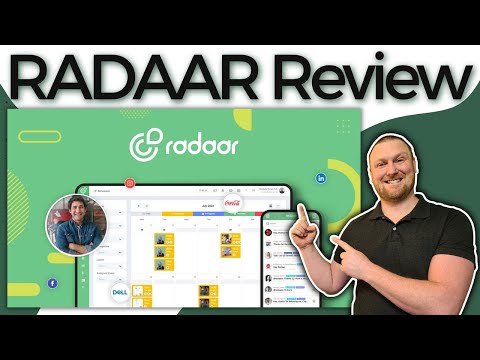
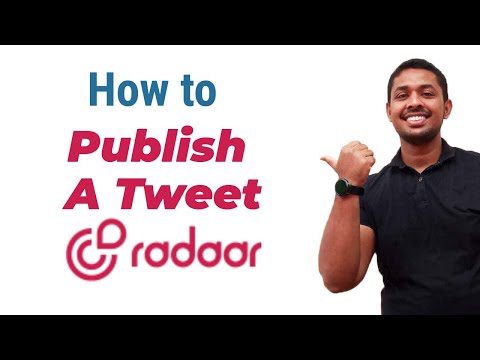
If you prefer to learn by watching, Radaar has a solid library of tutorials on YouTube from both the official channel and independent reviewers. These walkthroughs cover how to connect every supported network, schedule a week of content in 30 minutes, set up the social inbox, configure client approval workflows, and generate branded PDF reports. IdealOnlineBusiness.com recommends watching at least two of the beginner tutorials below before paying for a plan, so you can see the calendar, inbox, and reporting in action before committing.

radaar video 1 thumbnail
radaar video 2 thumbnail
radaar video 3 thumbnail
radaar video 4 thumbnail

Top Radaar Services

Radaar has matured well beyond a simple scheduler into a genuine alternative to expensive enterprise suites without the enterprise sticker shock. The platform was originally built by a small distributed team that wanted a tool good enough to run their own agency, and that operator-first DNA shows up in every feature: the calendar handles edge cases that most competitors ignore, the inbox actually works at scale, and the reporting templates are clean enough to send straight to a client without further editing.

What surprises new users most is how fast the team ships updates and how willing they are to discuss roadmap requests publicly. Beyond the headline features, Radaar bundles a built-in URL shortener with click analytics, an Instagram grid planner, RSS-to-social automation, and integrations with Canva, Bitly, Unsplash, Giphy, and Google Drive. The platform is GDPR-compliant, offers two-factor authentication for every team member, and stores assets in an organized media library that scales to thousands of files. Whether you are a solo creator who just wants to schedule a week of content in 30 minutes or an agency juggling fifty client accounts, Radaar’s combination of breadth, polish, and aggressive pricing makes it one of the easiest social tools to recommend in 2026.

Radaar Price Plans

Radaar uses a credit-based pricing model where each plan bundles a number of monthly credits (one credit roughly equals one generated ad set or creative export). Pricing below reflects yearly billing (50% off the monthly rate), with a 7-day free trial on all plans.

Starter Plan $20/month

Billed yearly (regularly $39/month). 10 credits, 1 brand, 1 user best for solopreneurs, freelancers, and side projects.

Professional Plan $125/month

Billed yearly (regularly $249/month). 50 credits, 5 brands, 5 users most popular for SMBs and growing agencies.

Ultimate Plan $500/month

Billed yearly (regularly $999/month). 100 credits, 10 brands, 10 users built for larger marketing teams and multi-brand operations.

Enterprise Plan Custom pricing

Bespoke pricing for teams needing custom credits, SSO, priority support, and a dedicated success manager.

Note: Quarterly (25% off) and Yearly (50% off) plans unlock the deepest savings. All paid tiers include unlimited ad exports once you stay within your credit count.

Pros and Cons of Radaar

Here’s a quick summary of what users consistently praise and criticize across G2, Capterra, and Trustpilot reviews.

Pros

  • ✅ Generates on-brand ad creatives in minutes from a product URL or brand brief
  • ✅ AI ad scoring engine predicts performance before you spend media budget
  • ✅ Strong integrations with Meta, Google, TikTok, LinkedIn, and Shopify
  • ✅ Brand kit keeps colors, logos, and fonts consistent across every export
  • ✅ Publishing, social inbox, monitoring and analytics in one workspace
  • ✅ 7-day free trial plus clear yearly discount (50% off) lowers entry cost

Cons

  • ❌ Credit-based pricing can feel restrictive if you iterate heavily on creatives
  • ❌ Some users report occasional billing friction when downgrading or cancelling
  • ❌ Limited mobile ad size library compared to standalone design platforms
  • ❌ Output still needs human polish for premium or highly branded campaigns
  • ❌ Non-English ad copy quality is inconsistent versus English creatives

Top Radaar Alternatives

While Radaar is among the most-praised AI ad generators in 2026, some teams need more manual design control, deeper brand customization, or a different pricing model. Depending on whether you need a full design suite, a lighter AI ad tool, or a dedicated video ad platform, these Radaar alternatives offer strong competing options for marketers and e-commerce brands.


Tailwind Review

Tailwind Review

Explore More
vidIQ Review

vidIQ Review

Explore More
ContentStudio Review

ContentStudio Review

ContentStudio Review – AI Social Media Management, Content Discovery & Scheduling From $25/mo
Explore More
SmarterQueue Review

SmarterQueue Review

96% user satisfaction across 226+ reviews — the smartest evergreen content scheduler
Explore More
Post Planner Review

Post Planner Review

Explore More
Iconosquare Review

Iconosquare Review

Explore More
Repurpose.io Review

Repurpose.io Review

Explore More
Publer Review

Publer Review

Explore More
Predis AI Review

Predis AI Review

Explore More
OneUp Review

OneUp Review

Explore More
Hypefury Review

Hypefury Review

Hypefury Review
Explore More
Brand24 Review

Brand24 Review

Explore More
Flick Review

Flick Review

Top Rated Features
  1. Easy Content Scheduling
  2. Advanced Analytics
  3. Integration with Tools
Explore More
Sendible Review

Sendible Review

Top Rated Features
  1. Easy Post Scheduling
  2. Smart Content Suggestions
  3. Customizable Notifications
Explore More
FineShare Review

FineShare Review

Top Rated Features
  1. Easy Content Creation
  2. Advanced Audio and Video Management
  3. Smart Editing Tools
Explore More
InfluenCity Review

InfluenCity Review

Top Rated Features
  1. Easy Campaign Management
  2. Advanced Analytics
  3. Influencer Discovery
Explore More
SocialBee Review

SocialBee Review

Top Rated Features
  1. Simple Low Content Book Creation
  2. Advanced Keyword and Niche Research
  3. Wide Interior Template Library
Explore More
Later Review

Later Review

Top Rated Features
  1. Multi Platform Scheduling
  2. Media Library Management
  3. Analytics and Reporting
Explore More
TikTok Login, App Access, and Pricing

TikTok Login, App Access, and Pricing

Top rated Features
  1. Effortless Access via TikTok Login
  2. Real-Time Performance Reporting
  3. Client Collaboration Tools
Explore More
SproutSocial Review

SproutSocial Review

Top Rated Features
  1. Engagement Management
  2. Social Listening
  3. Analytics and Reporting
Explore More
Onestream Review

Onestream Review

Top Rated Features
  1. Unified Platform
  2. Simplified Integration
  3. Cloud and On-Premise Options
Explore More
TubeBuddy Review

TubeBuddy Review

Top Rated Features
  1. Simplified SEO
  2. Time-Saving Automation
  3. Audience Engagement
Explore More
PromoRepublic Review

PromoRepublic Review

Top Rated Features
  1. Time-Saving Automation
  2. Content Creation Assistance
  3. Multi-Platform Support
Explore More
Wordable Review

Wordable Review

Top Rated Features
  1. Time-Saving Efficiency
  2. Error-Free Formatting
  3. Bulk Export Options
Explore More
Awario Review

Awario Review

Top Rated Features
  1. Real-Time Tracking
  2. Competitor Monitoring
  3. Customer Insights
Explore More
Social Searcher Review

Social Searcher Review

Top Rated Features
  1. Real-Time Monitoring
  2. User-Friendly Interface
  3. Accurate Sentiment Analysis
Explore More
MeetEdgar Review

MeetEdgar Review

Top Rated Features
  1. Time-Saving Automation
  2. Easy Content Recycling
  3. Category-Based Posting
Explore More
SocialPilot Review

SocialPilot Review

Top Rated Features
  1. Social Media Scheduling
  2. Content Curation
  3. Client Management
Explore More
Crowdfire Review

Crowdfire Review

Top Rated Features
  1. Content Scheduling
  2. Content Curation
  3. Analytics Dashboard
Explore More
TikTok For Business Review

TikTok For Business Review

Top Rated Features
  1. Short-Form Video Ads
  2. Analytics Dashboard
  3. Campaign Management
Explore More
FAQs

Frequently Asked Questions

Radaar is an all-in-one social media management platform built to help freelancers, agencies, and growing brands schedule posts, engage audiences, monitor mentions, and report results across every major channel from a single dashboard. This section answers the most common questions based on our research of public Radaar reviews, official documentation, and cross-referenced user feedback on G2, Trustpilot, and AppSumo.

Radaar is a social media management platform that lets you schedule posts, engage with comments and DMs, monitor brand mentions, manage link-in-bio, and report on performance across more than ten networks from one workspace. You connect Facebook, Instagram, X (Twitter), LinkedIn, TikTok, YouTube, Pinterest, and other channels, plan content in a drag-and-drop calendar, and reply to every conversation in a unified Gmail-style inbox.

Yes. Radaar offers a 14-day free trial that does not require a credit card, plus a permanently free tier that supports a small number of social profiles and limited monthly publishing. Many Radaar reviews recommend taking advantage of AppSumo lifetime deal promotions when they are available, since they replace a recurring subscription with a one-time purchase.

Radaar’s standard tiers are roughly $7.99/month for solo creators, $19.99/month for the Premium plan, $39.99/month for Studio, and $99.99/month for Agency, all with 20 to 30 percent savings on annual billing. Lifetime AppSumo deals have historically been priced between $59 and $299 one time and unlock the full feature set without ongoing subscription cost.

Radaar supports more than ten networks, including Facebook, Instagram, X (Twitter), LinkedIn (personal profile and company pages), TikTok, YouTube, Pinterest, Mastodon, Threads, and Google Business Profile. Cross-posting and channel-specific tweaks are handled in one drag-and-drop calendar so you do not have to log into each native app to schedule content.

Yes. Radaar’s unified social inbox pulls every comment, DM, mention, and review from connected accounts into a single Gmail-style stream. Teams can assign threads, snooze conversations, escalate to other agents, and reply in bulk without bouncing between native apps. Sentiment scoring and saved searches help triage which conversations need immediate attention.

Yes. Radaar is built for agencies as well as solo creators. Each client gets their own workspace with isolated content, an approval workflow, and white-labeled portals. Per-brand permissions, role-based access, and PDF reports that can be auto-emailed to clients on a recurring schedule make it straightforward to manage 50 plus accounts without losing track of any conversation.

Yes — the Ultimate plan supports up to 25 brands and 20 users, includes batch creatives, product videos, ad videos, and the Compliance Checker AI. Agencies that juggle multiple clients typically land on this tier after trialing Professional first.

We are not quoting a third-party score for Radaar, because ratings move constantly and we cannot verify what they say at the moment you are reading this. Its G2 and Capterra listings are the place to check for current figures. Our own view is the editorial rating shown at the top of this review.

Recurring user complaints include limited mobile-specific ad sizes, tighter customization than full design tools, and friction around cancelling or refunding during the trial-to-paid transition. Cancel inside the 7-day trial if you are only evaluating the platform.

Radaar suits freelancers, agencies and growing brands that want publishing, engagement, monitoring and reporting in one place at a lower price than the enterprise suites. If you need deep custom analytics or a niche network, check the supported channel list before committing.

⚠️ Affiliate Disclosure: This site contains affiliate links. We may earn a commission when you purchase through our links at no extra cost to you. Results are not typical.