Folk is a lightweight relationship-first CRM trusted by over 4,000 founders, freelancers, agencies and small sales teams. With a solid body of reviews on both G2 and Capterra — we have not verified a current aggregate score on either, so we do not quote figures — Folk is widely recognised as one of the cleanest, fastest CRMs to set up — most teams report being live inside 20 minutes. It blends a Notion-style spreadsheet experience with proper pipeline stages, dashboards, AI Magic Fields and the folkX Chrome extension that pulls LinkedIn profiles into the database with one click.
This Folk review is based on hands-on testing of the Standard and Premium plans, plus a structured read of recent G2, Capterra and independent reviews. Folk replaces a tangle of spreadsheets, mail-merge tools and bloated legacy CRMs (HubSpot, Salesforce, Pipedrive) for teams that want to manage contacts, pipelines and outbound campaigns without admin overhead. Below you will find what it does well, where it falls short, real public pricing, video walkthroughs and the alternatives worth considering.
Folk packages eight core capabilities that small teams actually use every day: a Notion-style spreadsheet UI, one-click LinkedIn capture via the folkX Chrome extension, AI Magic Fields and AI Assistants, real pipeline and deal management, email campaigns and sequences sent from your own inbox, native Gmail/Outlook/Calendar/WhatsApp sync, contact enrichment built into the workspace, and 5,000+ integrations through Zapier and Make. Together they replace the patchwork of spreadsheets, mail-merge tools and bloated CRMs that most founders and agencies drag around — without the steep learning curve of HubSpot or Salesforce.
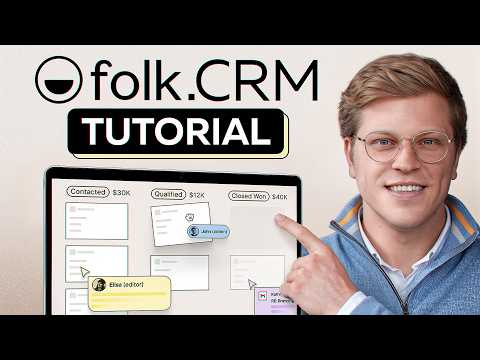
Below are four hand-picked Folk walkthroughs covering setup, the LinkedIn integration, AI Magic Fields and the day-to-day sales workflow. They are the fastest way to see whether Folk fits your stack before signing up for the 14-day Premium trial.
Full Premium feature set unlocked for two weeks so you can test pipelines, sequences and AI Magic Fields end-to-end before paying anything.
Pipelines, 2,000 emails/seat/month, folkX Chrome extension, AI Assistants, Magic Fields and 500 enrichment credits per workspace per month.
Adds deal management, multi-step email sequences, dashboards, API access, advanced roles and 1,000+ enrichment credits per month.
Higher limits, dedicated success manager, security review and procurement support for larger CRM-led teams.
Folk earns its consistently positive reviews on G2 and Capterra for one reason: it gets out of the way. But it is not perfect — here is the honest scorecard distilled from public reviews and our own testing.
What real users say: Reviewers on G2 and Capterra consistently highlight ease of use, fast onboarding and the LinkedIn workflow, while flagging the missing mobile app and limited deeper reporting as the trade-offs you accept for this much simplicity.

Folk is excellent for small teams that want a beautiful, fast, AI-assisted CRM — but it is not the only option. Depending on team size, budget and outreach intensity, these are the alternatives most worth a closer look:














Quick answers to the questions buyers ask most before signing up for Folk — pricing, free access, ideal users, mobile and security.
⚠️ Affiliate Disclosure: This site contains affiliate links. We may earn a commission when you purchase through our links at no extra cost to you. Results are not typical.