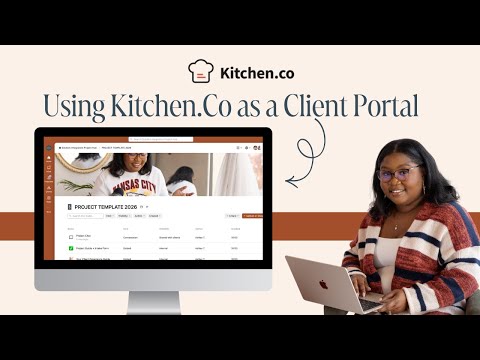
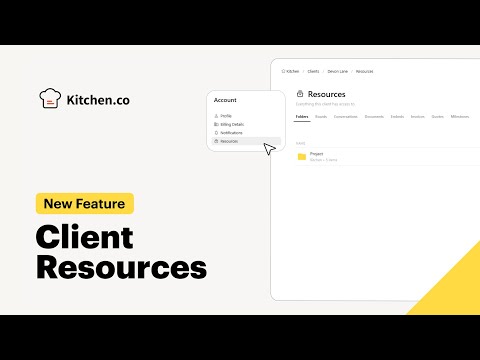
Kitchen.co is an all-in-one client portal and project management platform built for agencies, freelancers, and service businesses that need a single workspace to collaborate with clients. In this Kitchen.co review by idealonlinebusiness.com, you will see how Kitchen.co simplifies client communication, project tracking, file sharing, invoicing, and team collaboration in a clean white-labeled portal that your clients actually enjoy using.
Kitchen.co lets you spin up a fully white-labeled client portal in minutes. You upload your logo, choose brand colors, set a custom domain, and your clients log in to a workspace that looks like an extension of your agency. No third-party branding, no confusion.
Every client gets dedicated projects with task lists, Kanban boards, deadlines, assignees, and progress indicators. You can group tasks by milestone, attach files, leave comments, and keep both your team and the client in sync without juggling multiple tools.
Built-in chat and threaded discussions remove email back-and-forth. Clients message you inside the portal, your team @-mentions each other, and every conversation stays attached to the project where it belongs.
Upload contracts, design files, briefs, or videos and let clients comment, approve, or request changes inline. Version history is preserved so nothing important ever gets lost in a chain of email attachments.
Team members log billable hours against tasks. Kitchen.co rolls those entries up into timesheets you can export to CSV or attach to client invoices, giving you transparent billing without manual spreadsheet work.
Create branded invoices in your own currency and accept payments through Stripe directly inside the client portal. Recurring invoices, taxes, and partial payments are all supported, so cash flow stops being a chore.
Custom forms collect everything you need from a new client at sign-off, from project briefs to brand guidelines and login credentials. No more scattered Google Docs, just one tidy intake step that feeds straight into your project.
Most plans include unlimited team members and unlimited client users. You only pay for active workspaces, which makes Kitchen.co far more predictable than per-seat tools as your agency scales.
Kitchen.co bundles client portal, project management, communication, time tracking, invoicing, and onboarding into a single white-labeled workspace. Below is a closer look at the features that matter most for agencies and freelancers running client work in 2026.
Watch these short walk-throughs to see how Kitchen.co looks in real client engagements: portal setup, project workflows, invoicing, and team collaboration. Each video is under 10 minutes and covers a different angle of the product.
Kitchen.co is an all-in-one client portal and project-management tool for agencies. Pricing is per-user/month with three tiers and a free trial. All plans include unlimited clients, projects and white-labeling.
Reflects kitchen.co 2026 published rates.
Kitchen.co offers a flat-rate pricing model designed around team size and white-label needs, with significant discounts on annual billing. A free plan and a 14-day trial on paid tiers let you test Kitchen.co before committing.
Kitchen.co offers a free starter tier that includes 1 project, basic client portal access, task management, and core file sharing. Great for solo freelancers testing the platform with one engagement before upgrading.
For independent freelancers. Includes unlimited clients and projects, full white-label portal, time tracking, and invoicing. Recurring tasks and templates are unlocked at this tier.
Designed for small to mid-size agencies. Includes everything in Solo plus team seats, advanced reporting, custom forms, knowledge base, and priority support. The custom domain and branded login screen come standard.
For larger agencies that need SSO, dedicated onboarding, advanced security controls, and a dedicated success manager. Pricing is quoted based on team size and required integrations.
Note: Annual billing offers roughly 20 percent off the monthly rate. All paid plans include the white-labeled portal, unlimited projects, and unlimited client users.
If you are evaluating Kitchen.co against other tools, here are the closest alternatives worth comparing.

Box Inc is a leading enterprise content cloud platform helping businesses securely store, share, sign and collaborate on files with granular access control. In this Box Inc review by IdealOnlineBusiness.com, we evaluate the Business and Enterprise plans, Box Sign electronic signatures, Box AI, integrations with Microsoft 365, Google Workspace, Salesforce and Slack, advanced governance and compliance tools, security certifications including FedRAMP and HIPAA, pricing tiers, and verified customer feedback from G2 and Capterra.
Explore More




Below are the most common questions about Kitchen.co, covering pricing, features, alternatives, and whether it is the right fit for your business.
⚠️ Affiliate Disclosure: This site contains affiliate links. We may earn a commission when you purchase through our links at no extra cost to you. Results are not typical.