⚠️ Affiliate Disclosure: This page contains affiliate links. We may earn a commission at no extra cost to you. This does not influence our reviews. Read full disclosure →

Repurpose.io Review

Repurpose.io logo

Repurpose.io Review

Repurpose.io Overview

Repurpose.io is an automated multi-channel content repurposing platform that helps creators distribute one piece of content into dozens of automated outputs. In this Repurpose.io review by IdealOnlineBusiness.com, we look at its pricing, real user feedback, standout features and how it stacks up against Opus Clip, Castmagic and other alternatives.

Our analysis of Repurpose.io reviews shows the platform is widely trusted for reliability and time savings. It has public reviews across the major software review sites, but we have not independently verified a current aggregate score and so do not quote one here — check G2, Capterra and Trustpilot directly. Customers consistently call out the breadth of integrations and the time saved.

Auto-import from YouTube, TikTok, Reels

Point Repurpose.io at a YouTube channel, a TikTok profile, an Instagram Reels feed or a podcast RSS and it ingests every new upload automatically. You publish once to your home platform and Repurpose picks up the raw file on its own, no manual upload step.

Drag-and-drop workflow builder

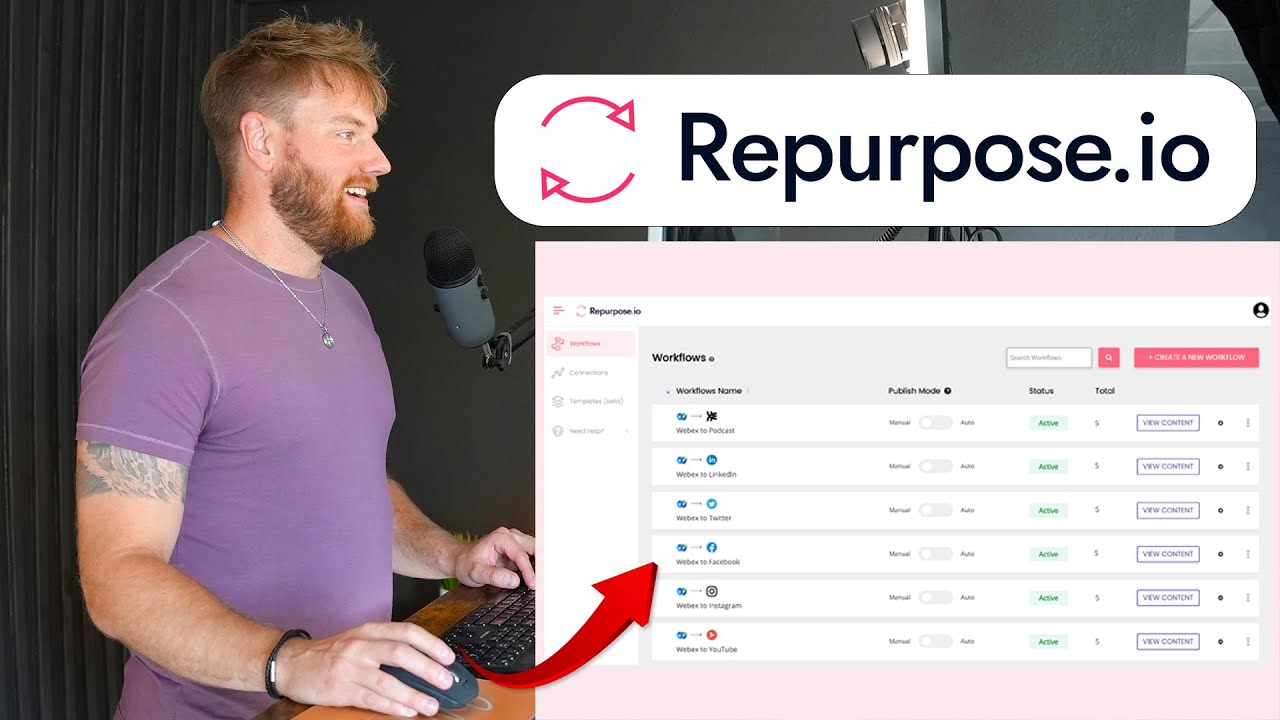
A drag-and-drop workflow builder lets you map one source to many destinations with rules per step — trim, caption, resize, add a watermark, then schedule. Non-technical creators assemble a fairly sophisticated content pipeline without writing code.

Auto-subtitles & captions

Every video is auto-subtitled with editable captions and burned-in styling that matches your brand font and colour. Subtitles lift watch-time on silent-autoplay feeds and are what most podcasters move to Repurpose for.

Brand templates and intros

Save brand intro and outro clips, colour overlays and logo bugs once and Repurpose reuses them across every outgoing video. Short-form content keeps a consistent look across TikTok, Reels and Shorts even when produced in bulk.

Cross-post to 10+ platforms

Cross-post to TikTok, Instagram Reels, YouTube Shorts, Facebook, Pinterest, LinkedIn, Twitter/X, Threads and a WordPress blog from the same source. You can pick which platforms receive which format and run a different schedule per destination.

Schedule repurposed content

Every repurposed clip can be scheduled in a queue or published immediately, with a built-in calendar for visibility. Creators pre-load a week of short-form content on Monday and Repurpose handles the rest of the week automatically.

Podcast to video automation

Podcasters feed an RSS feed into Repurpose and it produces wavy-audiogram videos, 1:1 reels with captions and chapter-ready YouTube uploads from each episode. It is the fastest path from ‘episode published’ to full multi-platform rollout.

Team member seats

Add additional team members as editors or reviewers on higher tiers, with a per-seat model rather than one-size-fits-all pricing. Agencies running clients through Repurpose isolate each brand’s assets cleanly.

Repurpose.io Features – What You Get?

Repurpose.io is a content-repurposing and distribution platform that takes one piece of content and automatically publishes it everywhere. You connect your sources – YouTube, TikTok, Instagram Reels, or a podcast feed – and Repurpose.io imports new content, reformats it for each destination, and posts it for you.

Using a drag-and-drop workflow builder, you can auto-add subtitles and captions, apply brand templates and intros, remove watermarks, schedule posts, and cross-post to more than 10 platforms including TikTok, Reels, Shorts, Facebook, LinkedIn, and podcast hosts. It even turns podcasts into video and supports team member seats for agencies.

Repurpose.io Pros and Cons

Pros

  • Auto-imports from YouTube, TikTok, Reels, and podcast feeds.
  • Reformats and cross-posts to 10+ platforms automatically.
  • Drag-and-drop workflow builder with scheduling.
  • Auto-subtitles, brand templates, watermark removal, and podcast-to-video.
  • A major time-saver for distributing one piece of content everywhere.

Cons

  • Editing is light – it is built for distribution, not full video editing.
  • More workflows and team seats require higher-priced plans.
  • Occasional hiccups when social platforms change their APIs.
  • Setting up workflows takes a little learning up front.
  • Auto distribute long form content as shorts to TikTok, Reels and Shorts
  • Audiogram templates with branded captions
  • Auto post YouTube videos and TikToks to other networks
  • AI captions and transcription
  • Workflow automation with triggers across networks
  • Aspect ratio adjustments and watermarks
  • Direct integrations with YouTube, Vimeo, Dropbox and more
  • Bulk processing of episode batches

Video Guides and Tutorials

If you prefer to learn by watching, Repurpose.io has tutorials on YouTube including the official channel.

Repurpose.io — Repurpose Io Video 1 1xbmc5x8y
Repurpose.io — Repurpose Io Video Tgi66ehrpd8
Repurpose.io — Repurpose Io Video Z5oqm0pbc7o
Repurpose.io — Repurpose Io Video Ldy8gdzqt G

Repurpose.io Pricing & Plans

Repurpose.io offers a free trial plus tiered Content Marketer and Agency subscriptions. Annual billing offers a meaningful discount.

Repurpose.io Review – What Real Users Say

Across G2 and Capterra, Repurpose.io earns consistently positive reviews. We have not verified a current aggregate score, so we do not quote one. Reviewers highlight time savings and the breadth of automation.

Repurpose.io Alternatives

The most common Repurpose.io alternatives include Opus Clip, Castmagic, Riverside Magic Clips, Gumloop and ContentFries.


Tailwind Review

Tailwind Review

Explore More
vidIQ Review

vidIQ Review

Explore More
ContentStudio Review

ContentStudio Review

ContentStudio Review – AI Social Media Management, Content Discovery & Scheduling From $25/mo
Explore More
SmarterQueue Review

SmarterQueue Review

96% user satisfaction across 226+ reviews — the smartest evergreen content scheduler
Explore More
Post Planner Review

Post Planner Review

Explore More
Radaar Review

Radaar Review

Explore More
Iconosquare Review

Iconosquare Review

Explore More
Publer Review

Publer Review

Explore More
Predis AI Review

Predis AI Review

Explore More
OneUp Review

OneUp Review

Explore More
Hypefury Review

Hypefury Review

Hypefury Review
Explore More
Brand24 Review

Brand24 Review

Explore More
Flick Review

Flick Review

Top Rated Features
  1. Easy Content Scheduling
  2. Advanced Analytics
  3. Integration with Tools
Explore More
Sendible Review

Sendible Review

Top Rated Features
  1. Easy Post Scheduling
  2. Smart Content Suggestions
  3. Customizable Notifications
Explore More
FineShare Review

FineShare Review

Top Rated Features
  1. Easy Content Creation
  2. Advanced Audio and Video Management
  3. Smart Editing Tools
Explore More
InfluenCity Review

InfluenCity Review

Top Rated Features
  1. Easy Campaign Management
  2. Advanced Analytics
  3. Influencer Discovery
Explore More
SocialBee Review

SocialBee Review

Top Rated Features
  1. Simple Low Content Book Creation
  2. Advanced Keyword and Niche Research
  3. Wide Interior Template Library
Explore More
Later Review

Later Review

Top Rated Features
  1. Multi Platform Scheduling
  2. Media Library Management
  3. Analytics and Reporting
Explore More
TikTok Login, App Access, and Pricing

TikTok Login, App Access, and Pricing

Top rated Features
  1. Effortless Access via TikTok Login
  2. Real-Time Performance Reporting
  3. Client Collaboration Tools
Explore More
SproutSocial Review

SproutSocial Review

Top Rated Features
  1. Engagement Management
  2. Social Listening
  3. Analytics and Reporting
Explore More
Onestream Review

Onestream Review

Top Rated Features
  1. Unified Platform
  2. Simplified Integration
  3. Cloud and On-Premise Options
Explore More
TubeBuddy Review

TubeBuddy Review

Top Rated Features
  1. Simplified SEO
  2. Time-Saving Automation
  3. Audience Engagement
Explore More
PromoRepublic Review

PromoRepublic Review

Top Rated Features
  1. Time-Saving Automation
  2. Content Creation Assistance
  3. Multi-Platform Support
Explore More
Wordable Review

Wordable Review

Top Rated Features
  1. Time-Saving Efficiency
  2. Error-Free Formatting
  3. Bulk Export Options
Explore More
Awario Review

Awario Review

Top Rated Features
  1. Real-Time Tracking
  2. Competitor Monitoring
  3. Customer Insights
Explore More
Social Searcher Review

Social Searcher Review

Top Rated Features
  1. Real-Time Monitoring
  2. User-Friendly Interface
  3. Accurate Sentiment Analysis
Explore More
MeetEdgar Review

MeetEdgar Review

Top Rated Features
  1. Time-Saving Automation
  2. Easy Content Recycling
  3. Category-Based Posting
Explore More
SocialPilot Review

SocialPilot Review

Top Rated Features
  1. Social Media Scheduling
  2. Content Curation
  3. Client Management
Explore More
Crowdfire Review

Crowdfire Review

Top Rated Features
  1. Content Scheduling
  2. Content Curation
  3. Analytics Dashboard
Explore More
TikTok For Business Review

TikTok For Business Review

Top Rated Features
  1. Short-Form Video Ads
  2. Analytics Dashboard
  3. Campaign Management
Explore More
FAQs

Repurpose.io FAQs

Below are common questions about Repurpose.io, answered using publicly available information.

Repurpose.io is an automated multi-channel content repurposing platform for podcasters, YouTubers and brands.

Yes, Repurpose.io offers a free trial so you can evaluate the workflows.

Repurpose.io pricing scales by usage and team size with annual billing offering a discount.

Repurpose.io follows industry standard security practices and uses official APIs to publish.

Yes, Repurpose.io integrates natively with TikTok, YouTube, Instagram, Facebook and more.

Repurpose.io provides documentation, knowledge base and chat support.

Many users use Repurpose.io alongside Opus Clip since they cover different parts of the workflow.

Yes, you can cancel a Repurpose.io subscription at any time.

Repurpose.io typically wins on cross-platform automation depth compared to Castmagic.

Use the official Repurpose.io link in this review to access the free trial.

⚠️ Affiliate Disclosure: This site contains affiliate links. We may earn a commission when you purchase through our links at no extra cost to you. Results are not typical.