⚠️ Affiliate Disclosure: This page contains affiliate links. We may earn a commission at no extra cost to you. This does not influence our reviews. Read full disclosure →

Service Fusion Review

Service Fusion logo

Service Fusion Review

Editorial rating: 4.6 / 5

Service Fusion Overview

Service Fusion is a comprehensive field service management software built for HVAC, plumbing, electrical, appliance repair, and other service-based businesses to schedule jobs, dispatch technicians, manage customers, and run accounting in one platform. In this Service Fusion review by IdealOnlineBusiness.com, we look at its pricing, features, real user ratings, and ease of use based on G2, Capterra, and Software Advice reviews. Whether you’re running a small two-truck business or scaling a multi-location field service operation, Service Fusion promises an all-in-one system with no per-user pricing.

Our analysis of Service Fusion reviews shows the platform is widely trusted for its complete feature set, transparent flat-rate pricing, and strong customer support. It has public reviews across the major software review sites. We have not independently verified a current aggregate score and so do not quote one, but what users praise most is the QuickBooks integration, the mobile app for field techs, and the customer self-service portal. For service businesses tired of patching together separate tools for scheduling, invoicing, and dispatching, Service Fusion delivers a complete platform with predictable monthly costs.

Job Scheduling and Drag-and-Drop Dispatching

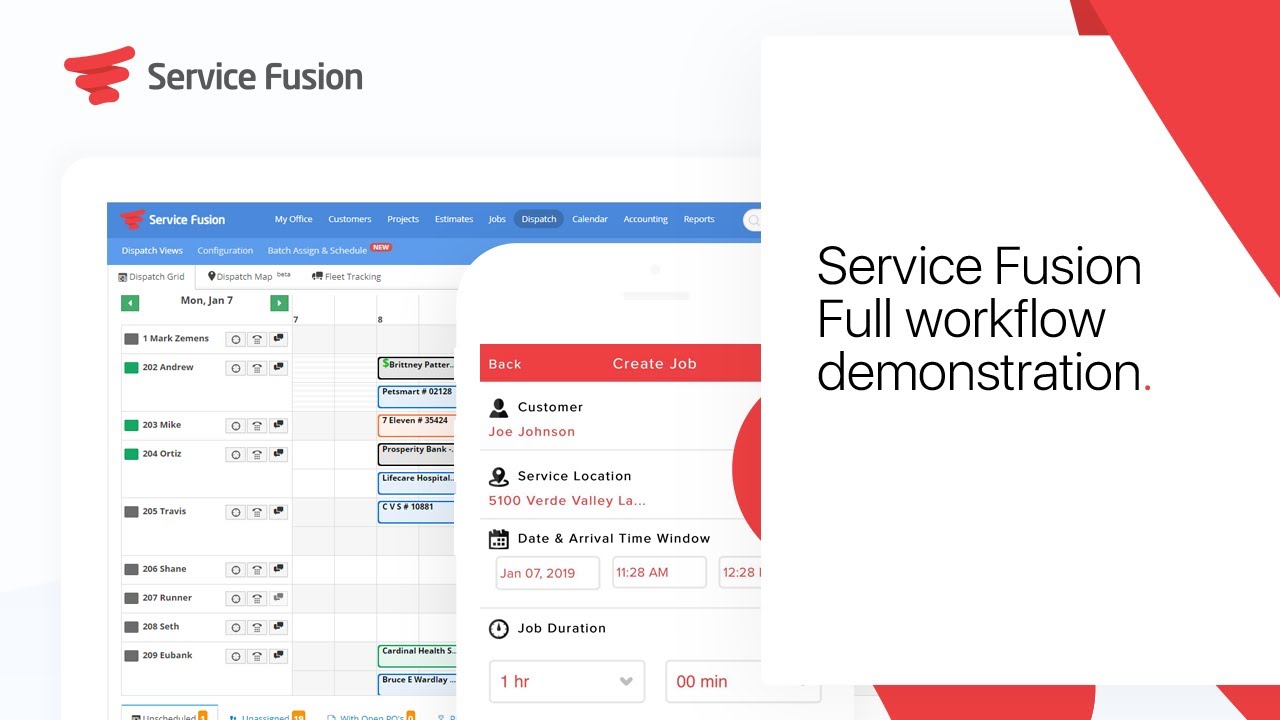
Manage technician schedules, drag and drop jobs to dispatch the right tech to the right job, and view real-time status across your entire crew.

Mobile App for Field Technicians

Technicians get a clean mobile app to view jobs, capture customer signatures, take photos, collect payments, and update job status from the field.

Customer Management and CRM

Track customer history, equipment serviced, service agreements, recurring contracts, and notes in one customer record accessible across the whole team.

Estimates, Invoices and Payment Processing

Send branded estimates, convert them to invoices, and accept credit card or ACH payments in the field with built-in payment processing.

QuickBooks and Accounting Integration

Sync customers, invoices, and payments seamlessly with QuickBooks Online or Desktop so accounting stays clean without double-entry.

Service Fusion’s combination of complete field service features, flat-rate pricing without per-user fees, mobile field apps, and tight QuickBooks integration makes it a strong choice for service businesses that want one platform to run everything.

See how Service Fusion helps HVAC, plumbing, and electrical companies schedule jobs, dispatch techs, manage customers, and run their accounting in one platform with no per-user pricing.

Service Fusion — Service Fusion Video 1
Service Fusion — Service Fusion Video 2
Service Fusion — Service Fusion Video 3
Service Fusion — Service Fusion Video 4

Spocket Review - Final Thoughts

Service Fusion offers three transparent plans, all of which come with unlimited users so your dispatcher, technicians, and office staff are never penalized for growing the team. The Starter plan is $208/month (annual billing) and includes unlimited customers, jobs, estimates, dispatching, GPS fleet tracking, QuickBooks integration, invoicing, reporting, and text messaging — already a complete operations system. The Plus plan at $325/month adds job costing, inventory management, job photos, and voice reminders for businesses that need tighter cost tracking. The Pro plan at $533/month layers in integrated voice calling, a customer web portal, a customer-facing mobile app, eSign documents, and custom documents for service businesses that want a fully branded customer experience. Monthly billing options are available at $245/$382/$627 per month respectively. There is no free trial, but Service Fusion offers a personalized demo so you can see the dispatch board, mobile app, and accounting sync before committing.


4.5 EASE OF USE
4.0 VALUE FOR MONEY
3.0 CUSTOMER SUPPORT
2.0 FUNCTIONALITY

Alternatives

Thryv Review

Thryv Review

Editorial rating: 4.5 / 5 — AI-powered all-in-one CRM, marketing, booking, payments and reputation platform for small business
Explore More
Less Annoying CRM Review

Less Annoying CRM Review

Less Annoying CRM Review – #1 CRM for Small Business at $15/user/month
Explore More
ServiceTitan Review

ServiceTitan Review

ServiceTitan Review – #1 Field Service Software for HVAC, Plumbing & Electrical Contractors
Explore More
Service Fusion Review

Service Fusion Review

Editorial rating: 4.3 / 5
Explore More
Folk Review

Folk Review

Editorial rating: 4.5 / 5
Explore More
Keap Review

Keap Review

Editorial rating: 4.2 / 5
Explore More
Close CRM Review

Close CRM Review

Editorial rating: 4.7 / 5
Explore More
PipelinePro Review

PipelinePro Review

4.6
Explore More
Capsule CRM Review

Capsule CRM Review

Editorial rating: 4.6 / 5
Explore More
Blueshift Review

Blueshift Review

Editorial rating: 4.4 / 5
Explore More
Aitable.ai Review

Aitable.ai Review

Editorial rating: 4.6 / 5
Top Rated Features
  1. No-Code AI Database with Multiple Views
  2. Built-in AI Chatbot and Agent Builder
  3. Visual Workflow Automation
Explore More
HighLevel Review

HighLevel Review

Editorial rating: 4.2 / 5
Top Rated Features
  1. Sales Funnels
  2. Reputation Management
  3. Reporting and Analytics
Explore More
Housecall Pro Review

Housecall Pro Review

4.5
Top Rated Features
  1. Job scheduling automation
  2. Payment collection
  3. Reporting tools
Explore More
GoHighLevel Review

GoHighLevel Review

Editorial rating: 4.2 / 5
Top Rated Features
  1. Reputation Management Tools
  2. CRM and Pipeline Management
  3. Appointment Booking System
Explore More
Engagebay Review

Engagebay Review

4.6
Top Rated Features
  1. All-in-One Platform
  2. Email Marketing Tools
  3. CRM Capabilities
Explore More
Pipedrive Review

Pipedrive Review

4.3
Top Rated Features
  1. Pipeline Management
  2. Automation Tools
  3. Integration Options
Explore More
Pipedream Review

Pipedream Review

4.7
Top Rated Features
  1. Team Collaboration
  2. Secure Infrastructure
  3. Real-Time Event Handling
Explore More
Zoho Review

Zoho Review

4.7
Top Rated Features
  1. Lead Management
  2. Sales Automation
  3. Analytics and Reporting
Explore More
STEL Order Review

STEL Order Review

4
Top Rated Features
  1. Invoicing & Payments
  2. Customer Management (CRM)
  3. Real-Time GPS Tracking
Explore More
Apollo.io Review

Apollo.io Review

Editorial rating: 4.2 / 5
Top Rated Features
  1. Extensive Contact Database
  2. Email Sequencing and Automation
  3. Chrome Extension
Explore More
HubSpot Review

HubSpot Review

4.7
Top Rated Features
  1. Lead Management
  2. CRM Integration
  3. Content Creation Tools
Explore More
HelloBonsai Review

HelloBonsai Review

4.5
Top Rated Features
  1. Contract Management
  2. Invoicing Made Easy
  3. Proposal Templates
Explore More
Wishpond Review

Wishpond Review

4.6
Top Rated Features
  1. Lead Generation Tools
  2. Marketing Automation
  3. Contest Campaigns
Explore More
FAQs

FAQs

Service Fusion is an all-in-one field service management platform built for HVAC, plumbing, electrical, appliance repair, garage door, and other home-service contractors. It bundles scheduling, dispatching, customer management, estimates, invoicing, FusionPay payments, GPS fleet tracking, and a field worker mobile app into a single workspace.

No, Service Fusion does not offer a self-serve free trial. The company instead offers a guided personalized demo where a sales rep walks you through the dispatch board, mobile app, and accounting sync before you commit to a paid plan.

Service Fusion has three plans, all with unlimited users. The Starter plan is $208/month, Plus is $325/month, and Pro is $533/month when billed annually. Monthly billing is available at $245, $382, and $627 per month respectively. Annual billing saves roughly 15%.

Yes. Whether you have one technician and one dispatcher or twenty technicians and a full office team, Service Fusion pricing stays the same. This is a major cost difference versus per-user platforms like ServiceTitan or Jobber as your team grows.

Yes. Service Fusion offers a deep two-way QuickBooks Online and QuickBooks Desktop integration that syncs customers, invoices, payments, and items. Accounting teams continue working in QuickBooks while ops and dispatch run on Service Fusion.

Yes — Service Fusion includes real-time GPS fleet tracking, idle alerts, driver behavior data, and historical trip logs on the Starter, Plus, and Pro plans. You do not have to bolt on a separate telematics tool, which can save hundreds of dollars per truck per year.

Yes — Service Fusion is one of the most popular field service platforms in the HVAC and plumbing categories on Capterra and G2. It ships with industry-specific workflows, equipment tracking, recurring maintenance, and warranty management out of the box rather than as add-ons.

We are not quoting a third-party score for Service Fusion here, because ratings on Capterra and G2 shift constantly and we cannot verify what they say at the moment you are reading this. Check those listings directly for current figures. What is consistent across public reviews is the themes: the recurring praise is for ease of use, dispatch and customer support, while the recurring complaints are mobile app stability and data import.

Common complaints include occasional mobile app reliability issues, friction during initial data migration from legacy tools, and the lack of a self-serve free trial. Most of these are typical of comprehensive field service platforms and are usually resolved during onboarding with the Service Fusion implementation team.

Service Fusion fits HVAC, plumbing, electrical, appliance repair, garage door, and other home-service contractors who need to run scheduling, dispatch, customer management, invoicing, and payments from one platform. It is especially well suited to small and mid-sized service businesses with one to fifty technicians who want unlimited users, GPS fleet tracking, and a deep QuickBooks integration without paying enterprise prices.

⚠️ Affiliate Disclosure: This site contains affiliate links. We may earn a commission when you purchase through our links at no extra cost to you. Results are not typical.