NullBox is an email privacy service that protects your inbox using disposable email aliases. Instead of handing out your real email address, you create unique aliases (called Boxes) that forward incoming mail to your actual inbox. This keeps your real address private, cuts down on spam, and lets you shut off any alias the moment it starts attracting unwanted email. In this NullBox review, we explore its features, privacy protections, and how it helps you stay in control of your inbox.
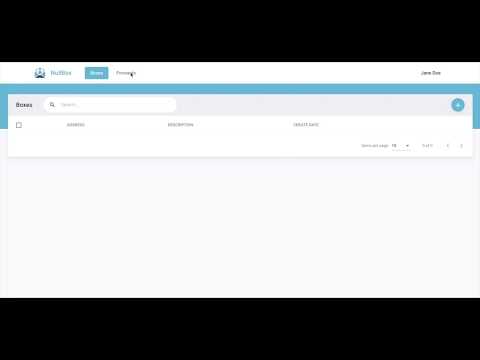
You create a separate alias — NullBox calls them Boxes — for each site or service you sign up to, so your real address is never the one you hand over. Sign-up forms, newsletters and one-off purchases each get their own address, so a leak or a resold list never exposes the inbox you actually read.
Mail sent to a Box forwards to your normal inbox, so you carry on reading and replying where you already do. There is no separate mailbox to check and no change to your existing email client.
If one alias starts attracting spam you can turn it off on its own. The sender loses the route to you, every other alias keeps working, and your real address never has to change.
NullBox supports custom domains through your own DNS settings, so aliases can sit on a domain you control rather than on a provider address.
The service supports PGP for sending encrypted mail and receiving sensitive files, with the encryption keys held by you rather than the provider.
Walkthroughs covering the parts people get stuck on: creating your first Box, pointing a custom domain at NullBox through DNS, and switching off an alias once it starts attracting spam.
NullBox is built around one job: keeping your real email address out of other people’s databases. Its services cover creating and managing aliases, forwarding mail into your existing inbox, and shutting an alias down once it starts attracting spam. Here’s a breakdown of what NullBox actually offers:
View More:ProtonMail review | Proton VPN review | AdGuard VPN review | ZeroBounce review
NullBox has no paid plans at the time of writing, because it has not launched billing yet. The service is in early access, and NullBox states plainly on its own site that billing is not available and that the full Pro feature set is free until it is. During early access that means unlimited mailboxes, unlimited aliases, 10 GB of bandwidth per month and a support response target of 24 hours — at no cost. NullBox also says early adopters will receive three months of Pro included once paid plans go live.
The practical read: there is no pricing to compare against SimpleLogin, Addy.io or Apple’s Hide My Email yet, and nobody can tell you what NullBox will cost, because NullBox has not announced it. Any review quoting a NullBox monthly price is either inventing it or recycling a figure from a listing site. The real question for early access is not price but continuity — an alias service becomes load-bearing once you have handed those addresses to banks, retailers and services, so weigh how comfortable you are depending on a pre-billing product before you migrate anything important to it.
NullBox is an alias layer, not a mailbox provider, and the distinction matters more than most reviews admit. You keep whatever inbox you already use — Gmail, Outlook, Fastmail — and NullBox sits in front of it. For each site or service you sign up to, you generate a separate alias address. Mail sent to that alias is forwarded to your real inbox, and your real address is never disclosed to the recipient.
The payoff comes when an alias goes bad. If a retailer sells your address on, or suffers a breach, the spam arrives at one alias rather than your actual inbox, and you can see exactly which company leaked it because only they had that address. Switching it off takes a click and costs you nothing elsewhere. The trade-off is that replying from an alias requires routing the reply back through the service, and anything depending on your real address — account recovery, for instance — still needs care. It is a privacy and spam-control tool, not a replacement email account.
Pros
Cons

NullBox is one of several services that put a disposable alias between you and the sender. The main alternatives are SimpleLogin, AnonAddy (now addy.io), Firefox Relay, DuckDuckGo Email Protection and Apple’s Hide My Email, which is bundled with iCloud+. They differ mainly in how many aliases you get for free, whether you can reply through an alias, and whether you can attach your own domain. NullBox is newer and smaller than those, so treat it as one to test rather than a default choice.
NullBox is an email privacy service built around disposable aliases. Below are straight answers to the questions people ask most often before trying it.
⚠️ Affiliate Disclosure: This site contains affiliate links. We may earn a commission when you purchase through our links at no extra cost to you. Results are not typical.