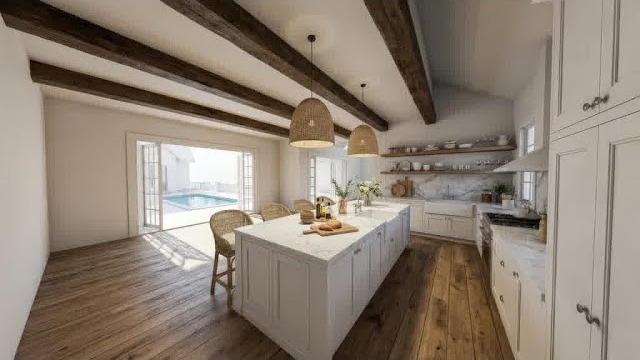
Enviz is an AI-powered visualization platform built for interior designers, real estate professionals, home stagers, and ecommerce furniture sellers. In this Enviz review by IdealOnlineBusiness.com, we look at its pricing, AI staging quality, room redesign features, and real user ratings collected from Product Hunt and other public review sites.
Whether you stage real estate listings, help homeowners visualize renovations, or generate ecommerce product photography in lifestyle scenes, Enviz promises one-click empty-room staging, AI room redesign across 30+ styles, and instant background replacement. It backs that up with high-resolution downloads, commercial use rights on paid plans, and an intuitive web app.
Our analysis of Enviz user reviews shows the platform is widely loved by real estate agents and interior designers for fast turnaround and realistic results. It has public reviews on Product Hunt, but we have not independently verified a current aggregate score and so do not quote one — check Product Hunt directly. Users frequently call out the speed (under 30 seconds per render), quality of empty-room virtual staging, and the cost savings versus traditional staging as the biggest reasons they pick Enviz.
Upload an empty-room photo and Enviz instantly stages it with realistic furniture in your chosen style — typically in under 30 seconds. Replaces traditional photo staging at a fraction of the cost.
Choose from 30+ interior styles including modern, Scandinavian, mid-century modern, industrial, coastal, farmhouse, traditional, and more. Each style draws from a curated furniture library.
Remove existing furniture from a photo and re-stage the empty room. Perfect for outdated listings or before-and-after design proposals.
For ecommerce sellers, drop a product photo into Enviz and replace the background with realistic lifestyle scenes — kitchens, living rooms, outdoor patios — without traditional photoshoots.
Optimized for real estate workflows: standard MLS-friendly aspect ratios, fast batch processing of full property shoots, and watermark-free downloads.
All paid plans include a full commercial-use license. Use Enviz outputs in MLS listings, marketing materials, ecommerce listings, social ads, and client deliverables.
Pro and Business plan users can queue dozens of images at once. Useful for staging an entire property listing or processing a product catalog in one batch.
Pro and Business plans deliver up to 4K-resolution outputs suitable for print marketing, large-format flyers, and high-DPI listing photos.
Enviz packages a full AI interior and exterior design visualization platform into one workspace. You get AI room redesign, instant style swaps, virtual staging, exterior rendering, custom prompts, and high-resolution downloads ready for client decks or listings. According to Enviz reviews, real-estate agents, interior designers, and homeowners most often call out how a single photo of an empty or dated room turns into a fully furnished, photoreal redesign in under a minute.
Where Enviz really separates itself from generic AI image tools is the interior-design focus. The platform understands rooms, materials, lighting, and furniture layout, so renders look like real interiors instead of AI hallucinations. Style libraries (modern, Scandinavian, industrial, mid-century, etc.) and on-demand custom prompts let you A/B test design directions before committing budget. It is not flawless, exact furniture placement can vary between renders, but the core feature set holds up well for real-estate listings, design pitches, and homeowner planning in 2026.
If you prefer to learn by watching, Enviz has a growing library of tutorials on YouTube from both the official Enviz channel and independent real-estate and design reviewers. These walkthroughs cover how to upload a room photo, pick a style, run virtual staging on a listing, render an exterior, and download outputs at print resolution. IdealOnlineBusiness.com recommends watching at least two of the beginner tutorials below before paying for credits, so you can see render quality, style fidelity, and turnaround speed for yourself before committing.
Enviz is more than a single AI render tool, it packages a complete AI design visualization platform aimed at real-estate agents, interior designers, contractors, and homeowners who need fast, photoreal interior and exterior renders without 3D software. Below is a breakdown of the core Enviz services and where each one fits into a real workflow based on Enviz reviews from users.
The platform groups its services into four areas: room redesign, virtual staging, exterior visualization, and custom prompt control. Whether you are listing a vacant home, pitching a renovation, planning a kitchen remodel, or showing a buyer multiple style options, the same workspace handles upload, style selection, render, and high-resolution export. That end-to-end coverage is exactly why Enviz reviews highlight it as a go-to platform for visual selling and design decisions in 2026.
Enviz uses a credit-based subscription model with monthly and pay-per-image options. Each render typically uses 1 credit.
Free Plan: $0/mo — limited credits to test the platform with watermarked low-resolution outputs.
Starter Plan: Starts at $19/mo — 100 monthly credits, full feature access, high-resolution downloads, commercial-use license.
Pro Plan: Starts at $49/mo — 400 monthly credits, batch processing, priority queue, and 4K downloads.
Business / Agency Plan: Starts at $149/mo — 1,500+ monthly credits, team seats, white-label downloads, and API access.
Pay-Per-Image: $1.99 per render available without subscription for occasional users.
Annual billing typically saves 20-30% across paid tiers. All paid plans include commercial-use rights and watermark-free downloads.
While Enviz leads on speed and ease of use for real estate virtual staging in 2026, alternatives may suit specific use cases better. ApplyDesign and VirtualStaging.AI are direct competitors with similar pricing and feature sets. BoxBrownie offers human-edited virtual staging at a higher price point with hand-finished quality. PadStyler and StagingDesign.com are popular among real estate teams. For interior renovation visualization, RoomGPT, Modsy (defunct competitors), and AI Room Planner are worth comparing. For 3D model rendering, Coohom and Foyr Neo offer deeper customization tools.

Enviz is one of the fastest AI virtual staging platforms in 2026 with realistic outputs and accessible pricing for real estate, interior design, and ecommerce teams. Below are the most common questions about Enviz pricing, output quality, and commercial use.
⚠️ Affiliate Disclosure: This site contains affiliate links. We may earn a commission when you purchase through our links at no extra cost to you. Results are not typical.