
Disclosure: This post is a paid partnership with Bluehost and contains affiliate links. If you sign up through our links, we may earn a commission at no extra cost to you. The build, screenshots and opinions below are our own. See our general disclosures.
Most small businesses need two things online: a website that explains what they do, and some way to capture and manage enquiries. Until recently those were two separate jobs, usually a site builder plus a form tool or a CRM bolted on afterwards.
Bluehost AI Builder is Bluehost’s attempt to do both from one chat window. You describe the website or web app you need, it builds and hosts it, and you change things by typing. It is currently in Early Access and it is $0 to start, no credit card.
We did not want to rewrite the launch announcement, so we tested it properly. We asked Bluehost AI Builder for a marketing agency website with a working quote request app behind it, timed the build, made a change by chat, and looked at what it got right and what still needs a human. Here is what happened.
What is Bluehost AI Builder?
Bluehost AI Builder is a chat-based builder for websites and web apps. Instead of picking a template and dragging blocks around, you write what your business needs in plain language. The builder then creates the pages, the design, the forms and, if you ask for it, an app with data storage and an admin panel.
According to Bluehost, you can use it for business sites, portfolios, landing pages, booking sites, customer portals and quote request tools. Hosting is included on every plan, and Bluehost says there is 24/7 human support on every plan too, including the free one.
It is a different product from the WordPress-based builder covered in our Bluehost review. What you get here is not a WordPress site. It is a custom site or app that you keep editing through conversation.
Our test: an agency website with a quote request app
We invented a small agency called BrightLeaf Digital and typed one paragraph into the box on the Bluehost AI Builder page:
A website for BrightLeaf Digital, a small marketing agency offering SEO, paid ads and web design to local businesses, with a services section, case studies, and a quote request app where visitors submit project details and my team manages requests in an admin panel with email alerts.
One thing to know up front: you can type your prompt without an account, but clicking “Build for free” opens a sign-up screen. You need to create a free account (email, or Google, Apple or GitHub) before anything is built. No card was requested.
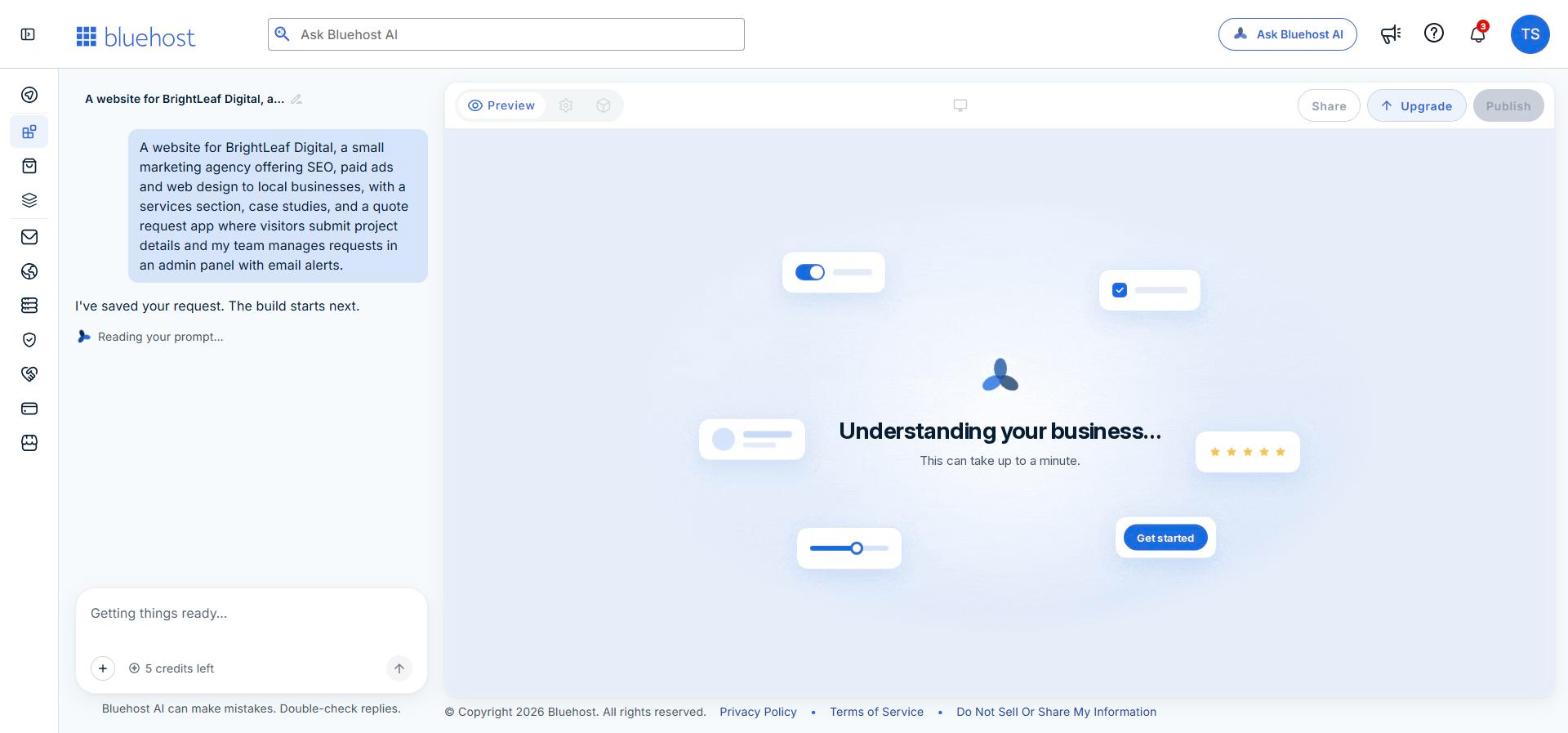
Step 1: The build (under five minutes)
After sign-up the builder took our prompt and started without asking for anything else. A progress list showed each stage as it ran: setting up the site’s look, adding services and case studies, building the quote requests, building the dashboard and building the pages.
While it worked, it offered four optional questions about who we are, which we skipped. From prompt to finished preview took a little under five minutes, and it used one credit.
Step 2: The website it produced
The result was a six-page site in a green brand style with a proper hero section, a numbered services list (SEO, Paid Ads, Web Design), a “Recent work” case study grid, About and Contact pages, and a “Request a quote” button in the header on every page.
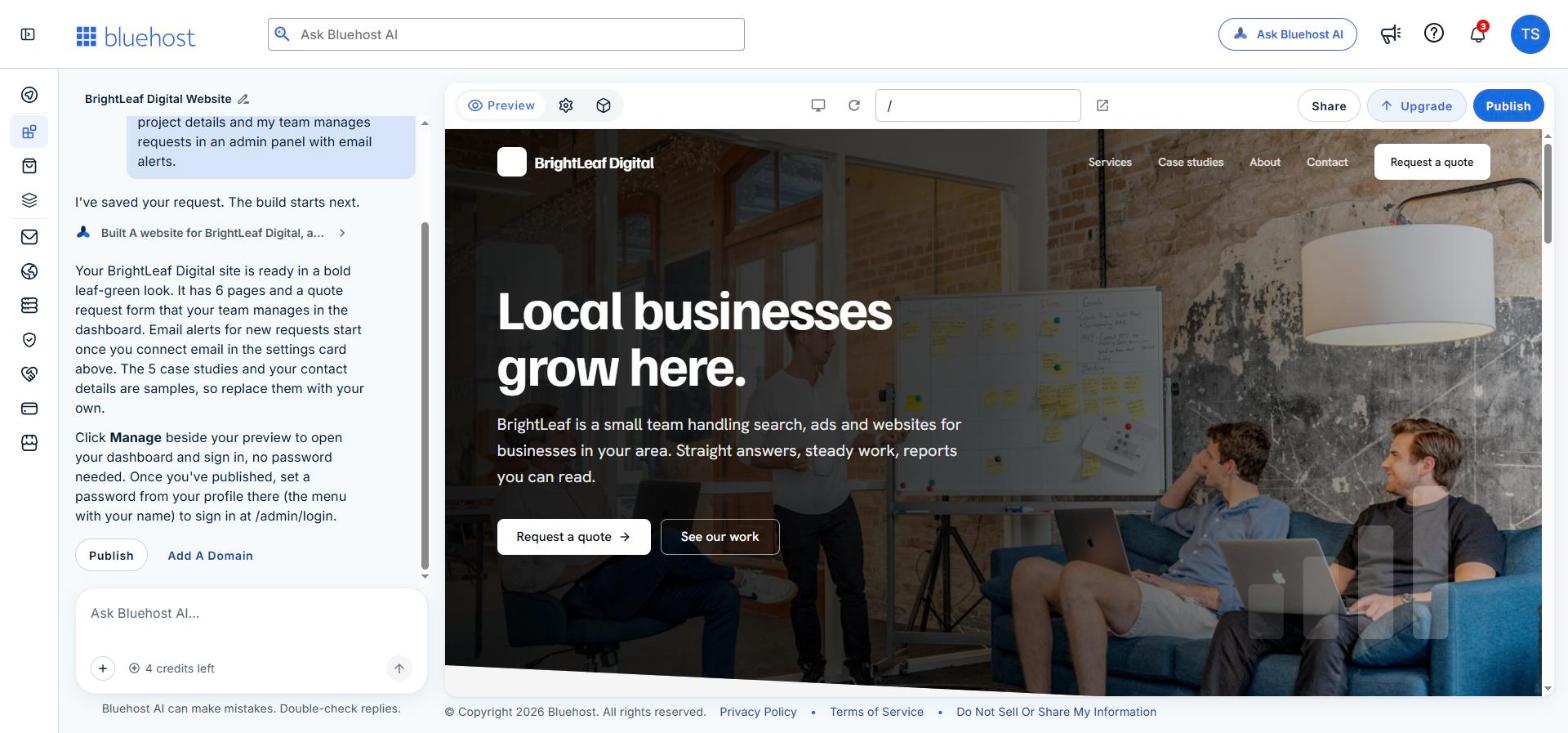
The copy was better than we expected. It was short, specific to a local-business agency, and free of the filler text you often get from generators. The builder was also upfront about what was placeholder content: the five case studies were labelled “(sample)”, and it told us in the chat to replace them and the contact details with our own.
Step 3: The quote request app and admin panel
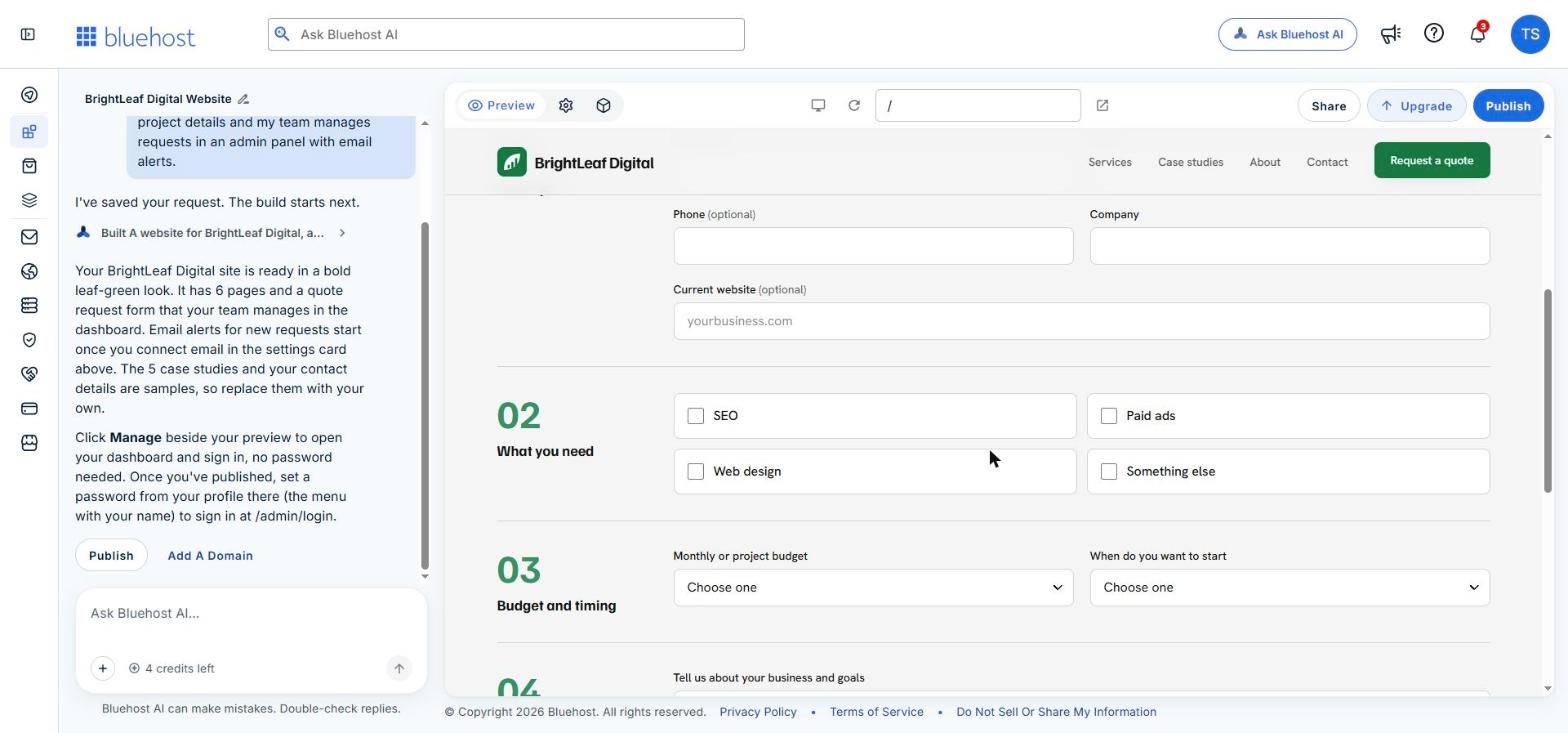
This is the part that separates Bluehost AI Builder from a normal site builder. The quote page is not a simple contact form. It is a four-part form covering contact details, the services needed (as tick boxes), budget and start date (as dropdowns) and a description of the project.
Behind it, the “Manage” tab opens an admin panel that the builder created for the same project. Ours had a dashboard with request counts, a Quote Requests list with company, status, services, budget and date received, plus sections for case studies, services, users, messages and business details. It was pre-filled with sample requests in different stages (New, Contacted, Quoted, Won, Lost), so we could see how a real pipeline would look.
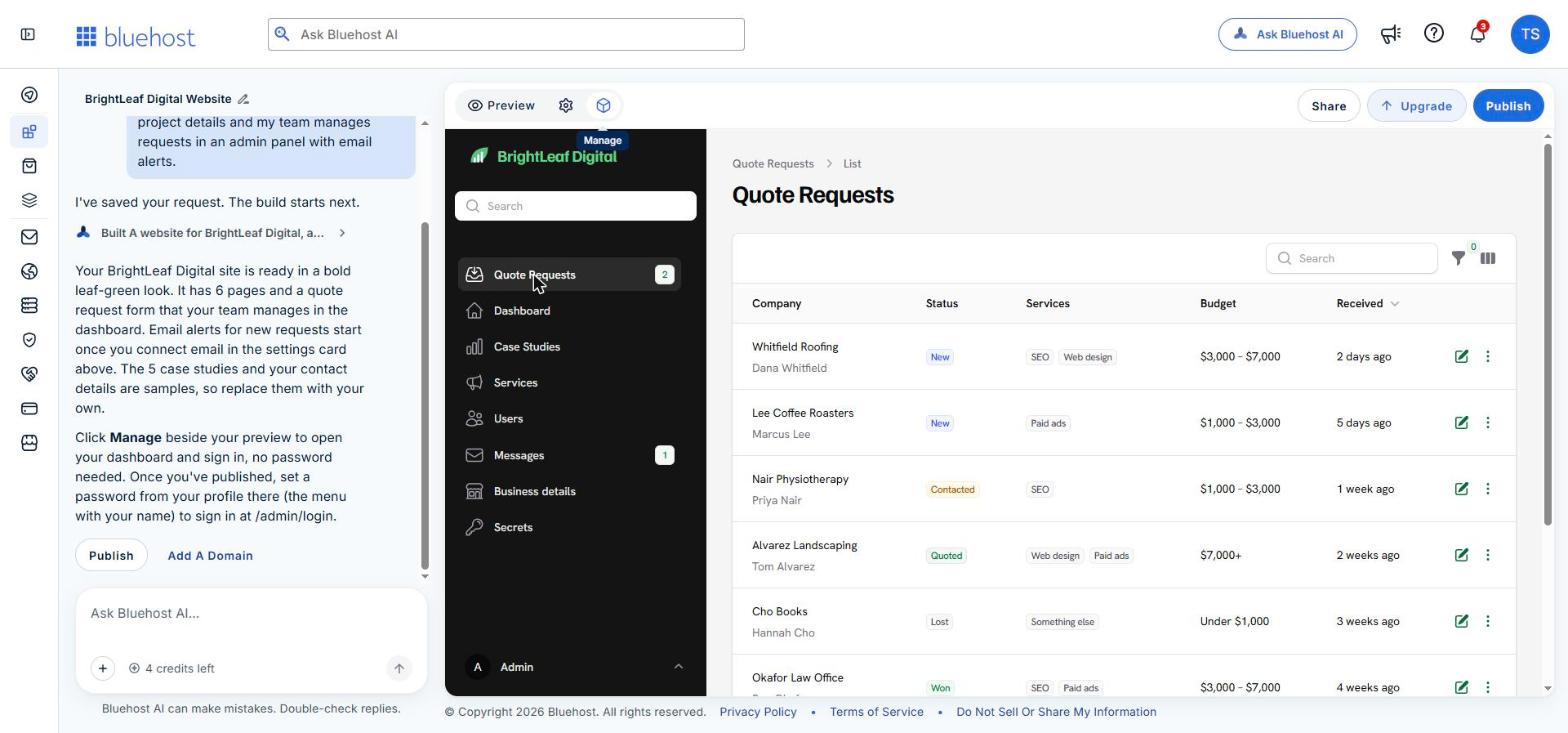
For an agency, freelancer or local service business, that is a small lead-management tool without paying for a separate form or CRM product. One caveat: the builder told us email alerts for new requests only start once you connect email in the project settings, so that is a setup step you should not skip.
Step 4: Changing things by chat
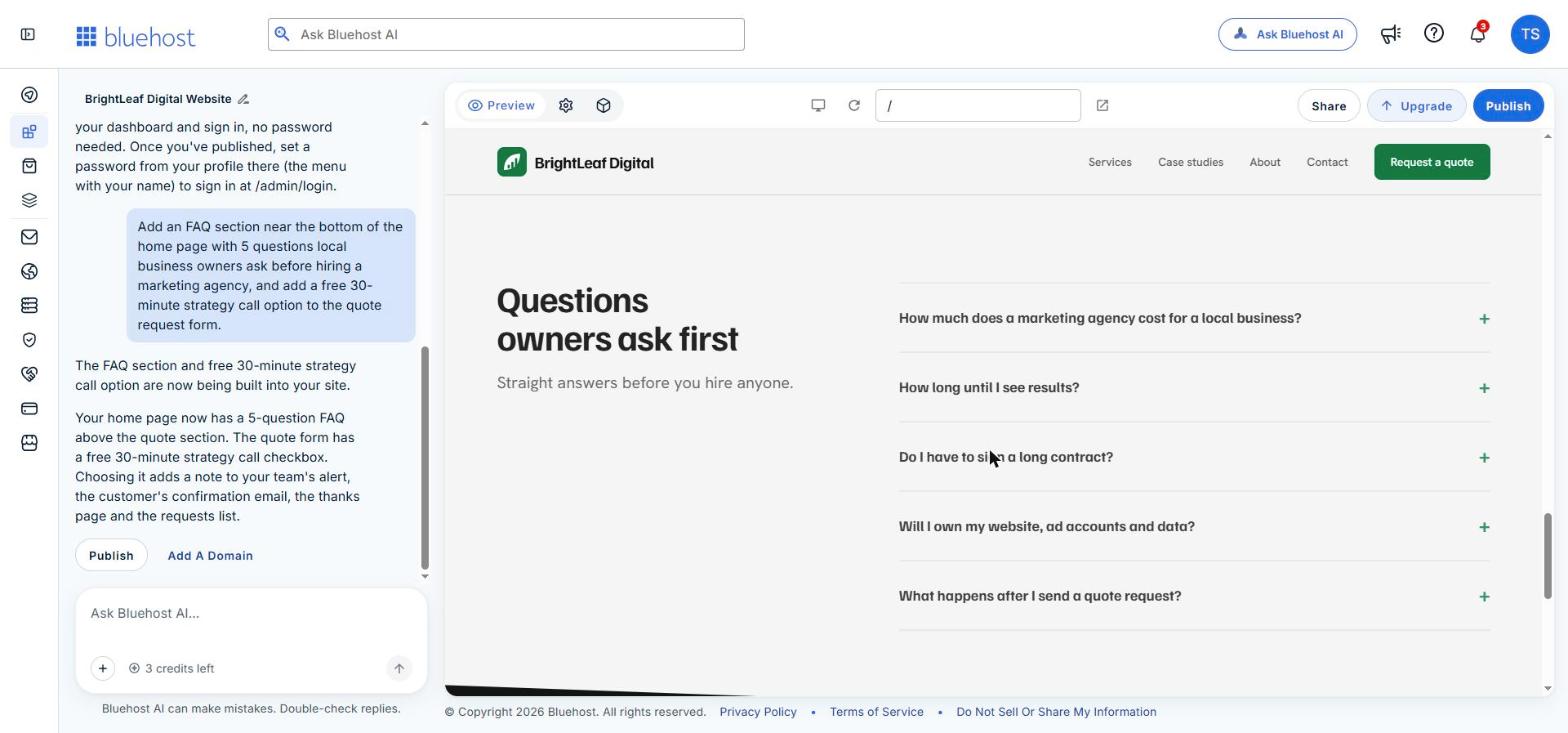
Next we tested an edit. We typed one message asking for two changes at once: an FAQ section on the home page with five questions local business owners ask before hiring an agency, and a free 30-minute strategy call option on the quote form.
About two minutes later both were live in the preview. The FAQ appeared as an expandable section above the quote area, with sensible questions about cost, timelines, contracts and ownership. The strategy call was added as a checkbox on the form, and the builder said the choice also flows through to the team alert, the customer’s confirmation email and the requests list. That single message used one credit.
What we liked
- Website and app from one prompt. We got pages, a structured form, a database of requests and an admin panel in a single build.
- Speed. Under five minutes for the first version, about two minutes for a two-part change.
- Honest placeholders. Sample case studies and contact details were clearly marked instead of being passed off as real.
- Edits that reach the whole app. Adding a form option also updated the admin list and emails, which you would otherwise have to wire up yourself.
- Hosting is part of it. There is nothing to deploy or connect. Bluehost says hosting never uses your building credits.
- Free to try properly. We built everything in this post on the free plan.
What to watch out for
- Free credits are limited. One chat message uses one credit, and the free plan gives 5 credits a day, up to 30 a month. Batch several changes into one message, as we did. Bluehost says its own clarifying questions do not use credits.
- Your own domain needs a paid plan. The free plan publishes on a Bluehost subdomain and carries a Bluehost badge.
- Check the invented details. The builder gave our fictional agency sample prices and a sample phone number. Review every number, name and claim before you publish.
- It is Early Access. Expect the product to change. Bluehost also states that native iOS and Android apps are not supported at this time; the apps run in a browser on any device.
- You do not edit visually. Changes go through chat, so people who like dragging elements around may find it less direct.
We did not contact support during this test, so we cannot comment on the 24/7 human support from experience.
Bluehost AI Builder pricing
Bluehost AI Builder is $0 to start, no credit card. The free plan includes hosting, forms, bookings, user roles and an admin panel, with the credit limits mentioned above.
If you need more, there are paid plans from $20/mo. The paid tiers add a larger monthly credit allowance (100 or 200 credits a month, with no daily cap on the entry tier), the option to connect your own domain, and removal of the Bluehost badge. If your credits run out, Bluehost says new changes pause but your live site stays online.
Plans and allowances can change during Early Access, so check the Bluehost AI Builder page for current details before you upgrade.
Who is Bluehost AI Builder for?
It suits you if you run a small business, agency or freelance practice and want a site plus a simple business tool (quotes, bookings, a customer portal) without hiring a developer or stitching several products together. It is also a quick way to produce a working prototype to show a client or partner.
It is less suitable if you want full manual design control, need a large content site or blog with an editorial workflow, or need a native mobile app. For a traditional WordPress site, Bluehost’s standard hosting plans are still the better fit.
How to try it yourself
- Go to Bluehost AI Builder and describe your business and what the site or app should do. Mention the pages you want and what should happen to form submissions.
- Create your free account when prompted.
- Wait a few minutes for the first version, then click through every page in the preview and open the Manage tab.
- List the changes you want and send them in as few messages as possible to save credits.
- Replace all sample content, connect email alerts in the settings, then publish.
Frequently asked questions
Is Bluehost AI Builder free?
Yes. It is $0 to start, no credit card. The free plan has a daily and monthly credit limit and publishes on a Bluehost subdomain.
Do I need coding skills?
No. We built the website, the quote form and the admin panel in this post by typing two messages in plain English.
Can I use my own domain?
Yes, on a paid plan. Bluehost says you can connect a domain you already own or pick a new one inside the builder. Domain registration is charged separately.
Is Bluehost AI Builder the same as WordPress?
No. It creates a custom website or web app that you edit by chatting. Bluehost offers a separate AI builder for WordPress sites.
What happens when I run out of credits?
According to Bluehost, you cannot make new changes until credits renew or you add more, but your published site stays online because hosting does not use credits.
Our verdict
Bluehost AI Builder did what it claims in our test. One paragraph produced a presentable six-page agency site and a working quote request tool with its own admin panel in under five minutes, and a follow-up message changed both the site and the app correctly.
It is not finished: it is in Early Access, the free credit allowance is tight, and you must replace the sample content before going live. But as a fast, low-risk way for a small business to get a website and a simple lead tool in one place, it is worth an hour of your time, especially as it costs nothing to test.