⚠️ Affiliate Disclosure: This page contains affiliate links. We may earn a commission at no extra cost to you. This does not influence our reviews. Read full disclosure →

PandaDoc Review

PandaDoc logo

PandaDoc Review

Editorial rating: 4.7 / 5

PandaDoc Overview

PandaDoc has evolved well beyond its eSignature roots to become one of the most complete document workflow platforms for sales teams in 2026. Upload a proposal, contract, or quote — or start from 750+ pre-built templates — and PandaDoc handles drafting, approval workflows, signatures, and even collecting payment inside the same document. Its DNA is still sales-oriented: the template library, analytics dashboards, CPQ pricing tables, and CRM integrations are all tuned for closing deals faster, not just collecting signatures. In this PandaDoc review, we test how quickly a small sales team can go from blank page to signed contract, how deep the Salesforce and HubSpot integrations actually run, whether the Business plan at $49/user/month is worth the jump from Essentials at $19, and how PandaDoc stacks up against DocuSign, Proposify, and Dropbox Sign. If your team is still emailing Word docs and chasing signatures, PandaDoc is one of the clearest productivity wins in the entire sales stack — most customers report closing deals 40% faster inside the first quarter.

Drag-and-Drop Document & Proposal Builder

PandaDoc’s drag-and-drop editor lets you build polished proposals, contracts, and quotes in minutes using reusable content blocks — complete with brand fonts, colors, and media libraries that keep every document on-brand.

Legally Binding Electronic Signatures

PandaDoc eSignatures are legally binding under ESIGN, UETA, eIDAS, and GDPR — with digital certificates and a complete audit trail attached to every signed document for enterprise-grade compliance.

Pre-Built Proposals, Contracts & Quote Templates

The template library ships with 750+ ready-to-send proposals, SOWs, NDAs, MSAs, and sales contracts — so new reps can produce a professional document on day one without starting from a blank page.

Real-Time Tracking, Notifications & Analytics

Real-time notifications and engagement analytics show you exactly when a prospect opens the document, which sections they read longest, and when to follow up — turning static PDFs into live sales intelligence.

Integrated Online Payments (Stripe, PayPal, ACH)

PandaDoc lets buyers pay directly inside the document via Stripe, PayPal, Square, or ACH — collapsing the sign-then-pay gap that traditionally leaks revenue between contract and invoice.

CRM & Workflow Automation (Salesforce, HubSpot)

Native integrations with Salesforce, HubSpot, Pipedrive, Zoho, and Microsoft Dynamics automatically sync deal data into documents and push signed contracts back into the CRM with zero manual copy-paste.

Content Library, Brand Kit & Conditional Logic

The reusable content library, brand kit, and conditional logic let sales leaders enforce messaging, swap pricing tables by buyer segment, and ensure every rep sends an approved version of the pitch.

Approval Workflows, Audit Trails & Compliance

Approval workflows, role-based access, audit trails, and SOC 2 Type II + GDPR compliance make PandaDoc a safe choice for regulated industries and enterprise legal teams handling high-value contracts.

PandaDoc Features — What’s Inside The Platform

PandaDoc ships a genuinely deep feature set inside a single dashboard. You get a drag-and-drop document builder with a 750+ template library, legally binding eSignatures with ESIGN/UETA/eIDAS/GDPR compliance, real-time recipient engagement analytics, in-document payment collection via Stripe/PayPal/ACH, native integrations with Salesforce/HubSpot/Pipedrive/Zoho, CPQ pricing tables with conditional logic, an approval and role-based access layer, SOC 2 Type II audit trails, and a developer API for embedding documents directly inside your own SaaS. The editor itself is built around reusable content blocks and a brand kit — so enterprise teams can lock fonts, colors, and boilerplate clauses while still letting reps tailor each proposal. Pricing scales from a Free eSign plan through Essentials ($19/user/mo), Business ($49/user/mo), and custom Enterprise, and the Free plan alone is enough for solo founders who just need to send and track signed documents. For most sales teams, PandaDoc is the shortest path from blank page to signed-and-paid contract.

✅ Drag-and-drop document, proposal, and contract builder ✅ Legally binding eSignatures (ESIGN, UETA, eIDAS, GDPR) ✅ 750+ pre-built templates for proposals, SOWs, NDAs, MSAs ✅ Real-time engagement analytics and open/read notifications ✅ In-document payments via Stripe, PayPal, Square and ACH ✅ Native Salesforce, HubSpot, Pipedrive, Zoho, and Dynamics integrations ✅ CPQ pricing tables with conditional logic and approval rules ✅ Reusable content library, brand kit, and role-based access ✅ SOC 2 Type II, GDPR, and HIPAA-ready security controls ✅ Developer API, SDKs, Zapier, and Make connectors ✅ Free eSign plan for startups, Essentials $19, Business $49 per user/month ✅ 24/7 chat support and PandaDoc Learning Academy included

PandaDoc Video Walkthroughs & Tutorials

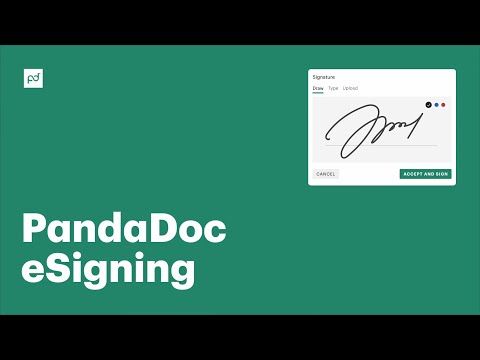
The four videos below are the fastest way to see PandaDoc in action — an official capture-eSignatures demo, a complete beginners tutorial, a 7-minute overview, and a hands-on eSign walkthrough. Watching even one will give you a clearer picture of the drag-and-drop editor, template library, and signature flow than any marketing screenshot.

PandaDoc — Pandadoc Youtube Dvswyemfn0e
How To Use PandaDoc Tutorial
PandaDoc — Pandadoc Youtube Rxuzltbvbom
PandaDoc — Pandadoc Youtube Fukjbhe9kbg

PandaDoc Pricing Plans

PandaDoc offers four document automation tiers with annual billing saving 15-30%. The free plan includes unlimited e-signatures, and Business adds CRM integrations. Enterprise plans involve custom contracts (avg ~$16K/year per Vendr data).

  • Free eSign: $0 — unlimited document uploads, unlimited e-signatures, mobile app, payment collection (Stripe/PayPal), real-time tracking, audit trail
  • Essentials/Starter: $19/user/month (annual) or $29/user/month (monthly) — drag-and-drop editor, document templates, content library, rich media, document analytics, 24/7 email support
  • Business: $49/user/month (annual) or $65/user/month (monthly) — CRM integrations (Salesforce, HubSpot, Pipedrive, Zoho), content library, approval workflows, deal rooms, web forms, bulk send, custom branding, payment collection
  • Enterprise: $59+/user/month (custom quote) — SSO/SAML, advanced workflow & roles, salesforce CPQ, conditional sending, API access (5,000+ calls/mo), audit logs, SOC 2 Type II, dedicated CSM, BAA/HIPAA compliance

API document generation is billed at $5/document on lower tiers. Annual contracts typically save 15-30% versus monthly. Free 14-day trials available on all paid plans. Enterprise pricing depends on team size, deal volume, and add-on modules (e.g., Quote Builder, Notary, Forms).

PandaDoc Reviews & Ratings

Pros and Cons of PandaDoc

Here is an honest look at where PandaDoc stands out and where it falls short, based on user feedback across G2 and Capterra.

Pros

  • ✅ All-in-one document workflow: proposals, quotes, contracts, and e-signatures in one place.
  • ✅ Drag-and-drop editor with a large template library and reusable content blocks.
  • ✅ Legally binding e-signatures with full audit trails.
  • ✅ CRM integrations (HubSpot, Salesforce, Pipedrive) plus built-in payment collection.
  • ✅ Real-time tracking and analytics on document opens, views, and signatures.

Cons

  • ❌ Per-user pricing adds up for larger teams.
  • ❌ Advanced features and API access require higher tiers.
  • ❌ Occasional formatting quirks with complex documents.
  • ❌ Mobile editing is more limited than the desktop experience.
  • ❌ Building advanced automated workflows has a learning curve.
4.7 EASE OF USE
4.5 VALUE FOR MONEY
4.6 CUSTOMER SUPPORT
4.7 FUNCTIONALITY
4.6 INTEGRATIONS

Top PandaDoc Alternatives

PandaDoc is a leader in the document workflow category, but several alternatives deserve a look depending on your use case. DocuSign remains the most recognizable eSignature brand and is stronger for enterprise legal workflows. Proposify competes directly on proposal-heavy sales workflows with slightly better design templates. Dropbox Sign (formerly HelloSign) is cheaper for pure eSignature use cases. Qwilr is excellent for interactive, web-based proposals. Better Proposals is a solid budget option for freelancers. For most B2B sales teams that want proposals, contracts, CPQ, analytics, and payments bundled together, PandaDoc still wins on breadth — but teams with narrow requirements should test the above side-by-side.

USLegalForms Review

USLegalForms Review

Editorial rating: 4.7 / 5
Explore More
Signable Review

Signable Review

Editorial rating: 4.7 / 5

Signable is a UK e-signature platform that makes sending, signing, and tracking legally binding documents fast and affordable. In this Signable review by IdealOnlineBusiness.com, we look at its pricing, features, compliance, and ease of use based on public Trustpilot, Capterra, and G2 reviews. Whether you are a UK-based business needing GDPR compliance or a global team wanting a DocuSign alternative, Signable offers e-signatures, templates, audit trails, and API access at a competitive price.

Our analysis of Signable e-signature reviews shows the platform is trusted for UK data residency, simplicity, and customer support. It holds a 4.7/5 rating on Trustpilot across 250+ reviews. Users praise the unlimited templates, friendly UK support, and Eolas compliance, while some flag the basic mobile app. For UK businesses wanting a homegrown e-signature solution, Signable is a top choice.

Explore More
Concord Review

Concord Review

Editorial rating: 4.4 / 5
Explore More
Signnow Review

Signnow Review

4.7
Top Rated Features
  1. Easy-to-Use Interface
  2. Advanced Security Measures
  3. Integration with Popular Tools
Explore More
PDFfiller Review

PDFfiller Review

4.7
Top Rated Features
  1. PDF Editing
  2. Electronic Signatures
  3. Document Conversion
Explore More
SignWell Review

SignWell Review

4.8
Top Rated Features
  1. Easy Integration
  2. Legally Compliant
  3. User-Friendly Dashboard
Explore More
DocHub Review

DocHub Review

4.8
Top Rated Features
  1. Edit PDFs (text, images, forms)
  2. Cloud Storage Integration
  3. Secure sharing and Collaboration
Explore More
DigiSigner Review

DigiSigner Review

4.7
Top Rated Features
  1. Ease of Use
  2. Legal Compliance
  3. Cloud Accessibility
Explore More
FAQs

Frequently Asked Questions About PandaDoc

Below are the eleven most common questions teams ask before committing to PandaDoc. Most revolve around eSignature legality, CRM integrations, pricing tiers, and how PandaDoc compares to DocuSign. The answers below should help you decide without needing to sit through a sales demo.

PandaDoc is a document workflow platform used by sales, HR, procurement, and legal teams to create, send, track, sign, and collect payment on proposals, contracts, quotes, and NDAs — all inside a single dashboard with legally binding eSignatures built in.

Yes. PandaDoc eSignatures are legally binding and compliant with ESIGN (US), UETA (US), eIDAS (EU), and GDPR — every signed document is attached to a digital certificate and a complete audit trail including IP addresses and timestamps.

Yes. PandaDoc offers native two-way integrations with Salesforce, HubSpot, Pipedrive, Zoho CRM, and Microsoft Dynamics 365 — CRM deal data populates documents automatically, and signed contracts push back into the CRM as attachments.

Yes. PandaDoc lets recipients pay directly inside the document via Stripe, PayPal, Square, and ACH — eliminating the traditional sign-then-invoice gap and dramatically shortening the cash cycle for service businesses.

Yes. PandaDoc offers a permanent Free eSign plan ($0/month) with unlimited document uploads and legally binding signatures. It is genuinely enough for freelancers and solo founders who just need to get things signed.

Pricing starts at $0/month for Free eSign, $19/user/month for Essentials, $49/user/month for Business, and custom pricing for Enterprise — billed annually. Month-to-month pricing is slightly higher on each tier.

For proposal-heavy B2B sales teams, yes — PandaDoc bundles document building, templates, analytics, CRM sync, and payments at a price point that undercuts an equivalent DocuSign Business Pro + CPQ stack. For pure eSignature-only workflows, DocuSign Personal or Dropbox Sign can be cheaper.

Yes. The Business and Enterprise plans include CPQ pricing tables with product catalogs, discount rules, editable quantities, tax handling, and conditional logic that shows or hides sections based on buyer input or deal size.

Yes. PandaDoc supports multi-step approval workflows, role-based access controls, locked content blocks, and a complete audit trail on every document for SOC 2 Type II, GDPR, and HIPAA-ready compliance needs.

Sign up directly on the PandaDoc website — start with the permanent Free eSign plan or a 14-day free trial of Essentials or Business. No credit card is required to begin, and the PandaDoc Learning Academy walks you through your first template in under 15 minutes.

For any team that ships proposals, SOWs, MSAs, or client contracts regularly, yes — PandaDoc is one of the most complete document workflow platforms in 2026, with 50,000+ customers reporting 40% faster close cycles on average. The Free plan removes almost all risk of trying it.

⚠️ Affiliate Disclosure: This site contains affiliate links. We may earn a commission when you purchase through our links at no extra cost to you. Results are not typical.